1. Вступ
Thank you for choosing the IOOIOO A80 Portable Printer. This compact, inkless thermal printer is designed for convenience and efficiency, allowing you to print documents, photos, and more from various devices, including smartphones, tablets, and computers. Its portable design makes it ideal for home, office, or travel use.


2. Що в коробці
Будь ласка, перевірте вміст упаковки, щоб переконатися, що всі елементи присутні:
- Портативний принтер IOOIOO A80
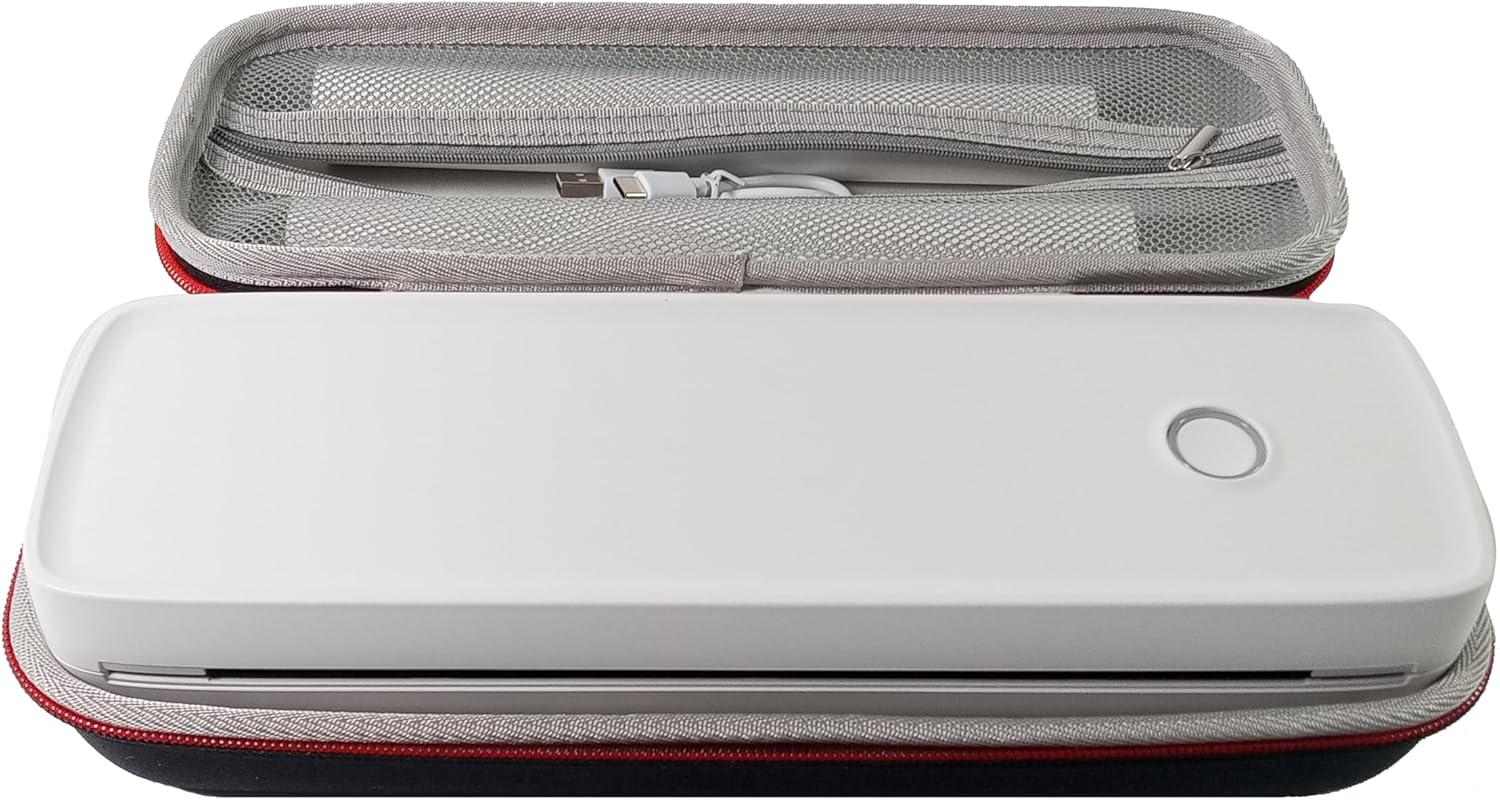
- Чохол для транспортування
- 3 Rolls of A4 or Letter Thermal Paper
- 3 Pages of Continuous Folded Thermal Paper
- USB кабель
- QR Code for Manual Download (Digital Manual)

3. Налаштування
3.1 Початкове заряджання
Before first use, fully charge the printer using the provided USB cable. The LED indicator will show charging status.
3.2 Software/Driver Installation
To use the printer with your devices, appropriate software or drivers are required:
- For Mobile Phones (iPhone/Android): Download the "SharpFox" application from your device's app store.
- For Desktop PCs (Windows/Mac/Linux/Raspberry Pi): Download the necessary drivers from the official IOOIOO website. A QR code is provided in the box for quick access to the manual and driver download links.
3.3 Завантаження термопаперу
The IOOIOO A80 uses inkless thermal paper. To load paper:
- Відкрийте кришку відділення для паперу.
- Insert the thermal paper roll or folded stack, ensuring the printable side is facing the print head.
- Надійно закрийте кришку.

4. Інструкція з експлуатації
4.1 Увімкнення/вимкнення
- Щоб увімкнути: Натисніть і утримуйте кнопку живлення, доки не засвітиться світлодіодний індикатор.
- Щоб вимкнути: Натисніть і утримуйте кнопку живлення, доки світлодіодний індикатор не вимкнеться.
4.2 Підключення
The IOOIOO A80 offers both Bluetooth wireless and USB wired connectivity options.
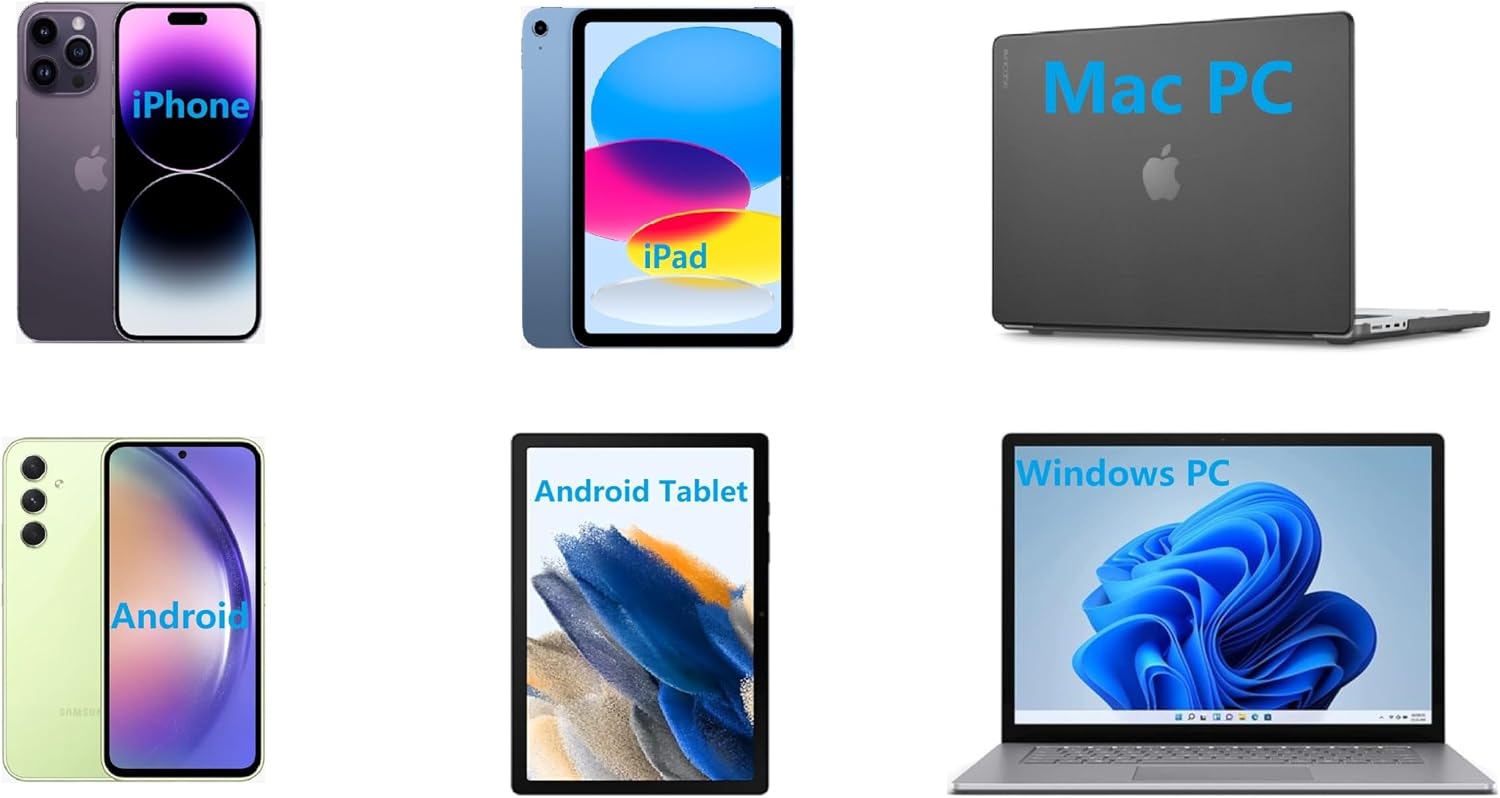
4.2.1 Bluetooth Connection (for Phones and Windows PC)
- Ensure the printer is powered on and the LED is green.
- On your phone, open the "SharpFox" app. On your Windows PC, ensure Bluetooth is enabled.
- Within the app or PC Bluetooth settings, search for and select the "IOOIOO A80" printer to pair.
- Дотримуйтеся будь-яких підказок на екрані, щоб завершити процес створення пари.
4.2.2 USB Connection (for Windows PC, Mac PC, Linux, Raspberry Pi)
- Ensure the printer is powered on and the LED is green. If the LED is not green, the printer will not print via USB.
- Підключіть принтер до комп’ютера за допомогою USB-кабелю, що входить до комплекту.
- Install the appropriate drivers as described in Section 3.2.
- Після встановлення драйверів принтер має бути розпізнаний комп'ютером.
4.3 Друк
After connecting your printer, you can initiate printing from your chosen application (e.g., SharpFox app, word processor, PDF viewer).
- Виберіть опцію друку у вашій програмі.
- Choose "IOOIOO A80" from the list of available printers.
- Adjust print settings (e.g., paper size: US letter/legal/A4/A5, 2", 3", 4" sticky/non-sticky, flat folded/rolled thermal paper, tattoo stencil transfer paper) as needed.
- Натисніть кнопку «Друк», щоб розпочати друк.
Note on Tattoo Stencil Printing: This printer is suitable for normal tattoo lines only. It is not recommended for sharp lines, large blocks, gradients, or color patterns.
5. Технічне обслуговування
Proper maintenance ensures the longevity and optimal performance of your IOOIOO A80 printer.
5.1 Очищення друкуючої головки
Regularly clean the print head to maintain print quality.
- Вимкніть принтер і від’єднайте його від живлення.
- Відкрийте відділення для паперу.
- Обережно протріть друкувальну головку тканиною без ворсу, злегкаampзмішаний ізопропіловим спиртом.
- Дайте друкуючій голівці повністю висохнути, перш ніж закривати кришку та вмикати принтер.
5.2 Зберігання паперу
Store thermal paper in a cool, dry place away from direct sunlight and heat to preserve its quality and ensure prints last for the expected duration (2 to 15 years depending on paper type).
6. Вирішення проблем
If you encounter issues with your IOOIOO A80 printer, please refer to the official Troubleshooting Guide for detailed solutions.
Завантажити посібник з усунення несправностей (PDF)
Common issues and quick checks:
- Принтер не вмикається: Переконайтеся, що акумулятор заряджений.
- Немає виводу на друк: Check paper loading, ensure the LED is green (for USB connection), and verify connectivity (Bluetooth/USB).
- Погана якість друку: Clean the print head, ensure you are using compatible thermal paper.
- Проблеми з підключенням: Restart both the printer and the device you are trying to connect from. Re-pair Bluetooth or re-plug the USB cable.
7. Технічні характеристики
| Особливість | Деталь |
|---|---|
| Бренд | ОЙОООО |
| Назва моделі | A80 |
| Розміри продукту | 3.6" Г x 11.4" Ш x 2.4" В |
| Вага товару | 1.8 фунта |
| Технологія друку | Теплові |
| Максимальна роздільна здатність чорно-білого друку | 200 dpi |
| Максимальна швидкість друку (монохромний) | 4 ppm (approx. 10mm/s) |
| Максимальний розмір носія | A4 (supports US Letter/Legal/A4/A5) |
| Технологія підключення | Bluetooth for Phone, USB for PC |
| Колір чорнила | Black (Monochrome) |
| Термін служби друкуючої головки | Approx. 170,000 letter pages |
| Акумулятор | 1 літій-іонний акумулятор (у комплекті) |
8. Гарантія та підтримка
For any questions, technical assistance, or warranty inquiries, please contact IOOIOO customer service.
- Телефонна підтримка США: Available for direct assistance.
- Підтримка WhatsApp: Available for convenient messaging support.
Please refer to your product packaging or the official IOOIOO webсайт для отримання найактуальнішої контактної інформації.