1. Вступ
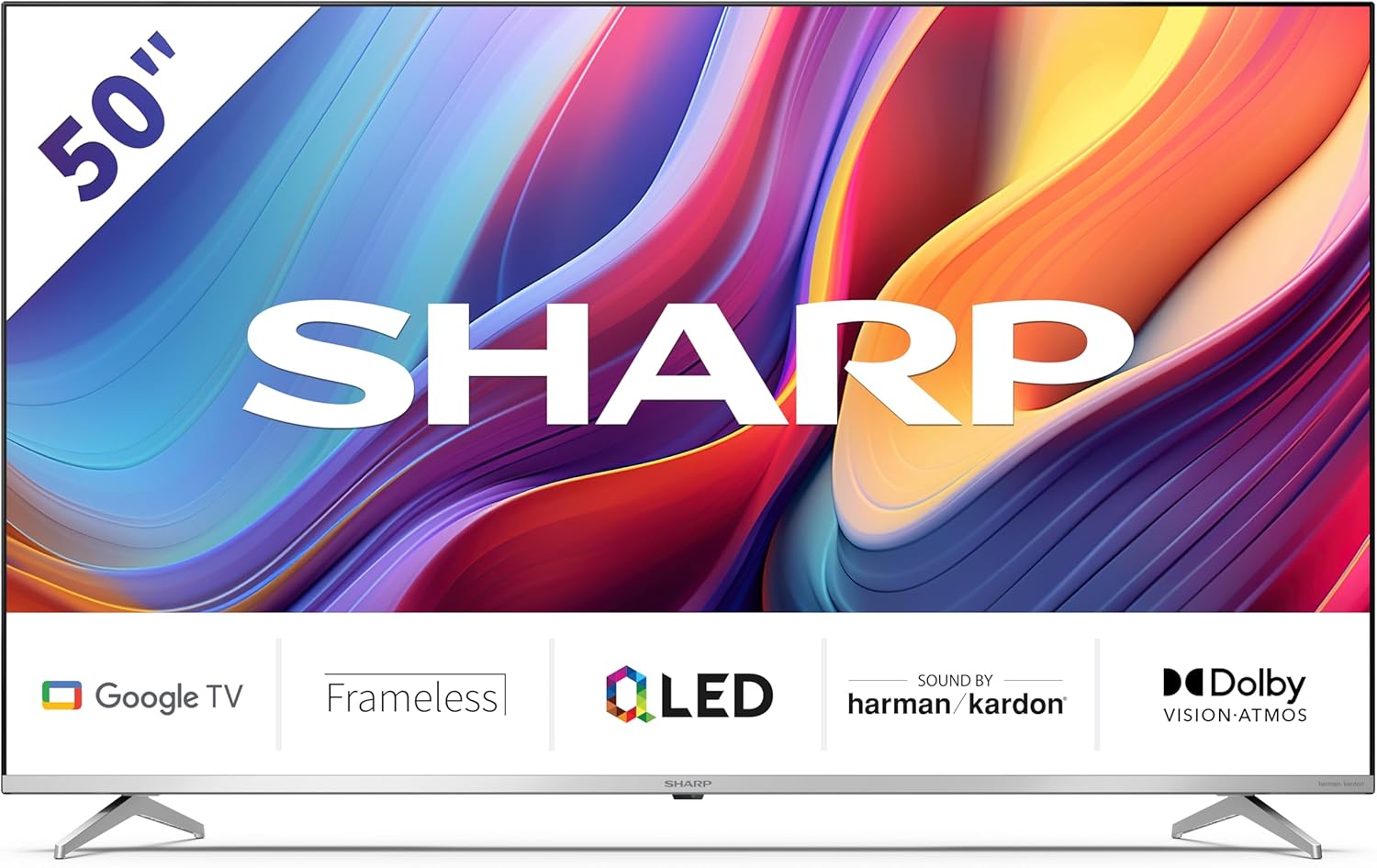
Welcome to the user manual for your new Sharp 50GP6265E 50-inch QLED 4K Ultra HD Google TV. This manual provides essential information for the safe and efficient use of your television. Please read it thoroughly before operating the device and retain it for future reference.
Важлива інформація з безпеки
- Переконайтеся, що телевізор встановлено на стійкій поверхні, щоб запобігти його падінню.
- Не блокуйте вентиляційні отвори. Належна циркуляція повітря має вирішальне значення для запобігання перегріву.
- Захищайте шнур живлення від наступання або защемлення.
- Do not expose the TV to rain or moisture to reduce the risk of fire or electric shock.
- Звертайтеся до кваліфікованого сервісного персоналу.
2. Що в коробці
Після розпакування, будь ласка, перевірте наявність усіх наступних компонентів:
- Sharp 50GP6265E 50-inch QLED 4K Ultra HD Google TV
- Дистанційне керування
- 2 батарейки типу AAA (для пульта дистанційного керування)
- Короткий посібник
- TV stands (if not wall-mounted)
- Силовий кабель
3. Налаштування
3.1 Розпакування
Обережно вийміть телевізор з упаковки. Рекомендується зберегти оригінальну упаковку для можливого транспортування або обслуговування в майбутньому.
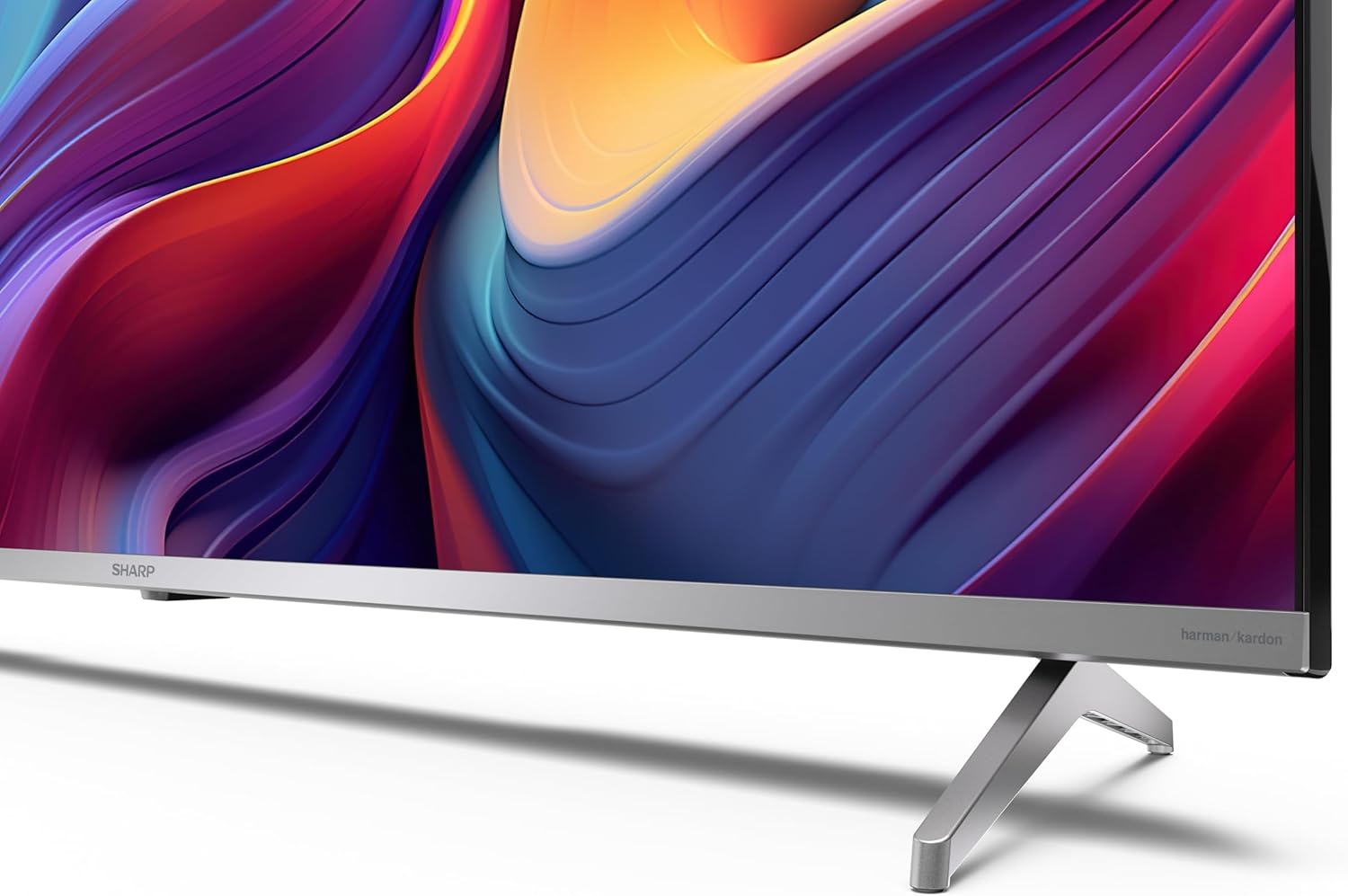
3.2 Встановлення підставки
If you are not wall-mounting the television, attach the included stands to the bottom of the TV. Ensure the screws are securely fastened. Refer to the quick start guide for detailed diagrams.
3.3 Настінне кріплення
For wall mounting, the VESA dimensions required are 400 x 300 mm. Use a compatible wall mount bracket (sold separately) and follow the instructions provided with the bracket. Ensure the wall can support the weight of the television (9.7 kg net weight).

3.4 Підключення периферійних пристроїв
Ваш телевізор Sharp пропонує різні варіанти підключення:
- HDMI: Connect external devices such as Blu-ray players, gaming consoles, or set-top boxes using the 4 HDMI 2.1 ports. One port supports eARC for enhanced audio return channel functionality.
- USB: Use the 2 USB ports for connecting external storage devices to play media or for service updates.
- Ethernet: Для стабільного дротового інтернет-з’єднання.
- Wi-Fi: Для бездротового підключення до інтернету.
- Bluetooth: Підключіть бездротові навушники, саундбари або інші аксесуари з підтримкою Bluetooth.

3.5 Перше налаштування
After connecting the power cable and turning on the TV, follow the on-screen instructions to complete the initial setup. This typically includes language selection, network connection, and Google account sign-in for Google TV features.
4. Керування телевізором
4.1 Пульт дистанційного керування
The included remote control allows you to navigate the TV's interface, adjust volume, change channels, and access smart features. Insert the 2 AAA batteries into the remote control, ensuring correct polarity.
4.2 Інтерфейс Google TV
Your Sharp TV runs on Google TV, which organizes movies, shows, and live TV from all your apps and subscriptions. The home screen provides personalized recommendations and quick access to your favorite content.

Supported internet services include Netflix, Amazon Prime Video, HBO, Disney+, Movistar+, DAZN, Atresmedia, KODI, IPTV, Steamlink, Twitch, VLC, YouTube, Puffin TV Browser, Spotify, Deezer, TuneIn Radio, and many more available on Google Play for Google TV.
4.3 Налаштування зображення
Experience stunning visuals with 4K Ultra HD resolution and Quantum Dot technology for vibrant colors. The TV supports Dolby Vision and HDR10 for enhanced contrast and brightness. Access picture settings through the TV menu to customize brightness, contrast, color, and sharpness to your preference. AQUOS Smooth Motion technology provides image interpolation for smoother motion.
4.4 Параметри звуку
The integrated Harman/Kardon speaker system (2 x 12 W) delivers immersive audio. With Dolby Atmos support, you can enjoy a rich, multi-dimensional sound experience. Adjust sound modes and equalizer settings in the audio menu.
4.5 Розумні функції
- Google Assistant: Використовуйте голосові команди для пошуку контенту, керування пристроями розумного дому та отримання інформації.
- Вбудований Chromecast: Транслюйте контент зі свого смартфона, планшета або комп'ютера безпосередньо на екран телевізора.
5. Технічне обслуговування
5.1 Очищення телевізора
- Завжди відключайте телевізор від мережі перед чищенням.
- Використовуйте м’яку суху тканину для протирання екрана та корпусу. Для стійких плям злегка протрітьampпротріть тканину водою або спеціалізованим засобом для чищення екранів.
- Уникайте використання абразивних засобів для чищення, воску або розчинників.
5.2 Оновлення програмного забезпечення
Your TV may receive software updates to improve performance and add new features. Ensure your TV is connected to the internet to receive these updates automatically or check for them manually in the settings menu.
6. Вирішення проблем
Якщо у вас виникли проблеми з телевізором, зверніться до наступних поширених проблем та способів їх вирішення:
| проблема | Можливе рішення |
|---|---|
| Немає живлення | Перевірте, чи кабель живлення надійно підключено до телевізора та розетки. Переконайтеся, що розетка справна. |
| Немає зображення, але звук є | Перевірте, чи вибрано правильне джерело вхідного сигналу. Перевірте підключення зовнішніх пристроїв. |
| Звуку немає, але зображення є | Перевірте рівень гучності та стан вимкнення звуку. Переконайтеся, що аудіокабелі зовнішніх пристроїв підключені правильно. |
| Пульт не працює | Замініть батарейки типу AAA. Переконайтеся, що між пультом дистанційного керування та ІЧ-датчиком телевізора немає перешкод. |
| Проблеми з підключенням Wi-Fi | Restart your router and the TV. Re-enter the Wi-Fi password. Ensure the TV is within range of your Wi-Fi network. |
7. Технічні характеристики
| Особливість | Деталь |
|---|---|
| Бренд | Гострий |
| Номер моделі | 50GP6265E |
| Розмір екрана | 50 дюймів |
| Технологія дисплея | QLED, Quantum Dot |
| роздільна здатність | 4K Ultra HD (3840 x 2160 пікселів) |
| Частота оновлення | 60 Гц |
| Операційна система | Google TV |
| Підтримка HDR | Dolby Vision, HDR10 |
| Аудіосистема | Harman/Kardon (2 x 12 W), Dolby Atmos |
| Підключення | 4x HDMI 2.1 (with eARC), 2x USB, Wi-Fi, Bluetooth, Ethernet |
| Особливості | Google Assistant, Chromecast built-in, AQUOS Smooth Motion |
| Настінне кріплення VESA | 400 х 300 мм |
| Розміри (з підставкою) | 111.6P x 26.5l x 69.3H cm (1116.4 x 692.9 x 264.7 mm) |
| Розміри (без підставки) | 111.6P x 9.2l x 65.1H cm (1116.4 x 651.3 x 91.5 mm) |
| Вага нетто | 9.7 кг |
| Клас енергоефективності (SDR) | G (69 кВт·год/1000 год) |
| Клас енергоефективності (HDR) | G (98 кВт·год/1000 год) |

Для отримання детальної інформації про продукт та даних про енергоефективність, будь ласка, зверніться до бази даних EPREL: https://eprel.ec.europa.eu/qr/1942440
8. Гарантія та підтримка
Information regarding spare parts availability and software updates is not explicitly provided for a guaranteed period. Please refer to the manufacturer's official website for the most up-to-date warranty terms and support information.
Виробник: SHARP
Офіційний Webсайт: www.sharpconsumer.com
For customer service inquiries, please visit the Sharp consumer website or contact their support channels as listed on their official site.


