вступ
This manual provides detailed instructions for the safe and effective use of your ONNAIS Large Biometric Gun Safe, Model KKNGS009. This safe is designed to secure firearms and valuables using advanced biometric fingerprint technology, a programmable keypad, and traditional key access. It features an internal light for visibility and an emergency power supply for reliable operation.
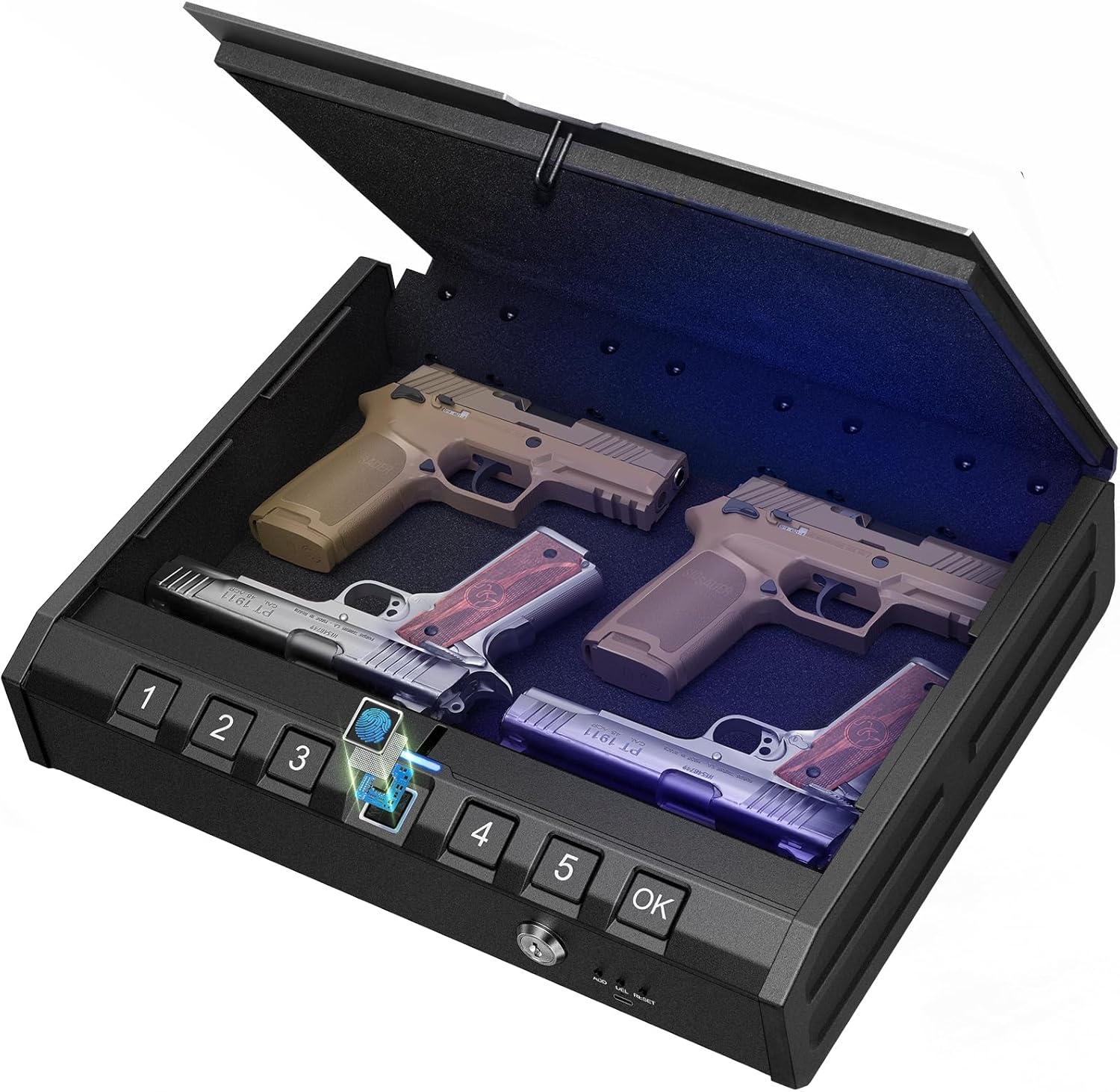
Image: ONNAIS Large Biometric Gun Safe with interior storage.
Вміст упаковки
Перевірте, чи всі перелічені нижче предмети входять до вашої упаковки:
- ONNAIS Large Biometric Gun Safe
- Кабель безпеки
- Механічні ключі (2)
- Посібник користувача
- Монтажні гвинти (4)
- USB-C Emergency Power Cable

Image: All components included in the ONNAIS safe package.
Налаштування
1. Встановлення батареї
- Locate the battery compartment on the front panel of the safe.
- Відкрийте кришку відділення.
- Insert 4 AA batteries (not included) according to the polarity indicators.
- Надійно закрийте кришку батарейного відсіку.
2. Initial Unlock
Upon first use, the safe must be opened using the mechanical key.
- Insert one of the provided mechanical keys into the keyhole on the front panel.
- Поверніть ключ за годинниковою стрілкою, щоб відкрити сейф.
- Lift the lid to open the safe.

Image: Manual key access for initial safe opening.
3. Setting a Passcode
The safe must be open to set or change the passcode.
- Locate the 'SET' button inside the safe, usually near the battery compartment.
- Press the 'SET' button once. The keypad will illuminate.
- Enter a 6-digit passcode using the number buttons (1-5).
- Press the 'OK' button to confirm.
- Re-enter the same 6-digit passcode.
- Press the 'OK' button again to finalize. A confirmation sound or light will indicate success.

Image: Keypad for setting and entering passcodes.
4. Реєстрація відбитків пальців
The safe must be open to register new fingerprints.
- Locate the 'SET' button inside the safe.
- Press the 'SET' button twice. The fingerprint scanner will illuminate.
- Place your finger firmly on the fingerprint scanner. Lift and repeat 5 times, slightly adjusting the finger position each time to capture different angles.
- A confirmation sound or light will indicate successful registration.

Image: Fingerprint scanner for biometric access.
Інструкція з експлуатації
1. Відкриття за допомогою відбитка пальця
- Міцно покладіть зареєстрований палець на сканер відбитків пальців.
- The safe will unlock with a confirmation sound and the lid will open automatically.
2. Відкриття за допомогою пароля
- Enter your 6-digit passcode using the number buttons.
- Press the 'OK' button. The safe will unlock with a confirmation sound and the lid will open automatically.
3. Opening with Mechanical Key
This method is used for initial setup or in case of battery failure.
- Insert the mechanical key into the keyhole.
- Поверніть ключ за годинниковою стрілкою, щоб відкрити сейф.
- Підніміть кришку, щоб відкрити.
4. Аварійне джерело живлення
If the batteries are completely drained, the safe can be temporarily powered using a USB-C cable.
- Connect a USB-C cable (provided) to the emergency power port on the front panel.
- Connect the other end of the USB-C cable to a power source (e.g., power bank, USB wall adapter).
- Once powered, use your registered fingerprint or passcode to open the safe.
- Replace the internal AA batteries as soon as possible.

Image: Emergency USB-C power port for external power supply.
Функції безпеки
1. Security Cable
The included security cable allows you to tether the safe to a fixed object, preventing unauthorized removal.
- Unscrew the end of the security cable.
- Thread the cable around a secure, immovable object (e.g., bed frame, car seat anchor).
- Screw the end of the cable back into the designated port on the safe.
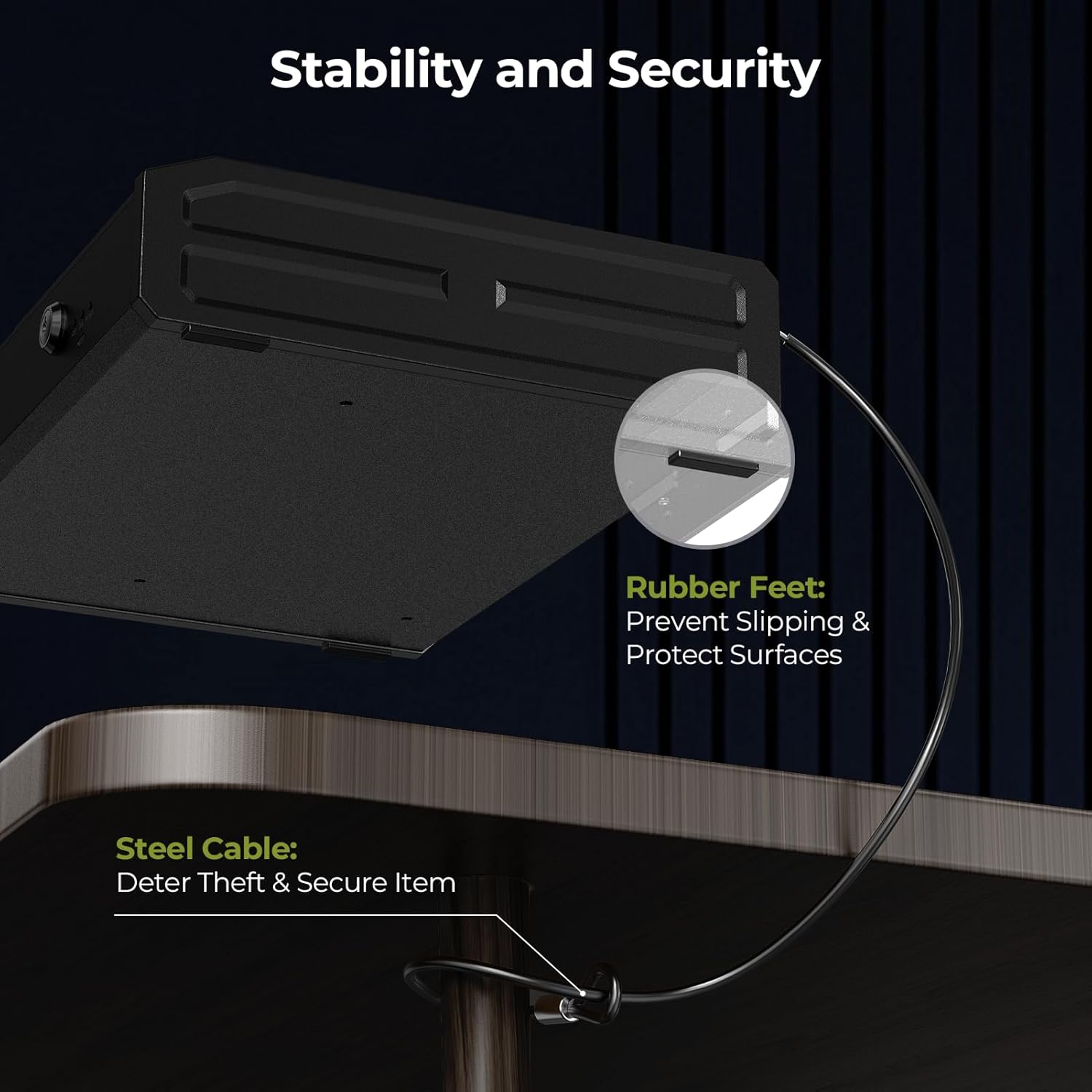
Image: Security cable attached to the safe and a fixed object.
2. Варіанти монтажу
The safe can be permanently mounted to a surface using the provided screws.
- Choose a suitable mounting location (e.g., inside a cabinet, to a wall).
- Mark the drill points using the pre-drilled holes on the bottom of the safe as a template.
- Просвердлите пілотні отвори в монтажній поверхні.
- Secure the safe using the provided mounting screws.

Image: Mounting holes and screws for permanent installation.
Технічне обслуговування
- Заміна батареї: Replace all 4 AA batteries when the low battery indicator illuminates (usually a red light on the display).
- Прибирання: Протирайте зовнішню частину м’якою сухою тканиною. Уникайте абразивних засобів для чищення або розчинників.
- Контроль вологи: Place a desiccant packet (e.g., silica gel) inside the safe to absorb moisture and protect contents.
Усунення несправностей
- Safe Not Opening with Fingerprint/Passcode: Check battery level. If low, replace batteries or use emergency power. Ensure correct finger placement or passcode entry.
- Forgotten Passcode: Use the mechanical key to open the safe, then reset the passcode following the setup instructions.
- Відбиток пальця не розпізнано: Re-register your fingerprint, ensuring proper placement and multiple scans. Ensure your finger is clean and dry.
- Немає живлення: Replace batteries. If still no power, use the emergency USB-C power supply.
Технічні характеристики
| Бренд | ONNAIS |
| Номер моделі | KKNGS009 |
| Розміри продукту | 3.15" Г x 11.81" Ш x 15.35" В |
| Тип замка | Electronic Combination Lock, Biometric Fingerprint, Mechanical Key |
| матеріал | легована сталь |
| Вага товару | 9.81 фунта |
| Джерело живлення | 4 AA Batteries (not included), USB-C Emergency Power |
| Особливості | Anti-Theft, Internal Light, Child-Safe Design |
Гарантія та підтримка
For warranty information, technical support, or any questions regarding your ONNAIS Large Biometric Gun Safe, please refer to the contact information provided on the product packaging or the official ONNAIS webсайт. Зберігайте чек про покупку для гарантійних претензій.


