вступ
Thank you for choosing the Ourlife WiFi Extender. This device is designed to expand your existing Wi-Fi network coverage, eliminate dead spots, and provide a stable, high-speed internet connection throughout your home or office. With a data transfer rate of up to 300Mbps on the 2.4GHz band, it is ideal for streaming, online gaming, and general internet use. This manual provides detailed instructions for setup, operation, and troubleshooting.
Інформація про безпеку
- Не піддавайте пристрій впливу води або вологи.
- Не намагайтеся самостійно розібрати або відремонтувати пристрій.
- Використовуйте лише адаптер живлення, наданий або рекомендований виробником.
- Тримайте пристрій подалі від джерел тепла та прямих сонячних променів.
- Забезпечте належну вентиляцію навколо пристрою, щоб запобігти перегріванню.
Вміст упаковки
Будь ласка, уважно перевірте вміст упаковки. Якщо будь-який елемент відсутній або пошкоджений, зверніться до продавця.
- Ourlife WiFi Extender (repeater body)
- Посібник користувача
Продукт закінченийview
Оurlife WiFi Extender features a compact design with four high-gain external antennas for enhanced signal penetration and coverage. It includes an Ethernet port for wired connections.
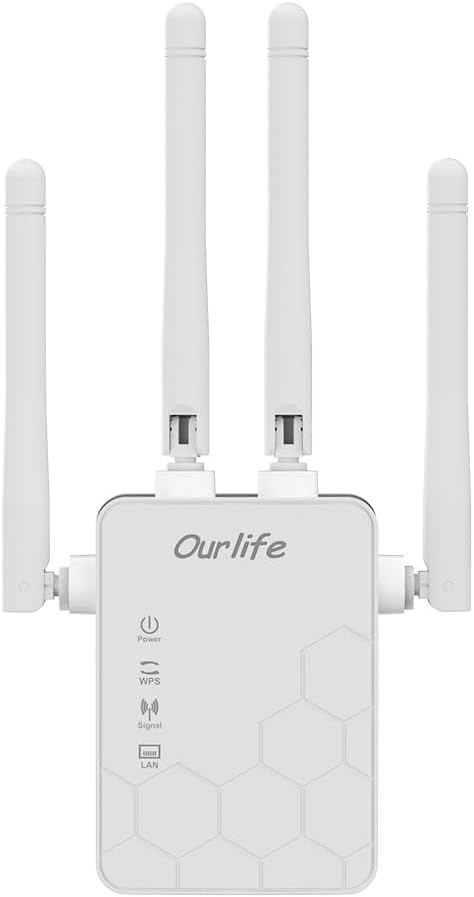
Зображення: спереду view of the Ourlife WiFi Extender, showing the Ourlife logo, power indicator, WPS button, signal strength indicator, and LAN port indicator. Four external antennas are visible.
Ключові компоненти:
- Індикатор живлення: Світиться, коли пристрій увімкнено.
- Кнопка WPS: Used for quick, one-button setup with compatible routers.
- Індикатор сигналу: Shows the strength of the Wi-Fi signal received from the main router.
- Порт LAN: An Ethernet port for connecting wired devices or for setting up the extender in Access Point (AP) mode.
- Зовнішні антени: Four adjustable antennas to optimize signal reception and transmission.

Зображення: Збоку view of the Ourlife WiFi Extender with dimensions. The device measures approximately 17.2cm/6.8in in height, 5.4cm/2.1in in width, and 3.3cm/1.3in in depth.
Налаштування
Оurlife WiFi Extender offers two primary setup methods: WPS (Wi-Fi Protected Setup) for quick connection, and manual setup via a web браузер.
Method 1: WPS Setup (Recommended for quick setup)
- Увімкнення: Plug the Ourlife WiFi Extender into an electrical outlet near your main Wi-Fi router. Wait for the Power indicator to light up.
- Натисніть WPS на розширювачі: Press the WPS button on the Ourlife WiFi Extender. The WPS indicator light will start blinking.
- Натисніть WPS на маршрутизаторі: Within 2 minutes, press the WPS button on your main Wi-Fi router.
- Очікування з'єднання: The WPS indicator on the extender will stop blinking and remain solid when the connection is established. The Signal indicator will also light up, indicating a successful connection.
- Перемістити розширювач: Once connected, unplug the extender and move it to a location halfway between your router and the Wi-Fi dead zone. Ensure the Signal indicator shows a strong signal (usually green or multiple bars) for optimal performance.

Image: Visual representation of the four simple setup steps: 1. Unbox, 2. Plug it in, 3. Press the button (WPS), 4. And Pair (with router).
Method 2: Manual Setup via Web Браузер
- Увімкнення: Plug the Ourlife WiFi Extender into an electrical outlet near your computer or mobile device.
- Підключення до Wi-Fi розширювача сигналу: On your computer or mobile device, connect to the Wi-Fi network named "Ourlife_Extender" (or similar, check the label on the device). No password is required for the initial connection.
- ВІДЧИНЕНО Web Браузер: Відкрийте a web browser (e.g., Chrome, Firefox, Safari) and enter the default IP address or domain name (e.g., 192.168.10.1 or reapeter.net) into the address bar. Refer to the device label or included mini-manual for the exact address.
- Логін: Введіть ім'я користувача та пароль за замовчуванням (зазвичай адмін/адмін).
- Виберіть режим: Виберіть «Режим ретранслятора» або «Режим точки доступу» залежно від ваших потреб.
- Режим повторювача: Extends your existing Wi-Fi network wirelessly.
- Режим точки доступу (AP): Converts a wired internet connection into a wireless Wi-Fi hotspot. Connect an Ethernet cable from your router to the extender's LAN port.
- Налаштувати мережу:
- For Repeater Mode: Select your main Wi-Fi network from the list, enter its password, and choose whether to keep the same SSID or create a new one for the extended network.
- For AP Mode: Set a new SSID (network name) and password for the Wi-Fi hotspot.
- Застосувати налаштування: Save the settings and wait for the extender to restart.
- Перемістити розширювач: Once configured, unplug and relocate the extender to an optimal position.
Операційна
After successful setup, the Ourlife WiFi Extender will operate automatically. The Signal indicator will provide visual feedback on the connection quality.
Підключення пристроїв:
- Бездротові пристрої: Connect your smartphones, tablets, laptops, and other Wi-Fi enabled devices to the extended Wi-Fi network (the SSID you configured during setup).
- Wired Devices (via LAN Port): If you are using the extender in Repeater mode, you can connect a wired device (e.g., desktop PC, smart TV, game console) to the extender's LAN port using an Ethernet cable to provide it with network access.
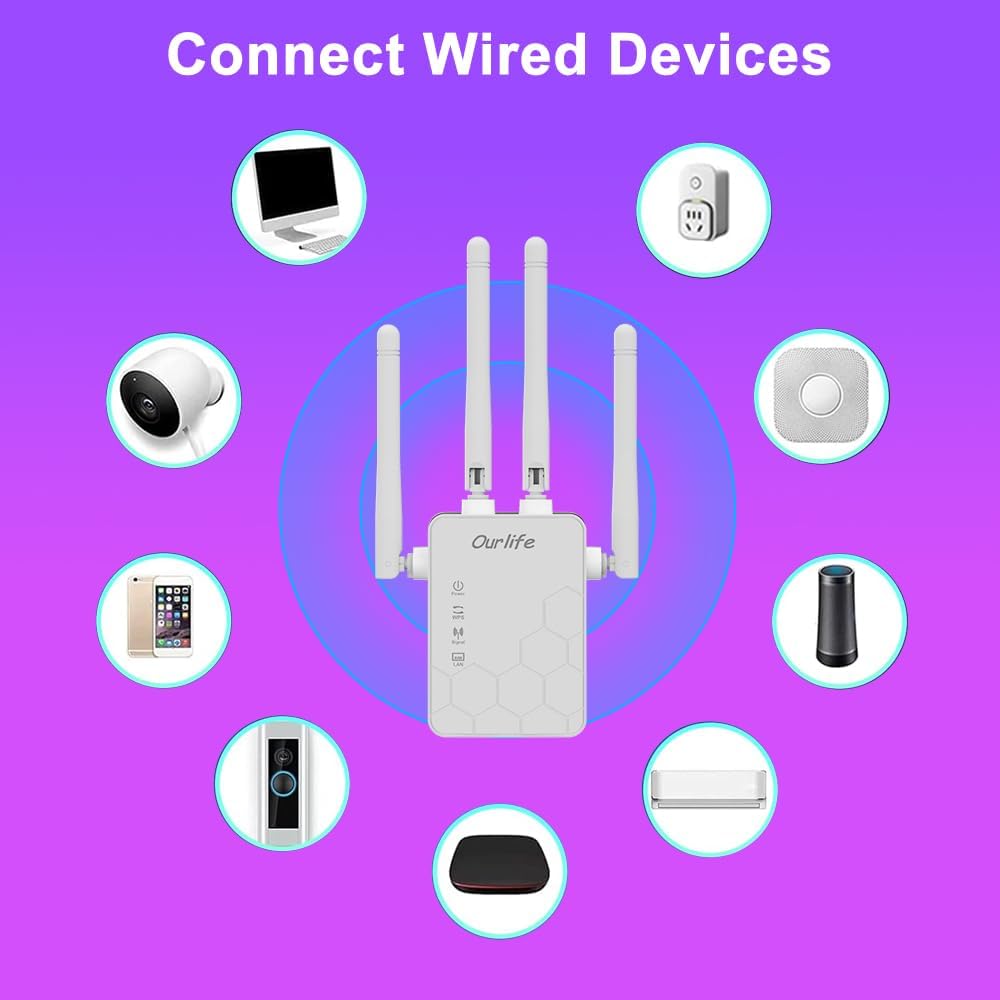
Image: Diagram showing various wired and wireless devices (e.g., desktop computer, smart plug, smart speaker, air conditioner, smart doorbell, security camera, smartphone) that can connect to the Ourlife WiFi Extender.

Зображення: The Ourlife WiFi Extender plugged into a wall outlet, with an Ethernet cable connected to its LAN port, illustrating its capability to provide a wired connection.
Технічне обслуговування
Regular maintenance helps ensure the longevity and optimal performance of your Ourlife WiFi Extender.
- Прибирання: Використовуйте м’яку суху тканину для очищення пристрою. Не використовуйте рідкі засоби для чищення або аерозолі.
- Оновлення прошивки: Періодично перевіряйте дані виробника website for firmware updates. Updating firmware can improve performance, add features, and fix bugs.
- Перезапуск: If you experience network issues, try restarting the extender by unplugging it from the power outlet for 10 seconds and then plugging it back in.
- Оптимальне розміщення: Ensure the extender is placed in an open area, away from large metal objects, concrete walls, and other electronic devices that may cause interference.
Усунення несправностей
If you encounter issues with your Ourlife WiFi Extender, refer to the following common problems and solutions:
| проблема | Можливе рішення |
|---|---|
| Розширювач не вмикається. | Переконайтеся, що розширювач надійно підключений до робочої електричної розетки. Спробуйте іншу розетку. |
| Cannot connect to the extender's Wi-Fi for setup. | Ensure you are connecting to the correct default SSID (e.g., "Ourlife_Extender"). Try restarting the extender and your device. |
| WPS setup fails. | Ensure your router supports WPS. Press the WPS button on both devices within the 2-minute window. Try manual setup if WPS continues to fail. |
| No internet access after connecting to the extended network. | Check if your main router has internet access. Relocate the extender closer to your main router to ensure a strong signal (check Signal indicator). Reconfigure the extender. |
| Низька швидкість у розширеній мережі. | Relocate the extender to an optimal position where the Signal indicator shows a strong connection to the main router. Avoid placing it near interference sources. Ensure your main router is providing good speeds. |
| Забули пароль для входу web сторінка керування. | Perform a factory reset on the extender (usually by pressing and holding a reset button for 5-10 seconds). This will revert all settings to default, including the login credentials. |
Технічні характеристики
| Особливість | Деталь |
|---|---|
| Бренд | Ourlякщо |
| Модель | Ourlife WiFi Extender 300Mbps |
| ASIN | B0D7HB4DBC |
| Швидкість передачі даних | 300 мегабіт за секунду (2.4 ГГц) |
| антени | 4 зовнішні антени з високим коефіцієнтом посилення |
| Порт Ethernet | 1 порт LAN |
| Колір | Білий |
| Підключення | Wireless-N (802.11n/g/b) |
| Протоколи безпеки | Supports Wireless Security (WPA/WPA2) |
| Розміри (прибл.) | 17.2 см (В) x 5.4 см (Ш) x 3.3 см (Г) |
Гарантія та підтримка
For warranty information and technical support, please refer to the documentation included with your purchase or visit the official Ourlякщо website. You can also contact Ourlife customer service directly for assistance with product setup, troubleshooting, or warranty claims.
Ourlife Store Link: Visit the Ourlife Store on Amazon


