1. Вступ
Thank you for choosing the EVERSECU 2K 3.0MP Outdoor WiFi PTZ Security Camera. This manual provides detailed instructions for setting up, operating, and maintaining your camera to ensure optimal performance and security. This camera features 2K 3.0MP super-high-definition video, 2.4G WiFi connectivity, auto-tracking, two-way audio, and spot night vision, making it suitable for both indoor and outdoor surveillance.
2. Що в коробці
Будь ласка, перевірте, чи всі компоненти присутні у вашій упаковці:
- EVERSECU 2K 3.0MP Outdoor WiFi PTZ Security Camera Unit(s)
- Адаптер живлення
- Монтажні гвинти та анкери для стіни
- Посібник користувача (цей документ)
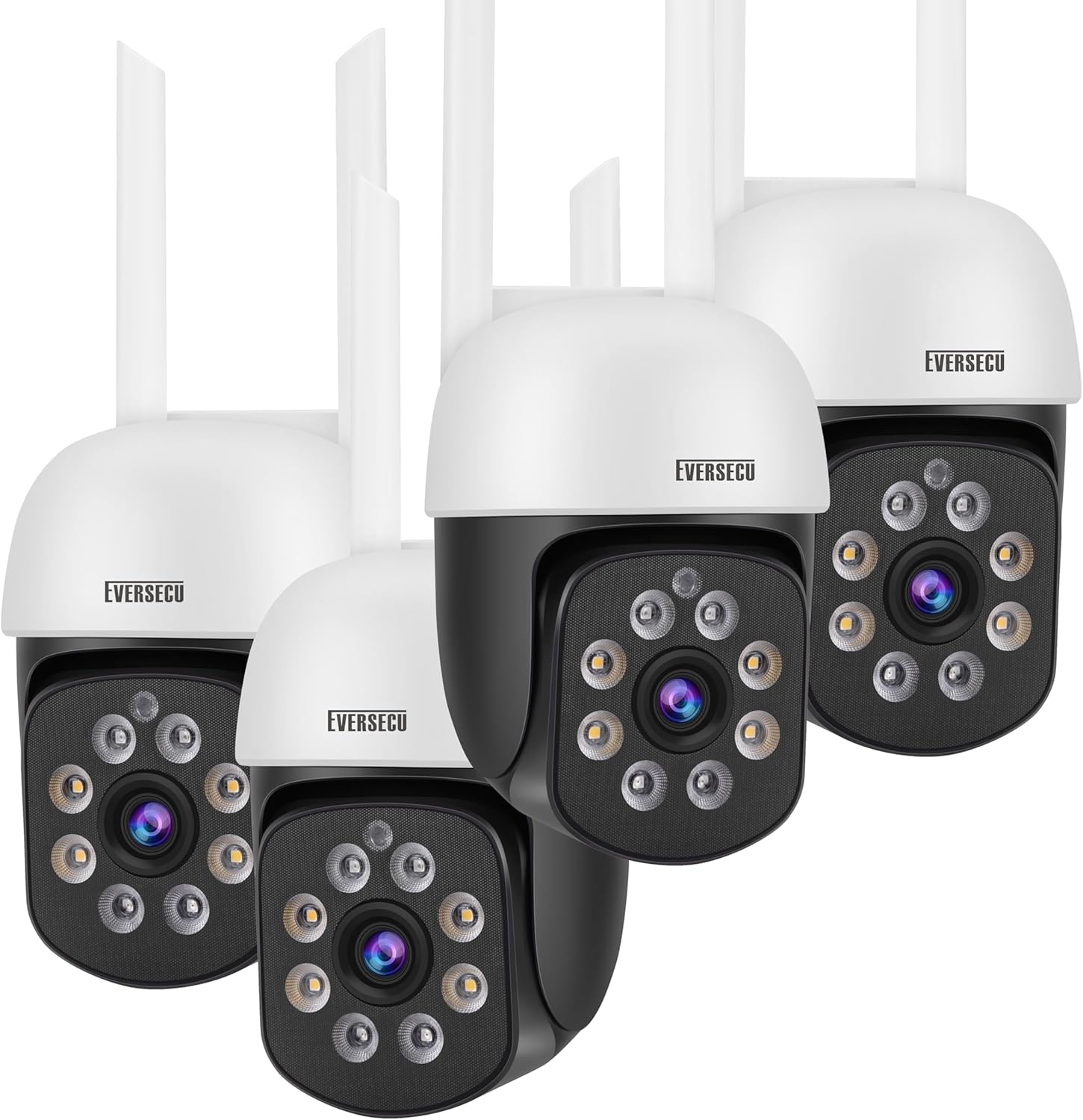
Image: The EVERSECU 2K 3.0MP Outdoor WiFi PTZ Security Camera units and included accessories.
3. Посібник із налаштування
3.1. Перш ніж почати
- Ensure your Wi-Fi network is 2.4GHz. This camera supports both 2.4GHz and 5GHz Wi-Fi for connection.
- Підготуйте назву вашої мережі Wi-Fi (SSID) та пароль.
- Choose a suitable location for installation, ensuring good Wi-Fi signal strength.
3.2. Встановлення програми
Download the official O-KAM App from your mobile device's app store (iOS App Store or Google Play Store). Follow the on-screen instructions to create an account and log in.
3.3. Підключення камери
- Power on the camera by connecting the power adapter.
- Open the O-KAM App and tap 'Add Device' or the '+' icon.
- Select your camera model or scan the QR code on the camera if prompted.
- Follow the in-app instructions to connect the camera to your 2.4GHz Wi-Fi network. This may involve scanning a QR code displayed on your phone with the camera lens or using the AP hotspot function for direct connection.
- Once connected, you can test the Wi-Fi signal strength within the app to ensure optimal placement.

Image: The camera requires a stable 2.4GHz Wi-Fi connection for optimal performance.
3.4. Фізичне встановлення
After successful network connection, you can proceed with physical installation:
- Mark the desired mounting points on the wall or ceiling using the camera's base as a template.
- Просвердліть початкові отвори та за потреби вставте анкери в стіну.
- Secure the camera base using the provided mounting screws.
- За потреби відрегулюйте кут камери.
4. Інструкція з експлуатації
4.1. Жити View & Керування PTZ
Access the live video feed through the O-KAM App. Use the Pan/Tilt/Zoom (PTZ) controls within the app to remotely adjust the camera's viewing angle. The camera supports 355° horizontal rotation and 90° vertical rotation.

Image: Bidirectional Pan & Tilt functionality provides a wide viewкут.

Image: Pan/Tilt rotation allows you to view every corner clearly.
4.2. Двосторонній аудіозв'язок
The camera features a built-in microphone and speaker, enabling two-way communication. You can speak through the app to anyone near the camera and hear their response.

Image: Two-Way Voice feature for easy communication.

Image: 2-way Audio & Remote Live View можливості.
4.3. Режими нічного бачення
The camera offers both full-color night vision and infrared (IR) night vision. The IR-CUT filter automatically switches between day and night modes. The Sony IMX353 sensor provides excellent low-light performance.

Image: Comparison of Full Color Night Vision and Infrared Night Vision.
4.4. Виявлення руху та сигналізація
Enable humanoid detection to receive alarm messages on your mobile app when human movement is detected, reducing false alarms from animals or insects. The camera can also trigger a high-decibel sound alarm and flash white lights to deter intruders.
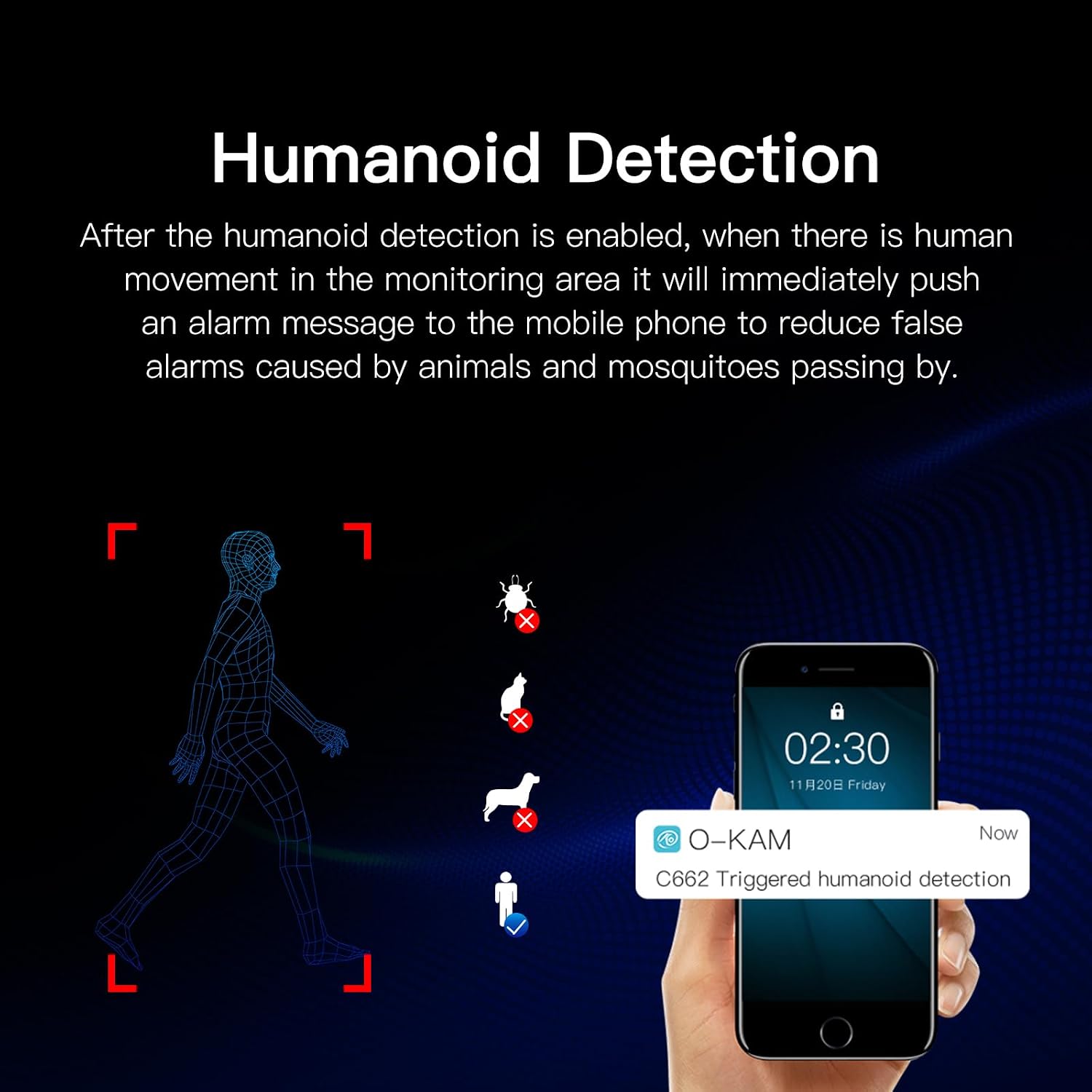
Image: Humanoid Detection feature.

Image: Sound and Light Alarm Dual Warning to Drive Theft.
4.5. Параметри зберігання
Recordings can be saved to a local SD card (not included, supports up to 128GB) or to cloud storage (3 days free trial every month). High-level encryption ensures your videos are secure and accessible only by you.
4.6. Інтеграція з Alexa
The camera is compatible with Amazon Alexa for voice control. Follow the instructions in the O-KAM App to link your camera with your Alexa device.
5. Технічне обслуговування
- Прибирання: Regularly wipe the camera lens and body with a soft, dry cloth to remove dust and smudges. For outdoor cameras, ensure the lens is clear of water spots or debris after rain.
- Оновлення прошивки: Check the O-KAM App periodically for firmware updates. Keeping your camera's firmware up-to-date ensures optimal performance and security.
- Перевірка підключення: Periodically verify the camera's Wi-Fi connection strength in the app, especially after environmental changes or network adjustments.
- Стійкість до погодних умов: The camera is waterproof and dustproof (IP66 rated), designed to withstand various outdoor weather conditions.

Image: Waterproof and Dustproof design for complex outdoor weather.

Image: The camera is designed to work well in any weather.
6. Вирішення проблем
- Камера не підключається до Wi-Fi: Ensure your Wi-Fi is 2.4GHz. Check Wi-Fi signal strength at the camera's location. Restart the camera and your router.
- RTSP connection issues: If using third-party software like Blue Iris or VLC, ensure the correct RTSP address is used:
rtsp://[username]:[password]@[ip]:10554. Note that the default username for RTSP might be "admin" instead of your app username. Set a password on the O-KAM App to enable ONVIF. - Часті хибні тривоги: Adjust the sensitivity of motion detection in the app. Utilize the "activity zone" feature to define specific areas for detection, ignoring irrelevant movements (e.g., road traffic).
- Немає звуку або погана якість звуку: Check microphone and speaker settings in the app. Ensure there are no obstructions blocking the microphone or speaker.
- Нічне бачення не працює: Ensure the camera is in a dark environment for night vision to activate. Check for any obstructions blocking the IR lights.
7. Технічні характеристики
| Особливість | Специфікація |
|---|---|
| Назва моделі | C662-4 |
| Роздільна здатність захоплення відео | 1296p (2K 3.0 МП) |
| Використання в приміщенні/зовні | На відкритому повітрі, в приміщенні |
| Протокол підключення | Wi-Fi (2.4GHz & 5GHz supported) |
| Джерело живлення | Провідний електричний |
| Тип контролера | Amazon Alexa |
| Тип монтажу | Настінне кріплення |
| Діапазон нічного бачення | 60 футів |
| Частота кадрів | 30 FPS |
| Розміри продукту | 7 x 4.3 x 7.5 дюймів |
| Вага товару | 4.75 фунта |
| Особливості | HD Resolution, 2-Way Audio, Built-In Light, PTZ Technology, Motion Sensor, Humanoid Detection, Full Color Night Vision |
8. Гарантія та підтримка
Щоб отримати інформацію про гарантію та технічну підтримку, зверніться до офіційного представника виробника webсайт або зверніться безпосередньо до служби підтримки клієнтів. Зберігайте чек про покупку як підтвердження покупки для будь-яких гарантійних претензій.


