1. Вступ
This manual provides instructions for the safe and efficient operation of the Chainway C71 Android Barcode Scanner. The C71 is a robust and versatile handheld device designed for various applications, including warehouse inventory management and forklift operations. It features a Zebra SE55 long-range 2D/1D/QR code reader, runs on Android 13, and offers comprehensive connectivity options.
Будь ласка, уважно прочитайте цей посібник перед використанням пристрою та збережіть його для подальшого використання.
2. Продукт закінчивсяview
2.1 Основні характеристики
- Міцний та універсальний дизайн: Suitable for both indoor and outdoor environments, ideal for warehouse inventory and forklift scanning.
- Zebra SE55 Long Range Scanner: Capable of scanning 2D, 1D, and QR codes from distances up to 40 feet (depending on barcode size and media).
- Операційна система Android 13: Provides access to the latest Android features and the Google Play Store for application downloads.
- Бездротове підключення: Features fast and reliable WiFi, Bluetooth 5.0, NFC, and GPS for seamless data transmission and real-time updates.
- Large Vivid Screen: A bright and clear display for easy reading and interaction in various lighting conditions.
- Акумулятор високої ємності: Equipped with a 5000mAh battery for extended operational periods.
- Восьмиядерний процесор: Ensures fast and responsive performance for demanding applications.
2.2 Компоненти пристрою
The Chainway C71 scanner features a robust design with an integrated display, scanning engine, and various ports and buttons.
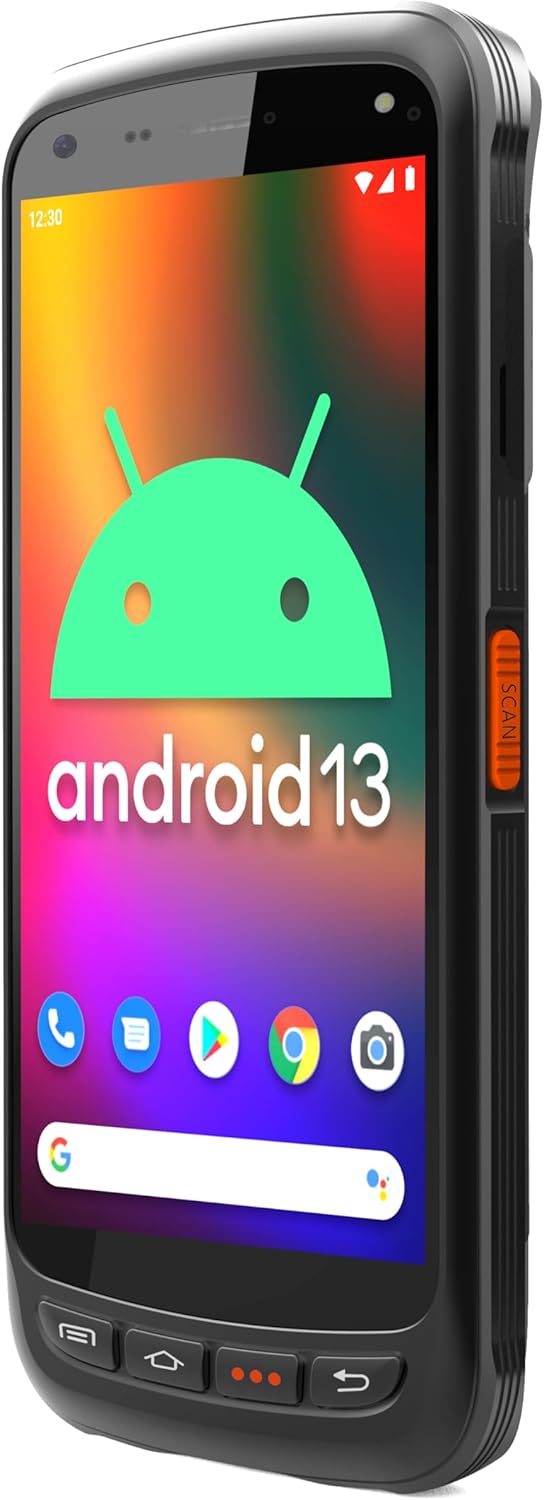
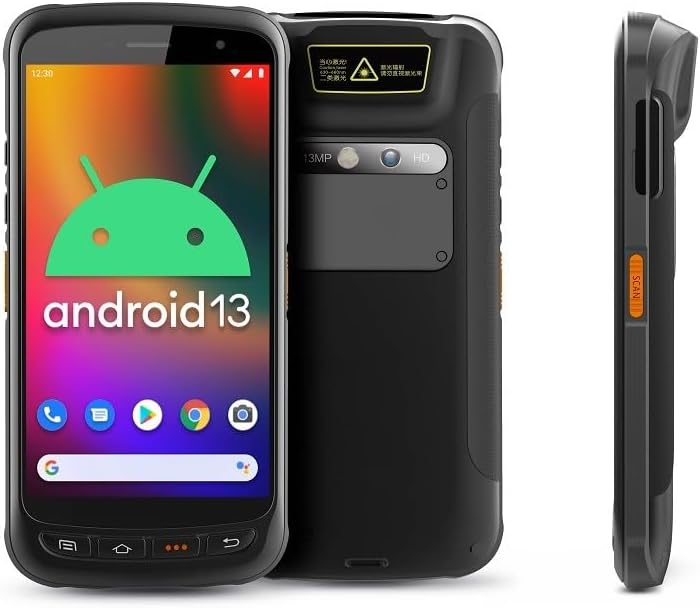
- Дисплей: Large vivid touchscreen for user interaction.
- Кнопка сканування: Located on the side for convenient barcode scanning activation.
- Zebra SE55 Scan Engine: Integrated at the top rear for long-range barcode capture.
- Задня камера: For image capture (13MP).
- Фронтальна камера: For video calls or selfies (5MP).
- Фізичні кнопки: Power, volume, and programmable function keys.
- Порти: USB-C for charging and data transfer.
3. Налаштування
3.1 Встановлення та заряджання акумулятора
The Chainway C71 requires one Lithium Ion battery for operation. Ensure the battery is correctly installed before first use.
- Знайдіть кришку відсіку для батареї на задній панелі пристрою.
- Open the cover and insert the Lithium Ion battery, ensuring the contacts align correctly.
- Надійно закрийте кришку батарейного відсіку.
- Connect the device to a power source using the provided USB-C cable and power adapter. The device will begin charging.

3.2 Початкове ввімкнення
- Press and hold the Power button (usually on the side) until the device vibrates and the screen illuminates.
- Дотримуйтесь підказок на екрані, щоб завершити початкове налаштування Android 13, включаючи вибір мови, підключення Wi-Fi та вхід до облікового запису Google.
4. Інструкція з експлуатації
4.1 Barcode Scanning with Zebra SE55 Engine
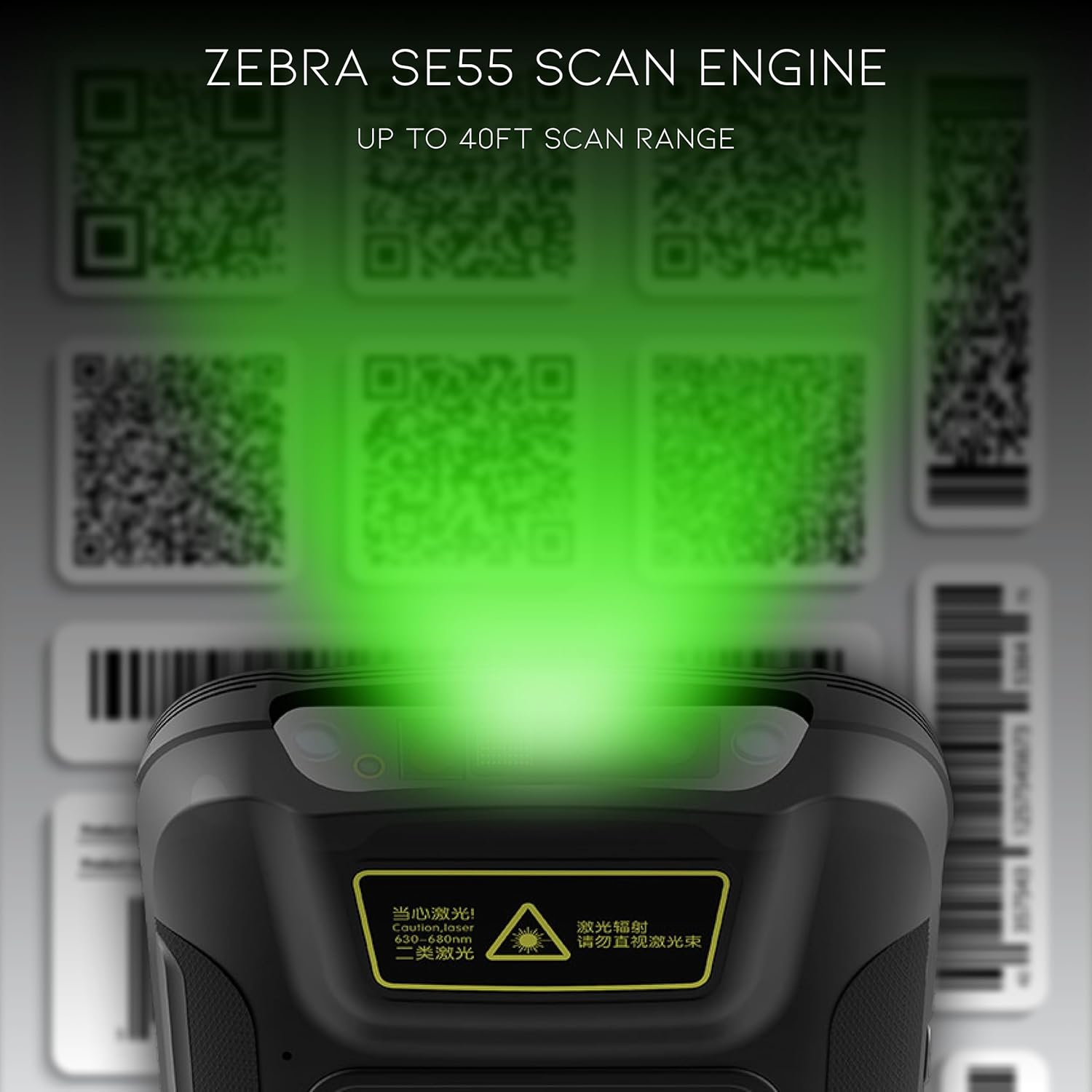
The Chainway C71 is equipped with a powerful Zebra SE55 scan engine for efficient barcode capture.
- Open the desired application that requires barcode scanning (e.g., inventory management app).
- Point the top of the device, where the scan engine is located, towards the barcode.
- Press the dedicated scan button on the side of the device. A green aiming pattern will appear.
- Align the aiming pattern with the barcode. The device will emit a sound or vibrate upon successful scan.
- The scanned data will be input into the active field of your application.
Примітка: The Zebra SE55 can scan barcodes from up to 40 feet away, depending on the barcode size and quality. For optimal performance, ensure clear line of sight and adequate lighting.
Операційна система 4.2 Android 13
The C71 runs on Android 13, providing a familiar and intuitive user experience. You can navigate the interface using touch gestures.

- Головний екран: Отримайте доступ до встановлених програм та віджетів.
- Сповіщення: Проведіть пальцем вниз від верхньої частини екрана до view сповіщення та швидкі налаштування.
- Магазин Google Play: Download and install additional applications relevant to your workflow.
4.3 Підключення
The device supports multiple connectivity options for data transfer and communication.
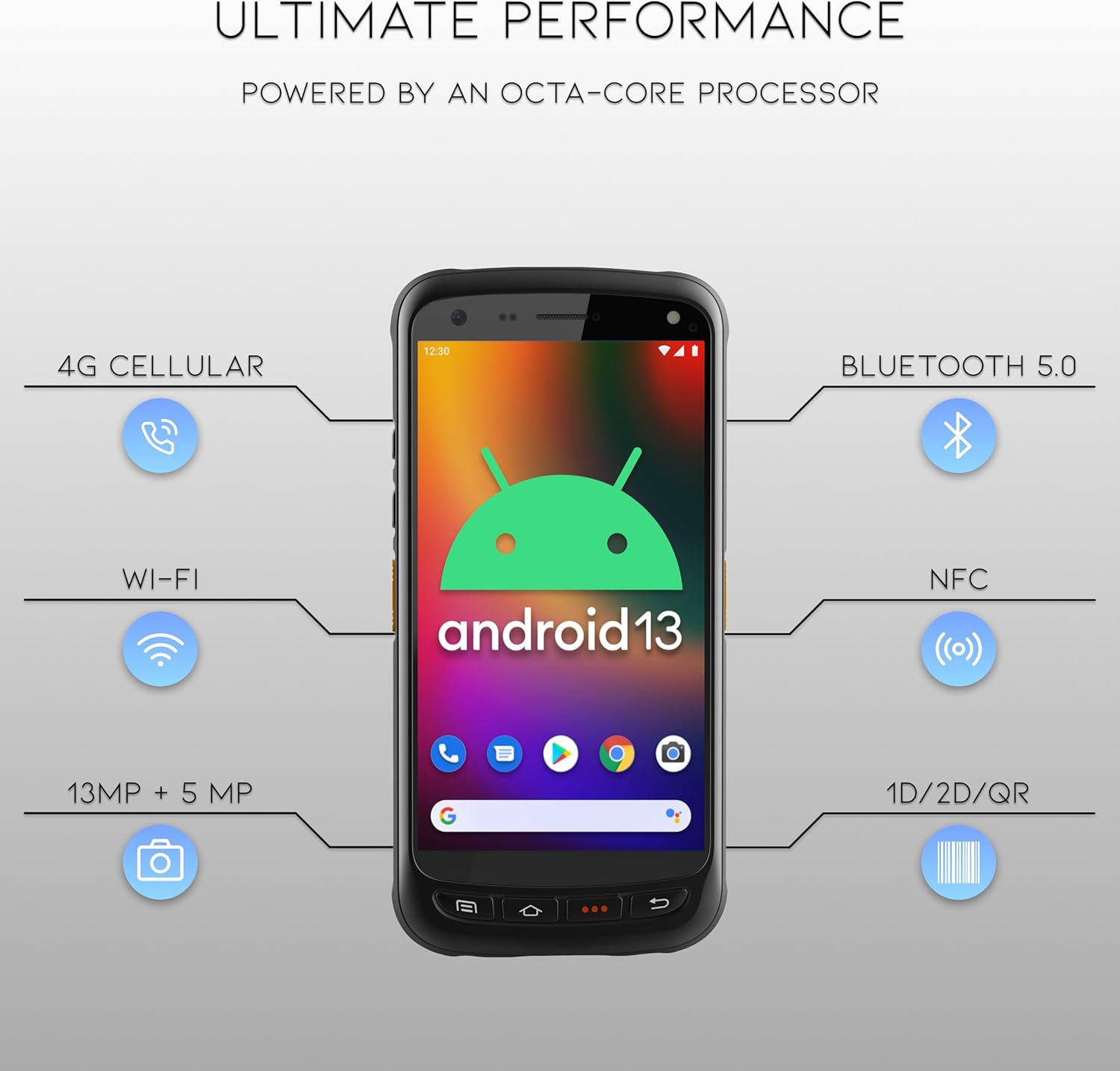
- Wi-Fi: Connect to wireless networks for internet access and data synchronization. Go to Налаштування > Мережа та інтернет > Wi-Fi.
- Bluetooth 5.0: Pair with Bluetooth-enabled devices such as headsets or printers. Go to Налаштування > Підключені пристрої > Bluetooth.
- NFC: Для застосувань ближнього зв'язку.
- GPS: For location-based services.
- 4G стільниковий зв'язок: (If equipped with SIM card slot) For mobile data connectivity.
5. Технічне обслуговування
5.1 Очищення пристрою
- Злегка протріть м’якою тканиною без ворсу dampened with water or a mild, non-abrasive cleaning solution to clean the screen and exterior.
- Do not use harsh chemicals, solvents, or abrasive materials, as these can damage the device.
- Переконайтеся, що рідина не потрапляє в отвори або порти.
5.2 Догляд за акумулятором
- Уникайте впливу екстремальних температур (високих або низьких).
- Charge the battery regularly, but avoid leaving it fully discharged for extended periods.
- Use only the manufacturer-approved charging accessories.
6. Вирішення проблем
This section addresses common issues you might encounter with your Chainway C71 scanner.
6.1 Пристрій не вмикається
- Переконайтеся, що акумулятор встановлено правильно та повністю заряджено.
- Connect the device to the charger and attempt to power it on after a few minutes.
- Якщо проблема не зникне, зверніться в службу підтримки.
6.2 Barcode Not Scanning
- Verify that the scanning application is open and ready to receive input.
- Ensure the barcode is clean, undamaged, and within the scanner's range (up to 40 feet).
- Check for adequate lighting; extreme glare or insufficient light can affect scanning performance.
- Confirm the scan engine is pointed directly at the barcode.
6.3 Проблеми з підключенням до Wi-Fi
- Check if Wi-Fi is enabled in the device settings.
- Ensure you are within range of a known Wi-Fi network.
- Verify the Wi-Fi password if connecting to a new network.
- Restart the device and the Wi-Fi router if necessary.
7. Технічні характеристики
Technical specifications for the Chainway C71 Android Barcode Scanner.
| Особливість | Деталь |
|---|---|
| Номер моделі | C71 |
| Операційна система | Android 13 |
| Сканер штрих-кодів | Zebra SE55 (2D/1D/QR, up to 40ft range) |
| Процесор | 2.0 GHz Octa-Core Processor |
| Акумулятор | Літій-іонний акумулятор 5000 мАг (потрібен 1) |
| Підключення | Wi-Fi, Bluetooth 5.0, NFC, GPS, 4G Cellular (optional) |
| Фотоапарати | Задня 13 МП, передня 5 МП |
| Сумісні пристрої | Smartphone, Tablet (as a handheld device) |
| Джерело живлення | Працює від батареї |
| Виробник | Chainway |

8. Гарантія та підтримка
For warranty information and technical support, please contact the seller, BARCODE-USA. Details regarding specific warranty periods and coverage will be provided at the point of purchase or upon request from the seller.
Продавець: BARCODE-USA
For assistance, refer to your purchase documentation or visit the BARCODE-USA store page on Amazon: BARCODE-USA Store


