1. Вступ
The Phomemo M832 is a portable, inkless thermal printer designed for convenience and efficiency. This device utilizes advanced thermal technology to print documents, images, and various other content without the need for ink cartridges, toner, or ribbons. Its compact design makes it suitable for travel, business trips, and use in various environments such as small offices, vehicles, and educational settings. This manual provides detailed instructions for setting up, operating, maintaining, and troubleshooting your Phomemo M832 printer.
The Phomemo M832 printer supports multiple paper sizes and types, including 8.5" x 11" US Letter, A4, 2.08" (53mm), 3.15" (80mm), and 4.33" (110mm) thermal paper. It is compatible with thermal roll paper, folded thermal paper, and ordinary thermal paper.

Image: The Phomemo M832 printer demonstrating its ability to print on various paper sizes, including US Letter, A4, 110mm, 80mm, and 53mm, with a smartphone wirelessly connected.
2. Вміст упаковки
Будь ласка, перевірте вміст упаковки після розпакування, щоб переконатися в наявності всіх елементів:
- Портативний термопринтер Phomemo M832
- 3 Rolls of 110mm Thermal Printer Paper
- USB кабель
- Посібник користувача (цей документ)
3. Особливості продукту
The Phomemo M832 printer offers several key features:
- Портативний дизайн: Weighing approximately 1.5 lbs, the M832 is compact and easily fits into a backpack or briefcase, making it ideal for mobile use.
- Безчорнильний друк: Utilizes advanced thermal technology, eliminating the need for ink, toner, or ribbons, which reduces operational costs and maintenance.
- Integrated Paper Bin: Features a built-in roll paper bin, allowing for convenient paper storage and transport.
- Універсальна підтримка паперу: Compatible with 8.5" x 11" US Letter, A4, 2.08" (53mm), 3.15" (80mm), and 4.33" (110mm) thermal paper. Supports thermal roll paper, folded thermal paper, and ordinary thermal paper.
- Широка сумісність: Connects via Bluetooth to iPhone, Android phones, and iPad. Can also connect via USB cable to laptops and computers running Windows, macOS, Chrome OS, and Linux.
- Multi-purpose Printing: Suitable for printing office documents, receipts, contracts, resumes, invoices, drawings, school notes, shopping lists, labels, boarding passes, and DIY projects.

Image: The Phomemo M832 printer's compact dimensions (10.39in x 3.07in x 1.77in) are highlighted, demonstrating its portability for use anytime, anywhere.
4. Посібник із налаштування
4.1. Заряджання принтера
Before initial use, fully charge the printer using the provided USB cable. Connect the USB cable to the printer's charging port and a compatible USB power adapter (not included) or computer USB port. The indicator light will show charging status.
4.2. Завантаження термопаперу
The Phomemo M832 supports various thermal paper types and sizes. Follow these steps to load paper:
- Відкрийте кришку відділення для паперу.
- Insert the thermal paper roll or folded paper stack into the compartment, ensuring the printable side faces the print head. For roll paper, ensure the paper feeds smoothly from the bottom of the roll.
- Adjust the paper guides to fit the width of your paper snugly.
- Close the paper compartment cover. Ensure a small portion of paper extends from the output slot.

Image: The Phomemo M832 printer demonstrating its flexibility with various paper types, including thermal roll paper, continuous thermal paper, and ordinary thermal paper, with an adjustable baffle for different widths.
4.3. App Installation (for Mobile Devices)
To use the printer with your smartphone or tablet, download the official "Phomemo" app:
- шукати "Phomemo" in the Apple App Store (for iOS devices) or Google Play Store (for Android devices).
- Завантажте та встановіть додаток.
4.4. Driver Installation (for Computers)
For printing from a laptop or desktop computer via USB, you may need to install the appropriate driver:
- Відвідайте офіційний сайт Phomemo webсайт: M832.phomemo.com
- Download the driver compatible with your operating system (Windows, macOS, Chrome OS, Linux).
- Дотримуйтеся вказівок на екрані, щоб завершити встановлення драйвера.
5. Операція
5.1. Connecting via Bluetooth (Mobile Devices)
- Ensure the Phomemo M832 printer is powered on.
- Увімкніть Bluetooth на своєму мобільному пристрої.
- Open the "Phomemo" app.
- Within the app, navigate to the device connection section and select your M832 printer from the list of available devices. The app will guide you through the pairing process.

Image: The Phomemo M832 printer demonstrating both Bluetooth connectivity with a mobile device (iOS, Android, iPad) and USB connectivity with a laptop (Windows, Mac OS, Chrome OS, Linux).
5.2. Connecting via USB (Computers)
- Ensure the Phomemo M832 printer is powered on.
- Підключіть принтер до комп’ютера за допомогою USB-кабелю, що входить до комплекту.
- After driver installation (if required), your computer should recognize the printer.
- You can now print directly from your computer's applications.
5.3. Друк документів
Once connected, you can print various types of content:
- From Mobile App: Use the Phomemo app to select documents (PDF, Word), images, web pages, or create custom content for printing. The app provides options for editing and previewперед друком.
- З комп'ютера: Open the document or image you wish to print in your preferred application (e.g., Microsoft Word, Adobe Reader, web browser). Select the Phomemo M832 as your printer from the print dialog box and adjust settings as needed before initiating the print job.

Зображення: Прamples of practical applications for the Phomemo M832 printer, including printing photos, creating scrapbook elements, organizing study notes, and generating to-do lists.
6. Технічне обслуговування
6.1. Очищення друкуючої головки
Щоб забезпечити оптимальну якість друку, періодично очищуйте друкувальну головку:
- Вимкніть принтер і від’єднайте його від будь-якого джерела живлення.
- Відкрийте кришку відділення для паперу.
- Обережно протріть друкувальну головку м’якою тканиною без ворсу, злегкаampзмочіть ізопропіловим спиртом. Не використовуйте воду або абразивні засоби для чищення.
- Дайте друкуючій голівці повністю висохнути, перш ніж закривати кришку та вмикати принтер.
6.2. Зберігання термопаперу
Thermal paper is sensitive to heat, light, and certain chemicals. Store thermal paper in a cool, dry place away from direct sunlight and heat sources to preserve its printability and image duration. The included 110mm thermal paper is designed for an image duration of up to 10 years under proper storage conditions.
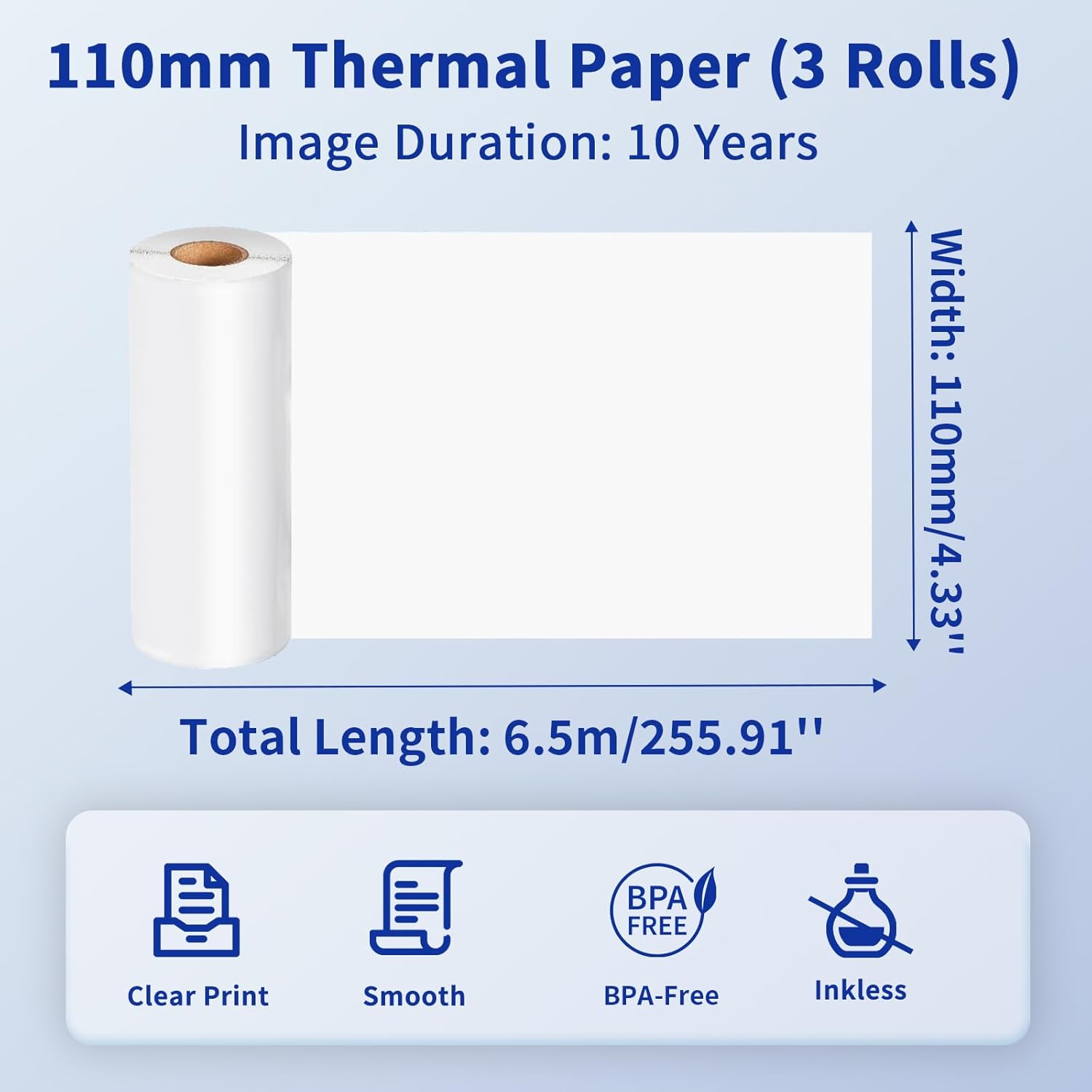
Image: Details of the 110mm thermal paper, including its dimensions (110mm width, 6.5m length) and key attributes such as clear print, smooth texture, BPA-free composition, and inkless operation, with an image duration of 10 years.
7. Вирішення проблем
Якщо у вас виникли проблеми з принтером Phomemo M832, зверніться до наступних поширених проблем та рішень:
| проблема | Можлива причина | Рішення |
|---|---|---|
| Принтер не вмикається | Низький заряд батареї або проблема з живленням | Charge the printer fully. Ensure the power button is pressed correctly. |
| Не вдається підключитися через Bluetooth | Bluetooth is off, printer not discoverable, or app issue | Ensure Bluetooth is enabled on your device. Restart the printer and the app. Try re-pairing the device within the Phomemo app. |
| Погана якість друку / Чисті відбитки | Incorrect paper loading, dirty print head, or low battery | Ensure thermal paper is loaded correctly with the printable side facing up. Clean the print head as described in Section 6.1. Charge the printer. |
| Зминання паперу | Неправильне завантаження паперу або сторонній предмет | Turn off the printer. Carefully open the paper compartment and remove any jammed paper or obstructions. Reload paper correctly. |
| Принтер не розпізнається комп'ютером | Driver not installed or USB cable issue | Install the correct driver from M832.phomemo.com. Try a different USB port or cable. |
8. Технічні характеристики
Below are the technical specifications for the Phomemo M832 Portable Thermal Printer:
- модель: M832
- Технологія друку: Теплові
- Підключення: Bluetooth, USB
- Вихід на принтер: Монохромний
- Метод контролю: App (Phomemo App)
- Сумісні пристрої: Laptops, PCs, iPhone, Android Phone, iPad
- Підтримувані операційні системи: iOS, Android, iPadOS, Windows, macOS, Chrome OS, Linux
- Supported Print Media: Thermal Roll Paper, Folded Thermal Paper, Ordinary Thermal Paper
- Підтримувані розміри аркушів: 8.5 дюйма x 11 дюймів (формат US Letter), A4, 2.08 дюйма (53 мм), 3.15 дюйма (80 мм), 4.33 дюйма (110 мм)
- Особливість: Портативний, без чорнил
- вага: Приблизно 1.5 фунта
- Перші доступні: 31 травня 2024 р

Image: The Phomemo M832 printer's broad compatibility across multiple operating systems, including iOS, Android, iPad, Mac OS, Windows, Chrome OS, and Linux.
9. Гарантія та підтримка
Продукція Phomemo розроблена для надійності та продуктивності. Щоб отримати інформацію про гарантію та підтримку клієнтів, зверніться до офіційного сайту Phomemo. webсайт або зверніться безпосередньо до служби підтримки клієнтів. Зберігайте чек про покупку як підтвердження покупки для гарантійних претензій.
For additional resources and product information, visit the official Phomemo Store on Amazon: Phomemo Store


