вступ
This manual provides essential information for the setup, operation, and maintenance of your STRONG SRT32HG6733C 32-inch HD Android Smart TV. Please read these instructions carefully before using the product to ensure proper functionality and safety.
Що в коробці
Після розпакування переконайтеся, що всі перелічені нижче предмети присутні та знаходяться у належному стані:
- STRONG SRT32HG6733C TV Unit
- Remote control with voice recognition
- 2 х ААА батарейки
- Посібник користувача (цей документ)

Image: The STRONG SRT32HG6733C TV unit with its central stand, remote control, and included accessories.
Налаштування
1. Кріплення підставки
Carefully place the TV screen-down on a soft, clean surface to prevent scratches. Align the central stand with the mounting holes on the bottom of the TV. Secure the stand using the provided screws. Ensure the stand is firmly attached before proceeding.

Зображення: Задня частина view of the TV showing the central stand attachment points and various input ports.
2. Підключення живлення
Підключіть шнур живлення до входу живлення телевізора, а потім до розетки. Телевізор перейде в режим очікування.
3. Початкове налаштування та підключення до мережі
Upon first power-on, the TV will guide you through the initial setup process. This includes language selection, country, and network connection. For optimal Smart TV functionality, connect to your Wi-Fi network. You can also connect via an Ethernet cable for a stable wired connection.

Image: The TV screen displaying connectivity options, highlighting Wi-Fi and Bluetooth symbols.
Інструкція з експлуатації
Основні функції
- Увімкнення/вимкнення живлення: Натисніть кнопку живлення на пульті дистанційного керування або на телевізорі.
- Вибір каналу: Use the CH+/- buttons or the number pad on the remote.
- Регулювання гучності: Використовуйте кнопки GUL+/-.
- Джерело введення: Press the SOURCE button to select between HDMI, AV, DVB-T/T2, DVB-C, DVB-S/S2 inputs.
Функції Smart TV (Google TV)
Your TV runs on Google TV, providing access to a wide range of applications and services.
- Головний екран: Access your favorite apps, movies, and shows directly from the customizable home screen.
- Програми для потокового передавання: Pre-installed apps include Netflix, Prime Video, YouTube, and Disney+. Additional apps can be downloaded from the Google Play Store.
- Google Assistant: Use the voice recognition remote to control your TV, search for content, and get information by pressing the Google Assistant button and speaking your command.
- Google Cast: Stream content from your compatible smartphone or tablet directly to the TV.

Image: The TV screen showing the Google TV interface with icons for Netflix, YouTube, Prime Video, Disney+, and other streaming services.

Image: A user holding the voice-controlled remote, with a visual representation of Google Assistant responding to a voice command on the TV screen.
Підключення
Телевізор пропонує різні порти для підключення зовнішніх пристроїв:
- Порти HDMI (x2): Підключіть програвачі Blu-ray, ігрові консолі або інші пристрої з підтримкою HDMI.
- USB-порт (x1): Відтворювати медіа files (photos, videos, music) from a USB storage device.
- Порт Ethernet (RJ45): Для дротового підключення до Інтернету.
- Antenna (ANT in) / Satellite (SAT in) Inputs: Connect your terrestrial or satellite antenna for live TV.
- CI слот: Для модулів умовного доступу (CAM) для розшифрування зашифрованих каналів.
- Вихід SPDIF: For digital audio output to a soundbar or home theater system.
- AV-вхід: Для підключення старіших пристроїв, що використовують композитне відео та стереоаудіо.
- Вихід для навушників: Для підключення навушників.

Зображення: Деталізована задня частина view of the TV highlighting all available input and output ports, including AV in, HDMI, USB, Ethernet, S/PDIF, ANT in, SAT in, CI slot, and Headphone output.
Відео: Короткий попередній оглядview demonstrating the TV's use in a mobile setting, such as a camper van, showing its compact size and clear display for entertainment on the go.
Технічне обслуговування
Чистка телевізора
Щоб очистити екран, обережно протріть його м’якою тканиною без ворсу. Для стійких плям злегка протрітьampen the cloth with water or a screen-cleaning solution. Avoid using harsh chemicals or abrasive materials. Clean the TV casing сухою, м’якою тканиною.
Оновлення програмного забезпечення
Your Android TV may receive software updates periodically. Ensure your TV is connected to the internet to receive these updates. Updates can improve performance, add new features, and enhance security. You can check for updates manually in the TV's settings menu.
Усунення несправностей
| проблема | Можливе рішення |
|---|---|
| Немає живлення | Перевірте, чи шнур живлення надійно підключено до телевізора та розетки. Переконайтеся, що розетка справна. |
| Немає зображення, але звук є | Перевірте, чи вибрано правильне джерело вхідного сигналу. Перевірте підключення кабелів до зовнішніх пристроїв. |
| Звуку немає, але зображення є | Check the volume level and mute status. Ensure audio cables are correctly connected if using external speakers. |
| Пульт не працює | Замініть батарейки. Переконайтеся, що між пультом дистанційного керування та ІЧ-датчиком телевізора немає перешкод. |
| Неможливо підключитися до Wi-Fi | Переконайтеся, що ваш маршрутизатор увімкнено та працює. Повторно введіть пароль Wi-Fi. Спробуйте перезавантажити телевізор і маршрутизатор. |
| Програми Smart TV працюють повільно або не реагують | Перевірте швидкість інтернет-з’єднання. Закрийте невикористовувані програми. Перезавантажте телевізор. |
Технічні характеристики
| Особливість | Деталь |
|---|---|
| Номер моделі | SRT32HG6733C |
| Розмір екрана | 32 дюйма (81 см) |
| Технологія дисплея | LED |
| роздільна здатність | HD Ready (1366 x 768p) |
| Операційна система | Google TV |
| Підключення | Wi-Fi, Bluetooth, 2x HDMI, 1x USB, Ethernet (RJ45), AV In, SPDIF, ANT in, SAT in, CI Slot |
| Тюнери | DVB-T/T2, DVB-C, DVB-S/S2 (HEVC 265 codec) |
| Особливості | Google Assistant, Google Cast, Dolby Audio |
| Розміри (Ш x Г x В) | 71.8 x 22.3 x 45.2 см (з підставкою) |
| Включені компоненти | TV, Voice Remote, 2x AAA Batteries, Manual |
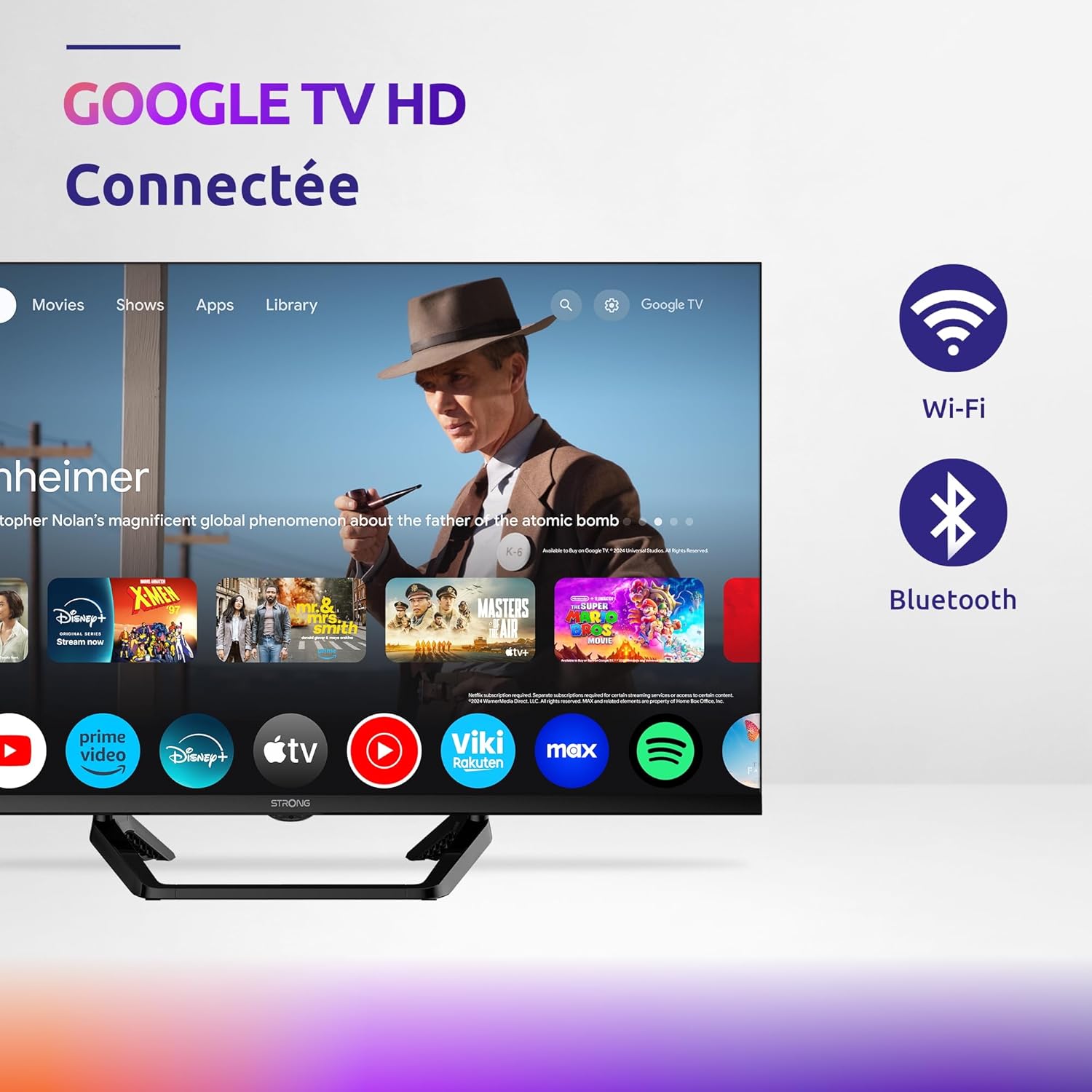
Image: Diagram showing the dimensions of the STRONG SRT32HG6733C TV, including width, height, and depth with the central stand.
Гарантія та підтримка
This product comes with a manufacturer's warranty of 24 months. For warranty claims or technical support, please refer to the contact information provided on the official STRONG webсайт або вашу документацію щодо придбання.
For frequently asked questions and additional resources, visit the STRONG Brand Store.


Images: Icons representing warranty information and frequently asked questions.


