вступ
This manual provides detailed instructions for the Jennov 5MP PTZ WiFi Outdoor Surveillance Camera, model JS7016. It covers essential information regarding product features, installation procedures, operational guidelines, maintenance tips, and troubleshooting steps to ensure optimal performance and longevity of your device.
Important Note: This 5MP WiFi camera is designed as an additional unit for a Jennov 5MP WLAN Surveillance Camera Set. It cannot operate independently and requires connection to a Jennov NVR (Network Video Recorder) system.

Figure 1: Jennov 5MP PTZ WiFi Outdoor Surveillance Camera (Model JS7016)
Продукт закінченийview
Ключові характеристики
- 5MP High-Resolution Video: Захоплює чіткі та деталізовані зображення їжіtage.
- AI Human Detection & Sound-Light Alarm: Accurately identifies human figures and triggers audible and visual alerts.
- Автоматичне відстеження: The camera automatically follows detected human movement within its surveillance area.
- 360° Coverage (355° Pan & 90° Tilt): Offers extensive monitoring without blind spots, controllable via smartphone application.
- Три режими нічного бачення: Includes Infrared, Full Color, and Sound-Light activated modes for clear visibility in low light.
- Двостороннє аудіо: Вбудований мікрофон і динамік для зв'язку в режимі реального часу.
- Безперервний запис 24/7: Ensures constant video capture when connected to a Jennov NVR.
- Easy Setup & Remote Access: Simple installation and remote viewing capabilities via smartphone, tablet, or computer.
- Клас захисту від атмосферних впливів IP66: Designed for outdoor use, resistant to dust and water.
Компоненти камери

Малюнок 2: Детально view of the camera's external components and dimensions.
- Кронштейн: For mounting the camera.
- Антена: Для підключення до Wi-Fi.
- Водонепроникний корпус: Protects internal components from environmental elements.
- ІЧ-світлодіоди: Infrared lights for night vision.
- Світлодіодне світло: Для повнокольорового нічного бачення та підсвічування сигналізації.
- Ширококутний об'єктив: Охоплює широке поле view.
- Dual-light Sensor: Detects ambient light for automatic mode switching.
- Порт живлення: Для підключення адаптера живлення.
- Доповідач: For two-way audio and audible alarms.
Інструкції з налаштування
Контрольний список перед встановленням
- Ensure you have a Jennov NVR system to pair this additional camera with.
- Verify stable WiFi coverage at the installation location.
- Gather necessary tools: drill, screwdriver, mounting screws, power outlet.
- Test the camera's functionality and signal strength near the NVR before permanent installation.
Фізичне встановлення
- Виберіть місце розташування: Select an outdoor location that provides the desired surveillance coverage and has access to a power outlet. Ensure the camera is mounted securely and is within WiFi range of your Jennov NVR.
- Встановіть кронштейн: Use the provided screws and anchors to securely attach the mounting bracket to the wall or ceiling.
- Приєднайте камеру: Secure the camera to the mounted bracket. Adjust the angle for optimal viewінж.
- Підключіть живлення: Plug the camera's power adapter into a waterproof outdoor power outlet.

Figure 3: The camera's IP66 rating ensures durability in various outdoor conditions.
NVR Pairing (Adding the Camera)
Refer to your Jennov NVR system's manual for specific instructions on adding an additional camera. Generally, the process involves:
- Access NVR Settings: Connect a monitor to your Jennov NVR and navigate to the camera management or channel settings.
- шукати New Cameras: Select the option to search for new wireless cameras. The NVR will scan for available Jennov cameras in range.
- Додати камеру: Once the JS7016 camera is detected, select it and follow the on-screen prompts to add it to an available channel.
- Перевірте підключення: Ensure the camera's video feed appears on the NVR monitor.
Інструкція з експлуатації
Once the camera is successfully paired with your Jennov NVR, you can manage and view its feed through the NVR interface or the EseeCloud smartphone application.
Дистанційний Viewing via EseeCloud App
- Завантажити додаток: Download and install the EseeCloud app on your smartphone or tablet.
- Add NVR: Register an account and add your Jennov NVR system to the app using its device ID or QR code.
- Access Camera Feed: Once the NVR is added, you can view the live feed from your JS7016 camera and control its functions remotely.

Рисунок 4: Дистанційне керування viewing on various devices allows monitoring from anywhere.
AI Human Detection & Automatic Tracking
The camera utilizes advanced AI to distinguish human shapes from other moving objects, reducing false alarms. When a human is detected, the camera can automatically track their movement.
- Увімкнути/вимкнути: These features can be enabled or disabled within the NVR settings or EseeCloud app.
- Сповіщення: When human detection is triggered, you will receive notifications on your connected devices.

Figure 5: AI Human Detection in action, with app notification.

Figure 6: Custom detection areas can be configured to focus on specific zones.
Режими нічного бачення
The camera offers three distinct night vision modes for various low-light conditions:
- Інфрачервоний режим: Provides black and white video in complete darkness using IR LEDs.
- Повнокольоровий режим: Activates the built-in LED light to provide color video at night.
- Sound-Light Mode: The LED light and audible alarm are triggered upon detection of movement, illuminating the area and deterring intruders.

Рисунок 7: Ілюстрація трьох режимів нічного бачення.
Двостороннє аудіо
The integrated microphone and speaker allow for real-time two-way communication. You can speak through the app and hear responses from the camera's location.
- Зв'язок: Use this feature to greet visitors or warn intruders.
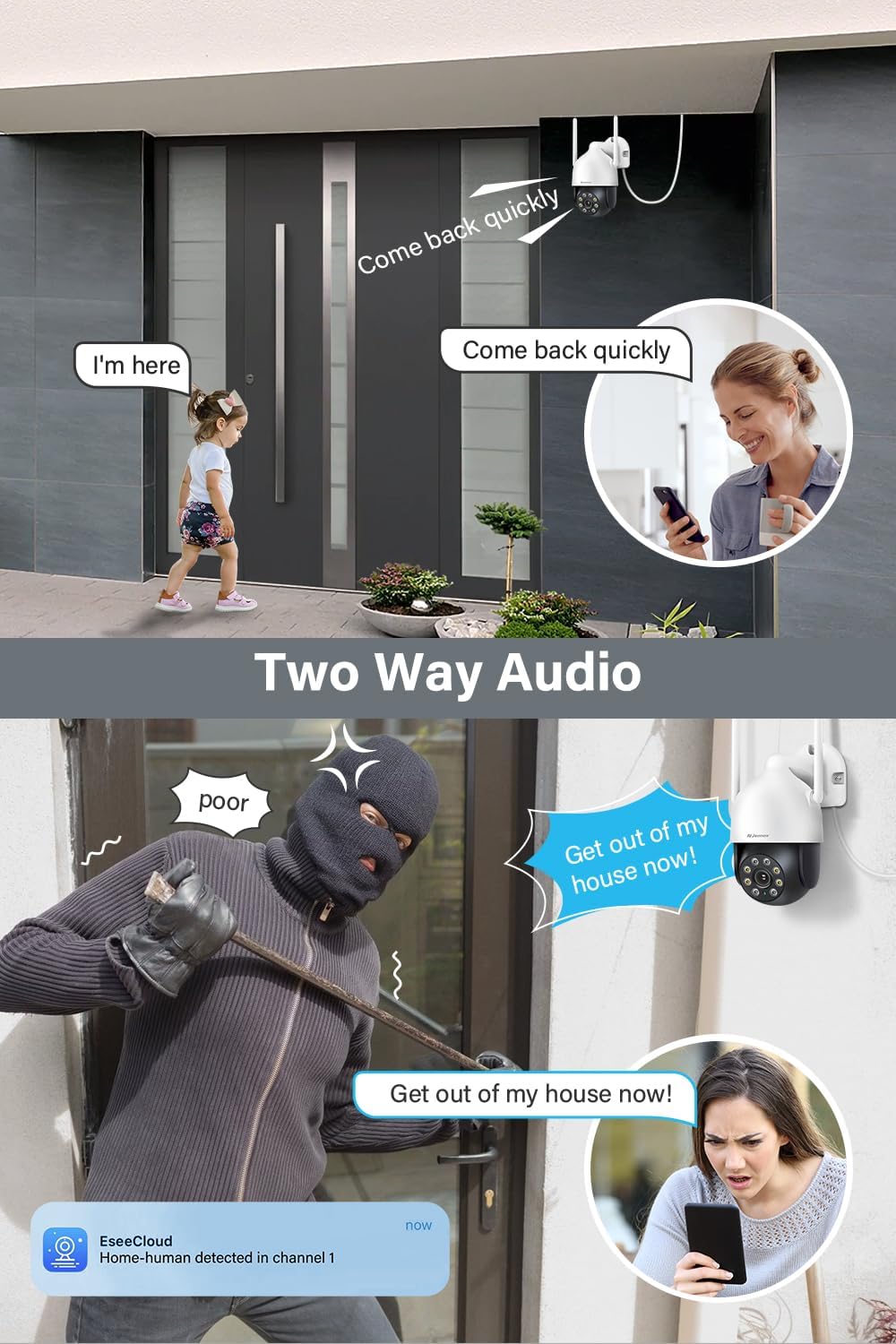
Малюнок 8: Впрamples of two-way audio use cases.
PTZ Control (Pan, Tilt, Zoom)
The camera's pan (355°) and tilt (90°) functions can be controlled remotely via the EseeCloud app, allowing you to adjust the viewкут нахилу за потребою.
- Ручне управління: Проведіть пальцем у прямому ефірі view in the app to move the camera.
- Попередньо встановлені позиції: Set and recall specific viewing angles for quick access.

Figure 9: Remote control of pan and tilt functions via the app.
Технічне обслуговування
- Регулярне прибирання: Періодично очищуйте об'єктив і корпус камери м'якою губкоюamp тканиною, щоб видалити пил і бруд. Не використовуйте агресивні хімікати.
- Оновлення прошивки: Check for and install firmware updates for your NVR and camera through the EseeCloud app or NVR interface to ensure optimal performance and security.
- Перевірка джерела живлення: Переконайтеся, що адаптер живлення та кабель у належному стані та не пошкоджені.
- Розташування антени: Verify that the antennas are securely attached and positioned for optimal signal reception.
Усунення несправностей
| Випуск | Можлива причина | Рішення |
|---|---|---|
| Камера не вмикається | Немає живлення, несправний адаптер/кабель | Check power connection, test outlet, replace adapter if necessary. |
| No video feed on NVR/App | Not paired with NVR, weak WiFi signal, NVR issue | Ensure camera is paired, check WiFi signal strength, restart NVR and camera. |
| Погана якість зображення | Брудний об'єктив, слабке освітлення, пропускна здатність мережі | Clean lens, ensure adequate lighting or proper night vision mode, check network speed. |
| Виявлення руху не працює | Feature disabled, incorrect sensitivity, obstructions | Enable human detection in settings, adjust sensitivity, clear camera's field of view. |
| Проблеми з двостороннім аудіо | Microphone/speaker blocked, app volume low, network delay | Ensure clear path for audio, check app volume, verify stable network connection. |
Технічні характеристики
| Особливість | Деталь |
|---|---|
| Номер моделі | JS7016 |
| Виробник | Shenzhen Dianchen Industrial Co.,Ltd |
| Розміри (Д x Ш x В) | 15 х 12 х 18 см |
| вага | 620 грами |
| Тип живлення | Електричний кабель |
| томtage | 12 вольт |
| Споживана потужність | 12 Вт |
| Технологія підключення | Бездротовий (Wi-Fi) |
| Роздільна здатність запису відео | 5 Мп (2.7K) |
| Особливості | Siren Alarm, Two-Way Audio, PTZ Control, Human Detection |
| Включені компоненти | EseeCloud (software) |
| Ємність пам'яті | 256 GB (referring to NVR compatibility, not camera internal storage) |
| Операційна система | Linux-based or proprietary operating system |
| Сумісні пристрої | Smartphones, Tablets, Computers (via EseeCloud app/software) |
Гарантія та підтримка
For warranty information, technical support, or service inquiries, please refer to the documentation included with your Jennov NVR system or visit the official Jennov webсайт. Зберігайте чек про покупку як підтвердження покупки для гарантійних претензій.


