1. Вступ
This manual provides detailed instructions for the setup, operation, and maintenance of your DANFI AUDIO DF TE-103 Vinyl Record Player. This versatile audio system features a 3-speed turntable, Bluetooth input, USB/SD card playback and recording, FM radio, and auxiliary input/output options. Please read this manual thoroughly before use to ensure proper function and longevity of your device.
2. Інформація про безпеку
- Не піддавайте пристрій впливу дощу або вологи.
- Не блокуйте вентиляційні отвори.
- Переконайтеся, що шнур живлення не защемлений і не наступає на нього.
- Відключайте пристрій від мережі під час грози або якщо він не використовується протягом тривалого часу.
- Звертайтеся до кваліфікованого сервісного персоналу.
- Тримайте пристрій подалі від прямих сонячних променів, джерел тепла та сильних магнітних полів.
3. Вміст упаковки
Перевірте, чи всі перелічені нижче предмети входять до вашої упаковки:
- DANFI AUDIO DF TE-103 Vinyl Record Player
- Блок живлення
- Адаптер 45 оборотів в хвилину
- Сліпмат
- Backup Needle
4. Продукт закінчивсяview
Familiarize yourself with the main components and controls of your record player.

Малюнок 4.1: Спереду view of the DANFI AUDIO DF TE-103 Vinyl Record Player.
4.1 Елементи керування та підключення передньої панелі

Малюнок 4.2: Детально view of the front panel with USB, AUX IN, LED Display, and Mode Switch key.
- Світлодіодний дисплей: Відображає поточний режим, інформацію про трек або FM-частоту.
- Клавіша перемикання режимів: Toggles between Turntable, Bluetooth, USB/SD, FM Radio, and AUX modes.
- Порт USB: For USB flash drives for playback and recording.
- AUX IN: 3.5-мм вхід для підключення зовнішніх аудіопристроїв.
- Регулювання гучності: Регулює вихідну гучність.
- Кнопка EQ: Selects sound equalizer presets (Jazz, Pop, Classical, Rock, Vocal).
4.2 Підключення задньої панелі

Figure 4.3: Rear panel with RCA Line Out connections.
- Лінійний вихід RCA: Підключається до зовнішнього ampпідсилювачі або потужні динаміки.
- Споживана потужність: Підключається до наданого адаптера живлення.
5. Налаштування
- Розпакування: Carefully remove the record player and all accessories from the packaging. Retain packaging for future transport or storage.
- Розміщення: Place the unit on a stable, level surface away from direct sunlight, heat sources, and excessive dust.
- Пилозахисний чохол: Прикріпіть пилозахисну кришку до петель на задній панелі пристрою.
- Підключення живлення: Connect the power unit to the DC input on the rear of the record player, then plug the power adapter into a wall outlet.
- Початкове ввімкнення: Press the power button to turn on the unit. The LED display will illuminate.
6. Інструкція з експлуатації
6.1 Відтворення вінілових платівок

Figure 6.1: The turntable supports 3 speeds for various record types.
- Переконайтеся, що пристрій увімкнено.
- Підніміть пилозахисну кришку.
- Place a vinyl record on the platter. If playing a 45 RPM single, use the included 45 RPM adaptor.
- Виберіть відповідну швидкість (33, 45 або 78 об/хв) за допомогою перемикача швидкості.
- Gently move the tonearm to the desired position on the record. The platter will begin to spin automatically.
- Відрегулюйте гучність відповідно до своїх уподобань.
- The AUTO STOP function will automatically stop the turntable when the record finishes playing.
6.2 Bluetooth Connection (Input Only)
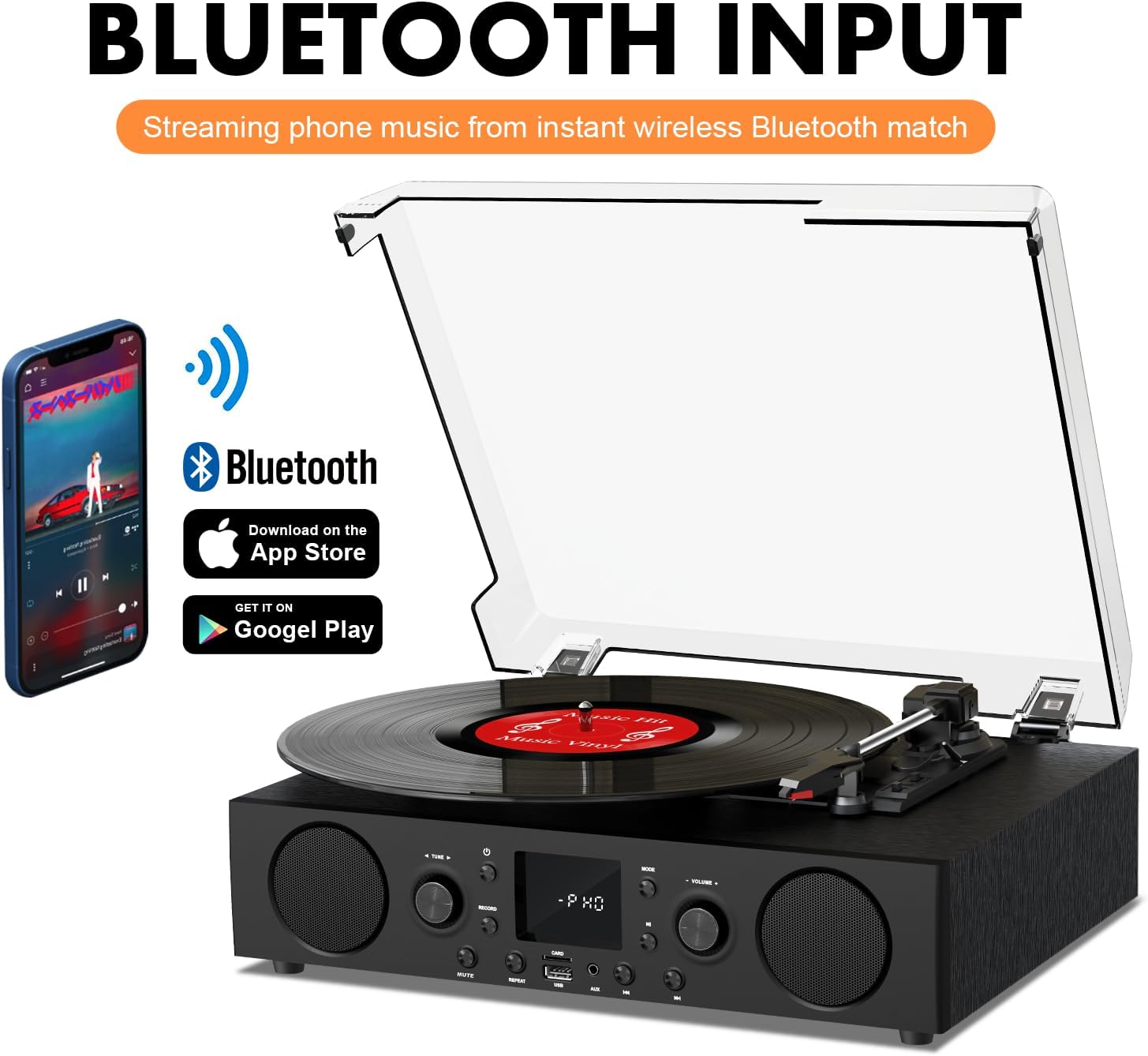
Figure 6.2: Connecting a smartphone via Bluetooth to the turntable.
- Натисніть Режим button until "Bluetooth" or a similar indicator appears on the LED display. The unit will enter pairing mode.
- На смартфоні, планшеті або комп’ютері увімкніть Bluetooth та знайдіть доступні пристрої.
- Select "DANFI AUDIO DF TE-103" (or similar name) from the list of devices to pair.
- Once paired, you can stream audio wirelessly from your device to the record player.
- Примітка: This turntable supports Bluetooth input only and cannot transmit audio to Bluetooth headphones or speakers.
6.3 USB/SD Input and MP3 Encoding

Figure 6.3: Vinyl to MP3 encoding process using a USB flash drive.
- Відтворення з USB/SD: Insert a USB flash drive or SD card into the respective port. Press the Режим button to select USB/SD mode. The unit will automatically play compatible audio files.
- Vinyl to MP3 Encoding:
- Insert a USB flash drive or SD card into the port.
- Start playing a vinyl record.
- Натисніть запис button. The LED display will indicate recording is in progress.
- Натисніть запис button again to stop recording. The recorded audio will be saved as an MP3/WAV file on the USB drive/SD card.
6.4 FM-радіо
- Натисніть Режим button to select FM Radio mode. The current frequency will appear on the LED display.
- Use the tuning controls (often the Skip/Search buttons) to scan for radio stations.
- The unit can store approximately 20 stations.
6.5 RCA Line Out and AUX Input

Figure 6.4: Connecting to external speakers using RCA Line Out.
- Лінійний вихід RCA: Connect RCA cables from the rear of the record player to the audio input of an external amplifier or powered speakers. This allows for boosted volume and playback through a larger sound system. The turntable's internal speakers will not be muted automatically when using RCA output.
- Вхід AUX: Connect an external audio source (e.g., MP3 player, smartphone) to the 3.5mm AUX IN port on the front panel using an audio cable. Press the Режим button to select AUX mode to play audio from the connected device.
6.6 Еквалайзер (EQ)

Figure 6.5: Available equalizer presets for audio customization.
Натисніть EQ button to cycle through the available sound equalizer presets: Jazz, Pop, Classical, Rock, and Vocal. Select the preset that best suits your audio preference.
7. Технічне обслуговування
- Прибирання: Use a soft, dry cloth to clean the exterior of the unit. For the dust cover, use a slightly damp тканиною, а потім ретельно висушіть. Уникайте абразивних мийних засобів.
- Догляд за стилусом: Periodically check the stylus (needle) for wear or damage. A worn stylus can damage records and degrade sound quality. Replace the stylus with a compatible backup needle when necessary.
- Догляд за записами: Keep your vinyl records clean and stored vertically in their sleeves to prevent dust accumulation and warping.
8. Вирішення проблем
| проблема | Можлива причина | Рішення |
|---|---|---|
| Немає живлення | Шнур живлення не підключено; розетка неактивна | Переконайтеся, що шнур живлення надійно підключений; перевірте розетку за допомогою іншого пристрою |
| Ні звуку | Занадто низька гучність; вибрано неправильний режим; зовнішні динаміки не підключені/не підключені | Increase volume; Press Mode button to select correct source; Check RCA connections and external speaker power |
| Поворотний стіл не обертається | Unit not powered on; Tonearm not moved over record | Ensure power is on; Gently move tonearm over the record to activate platter |
| Bluetooth не підключається | Not in Bluetooth mode; Device too far; Already paired with another device | Select Bluetooth mode; Move device closer; Disconnect from other devices and try pairing again |
| Погана якість звуку з вінілу | Dirty record; Worn stylus; Incorrect speed selected | Clean record; Replace stylus; Select correct RPM speed |
9. Технічні характеристики
| Особливість | Деталь |
|---|---|
| Назва моделі | TE-103 |
| Бренд | DANFI AUDIO DF |
| Розміри продукту | 14.37 x 10.82 x 5.28 дюймів |
| Вага товару | 6.2 фунта |
| матеріал | Acrylic, Engineered Wood |
| Швидкість поворотного столу | 33 1/3, 45, 78 об/хв |
| Включені компоненти | Power unit, 45 rpm adaptor, Slipmat, Backup needle |
| Особливості | Equalizer (EQ), FM Radio, USB Input, USB/SD Card Recording, Bluetooth Input |
| Підключення | Bluetooth (Input only), USB, SD Card, AUX Input, RCA Line Out |
| Сумісні пристрої | Headphones, MP3 Players, Personal Computers, Smartphones, Speakers, Tablets |
| Споживання енергії (увімкнено) | 5 Вт |
10. Гарантія та підтримка
For warranty information or technical support, please refer to the documentation provided with your purchase or contact DANFI AUDIO DF customer service through their official channels. Keep your purchase receipt as proof of purchase for warranty claims.


