1. Вступ
The EazeID M950 is a versatile label maker designed for home, office, and school use. It offers two primary printing modes: direct input via its integrated QWERTY keyboard and wireless control through the 'Print Master' mobile application via Bluetooth. Featuring a rechargeable battery and a backlit LCD screen, the M950 provides convenience and clarity for all your labeling needs. This manual provides detailed instructions for setting up, operating, and maintaining your device.
2. Вміст упаковки
Будь ласка, перевірте, чи всі перелічені нижче предмети входять до вашої упаковки:
- 1 x EazeID M950 Label Maker
- 1 x 3M21 Black on White Label tape (12mm*4M)
- 1 x кабель передачі даних Type-C
- 1 х Пакувальна коробка
- 1 x Посібник користувача (цей документ)

Figure 2.1: EazeID M950 Label Maker package contents.
3. Продукт закінчивсяview
The EazeID M950 Label Maker features a compact design with an integrated QWERTY keyboard and a backlit LCD screen for ease of use. It utilizes thermal printing technology, eliminating the need for ink or toner.

Малюнок 3.1: Спереду view of the EazeID M950 Label Maker and accessories.

Figure 3.2: Key features and components of the EazeID M950 Label Maker.
4. Налаштування
4.1 Зарядка пристрою
The M950 Label Maker is equipped with a built-in 1200mAh rechargeable lithium battery. Before first use, or when the battery is low, charge the device using the provided Type-C USB cable.
- Connect the Type-C end of the cable to the charging port on the side of the label maker.
- Connect the USB-A end of the cable to a 5V-2A charging adapter (not included) or a compatible USB port.
- The device will indicate charging status on the LCD screen. A full charge typically takes 1-2 hours.
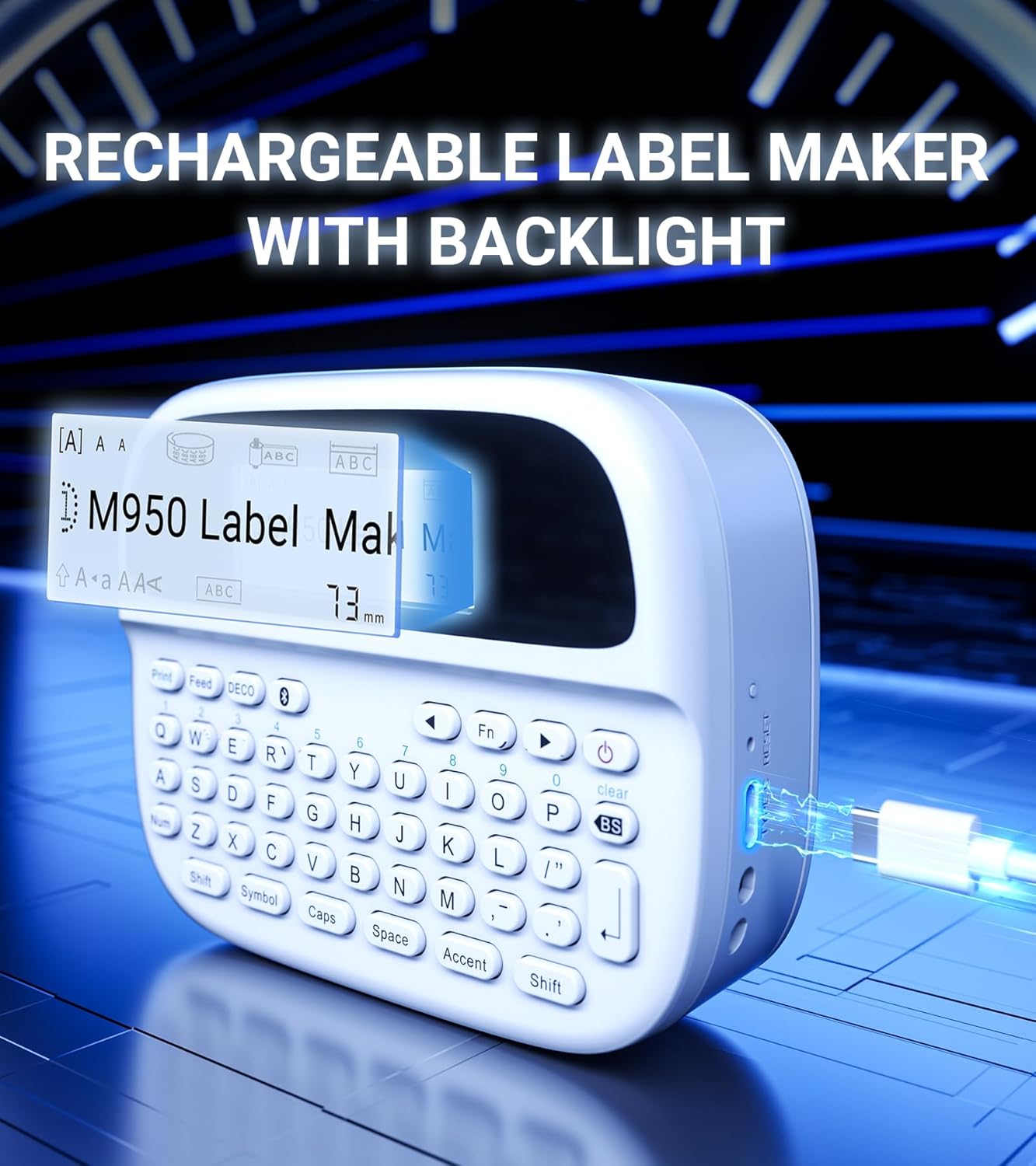
Figure 4.1: Charging the EazeID M950 Label Maker.
4.2 Встановлення етикеткової стрічки
To install or replace the label tape cassette:
- Переконайтеся, що етикетувальник вимкнено.
- Locate the tape compartment cover on the top of the device. Gently open the cover.
- Insert the label tape cassette into the compartment, ensuring it clicks into place. The tape should feed smoothly out of the slot.
- Close the tape compartment cover securely.

Малюнок 4.2: Внутрішній view of the M950 label maker showing tape cassette placement.
5. Інструкція з експлуатації
5.1 Увімкнення/вимкнення
- Щоб увімкнути живлення: натисніть і утримуйте потужність button (usually marked with a power symbol) until the LCD screen illuminates.
- Щоб вимкнути живлення: натисніть і утримуйте потужність знову натисніть кнопку, доки екран не вимкнеться.
5.2 Direct Printing via QWERTY Keyboard
The M950 features an ergonomic QWERTY keyboard for direct label creation.
- Увімкнення: Увімкніть пристрій для виготовлення етикеток.
- Input Text: Use the QWERTY keyboard to type your desired label text. The text will appear on the backlit LCD screen.
- Formatting Options: Use the function keys (e.g., Fn, символ, Ковпачки, Акцент) to access various fonts, sizes, symbols, and other formatting options.
- Друк: Натисніть Роздрукувати button to generate the label.
- Вирізати: Use the built-in cutter to cleanly separate the printed label from the tape roll.

Figure 5.1: Using the QWERTY keyboard for direct label printing.
5.3 Bluetooth App Printing (Print Master App)
For advanced features and customization, connect your M950 to the 'Print Master' app via Bluetooth.
- Завантажити додаток: Download the 'Print Master' app from your device's app store (available on Android and iOS).
- Power On & Bluetooth: Turn on the label maker and ensure Bluetooth is enabled on both the label maker and your smartphone.
- Підключити: Open the 'Print Master' app. The app will search for nearby EazeID label makers. Select 'EazeID M950' from the list to connect.
- Дизайн етикетки: Use the app's interface to create your label. The app offers a vast library of customizable templates, over 1000 patterns, 100+ frames, 100+ fonts, barcodes, and QR codes.
- Друк: Once your label is designed, tap the 'Print' icon in the app.
- Вирізати: Use the built-in cutter on the label maker to separate the printed label.

Figure 5.2: The EazeID M950 supports both keyboard and Bluetooth app printing modes.

Figure 5.3: Connecting to the 'Print Master' app via Bluetooth.
6. Технічне обслуговування
6.1 Очищення пристрою
To ensure optimal performance and longevity of your label maker:
- Перед очищенням вимкніть пристрій.
- Use a soft, dry cloth to wipe the exterior of the label maker.
- For the print head, gently wipe with a cotton swab lightly dampзмочений ізопропіловим спиртом. Дайте йому повністю висохнути перед використанням.
- Не використовуйте абразивні засоби чи розчинники.
6.2 Догляд за акумулятором
Щоб максимізувати термін служби акумулятора:
- Уникайте частого повного розряджання акумулятора.
- Регулярно заряджайте пристрій, навіть якщо він не використовується постійно.
- Зберігайте пристрій у прохолодному, сухому місці, якщо він не використовується протягом тривалого часу.
7. Вирішення проблем
If you encounter issues with your EazeID M950 Label Maker, refer to the following common problems and solutions:
| проблема | Можлива причина | Рішення |
|---|---|---|
| Пристрій не включається | Низький заряд батареї; несправність пристрою | Заряджайте пристрій щонайменше 30 хвилин. Якщо пристрій все ще не реагує, зверніться до служби підтримки. |
| Немає друку або блідий друк | Tape installed incorrectly; Print head dirty; Low battery | Reinstall tape cassette. Clean the print head. Charge the device. |
| Збій підключення Bluetooth | Bluetooth off; App not updated; Device too far | Ensure Bluetooth is enabled on both devices. Update 'Print Master' app. Move label maker closer to smartphone. Restart both devices. |
| Labels are difficult to peel | Specific label tape characteristic | Ensure you are using genuine EazeID label tape. Try bending the label backing slightly to separate. |
8. Технічні характеристики
Technical specifications for the EazeID M950 Label Maker:
- Назва моделі: EazeID M950 Label Maker
- Технологія друку: Теплові
- Роздільна здатність друку: 203 DPI
- Підключення: Bluetooth, USB типу C
- Максимальний розмір носія: 12 мм (0.47 дюймів)
- Батарея: Літій-іонний акумулятор 1200 мАг (акумуляторний, в комплекті)
- Метод контролю: App (Print Master), QWERTY Keyboard
- Особливості: Backlit LCD Screen, Built-in Cutter, Portable
- Розміри продукту: Приблизно 1 x 1 x 1 дюйма
- Вага товару: 1.06 фунта
- Включені компоненти: Label maker, tape, USB-C cable, user manual

Figure 8.1: EazeID M950 Label Maker dimensions and key features.
9. Гарантія та підтримка
The EazeID M950 Label Maker comes with a limited warranty. For specific warranty terms and conditions, please refer to the warranty card included in your product packaging or visit the official EazeID webсайт.
For technical support, troubleshooting assistance, or inquiries about replacement parts and accessories, please contact EazeID customer service through the contact information provided on the official webсайт або ваша платформа для покупок.


