1. Вступ
The Irfora FY128C Smart Digital Multimeter is a compact and intelligent electrical testing instrument designed for professionals, factories, schools, and home users. It is engineered to meet the safety requirements of the International Electrotechnical Safety Standard (IEC-61010) for electronic measuring instruments and handheld digital multimeters. This device offers accurate measurements for AC/DC voltage, resistance, frequency, continuity, live wire checking, and Non-Contact Voltagвиявлення e (NCV).
Заходи безпеки:
- Завжди переконайтеся, що мультиметр у справному стані перед використанням.
- Не намагайтеся виміряти обtagабо струми, що перевищують задані максимальні межі.
- Будьте гранично обережні під час роботи з електричними колами під напругою.
- Негайно замінюйте батарейки, коли з’являється індикатор низького заряду батарейок.
- Do not operate the multimeter if the casing пошкоджений або відкритий.
2. Вміст упаковки
Будь ласка, перевірте упаковку на наявність наступних предметів:
- 1 x Digital Multimeter (FY128C)
- 1 x пара вимірювальних щупів (червоний та чорний)
- 1 x Посібник користувача (англійською мовою)
3. Продукт закінчивсяview
The FY128C Smart Digital Multimeter features a large, backlit LCD display for clear readings, a built-in flashlight for dark environments, and a support bracket for convenient hands-free operation. Below is an illustration of the instrument's key components and functions.

Figure 3.1: Instrument Functions Overview

Figure 3.2: Large LCD Display for Easy Reading
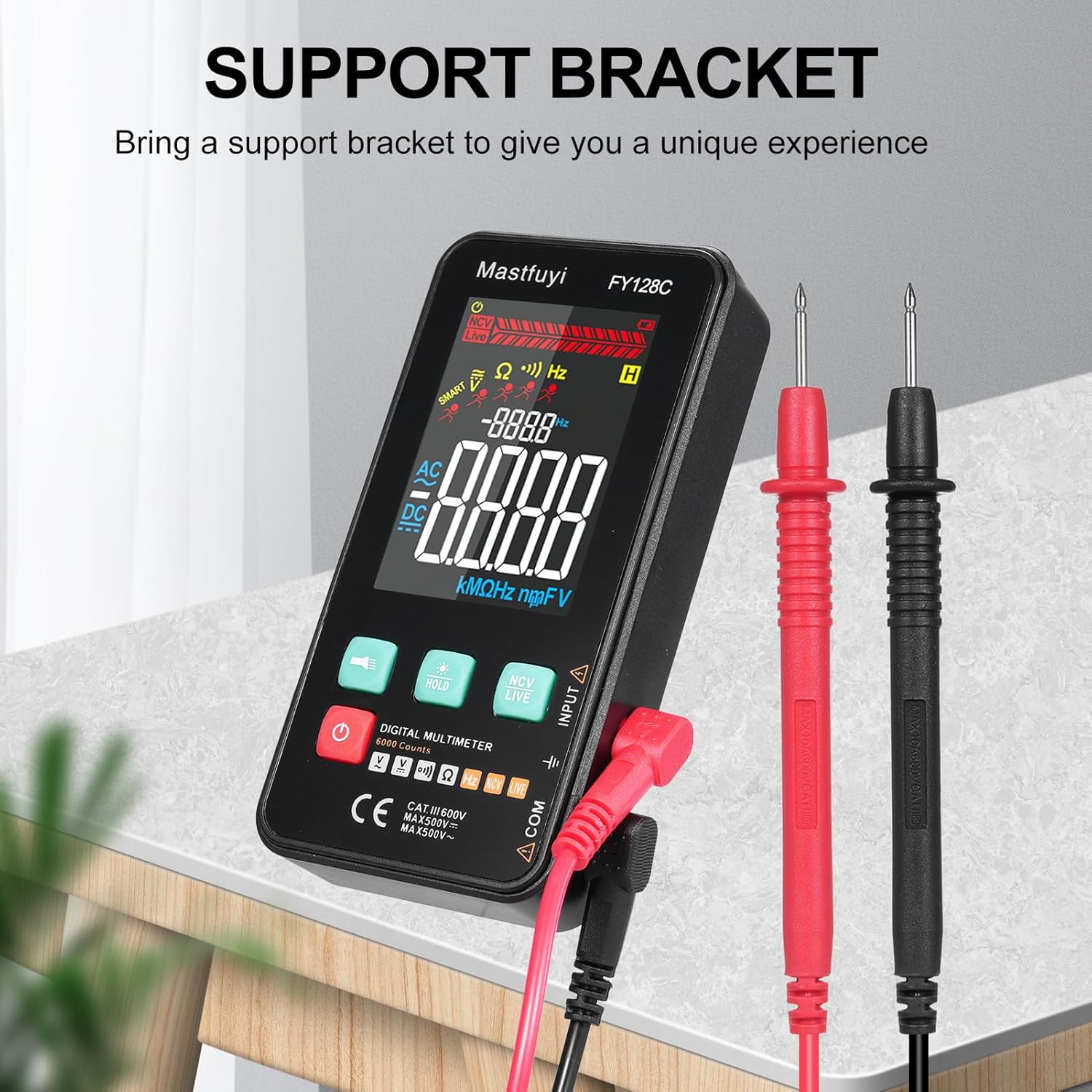
Figure 3.3: Multimeter with Support Bracket and Test Leads
4. Налаштування
4.1 Встановлення батареї
- Переконайтеся, що мультиметр вимкнено.
- Знайдіть кришку відсіку для батареї на задній панелі пристрою.
- Використовуйте викрутку, щоб відкрити батарейний відсік.
- Вставте дві батарейки типу AAA 1.5 В, дотримуючись правильної полярності (+/-).
- Встановіть на місце кришку батарейного відсіку та закріпіть її гвинтом.
4.2 Підключення вимірювальних щупів
- Вставте чорний вимірювальний дріт у вхідний роз'єм «COM» (загальний).
- Insert the red test lead into the 'INPUT' jack for most measurements (voltage, resistance, frequency, continuity).
- Ensure the test leads are securely connected before taking any measurements.
5. Інструкція з експлуатації
The FY128C Multimeter offers two primary measurement modes: Auto Identification and Manual Switching.
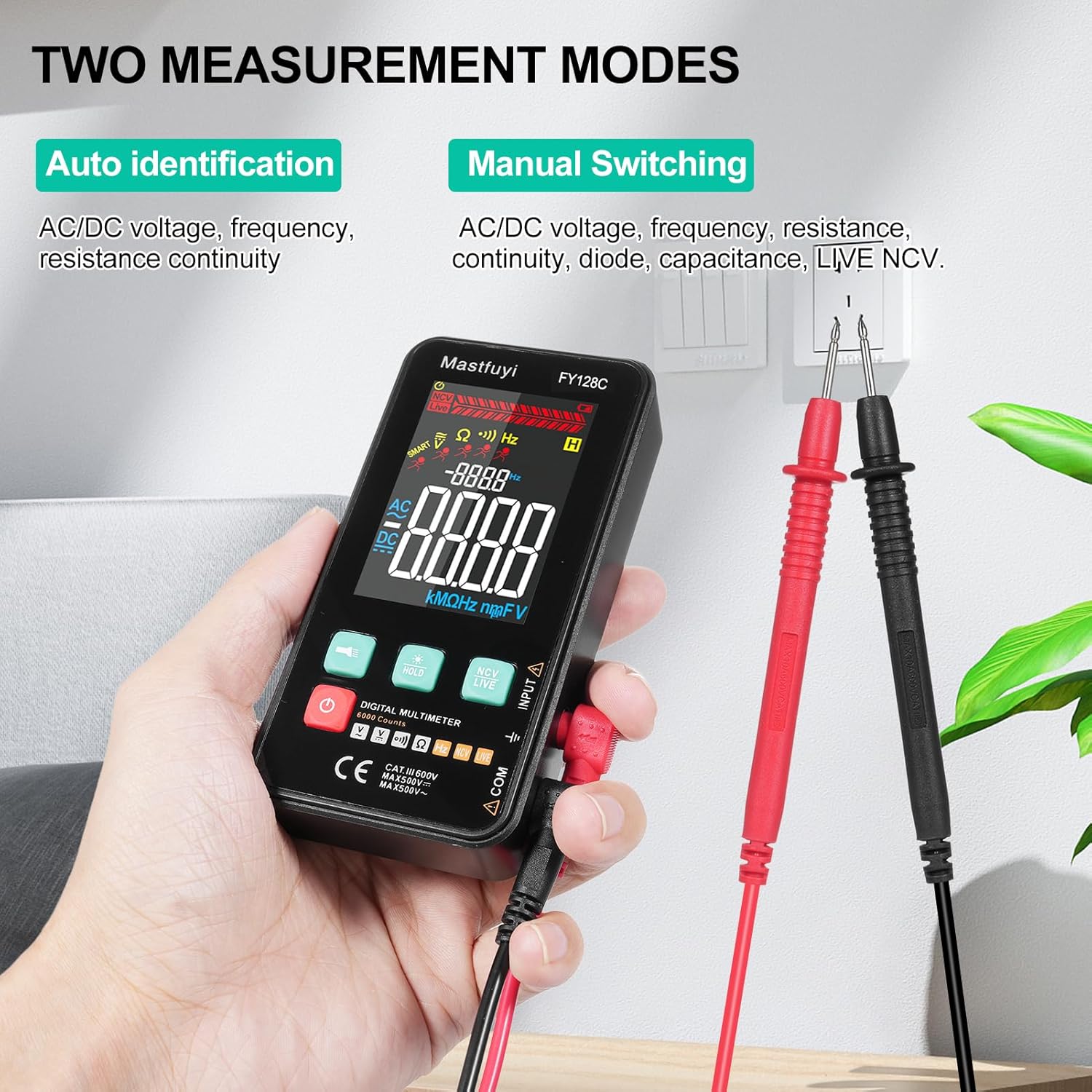
Figure 5.1: Two Measurement Modes
5.1 Увімкнення/вимкнення живлення
Натисніть кнопку живлення (U) to turn the multimeter on or off. The device features an auto-shutdown function to conserve battery power after a period of inactivity.
5.2 Auto Identification Mode
In this mode, the multimeter automatically identifies and measures AC/DC voltage, frequency, resistance, and continuity. Simply connect the test leads to the circuit or component, and the device will display the appropriate measurement.
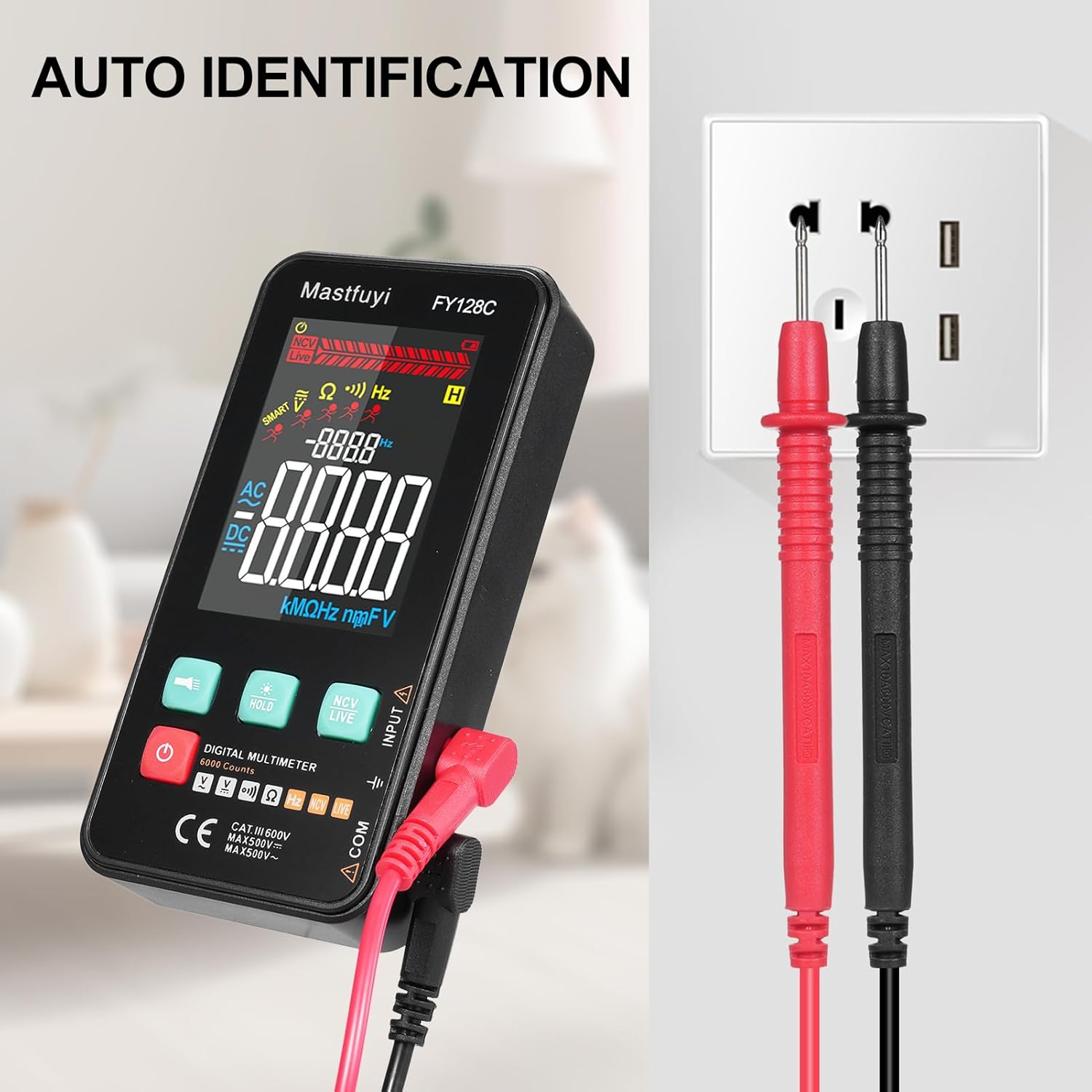
Figure 5.2: Auto Identification in Use
5.3 Manual Switching Mode
For specific measurements or when auto-identification is not desired, you can manually switch between functions. Press the 'MODE' button (often indicated by a symbol like a wave or function icon) to cycle through AC/DC voltage, frequency, resistance, continuity, and NCV/LIVE functions.
5.4 AC/DC Voltage Вимірювання
- Виберіть відповідний томtage mode (AC V or DC V) if in manual mode, or rely on auto-identification.
- Підключіть вимірювальні щупи паралельно до кола або компонента, який ви хочете виміряти.
- Прочитайте томtagзначення e на РК-дисплеї.
5.5 Вимірювання опору
- Перед вимірюванням опору переконайтеся, що коло або компонент знеструмлені.
- Select the resistance mode (Ω) if in manual mode.
- Підключіть вимірювальні щупи до компонента.
- Зчитайте значення опору на РК-дисплеї.
5.6 Вимірювання частоти
- Select the frequency mode (Hz) if in manual mode.
- Connect the test leads to the circuit where you want to measure frequency.
- Прочитайте значення частоти на РК-дисплеї.
5.7 Тест безперервності
- Переконайтеся, що ланцюг або компонент знеструмлені.
- Select the continuity mode (often indicated by a buzzer icon).
- Підключіть вимірювальні щупи до компонента або дроту.
- If there is continuity (a complete circuit), the multimeter will emit an audible beep.
5.8 Live Wire Checking
This function helps identify live wires without direct contact.
- Select the 'LIVE' mode (often shared with NCV).
- Bring the red test lead probe close to the wire or outlet.
- The multimeter will indicate the presence of a live wire through visual (LED) and/or audible signals.

Figure 5.3: Live Wire Checking in Progress
5.9 NCV (безконтактний об'ємtagд) Тест
Функція NCV дозволяє безпечно виявляти об'єм змінного струмуtage without physical contact with the conductor.
- Select the 'NCV' mode.
- Bring the top part of the multimeter (NCV sensor area) close to the suspected voltagе джерело.
- Пристрій сигналізуватиме про наявність змінного струмуtage with an audible beep and/or visual indicator (e.g., LED lights). The intensity of the signal may vary with voltage strength and proximity.

Figure 5.4: NCV Insulation Safety Test
5.10 Функція утримання даних
Натисніть кнопку «HOLD», щоб зафіксувати поточне значення на дисплеї. Натисніть її ще раз, щоб зняти блокування та відновити вимірювання в реальному часі.
5.11 Ліхтарик та підсвічування
Press the flashlight button (often indicated by a light bulb icon) to turn on the built-in flashlight. The LCD display also has a backlight for improved visibility in low-light conditions, which typically activates automatically or can be toggled with a dedicated button.
6. Технічне обслуговування
6.1 Очищення
Протріть мультиметр casing з оголошеннямamp тканиною та м’яким миючим засобом. Не використовуйте абразивні засоби для чищення або розчинники. Перед використанням переконайтеся, що пристрій повністю сухий.
6.2 Заміна батареї
When the low battery indicator appears on the display, replace the batteries as described in Section 4.1. Always use fresh 1.5V AAA batteries.
6.3 Зберігання
If the multimeter will not be used for an extended period, remove the batteries to prevent leakage. Store the device in a cool, dry place, away from direct sunlight and extreme temperatures.
7. Вирішення проблем
This section addresses common issues you might encounter with your FY128C Smart Digital Multimeter.
| проблема | Можлива причина | Рішення |
|---|---|---|
| Немає дисплея або дисплей тьмяний | Low batteries; Device not powered on; Damaged display. | Replace batteries; Press power button; Contact support if display is damaged. |
| Неточні показання | Incorrect mode selected; Poor test lead connection; External interference. | Verify mode selection; Ensure leads are firmly connected; Move away from strong electromagnetic fields. |
| Continuity test not beeping | Open circuit; Continuity mode not selected; Faulty test leads. | Check the circuit for breaks; Select continuity mode; Test leads for damage. |
| Auto-shutdown too frequent | Default auto-shutdown setting. | This is a power-saving feature. Ensure you are actively using the device or press a button to reset the timer. |
8. Технічні характеристики
Below are the technical specifications for the Irfora FY128C Smart Digital Multimeter.

Рисунок 8.1: Розміри виробу
| Особливість | Specification (FY128C) |
|---|---|
| Модель | ФІ128C |
| матеріал | ABS |
| AC Voltage Дальність | 1V~500V, ±(1.5%+3) |
| DC Voltage Дальність | 0.5V~500V, ±(1.2%+5) |
| Діапазон опору | 30Ω~10000KΩ, ±(2%+5) |
| Діапазон частот | 40Hz~1000Hz, ±(2.5%+5) |
| Безперервність | так |
| NCV (безконтактний випtage) | так |
| Live Wire Checking | так |
| Автоматичне вимкнення | так |
| Джерело живлення | 2 * 1.5V AAA batteries (Not included) |
| Розмір елемента | 123 * 61 * 24 мм / 4.84 * 2.40 * 0.94 дюйма |
| Вага товару | 113 г / 3.98 унції |
| Стандарт безпеки | IEC-61010, CAT III 600V |
9. Гарантія та підтримка
The Irfora FY128C Smart Digital Multimeter comes with a standard manufacturer's warranty. For specific warranty terms, duration, or to obtain technical support, please refer to the documentation provided with your purchase or contact your retailer. Keep your purchase receipt as proof of purchase for warranty claims.
