1. Вступ
Thank you for choosing the ASD Security Flood Light Camera Outdoor. This smart floodlight camera is designed to provide enhanced security and illumination for your outdoor spaces. Featuring a 180° motion sensor, adjustable light heads, and smart app control, it integrates seamlessly with your smart home ecosystem, including Alexa and Google Assistant. This manual provides essential information for safe installation, operation, and maintenance of your device.
2. Важлива інформація з безпеки
Будь ласка, уважно прочитайте всі інструкції перед встановленням та використанням. Зберігайте цей посібник для подальшого використання.
- Електрична безпека: Встановлення має виконувати кваліфікований електрик або особа з досвідом роботи з електрикою. Перед встановленням або обслуговуванням переконайтеся, що живлення вимкнено автоматичним вимикачем.
- томtage: This product is designed to operate on 120V circuits.
- Монтаж: Mount the fixture securely to a junction box. Ensure the mounting surface can support the weight of the fixture.
- Вологі місця: This product is Wet Locations rated (IP54), suitable for outdoor use. However, avoid submerging the unit in water.
- Тепло: Do not operate the fixture near flammable materials. Allow the fixture to cool before handling.
- Об'єктив камери: Avoid touching the camera lens directly to prevent smudges or damage.
3. Вміст упаковки
Перед початком встановлення перевірте наявність усіх компонентів:
- ASD Security Flood Light Camera Outdoor (1 unit)
- Mounting Crossbar
- Монтажні гвинти
- Дріт Гайки
- Прокладка EVA
- Посібник користувача (цей документ)
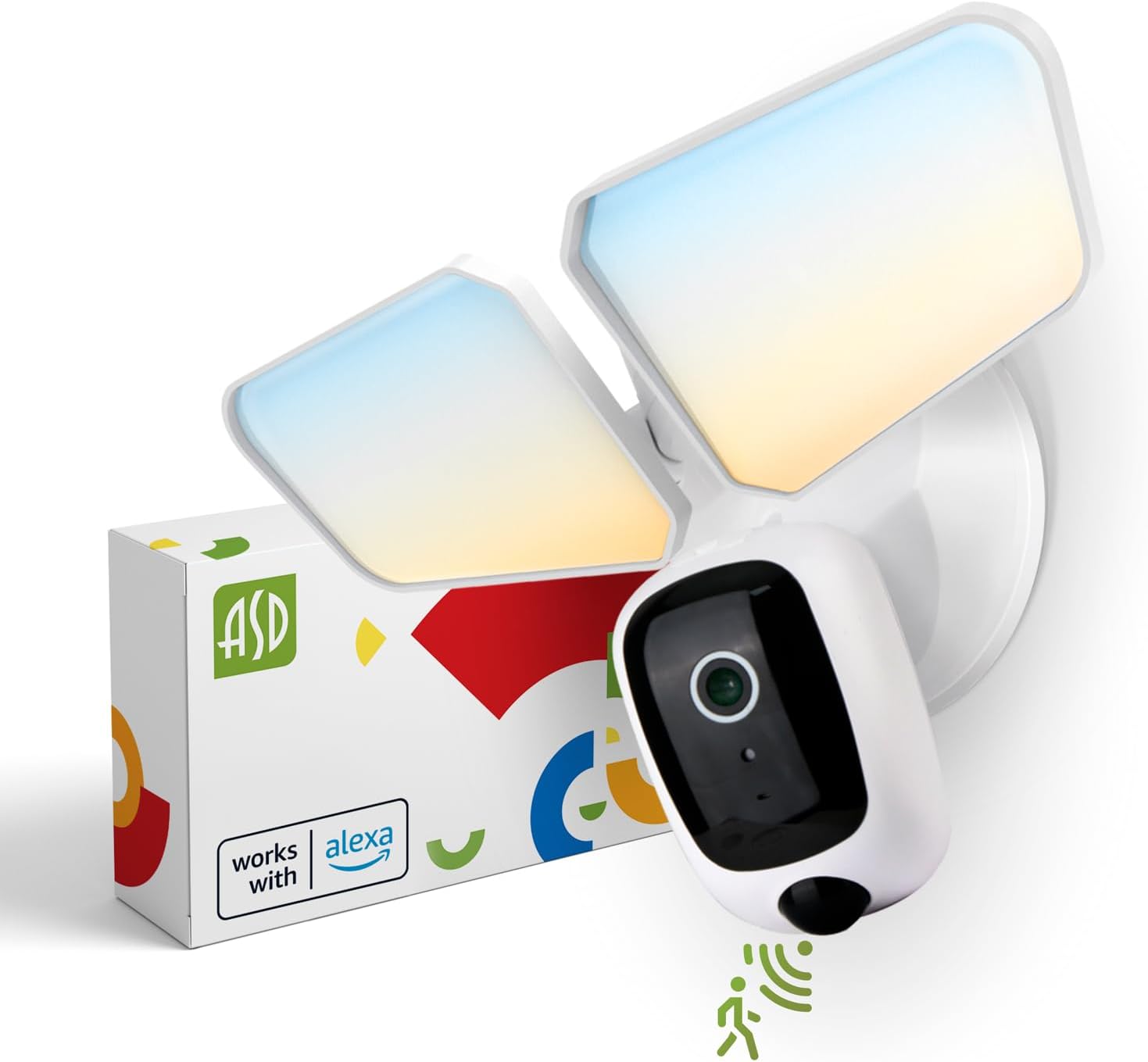
Image 1: ASD Security Flood Light Camera Outdoor and its packaging.
4. Особливості продукту
- Регульовані світлові головки: Side-to-side (150°) and up-and-down (180°) rotatable light heads for directional illumination.
- Integrated Smart Camera: Monitor, record, and engage in two-way audio communication.
- 180° Motion Sensor: Automatically activates light and camera recording upon motion detection.
- Фотоелемент від сутінків до світанку: Автоматично вмикає світло в сутінках і вимикає на світанку.
- Color Selectable: Choose from 5 color temperatures: 2700K (Soft White), 3000K (Warm White), 3500K (Neutral White), 4000K (Cool White), or 5000K (Daylight).
- Інтеграція розумного будинку: Сумісний з Amazon Alexa та Google Assistant для голосового керування.
- Контроль програми: Керування налаштуваннями, view live feed, and receive motion-activated push notifications via the dedicated app.
- Варіанти зберігання: Records can be stored on a Micro SD card (not included) or in a Cloud service (subscription may be required).
- Міцна конструкція: Made from Aluminum and Polycarbonate.
- Сертифікати: UL and DLC Premium certified, ensuring quality and safety.

Image 2: Key features of the ASD Security Flood Light Camera.
5. Технічні характеристики
| Специфікація | Деталь |
|---|---|
| Номер моделі | A-SFL-20WH-SC |
| Джерело живлення | Провідний |
| томtage | 120 вольт |
| Wattage | 20 Вт |
| Тип джерела світла | LED |
| Колірна температура (CCT) | 2700K, 3000K, 3500K, 4000K, 5000K (на вибір) |
| Кут виявлення датчика руху | 180° |
| Відстань виявлення датчика руху | 16.4-32.9 футів (5-10 м) |
| Кут променя | 100° |
| матеріал | Алюміній, полікарбонат |
| Розміри продукту | 10.24 см (Д) x 4.45 см (Ш) x 7.68 см (В) |
| Вага товару | 1.2 фунта |
| Використання в приміщенні/зовні | Відкритий |
| Класифікація освітлення зони | IP54 (Wet Locations Rated) |
| Протокол підключення | Wi-Fi |
| Тип контролера | Amazon Alexa, Google Assistant, App |
| Тривалість життя | 145,000 години |

Зображення 3: Детальні характеристики та розміри продукту.
6. Етапи встановлення
Перш ніж почати: Turn off power at the circuit breaker. Ensure you have the necessary tools (screwdriver, wire strippers, etc.).
- Підготуйте пристосування:
Attach the crossbar to the outlet box using two mounting screws. Remove the cover on the top of the camera. Insert a Micro SD card (sold separately) into the slot until it clicks. Place the cover back on. Change the position of the CCT switch on the housing to the desired color temperature (2700K, 3000K, 3500K, 4000K, or 5000K). - Mount and Wire:
Tear off the EVA pad adhesive and stick it on the rear cover (pay attention to the direction of the gap). Thread the fixture wire through the gasket. Connect the wires: Black to Black, White to White, and Green to Green (ground). Secure the connection with wire nuts. - Закріпіть прилад:
Drive the bracket screw through the center hole of the fixture base to the crossbar and secure it by tightening.

Зображення 4: Візуальний посібник з процесу встановлення.
7. Інструкція з експлуатації
7.1 Робота датчика руху
The built-in 180° motion sensor detects movement within its range (16.4-32.9 ft or 5-10 m). When motion is detected, the floodlight will illuminate, and the camera will begin recording. You can adjust the sensitivity and duration settings via the ASD SMART app.

Image 5: The built-in motion sensor detects movement.
7.2 Dusk-to-Dawn Photocell
The integrated photocell automatically senses ambient light levels. It will turn the floodlight on when it gets dark and turn it off when daylight returns, ensuring efficient operation without manual intervention.

Image 6: Built-in dusk-to-dawn photocell for automatic operation.
7.3 Вибір колірної температури (CCT)
Before final installation, you can select your preferred color temperature using the switch located on the fixture's housing. Choose from 2700K (Soft White), 3000K (Warm White), 3500K (Neutral White), 4000K (Cool White), or 5000K (Daylight) to match your aesthetic and lighting needs.

Image 7: Selectable color temperature options.
8. App Control and Smart Integration
8.1 ASD SMART App Setup
To unlock the full potential of your floodlight camera, download and set up the ASD SMART app:
- Завантажити ASD SMART app з App Store (iOS) або Google Play Store (Android).
- Зареєструйтесь або увійдіть у свій обліковий запис.
- Select "Add a device" and choose "Camera and lock".
- Follow the on-screen instructions to connect your device to your Wi-Fi network.
- Scan the QR code on your camera when prompted.
For a detailed guide, please refer to the full manual PDF: ASD Security Flood Light Camera Manual PDF
Завантажте додаток:
- iOS App Store: ASD SMART on App Store
- Android Google Play: ASD SMART on Google Play

Image 8: App control interface and smart assistant compatibility.
8.2 Remote Monitoring and Two-Way Audio
Through the ASD SMART app, you can:
- View live video feed from your camera anytime, anywhere.
- Engage in two-way audio communication with visitors or deter intruders.
- Receive instant motion-activated push notifications on your smartphone.
8.3 Recording Storage
Відеозаписи можна зберігати двома способами:
- Micro SD Card: Insert a Micro SD card (up to 128GB, not included) into the designated slot on the camera for local storage.
- Хмарний сервіс: Opt for a cloud storage subscription (available through the app) for secure, remote access to your recordings.

Image 9: Remote monitoring and recording storage options.
8.4 Інтеграція з інтелектуальним помічником
Connect your ASD Security Flood Light Camera to Amazon Alexa or Google Assistant for convenient voice control. Follow the instructions within the ASD SMART app to link your accounts and enable features like turning the light on/off or viewтрансляція зображення з камери на сумісні розумні дисплеї.
9. Технічне обслуговування
- Прибирання: Перед чищенням переконайтеся, що живлення вимкнено. Протріть прилад м’якою тканиною.amp тканина. Не використовуйте абразивні засоби чи розчинники.
- Догляд за лінзами: Обережно протріть об'єктив камери серветкою з мікрофібри, щоб зберегти чітку якість зображення.
- Регулярні перевірки: Periodically check for any loose connections or damage to the wiring and housing.
10. Вирішення проблем
| проблема | Можлива причина | Рішення |
|---|---|---|
| Світло не вмикається. | No power, faulty wiring, photocell issue, CCT switch not set. | Check circuit breaker. Verify wiring connections. Ensure photocell is not obstructed. Confirm CCT switch is set. |
| Датчик руху не виявляє. | Incorrect sensitivity settings, obstruction, improper installation height. | Adjust motion sensor sensitivity in the app. Clear any obstructions. Ensure installation height is appropriate (approx. 9.8 ft / 3 m). |
| Камера не підключається до Wi-Fi. | Неправильний пароль Wi-Fi, слабкий сигнал, проблеми з маршрутизатором. | Double-check Wi-Fi password. Move router closer or use a Wi-Fi extender. Restart router. Ensure 2.4GHz Wi-Fi network is used. |
| Погана якість відео. | Dirty lens, poor Wi-Fi signal, low light conditions. | Clean camera lens. Improve Wi-Fi signal strength. Ensure adequate lighting. |
| Двосторонній аудіозв'язок не працює. | Microphone/speaker issues, app permissions. | Check app permissions for microphone. Ensure volume is up on your device. |
11. Інформація про гарантію
ASD забезпечує 5 рік обмеженої гарантії for this Security Flood Light Camera. This warranty covers defects in materials and workmanship under normal use. Please retain your proof of purchase for warranty claims. For full warranty terms and conditions, please refer to the official ASD webсайту або зв’яжіться зі службою підтримки клієнтів.
12. Підтримка клієнтів
For additional assistance, technical support, or warranty inquiries, please visit the ASD Lighting Corporation website or refer to the comprehensive manual available online.
- ASD Lighting Corporation Store: Visit ASD Store on Amazon
- Full Product Manual (PDF): Завантажити посібник у форматі PDF