1. Вступ
This manual provides essential information for the safe and effective use of your UREVO Strol 2E Smart 2-in-1 Folding Treadmill. This versatile fitness equipment is designed for both walking and running, offering a compact solution for home and office environments. It features app connectivity for tracking progress and various workout modes.
Please read this manual thoroughly before operating the treadmill and retain it for future reference.
2. Інформація про безпеку
To ensure safe operation and prevent injury, adhere to the following safety guidelines:
- Перед використанням бігової доріжки прочитайте всі інструкції в цьому посібнику.
- Тримайте дітей і домашніх тварин подалі від бігової доріжки під час роботи.
- Розмістіть бігову доріжку на рівній, стійкій поверхні з достатнім простором навколо неї.
- Ensure the power cord is not damaged or placed under the treadmill.
- Always use the safety key/clip during operation. In case of an emergency, the safety key will stop the treadmill.
- Одягайте відповідне спортивне взуття.
- Максимальна вага користувача цієї бігової доріжки становить 120 кг (265 фунтів).
- Якщо ви відчуваєте запаморочення, нудоту, біль у грудях або будь-які інші незвичні симптоми, негайно припиніть тренування та зверніться до лікаря.
- Не намагайтеся самостійно обслуговувати бігову доріжку. Зверніться до кваліфікованого сервісного персоналу для ремонту.
3. Вміст упаковки
Перевірте наявність усіх компонентів в упаковці:
- UREVO Strol 2E Treadmill Unit
- Шнур живлення (1x)
- Пульт дистанційного керування (1x)
- Tool Kit (1x)
- Посібник користувача (1x)
- Tablet Mount (1x)
- Hex Tool (1x)

Image: Contents of the UREVO Strol 2E Treadmill package, including the treadmill, power cord, remote control, tool kit, user manual, tablet mount, and hex tool.
4. Налаштування
The UREVO Strol 2E Treadmill is designed for quick and easy setup. Follow these steps to prepare your treadmill for use:
- Розпакуйте бігову доріжку: Carefully remove the treadmill and all accessories from the packaging. Place the treadmill on a clear, level surface.
- Unfold the Handle (for Running Mode): If you intend to use the treadmill in running mode, lift the handle until it locks securely into place. Ensure both sides are fully extended and locked.
- Підключіть живлення: Підключіть шнур живлення до входу живлення бігової доріжки, а потім до заземленої електричної розетки.
- Початковий огляд: Before first use, check the running belt for proper alignment and tension. Refer to the maintenance section for belt adjustment if needed.

Image: The UREVO Strol 2E Treadmill shown in its upright running configuration with the handle extended, and in its flat walking pad configuration under a standing desk.

Image: Illustration of the UREVO Strol 2E Treadmill's quick folding mechanism, demonstrating how it can be stored compactly, with a person relaxing on a sofa while the treadmill is in use.
5. Інструкція з експлуатації
Your UREVO Strol 2E Treadmill offers two primary operating modes and can be controlled via the included remote or the UREVO Sport App.
5.1 Увімкнення/вимкнення живлення
- To power on, ensure the treadmill is plugged in and press the power button on the unit or remote.
- Щоб вимкнути живлення, натисніть і утримуйте кнопку живлення, доки дисплей не вимкнеться.
5.2 Режими роботи
The treadmill automatically detects its configuration and adjusts available speed ranges:
- Walking Mode (Handle Folded): When the handle is folded down, the treadmill operates as a walking pad with a speed range of 0.6 to 4 mph (1-6 km/h). In this mode, only the lower LED display is active.
- Running Mode (Handle Unfolded): When the handle is upright and locked, the treadmill functions as a running treadmill with a speed range of 0.6 to 6.2 mph (1-10 km/h). Both the upper and lower LED displays are active.

Image: Visual comparison of the UREVO Strol 2E Treadmill in walking mode (handle folded, speed 0.6-4 mph) and running mode (handle upright, speed 0.6-6.2 mph), with two individuals demonstrating each use case.

Зображення: Крупний план view of the UREVO Strol 2E Treadmill's dual LED displays, illustrating how the upper display is active when the handrail is unfolded for running, and only the lower display lights up when the handrail is folded for walking.
5.3 Пульт дистанційного керування
У комплекті є пульт дистанційного керування, що забезпечує зручне керування:
- Старт/Зупинка: Press the play/pause button to start or stop the treadmill.
- Регулювання швидкості: Use the '+' and '-' buttons to increase or decrease speed.
- Кнопка режиму: Cycles through display modes (Time, Calories, Steps, Speed, Distance).
- Функція відключення звуку: The remote features a one-key mute function to silence operational sounds. The magnetic back allows it to attach to the treadmill.
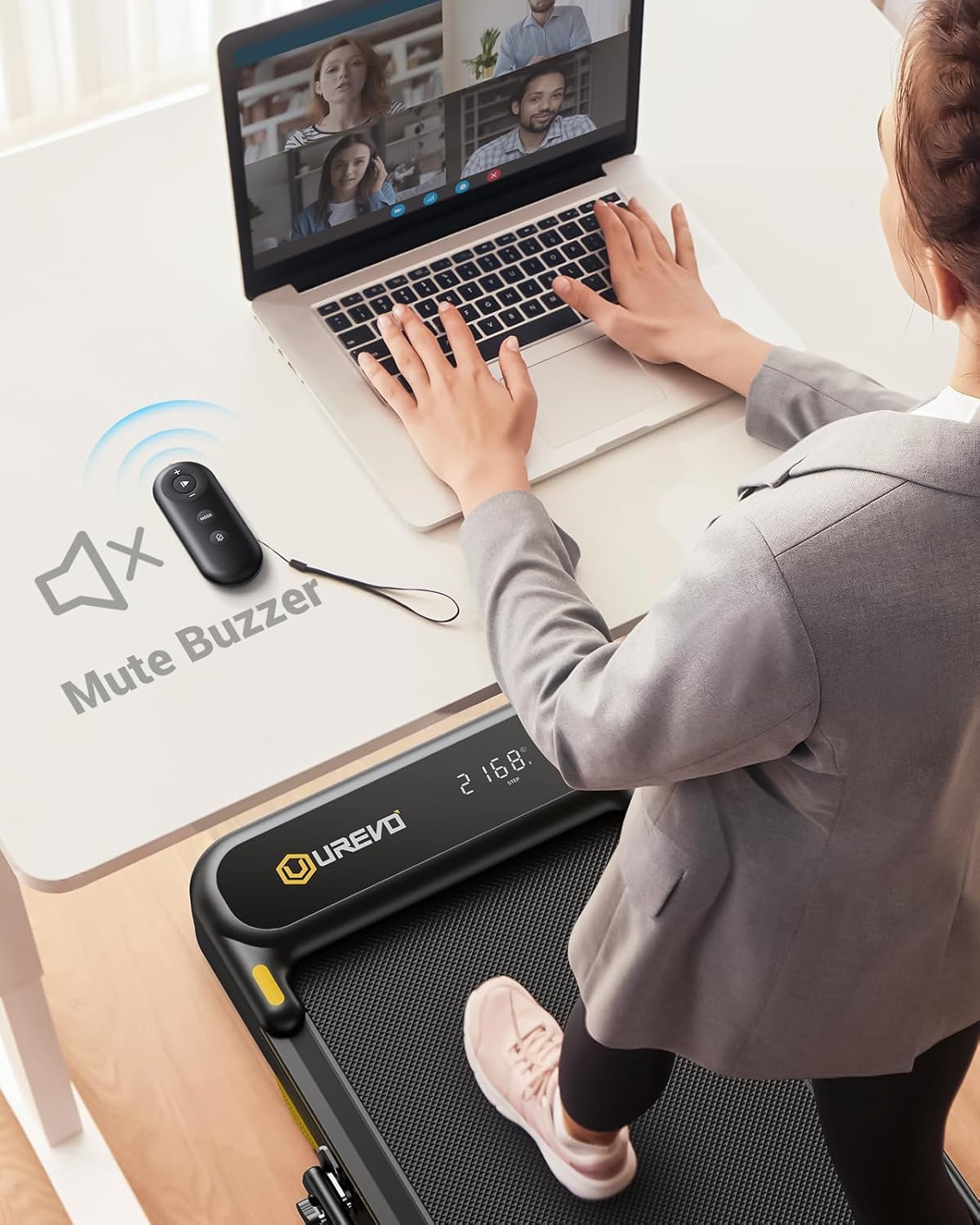
Image: A person using the UREVO Strol 2E Treadmill's remote control to mute the buzzer while working on a laptop at a standing desk, highlighting the quiet operation.
5.4 UREVO Sport App
Enhance your workout experience by connecting to the UREVO Sport App:
- Завантажте додаток: шукати "UREVO Sport" in your device's app store.
- Підключення до бігової доріжки: Дотримуйтесь інструкцій у додатку, щоб підключити пристрій до бігової доріжки через Bluetooth.
- Відстежувати прогрес: The app tracks time, calories, steps, speed, and distance, providing detailed workout reports.
- Програми тренувань: Access various workout programs, including AI RhythmFit immersive running and AI All-Terrain Simulated Hikes.

Image: The UREVO Sport App interface displaying calorie burn tracking and various workout modes like HIIT, MIIT, and LIIT, with a person running on the treadmill in the background.

Image: A user interacting with the UREVO Sport App, which displays an 'AI All-Terrain Simulated Hike' feature with various real-scene running maps for virtual exploration.
5.5 Multi-Function Display
Світлодіодний дисплей відображає дані тренування в режимі реального часу:
- час
- Спалені калорії
- Кроки
- швидкість
- Відстань
5.6 Аварійна зупинка
Attach the safety clip to your clothing before starting your workout. If you need to stop the treadmill quickly, pull the safety clip, and the treadmill will immediately cease operation.
6. Технічне обслуговування
Регулярне технічне обслуговування забезпечує довговічність та оптимальну продуктивність вашої бігової доріжки.
6.1 Змащення
Apply lubricant to the running belt every 125 miles of use. This helps reduce friction and extends the life of the motor and belt.
Video: Instructions on how to add oil to the UREVO treadmill, demonstrating the process of loosening the belt, applying lubricant, and re-tightening.
6.2 Регулювання бігового полотна
If the running belt becomes misaligned or too loose/tight, it may require adjustment. Use the hex tool provided to adjust the rear corner bolts. Turn the bolts clockwise to tighten or counter-clockwise to loosen the belt. Ensure the belt is centered and has proper tension for smooth operation. The video above also demonstrates belt adjustment.
6.3 Очищення
Протріть бігову доріжку рекламоюamp Протирайте поверхню тканиною після кожного використання, щоб видалити піт і пил. Уникайте використання абразивних засобів для чищення або розчинників.
6.4 Зберігання
The treadmill can be folded for compact storage. Ensure the handle is fully folded down before moving or storing the unit. The integrated wheels allow for easy relocation.
7. Вирішення проблем
If you encounter issues with your UREVO Strol 2E Treadmill, refer to the following common solutions:
- Бігова доріжка не вмикається: Check if the power cord is securely plugged into both the treadmill and a grounded outlet. Ensure the power switch is in the 'on' position.
- Running belt slipping or misaligned: Refer to the 'Running Belt Adjustment' section (6.2) for instructions on how to adjust the belt tension and alignment.
- Незвичайний шум під час роботи: Check for any loose parts. Ensure the treadmill is on a level surface. If the noise persists, it may indicate a need for lubrication (refer to section 6.1) or professional inspection.
- Проблеми з підключенням до додатків: Переконайтеся, що на вашому пристрої ввімкнено Bluetooth, а бігова доріжка увімкнена. Спробуйте перезапустити і застосунок, і бігову доріжку.
- Пульт дистанційного керування не реагує: Check the remote's battery. Ensure there are no obstructions between the remote and the treadmill's receiver.
For issues not covered here, please contact UREVO customer support.
8. Технічні характеристики
| Особливість | Специфікація |
|---|---|
| Номер моделі | URTM030 |
| Розміри продукту | 130 Г x 58 Ш x 11.3 В см |
| Вага товару | 17.01 кг |
| Кінська сила | 2.25 HP |
| Рейтинг швидкості | 1-10 км/год (0.6-6.2 милі/год) |
| Швидкість режиму ходьби | 0.6-4 миль/год |
| Швидкість режиму бігу | 0.6-6.2 миль/год |
| Тип дисплея | LED |
| Матеріал рами | Алюміній |
| матеріал | легована сталь |
| Максимальна вага користувача | 265 фунтів |
| Особливості | Foldable, Lightweight, Portable, Shock Absorbent, Wheeled |
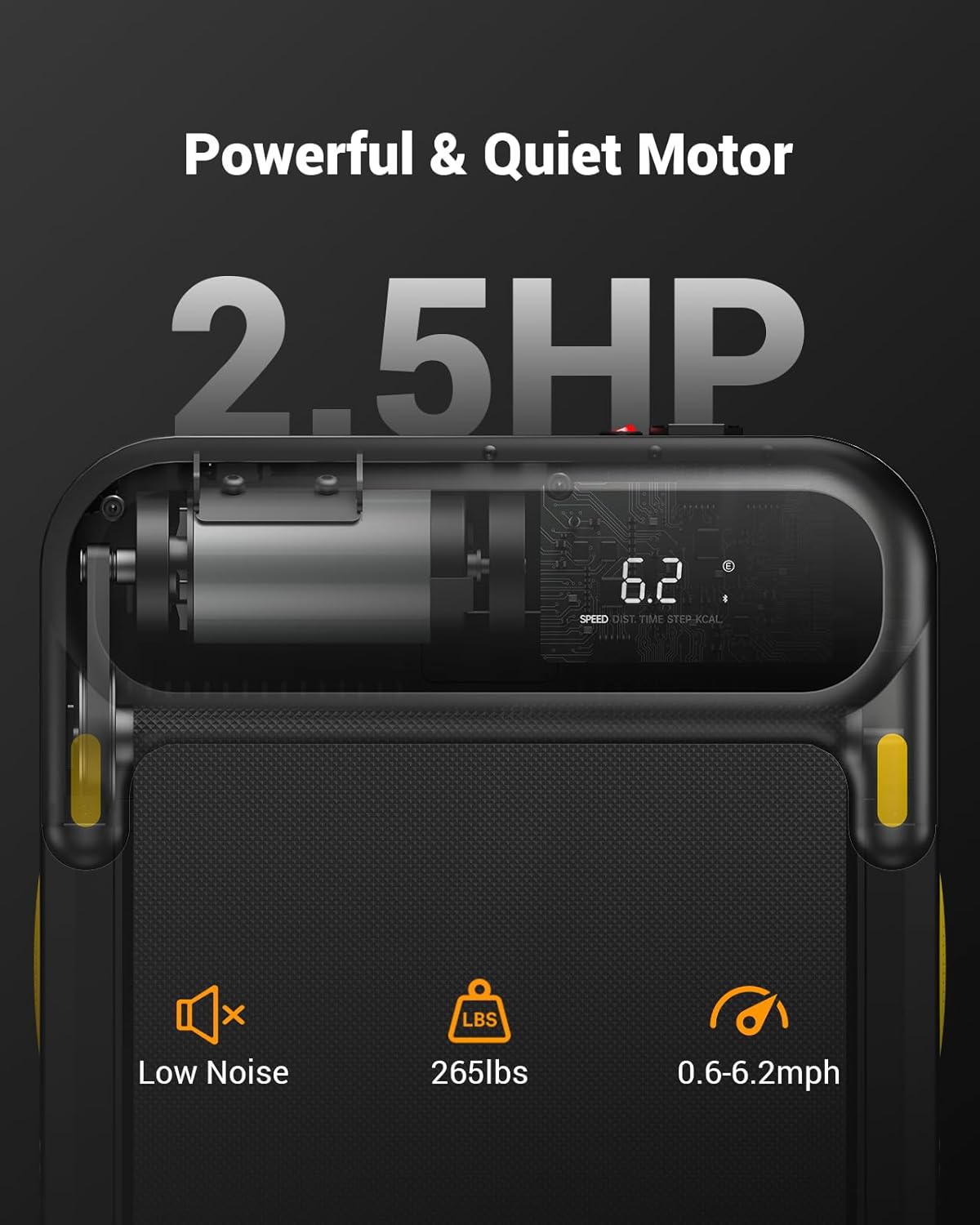
Зображення: Крупний план view of the UREVO Strol 2E Treadmill's motor specifications, highlighting its 2.5 HP power, low noise operation, 265 lbs weight capacity, and speed range of 0.6-6.2 mph.

Image: Diagram illustrating the UREVO Strol 2E Treadmill's joint protection system, featuring 2 soft cushions, a 5-layer running belt, and 8 silicone shock absorbers.
9. Гарантія та підтримка
UREVO offers a 1-year warranty for the Strol 2E Smart 2-in-1 Folding Treadmill. For any questions, concerns, or warranty claims, please contact UREVO customer support. Our professional team is available to assist you.
Please refer to the contact information provided with your product packaging or visit the official UREVO webдеталі підтримки.