1. Продукт закінчивсяview
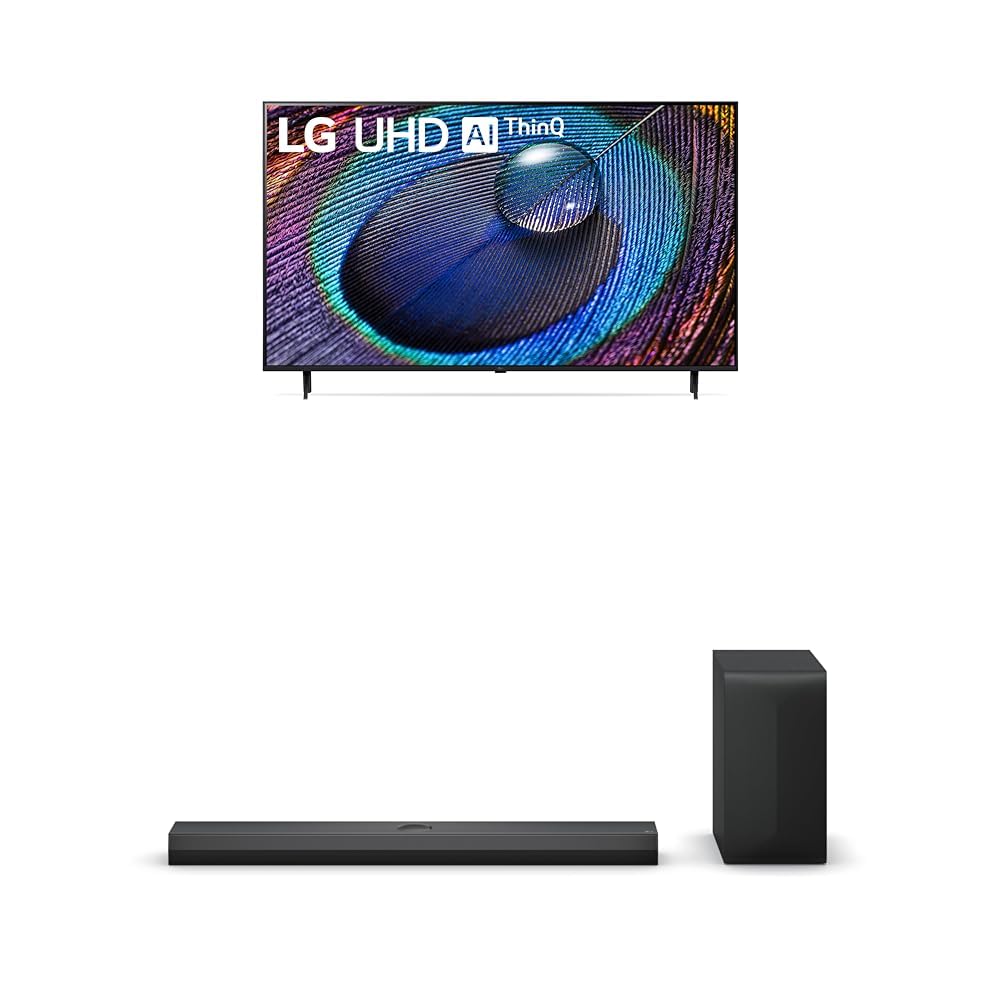
The LG 50-Inch Class UR9000 Series 4K Smart TV offers an immersive home cinema experience with its 3840 x 2160 resolution and AI-Powered 4K upscaling. Enjoy enhanced picture detail and improved sound, along with a suite of smart features including Alexa Built-in, Bluetooth, Wi-Fi, USB, and Ethernet connectivity. This model is designed for optimal viewing and integration into your home entertainment system.
Ключові характеристики:
- Home Cinema Experience: Enjoy movies and TV shows upscaled to 4K for a sharper image and more lifelike details. FILMMAKER MODE ensures content is viewed as the director intended. HDR10 Pro provides extended contrast for vibrant visuals.
- Процесор a5 AI 6-го покоління: This AI-powered processor enhances picture detail and improves sound, upscaling content to 4K and adjusting color and picture contrast based on room lighting for optimal settings.
- LG QNED Matching: While a great sound enhancer for any LG TV, its smaller width and depth allows it to nest perfectly beneath a stand-mounted QNED TV. It is also fully compatible with the LG QNED Synergy Bracket for wall mounting.
- Crest Design: Features LG’s new crest design for a sleek and stylish look. The metal grill helps keep dust and debris out for worry-free audio enjoyment.
2. Що в коробці
Upon unpacking your LG UR9000 Series 4K Smart TV, ensure all components are present:
- LG 50-Inch Class UR9000 Series 4K Smart TV
- Підставка для телевізора
- Пульт дистанційного керування
- Кабель живлення
- Documentation (User Manual, Quick Start Guide, Warranty Information)
3. Налаштування
3.1 Прикріплення підставки
- Обережно покладіть телевізор екраном вниз на м’яку рівну поверхню, щоб запобігти пошкодженню.
- Вирівняйте підставку для телевізора з монтажними отворами на нижній панелі телевізора.
- Закріпіть підставку за допомогою наданих гвинтів. Переконайтеся, що вона надійно закріплена.
3.2 Настінне кріплення (додатково)
If you choose to wall mount your TV, ensure you use a VESA-compatible wall mount (sold separately) and follow the instructions provided with the wall mount. Professional installation is recommended for safety.
3.3 Підключення живлення
- Підключіть кабель живлення до вхідного порту живлення телевізора.
- Підключіть інший кінець кабелю живлення до заземленої електричної розетки.
3.4 Підключення зовнішніх пристроїв
The LG UR9000 Series TV offers multiple connectivity options:
- HDMI: Connect Blu-ray players, gaming consoles, or soundbars using HDMI cables. The TV supports multiple HDMI inputs.
- USB: Підключіть USB-накопичувачі для відтворення медіафайлів.
- Ethernet: Для стабільного інтернет-з’єднання під’єднайте кабель Ethernet від маршрутизатора до порту LAN телевізора.
- Bluetooth: Connect compatible wireless devices such as headphones or soundbars.
3.5 Початкове налаштування
- Увімкніть телевізор за допомогою пульта.
- Дотримуйтесь підказок на екрані, щоб вибрати мову, країну та часовий пояс.
- Connect to your Wi-Fi network or confirm your Ethernet connection.
- Accept the terms and conditions and perform any available software updates.
- Set up your Alexa Built-in features as prompted.
4. Керування вашим смарт-телевізором LG
4.1 Використання дистанційного керування
The LG remote control features dedicated buttons for popular streaming services like Netflix, Disney+, and Prime Video for quick access. It also includes a scroll wheel and a mouse-like pointer function for intuitive navigation of the WebІнтерфейс ОС.
4.2 Navigating the Smart TV Interface (WebОС)
The WebOS interface provides a user-friendly experience. Use the remote's directional buttons or pointer to select apps, settings, and content. The home screen displays trending content and your installed applications.
4.3 Доступ до програм
Pre-installed apps include Netflix, Prime Video, Hulu, and YouTube. Additional apps can be downloaded from the LG Content Store. Simply select the app icon from the home screen to launch.
4.4 Screen Mirroring and AirPlay
You can display content from your mobile device directly on your TV screen. Use the built-in screen mirroring feature for Android devices or AirPlay for Apple devices. This allows you to share photos, videos, or even workout routines on a larger display.
4.5 Voice Control with Alexa Built-in
Utilize the integrated Alexa voice assistant for hands-free control. Press the microphone button on your remote and speak commands to change channels, adjust volume, search for content, or control smart home devices.
4.6 Ігрові функції
The TV's AI-Powered 4K and 60Hz refresh rate provide a responsive gaming experience. Connect your gaming consoles via HDMI for high-quality visuals and smooth gameplay.
5. Технічне обслуговування
5.1 Очищення телевізора
- Завжди відключайте телевізор від мережі перед чищенням.
- Використовуйте м’яку, суху тканину з мікрофібри, щоб обережно протерти екран і рамку.
- Для стійких плям злегка протрітьampпротріть тканину водою або спеціалізованим засобом для чищення екранів (уникайте агресивних хімікатів).
5.2 Оновлення програмного забезпечення
Regularly check for and install software updates to ensure optimal performance, security, and access to the latest features. Updates can usually be found in the TV's settings menu under 'Support' or 'About This TV'.
6. Вирішення проблем
6.1 Немає живлення
- Переконайтеся, що кабель живлення надійно підключено як до телевізора, так і до електричної розетки.
- Перевірте, чи розетка працює, підключивши інший пристрій.
- Спробуйте іншу розетку.
6.2 Немає зображення / Погана якість зображення
- Перевірте, чи вибрано правильне джерело вхідного сигналу (наприклад, HDMI 1, HDMI 2).
- Перевірте всі кабельні з’єднання (HDMI, антена тощо) на наявність нещільного кріплення або пошкоджень.
- Налаштуйте параметри зображення (яскравість, контрастність, колір) у меню телевізора.
- Якщо ви використовуєте зовнішній пристрій, переконайтеся, що він увімкнений та працює належним чином.
6.3 Немає звуку / Погана якість звуку
- Збільште гучність як на телевізорі, так і на будь-яких підключених зовнішніх аудіопристроях.
- Check audio output settings in the TV's menu to ensure the correct output (e.g., TV Speakers, Optical, Bluetooth) is selected.
- Переконайтеся, що всі аудіокабелі надійно підключені.
6.4 Пульт дистанційного керування не працює
- Замініть батарейки в пульті дистанційного керування.
- Переконайтеся, що між пультом дистанційного керування та сенсором телевізора немає перешкод.
- Try re-pairing the remote control if it's a smart remote (refer to the TV's on-screen guide for instructions).
7. Технічні характеристики
| Особливість | Деталь |
|---|---|
| Бренд | LG |
| Модель | Серія UR9000 |
| Розмір екрана | 50 дюймів |
| Технологія дисплея | LED |
| роздільна здатність | 4K (3840 x 2160) |
| Частота оновлення | 60 Гц |
| Особливості | Alexa Built-in, AI-Powered 4K, FILMMAKER MODE, HDR10 Pro, Flat Screen |
| Технологія підключення | Bluetooth, Ethernet, USB, Wi-Fi |
| Підтримувані Інтернет-послуги | Browser, YouTube (and various streaming apps) |
| Включені компоненти | Підставка, телевізор, пульт дистанційного керування, кабель живлення |
| Колір | чорний |
| Перша доступна дата | 8 квітня 2024 р |
8. Гарантія та підтримка
For detailed warranty information and customer support, please refer to the warranty card included in your product packaging or visit the official LG website. You can also contact LG customer service for assistance with any product-related inquiries or technical support.