1. Вступ
Welcome to the user manual for your Jooeniok L81 Smart Watch. This guide provides detailed instructions on how to set up, operate, and maintain your device, ensuring you get the most out of its features. The Jooeniok L81 is designed to enhance your daily life with its communication, fitness tracking, and health monitoring capabilities.
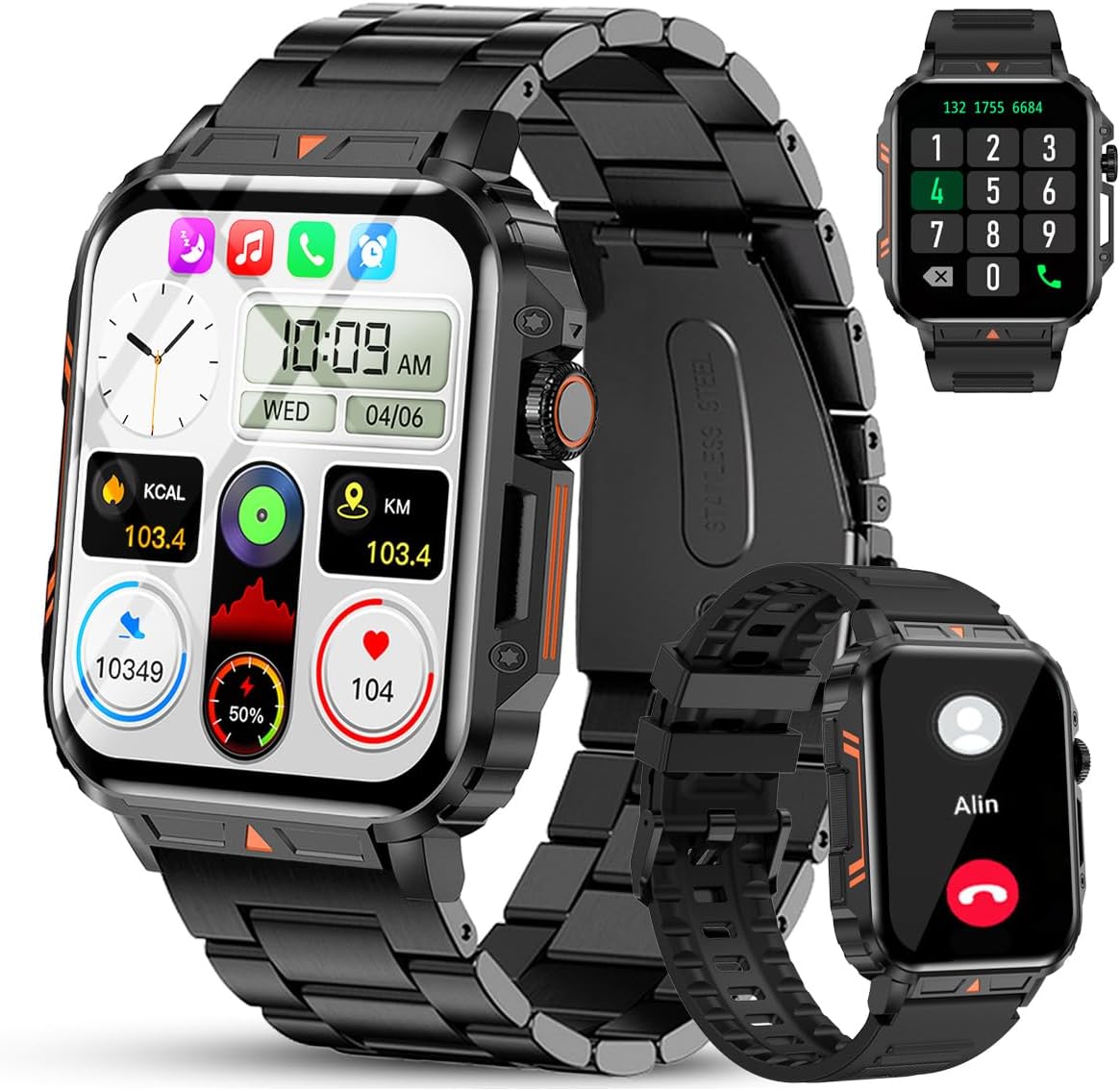
Image 1.1: The Jooeniok L81 Smart Watch, showcasing its main display and interchangeable straps.
2. Ключові характеристики
- Bluetooth Calling & Message Alerts: Make and receive calls, read messages, and receive notifications from various apps directly on your watch.
- 1.95'' HD Touch Screen & DIY Dial: Enjoy a clear display and personalize your watch face.
- 112+ спортивних режимів: Track a wide range of activities including running, cycling, badminton, and hiking.
- Водонепроникність IP68: Suitable for daily use, hand washing, and outdoor activities in rain. (Note: Not recommended for diving, showering, or sauna.)
- Моніторинг здоров'я: Monitor heart rate, blood oxygen (SpO2), blood pressure, and sleep patterns.
- Довговічний акумулятор: Оснащений акумулятором ємністю 340 мАг для тривалого використання.
- Багатофункціональний: Includes features like timer, alarm, stopwatch, weather, calendar, water reminder, sedentary reminder, and remote photo control.
3. Посібник із налаштування
3.1. Заряджання смарт-годинника
Before initial use, fully charge your Jooeniok L81 Smart Watch. Connect the magnetic charging cable to the charging contacts on the back of the watch and plug the USB end into a standard USB power adapter (not included) or a computer's USB port. The watch display will indicate charging status.

Image 3.1: Illustration of the watch dimensions and the location of the charging contacts.
3.2. Встановлення та сполучення програм
- Завантажте додаток: Scan the QR code provided in the watch's quick start guide or search for the official companion app (e.g., "FitCloudPro" or similar, check packaging for exact name) in the Apple App Store (for iOS) or Google Play Store (for Android).
- Увімкнути Bluetooth: Переконайтеся, що Bluetooth увімкнено на вашому смартфоні.
- Відкрийте додаток: Запустіть встановлений додаток і дотримуйтесь інструкцій на екрані, щоб створити обліковий запис або увійти.
- Додати пристрій: Within the app, navigate to the "Device" or "Add Device" section. The app will search for available Bluetooth devices. Select "L81" or the corresponding device name when it appears.
- Підтвердити сполучення: На вашому годиннику та телефоні може з’явитися запит на сполучення. Підтвердьте сполучення на обох пристроях.
- Надати дозволи: Надайте необхідні дозволи (наприклад, сповіщення, місцезнаходження, контакти) для коректної роботи програми.
The watch is compatible with Android 5.1 and above, and iOS 10.0 and above.
3.3. Initial Settings and Language
After successful pairing, the watch should automatically synchronize time and language settings with your phone. If the watch displays an incorrect language, navigate to the watch's settings menu (usually by swiping down from the main screen or pressing the side button to access the app list, then finding the 'Settings' icon). Look for 'Language' or 'System' settings to change it to English or your preferred language.
4. Інструкція з експлуатації
4.1. Основна навігація
- Сенсорний екран: Проведіть пальцем ліворуч/праворуч, вгору/вниз, щоб переходити між меню та функціями. Торкніться, щоб вибрати.
- Бічна кнопка: Press to return to the main screen or access the app list. Long press for power options.
- Crown Button (if present): Rotate to scroll through lists or adjust settings, press to select.
4.2. Виклики та сповіщення через Bluetooth
Once paired, your watch can handle calls and display notifications. Ensure Bluetooth is connected and the companion app has the necessary permissions.
- Здійснення дзвінків: Access the dial pad or contact list on your watch to initiate calls.
- Отримання дзвінків: Коли надходить дзвінок, ви можете відповісти або відхилити його безпосередньо з годинника.
- Сповіщення: Swipe down from the main screen or access the notification center to view incoming messages from SMS, WhatsApp, Facebook, and other apps.
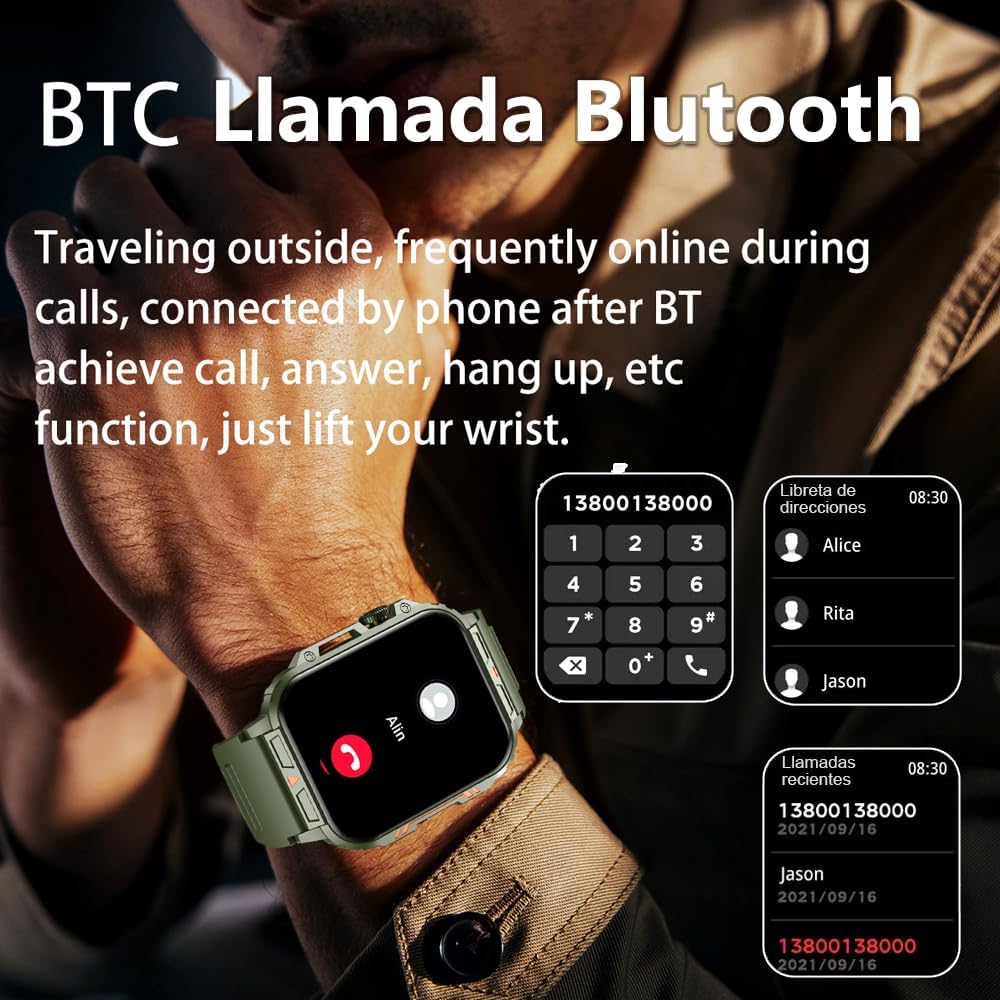
Image 4.1: The watch screen showing an incoming call and the dial pad for making calls.

Image 4.2: The watch displaying notifications from various social media and messaging applications.
4.3. Спортивні режими
The watch supports over 112 sports modes. To access them, navigate to the 'Sports' or 'Workout' section on your watch. Select your desired activity to start tracking. The watch will record steps, distance, and calories.

Зображення 4.3: Піктограми, що представляють різні спортивні режими, доступні на годиннику.
4.4. Моніторинг здоров'я
The Jooeniok L81 provides continuous monitoring of several health metrics. Access these features through the watch's menu or the companion app.
- ЧСС: The watch uses an optical sensor to monitor your heart rate. View дані в режимі реального часу на годиннику або детальні тенденції в додатку.
- Кисень крові (SpO2) та артеріальний тиск: Initiate a measurement from the watch. Results are displayed on the screen and recorded in the app for historical analysis.
- Моніторинг сну: Wear the watch to bed for automatic sleep tracking. It analyzes deep sleep, light sleep, and awake times, providing a comprehensive sleep quality report in the app.
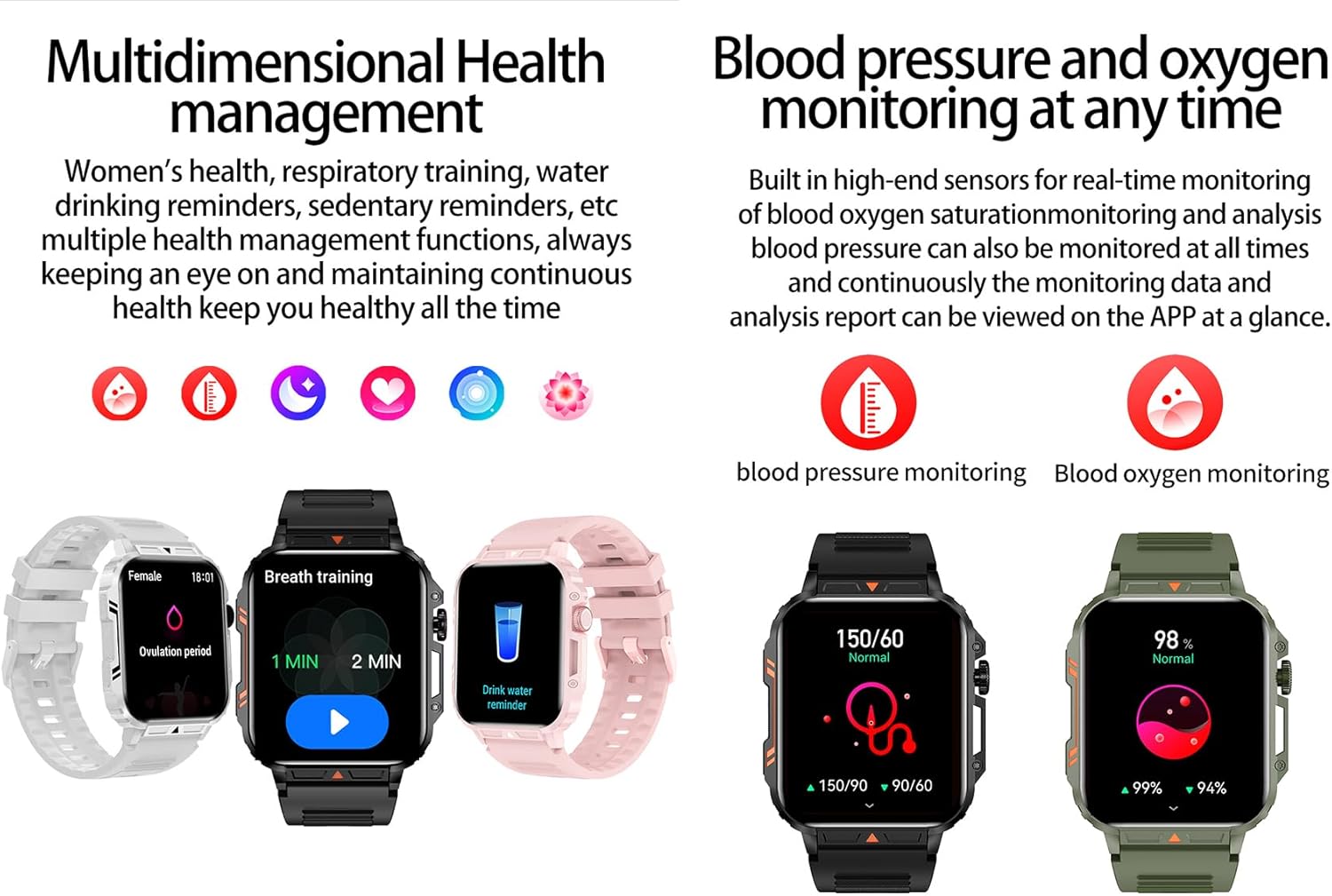
Image 4.4: Watch screens showing blood pressure and blood oxygen monitoring results.

Image 4.5: Watch screens showing real-time heart rate and a summary of sleep data.
4.5. AI Intelligent Voice Function
After connecting the watch to your phone via Bluetooth, activate the voice function on the watch. This allows you to use voice commands to open applications, check weather, make calls, or navigate, offering a hands-free experience.
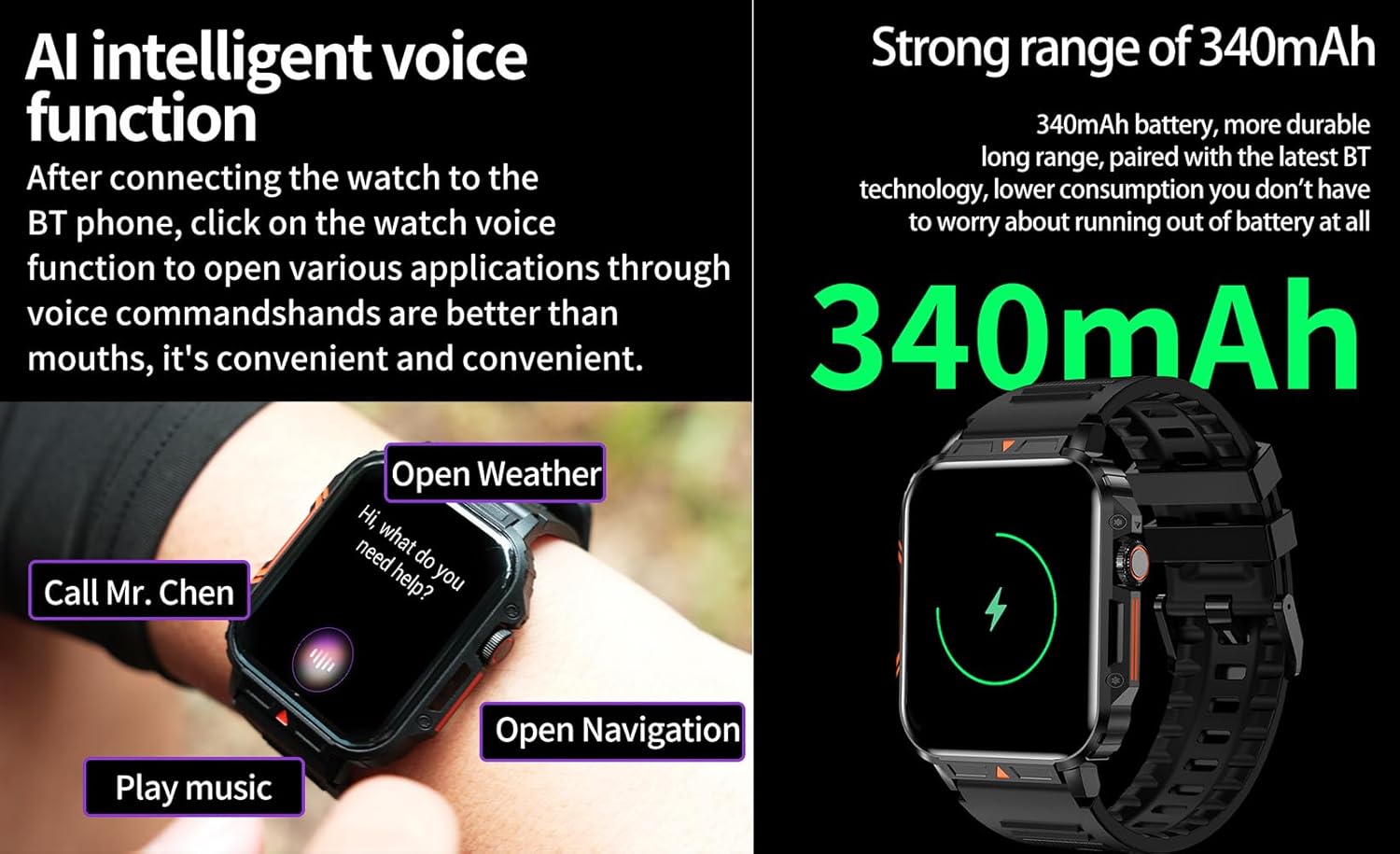
Image 4.6: The watch screen illustrating the AI voice assistant interface with exampкоманди.
4.6. DIY Dial
Personalize your watch face by using the DIY dial feature within the companion app. You can often upload custom images or choose from a variety of pre-designed watch faces.
5. Технічне обслуговування
5.1. Водонепроникність
The Jooeniok L81 Smart Watch is IP68 waterproof and dustproof. This means it is resistant to dust and can withstand immersion in water up to 1.5 meters for up to 30 minutes. It is suitable for daily use, hand washing, and light rain.
Важливо: Годинник є ні recommended for diving, hot showers, or saunas, as steam and high water pressure can compromise the seals and cause damage.

Image 5.1: The watch shown with water splashes, indicating its water resistance.
5.2. прибирання
Regularly clean your watch and strap to prevent skin irritation and maintain functionality. Use a soft, damp cloth to wipe the screen and body. For the strap, follow the manufacturer's recommendations for the specific material (e.g., silicone, metal).
- Уникайте використання агресивних хімікатів або абразивних матеріалів.
- Переконайтеся, що годинник повністю сухий перед заряджанням або тривалим використанням.
5.3. Догляд за акумулятором
Щоб продовжити термін служби акумулятора:
- Уникайте екстремальних температур.
- Не допускайте частої повної розрядки акумулятора.
- Заряджайте годинник за допомогою кабелю з комплекту.
Image 5.2: The watch screen highlighting its 340mAh battery capacity.
6. Вирішення проблем
| проблема | Можливе рішення |
|---|---|
| Годинник не вмикається. | Переконайтеся, що годинник повністю заряджений. Підключіть його до зарядного пристрою щонайменше на 30 хвилин. |
| Не вдається з'єднати пристрій зі смартфоном. |
|
| Incorrect language displayed. | Navigate to the watch's settings menu, find 'Language' or 'System' settings, and select your preferred language. If paired, the app might also have a language setting. |
| Touch screen unresponsive or intermittent. |
|
| Сповіщення не отримано. |
|
| Health monitoring data seems inaccurate. |
|
7. Технічні характеристики
| Особливість | Деталь |
|---|---|
| Назва моделі | L81 |
| Бренд | Джуеніок |
| Розмір екрана | 1.95 дюймів |
| Технологія підключення | Bluetooth |
| Стандарт бездротового зв'язку | Bluetooth |
| Операційна система | Android (compatible with Android 5.1+ and iOS 10.0+) |
| Ємність пам'яті | 128 Мб |
| Акумулятор | 1 літій-полімерний акумулятор (340 мАг, у комплекті) |
| Водонепроникність | IP68 |
| Особливості | Activity Tracker, Notifications, Phone Call, Time Display, Heart Rate Monitor, Blood Oxygen Monitor, Sleep Monitor, 112+ Sports Modes, AI Voice Function |
| Розміри (прибл.) | Watch face: 44mm (width) x 52mm (height); Thickness: 12mm; Strap length: 260mm |
8. Гарантія та підтримка
The Jooeniok L81 Smart Watch is backed by a Гарантія 365 днів з дати покупки. Ця гарантія поширюється на виробничі дефекти та несправності за умов нормального використання.
For technical support, warranty claims, or any questions regarding your product, please contact Jooeniok customer service through the retailer's platform or the contact information provided on the product packaging or official webсайт.
Будь ласка, збережіть чек про покупку для підтвердження гарантії.


