вступ
The Sirlyr RGB 8-Pin PCIe ARGB GPU Cable Extension is designed to enhance the visual appeal of your PC build while providing stable power delivery to your graphics card. This cable integrates a PSU extension with an LED lighting strip, offering vibrant and customizable lighting effects.
Інформація про безпеку
- Ensure your power supply unit (PSU) is turned off and unplugged before installation.
- Поводьтеся з усіма компонентами обережно, щоб запобігти пошкодженням.
- Do not force connectors; ensure proper alignment before insertion.
- Keep the cable away from excessive heat or moisture.
Вміст упаковки
- 1 x Sirlyr RGB 8-Pin GPU Power Cable Extension
- 1 x Mini RGB Controller (SATA powered)
- 1 х Інструкція з експлуатації
У наступному відео наведено оглядview of the product and its components:
Відео: Розпакування та все іншеview of the Sirlyr PSU GPU Extension cable, showing the cable and its included mini controller.
Налаштування
- Підготуйте свій ПК: Ensure your PC is powered off and unplugged from the wall outlet. Open your PC case to access the graphics card and power supply connections.
- Connect to GPU: Locate the 8-pin PCIe power connector(s) on your graphics card. Connect the male end of the Sirlyr RGB 8-Pin GPU Cable Extension to the corresponding port(s) on your graphics card. This cable is compatible with graphics cards requiring 8-pin power, such as RTX 4060, RTX 4070, or AMD Radeon RX 6600 series.
- Connect to PSU Cable: Connect the female end of the Sirlyr RGB 8-Pin GPU Cable Extension to the 8-pin PCIe power cable coming from your power supply unit.
- Прокладання кабелю: Utilize the cable's flexible silicone material to bend and route it for optimal aesthetics and cable management within your PC case. The cable is designed for easy bending and routing.
- Connect ARGB:
- Синхронізація ARGB на материнській платі: If your motherboard supports 5V 3-pin ARGB, connect the cable's 5V 3-pin ARGB connector to an available header on your motherboard. This allows for synchronized lighting control via motherboard software.
- Mini RGB Controller: If your motherboard does not support ARGB, or if you prefer standalone control, connect the cable's ARGB connector to the included mini RGB controller. Power the mini controller using a SATA power connector from your PSU.
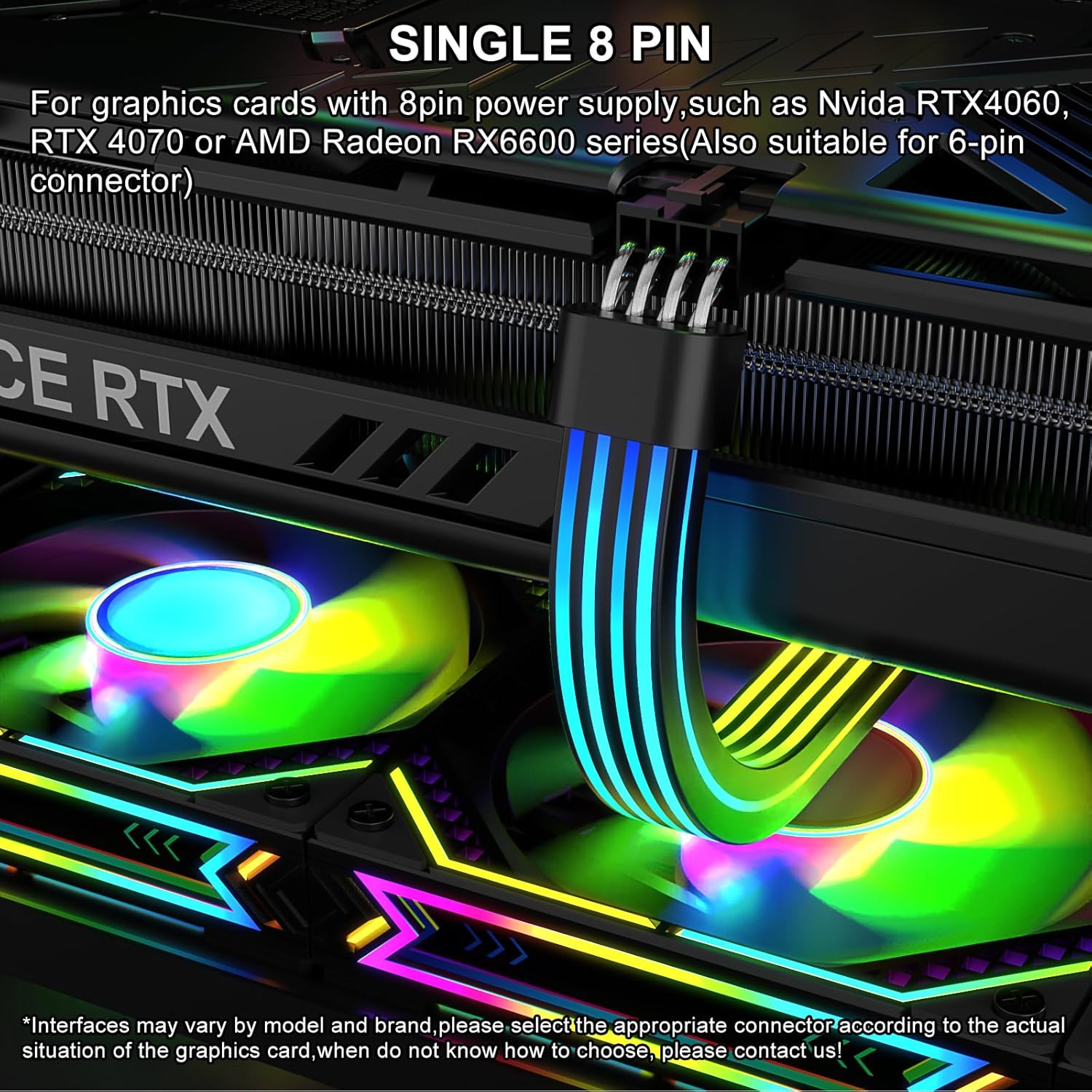
Image: The Sirlyr RGB 8-Pin PCIe ARGB GPU Cable Extension connected to a graphics card, illustrating the 8-pin connector.
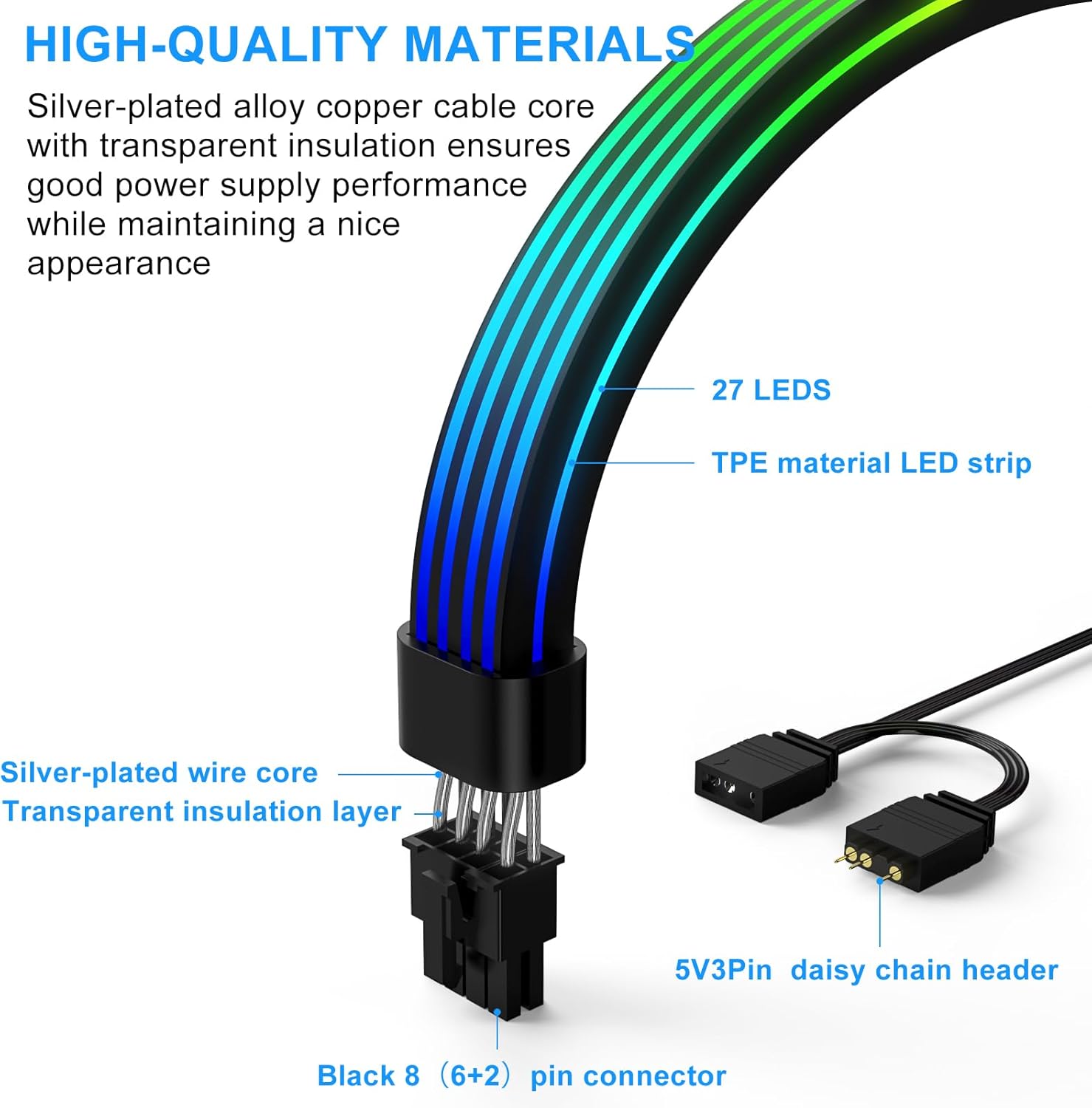
Image: A detailed diagram of the cable's internal structure and connectors, highlighting the 27 LEDs, TPE material, silver-plated wire cores, and the 5V3Pin ARGB daisy chain header.
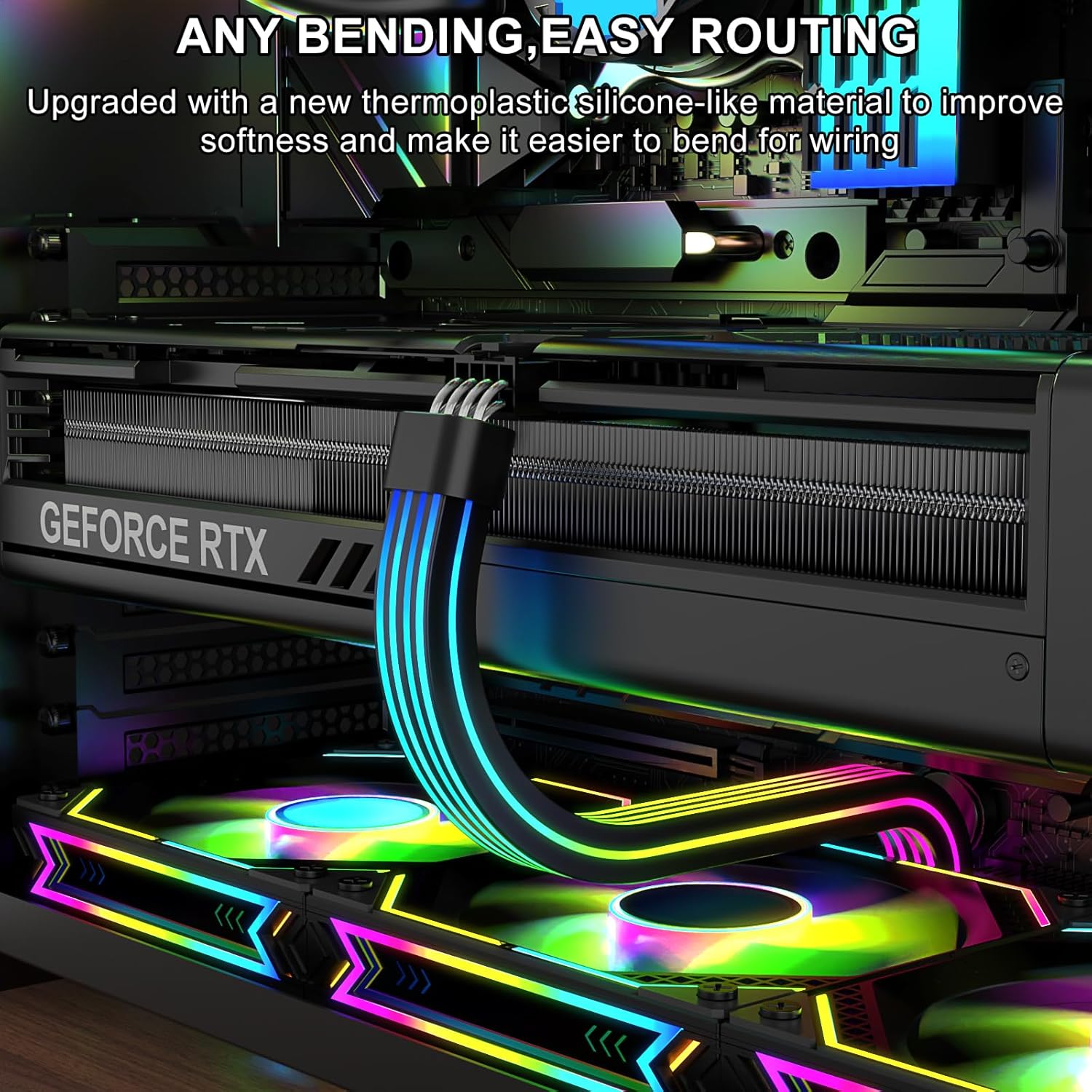
Image: The cable installed in a PC, showcasing its flexibility and how it can be routed within the case.
Операційна
Once installed, the RGB lighting effects can be controlled in two ways:
- Синхронізація ARGB на материнській платі: If connected to a compatible 5V 3-pin ARGB header on your motherboard, use your motherboard's RGB synchronization software (e.g., ASUS Aura Sync, MSI Mystic Light Sync, Gigabyte RGB Fusion, Razer Chroma) to customize lighting effects, colors, and patterns. This allows for synchronized lighting across all compatible ARGB components in your system.
- Mini RGB Controller: If using the included mini RGB controller, press the buttons on the controller to cycle through various pre-set lighting modes, colors, and effects. This provides basic control without the need for motherboard software.
Observe the various lighting modes and effects in the following videos:
Video: Demonstration of the Sirlyr ARGB Single 8 Pin PSU Cable Extension in a PC build, showcasing various dynamic RGB lighting effects.
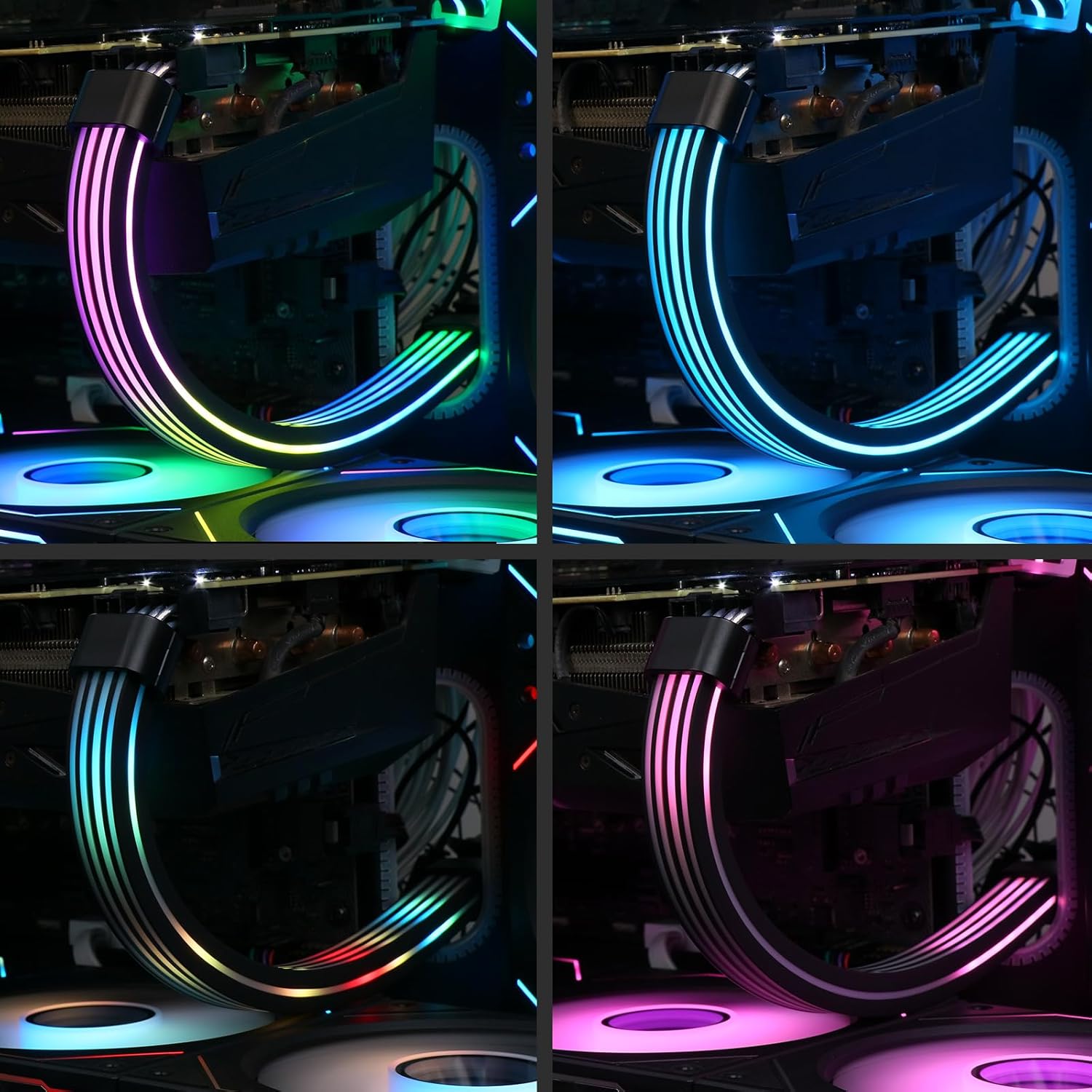
Зображення: Прamples of multiple lighting modes available with the ARGB cable, illustrating different color schemes and effects.
Технічне обслуговування
- Keep the cable free from dust and debris. Use a soft, dry cloth to gently wipe the surface.
- Avoid bending the cable excessively or sharply to prevent damage to the internal wiring and LED strip.
- Ensure all connections remain secure. Periodically check for any loose connections.
Усунення несправностей
- Не вмикаються фари:
- Check all power connections, including the 8-pin PCIe and SATA power for the mini controller (if used).
- Verify the 5V 3-pin ARGB connection to the motherboard or mini controller is secure and correctly oriented.
- If using motherboard sync, ensure your motherboard's ARGB software is running and the cable is recognized.
- Inconsistent lighting or flickering:
- Ensure the cable is not bent too sharply, which could stress the internal LEDs.
- Перевірте, чи немає ослаблених з’єднань.
- If using motherboard sync, try updating your motherboard's ARGB software or drivers.
- Cable not fitting GPU:
- This cable is an 8-pin PCIe extension. Ensure your graphics card requires an 8-pin connection. Some newer GPUs may use 12-pin or 16-pin connectors, which are not directly compatible without an adapter (not included).
Технічні характеристики
| Особливість | Деталь |
|---|---|
| Номер моделі | RGB-2 |
| Тип роз'єму | 8-pin PCIe Male-to-Female |
| Роз'єм ARGB | 5 В 3-контактний ARGB |
| Кількість світлодіодів | 27 світлодіодів |
| Освітлення | 360-degree soft and uniform lighting |
| матеріал | Flexible Silicone, Silver-plated wire cores |
| томtage | 5 вольт |
| Вага товару | 5.3 унцій (0.15 кілограма) |
| Розміри упаковки | 14.37 x 2.36 x 1.26 дюймів |
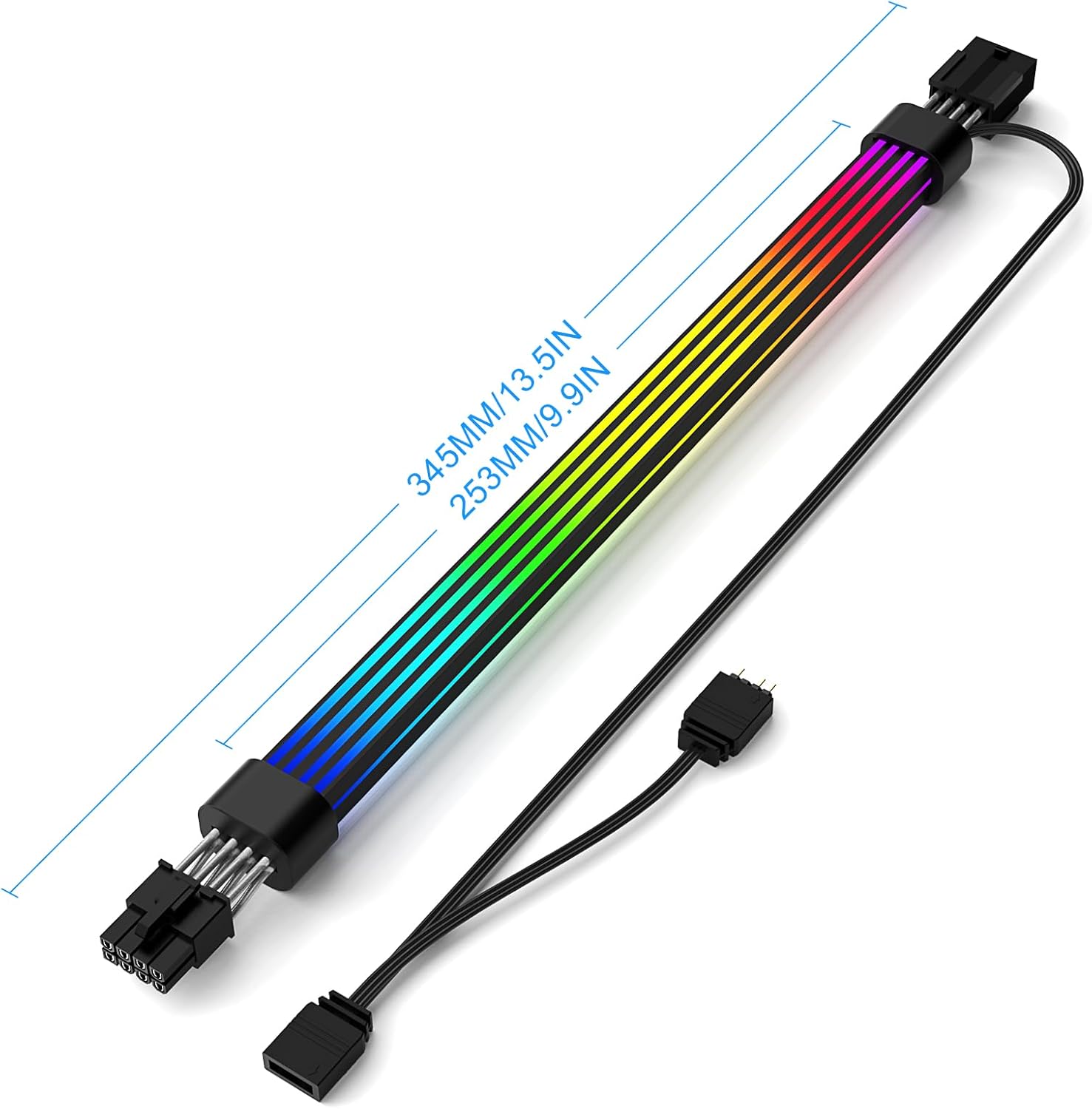
Image: A diagram illustrating the physical dimensions of the cable.
Гарантія та підтримка
Sirlyr products are designed for quality and performance. For warranty information and technical support, please refer to the contact details provided with your purchase or visit the official Sirlyr webсайт. Зберігайте чек про покупку для будь-яких гарантійних претензій.
Для отримання додаткової інформації та продуктів відвідайте Sirlyr Store on Amazon.


