1. Вступ і даліview
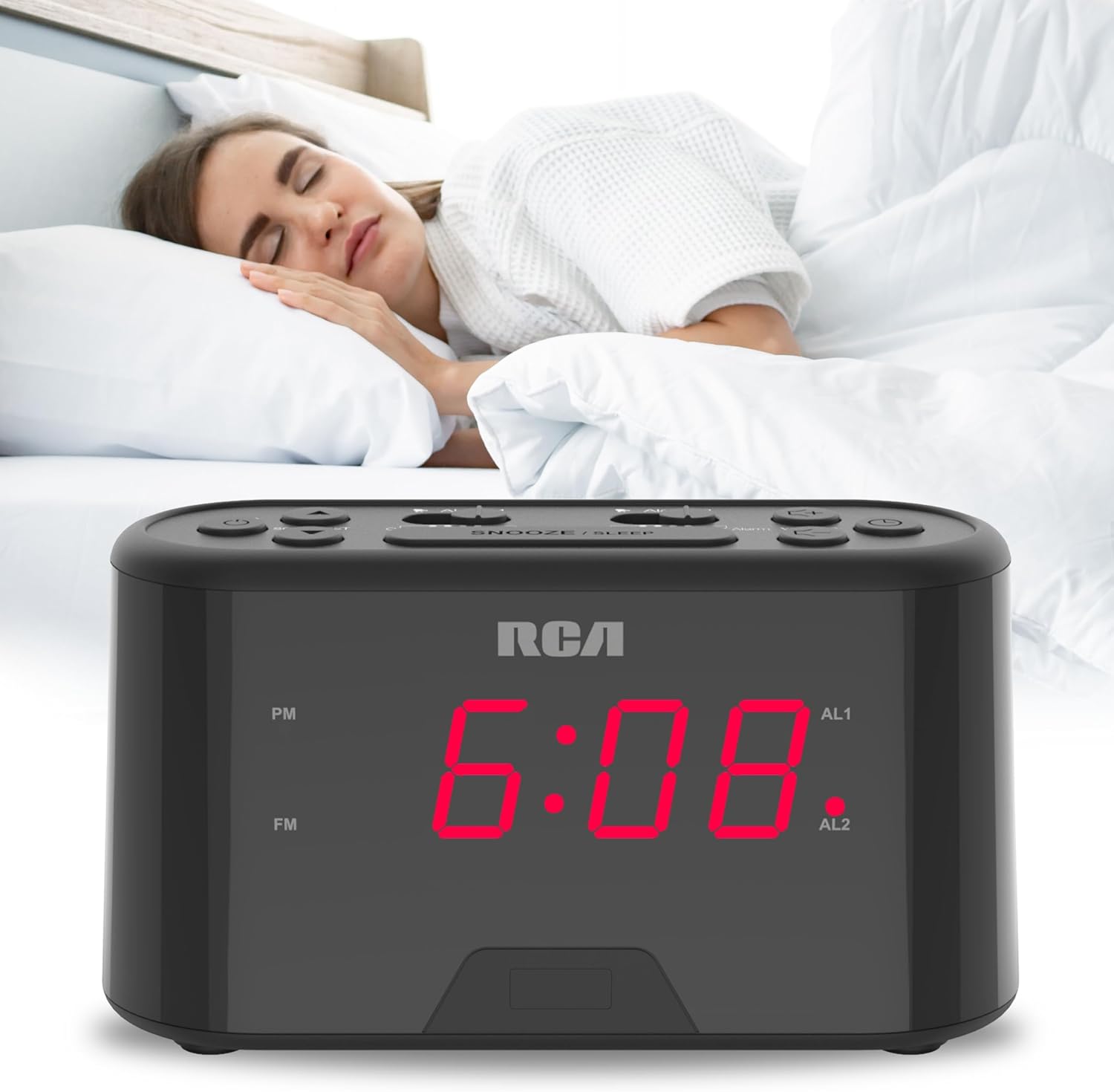
The RCA RC551 Digital Clock Radio is designed for convenience and reliability, featuring a compact design suitable for various spaces like nightstands or desks. It offers a large, easy-to-read display for clear time-checking. Key features include a dual wake alarm, a sleep timer, and a snooze function. Users can choose to wake up to either the FM radio or a traditional alarm sound. For uninterrupted operation, the clock radio includes a 'No Worry' backup battery option, ensuring your alarm functions even during power outagес.

Малюнок 1: Спереду view of the RCA RC551 Digital Clock Radio, displaying the time 12:08 in red LED digits.
2. Налаштування
2.1 Підключення живлення
Connect the provided AC power adapter to the DC IN jack on the back of the unit and then plug it into a standard wall outlet. The display will illuminate, and the clock will be ready for initial setup.
2.2 Встановлення резервного акумулятора
For the 'No Worry' backup battery feature, install 2 AAA batteries (not included) into the battery compartment located on the bottom of the unit. This ensures that time and alarm settings are retained during a power interruption.
2.3 Початкове налаштування часу
При першому ввімкненні або після тривалого відключення живленняtage without backup batteries, the display may flash. Follow the operating instructions below to set the current time.
3. Інструкція з експлуатації
3.1 Встановлення поточного часу
- Натисніть і утримуйте ВСТАНОВИТИ ЧАС кнопку, доки не почнуть блимати цифри годин.
- Натисніть ГОДИНА Натисніть кнопку кілька разів, щоб налаштувати годину. Слідкуйте за індикатором PM для правильного налаштування AM/PM.
- Натисніть ХВИЛИНА кілька разів натисніть кнопку , щоб налаштувати хвилини.
- Прес ВСТАНОВИТИ ЧАС ще раз для підтвердження та виходу з режиму налаштування часу.
3.2 Setting the Dual Alarms (Alarm 1 and Alarm 2)
The RC551 features two independent alarms. Each can be set to a specific time and wake-up source (FM radio or buzzer).
- Натисніть і утримуйте ТРИВОГА 1 or ТРИВОГА 2 button until the alarm time digits begin to flash.
- Натисніть ГОДИНА button repeatedly to adjust the alarm hour.
- Натисніть ХВИЛИНА кілька разів натисніть кнопку , щоб налаштувати хвилини будильника.
- Натисніть ТРИВОГА 1 or ТРИВОГА 2 button again to select the wake-up source:
- Зуммер: An audible beep will sound.
- FM-радіо: The last tuned FM station will play.
- Натисніть відповідну ТРИВОГА button one more time to confirm and activate the alarm. An indicator (AL1 or AL2) will appear on the display.
3.3 Функція відкладання
Коли лунає будильник, натисніть велику кнопку ОТРИМАТИ/СОН button to temporarily silence the alarm for approximately 9 minutes. The alarm will resume after the snooze period.
3.4 Таймер сну
The clock radio includes a sleep timer function, allowing you to fall asleep to the radio, which will automatically turn off after a set duration. Refer to the full product manual for detailed instructions on setting the sleep timer duration.
3.5 Робота FM-радіо
- Натисніть УВІМК./ВИМК. РАДІО кнопку, щоб увімкнути або вимкнути FM-радіо.
- Використовуйте SCAN/SET button to automatically scan for and tune to the next available FM station.
- Відрегулюйте гучність за допомогою ОБ'ЄМ + і ОБСЯГ - кнопки.
3.6 Яскравість дисплея
The large display is designed for readability. The brightness level is typically fixed for optimal visibility in various lighting conditions. Some models may feature an automatic dimming sensor or manual dimmer controls; consult the full product manual for specific details on your unit.
3.7 USB-порт для зарядки
The RC551 may include a built-in USB port for charging compatible devices. Locate the USB port on the unit and connect your device's charging cable. This port is intended for charging and does not support data transfer.

Малюнок 2: Верх view of the RCA RC551 Digital Clock Radio, highlighting the various control buttons.
Малюнок 3: Задня частина view of the RCA RC551 Digital Clock Radio, illustrating the power input and USB charging port.
4. Технічне обслуговування
4.1 Очищення
Протріть пристрій м’якою сухою тканиною. Не використовуйте абразивні засоби для чищення або розчинники, оскільки вони можуть пошкодити покриття.
4.2 Заміна батареї
If the backup batteries are depleted, the time and alarm settings will be lost during a power outage. Replace the 2 AAA batteries in the battery compartment when necessary to maintain the backup function.
5. Вирішення проблем
- Немає живлення/вимкнення дисплея: Ensure the AC adapter is securely plugged into both the unit and a working wall outlet. Check the power source.
- Сигналізація не звучить: Verify that the alarm is activated (AL1/AL2 indicator is on) and the alarm time is correctly set. Check the alarm source (buzzer/radio) and volume level.
- Поганий прийом FM-радіо: Extend the FM antenna wire fully. Try repositioning the unit or the antenna for better signal reception.
- Time/Alarm Settings Lost: Ensure backup batteries are installed and are not depleted. Replace old batteries if necessary.
6. Технічні характеристики
- Бренд: RCA
- модель: RC551
- колір: чорний
- Тип дисплея: Цифровий світлодіод
- Джерело живлення: AC Power Adapter (included), 2 x AAA batteries (not included) for backup
- Розміри продукту: Приблизно 7.09 дюймів завширшки x 2.17 дюйма заввишки
- особливості: Dual Wake Alarm, Sleep Timer, Snooze, FM Radio, USB Charging Port
7. Гарантія та підтримка
For warranty information and customer support, please refer to the documentation included with your product or visit the official RCA webсайт. Зберігайте чек про покупку як підтвердження покупки для будь-яких гарантійних претензій.


