1. Вступ
This manual provides detailed instructions for the setup, operation, and maintenance of your CZEview ZY-D1 Babyphone. Please read this manual thoroughly before using the device to ensure proper functionality and safety. The CZEview ZY-D1 is designed to help you monitor your baby with advanced features such as 2K Ultra HD video, AI-powered detection, two-way audio, and environmental monitoring.
2. Вміст упаковки
- CZEview ZY-D1 Babyphone Camera
- Адаптер живлення та кабель
- Mounting Accessories (for wall mounting)
- Посібник користувача (цей документ)
3. Продукт закінчивсяview і особливості
Чехіяview ZY-D1 Babyphone offers a comprehensive monitoring solution with the following key features:
- 2K Ultra HD відео: Provides clear and detailed video surveillance.
- 360° AI Tracking: Intelligent AI technology tracks movements, ensuring no blind spots with 355° horizontal and 90° vertical rotation.
- Миттєві сповіщення: Receive immediate alerts for detected motion, noise, or crying.
- Двостороннє аудіо: Communicate with your baby remotely using the built-in microphone and speaker.
- Stable Dual-Band Wi-Fi: Compatible with both 2.4 GHz and 5 GHz Wi-Fi networks for reliable connectivity.
- Інфрачервоне нічне бачення: Clear monitoring even in low-light or dark conditions.
- Comfort Night Light & Lullabies: Features a looping night light and 14 pre-installed lullabies to soothe your baby.
- Моніторинг температури та вологості: Keep track of the nursery environment.
- Аналіз сну: Monitor and analyze your baby's sleep patterns.
- Інтеграція Alexa: Seamlessly integrates with Amazon Alexa for voice control and viewінж.

Зображення 1: Чехіяview ZY-D1 Babyphone camera, featuring a white body and colorful ears, designed for monitoring infants.
4. Налаштування
4.1 Увімкнення
- Підключіть наданий кабель живлення до порту живлення камери.
- Підключіть адаптер живлення до стандартної електричної розетки.
- Камера увімкнеться, а індикатор покаже її стан.
4.2 Встановлення програми
- Scan the QR code provided on the product packaging or in the quick start guide to download the official CZEview додаток
- Встановіть додаток на смартфон або планшет.
- Зареєструйте новий обліковий запис або увійдіть, якщо у вас вже є обліковий запис.
4.3 Підключення Wi-Fi
- Відкрийте Чехіюview app and follow the on-screen instructions to add a new device.
- Select your Wi-Fi network (supports both 2.4 GHz and 5 GHz).
- Введіть свій пароль Wi-Fi.
- The app will guide you through pairing the camera with your network. This usually involves scanning a QR code displayed on your phone with the camera lens.
- Once connected, the camera's indicator light will change, and you will see the live feed in the app.

Зображення 2: Illustration of the CZEview Babyphone's compatibility with both 5GHz and 2.4GHz dual-band Wi-Fi for a stable connection.
4.4 Встановлення камери
Чехіяview ZY-D1 Babyphone can be placed on a flat surface or mounted to a wall. If wall mounting, use the provided accessories and ensure the camera is securely fastened at a safe distance from the crib, out of reach of children.
5. Інструкція з експлуатації
5.1 Живий View та керування панорамуванням/нахилом
- Відкрийте Чехіюview app and select your camera to view живий корм.
- Use the on-screen controls to pan (355° horizontal) and tilt (90° vertical) the camera lens to adjust the viewкут.
- The automatic tracking feature will detect and follow moving objects within its field of view.
5.2 Двосторонній аудіозв'язок

Зображення 3: A parent using the CZEview app on a smartphone to engage in two-way communication with a baby in a crib.
- У прямому ефірі view, торкніться значка мікрофона в додатку.
- Говоріть у мікрофон телефону, щоб ваш голос було чутно через динамік камери.
- Release the microphone icon to listen to your baby.
5.3 Виявлення та сповіщення за допомогою штучного інтелекту

Зображення 4: Чехіяview Babyphone camera positioned near a baby in a crib, highlighting its intelligent AI detection capabilities for motion, noise, and crying.
- Отримайте доступ до налаштувань виявлення в додатку.
- Enable Motion Detection, Noise Detection, and Cry Detection as needed.
- Налаштуйте рівні чутливості, щоб мінімізувати хибні тривоги.
- You will receive instant push notifications on your smartphone when an event is detected.
5.4 Night Vision and Lullabies

Зображення 5: Чехіяview Babyphone emitting a soft glow as a night light, with musical notes floating around a sleeping baby, illustrating its infrared night vision and lullaby features.
- Нічне бачення активується автоматично в умовах слабкого освітлення.
- To play lullabies or activate the night light, navigate to the respective controls in the app.
- Select from the 14 available lullabies to soothe your baby.
5.5 Temperature and Humidity Monitoring
The app displays real-time temperature and humidity readings from the camera's environment. You can set alerts for specific temperature or humidity ranges.
5.6 Аналіз сну

Зображення 6: A visual representation of a sleep analysis timeline on a smartphone screen, showing snapshots of a baby at different times during sleep.
Чехіяview app provides a timeline view of your baby's activity, which can be used to analyze sleep patterns. Review recorded events and snapshots to understand sleep duration and disturbances.
5.7 Інтеграція з Amazon Alexa
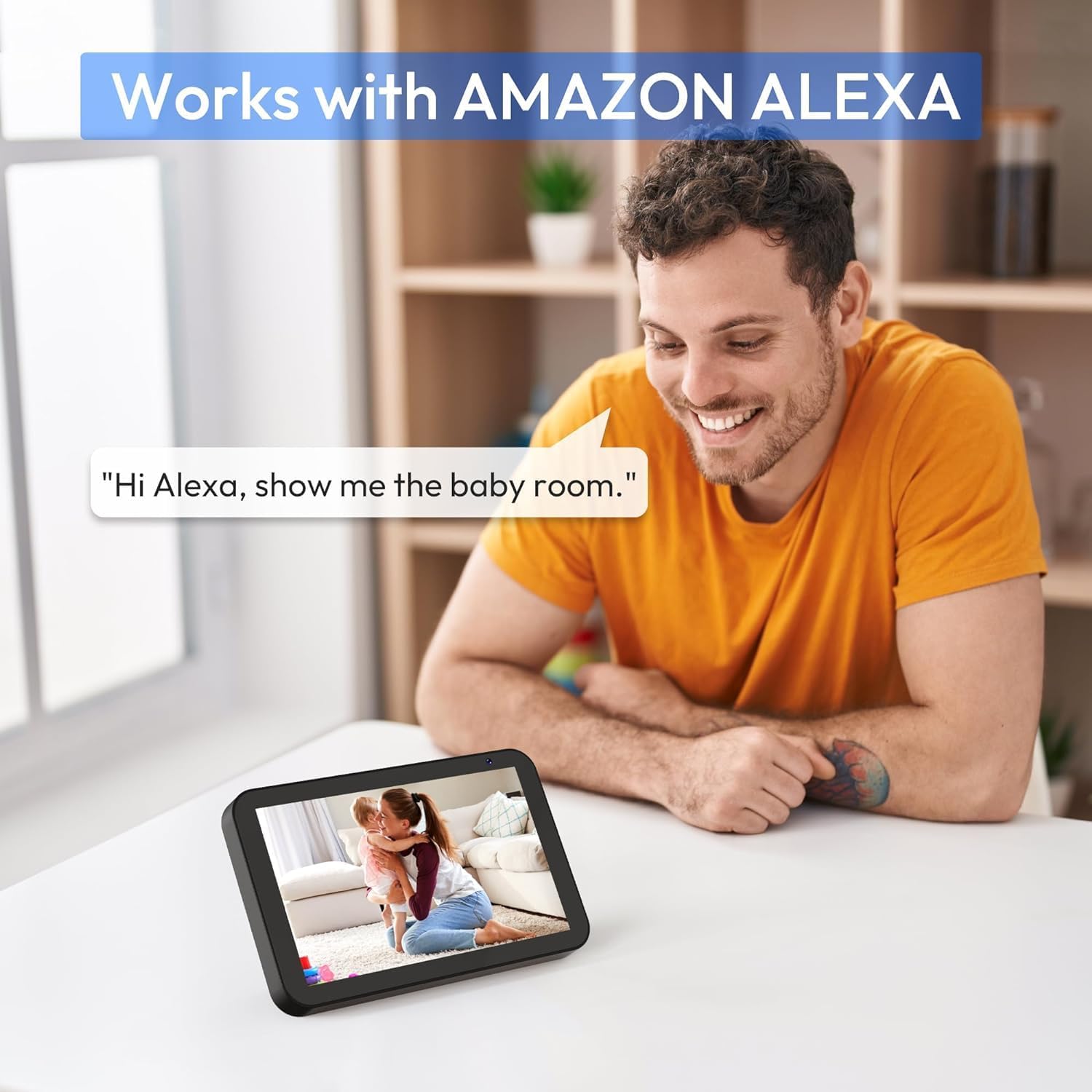
Зображення 7: A person interacting with an Amazon Echo Show device, displaying the live feed from the CZEview Babyphone, demonstrating Alexa integration.
- Enable the CZEview skill in your Amazon Alexa app.
- Link your CZEview account with Alexa.
- Використовуйте голосові команди, такі як «Alexa, покажи мені дитячу кімнату», щоб view the camera feed on compatible Alexa devices.
5.8 Multi-User Access and SD Card Recording
- Сімейний доступ: You can invite family members to view the camera feed through the app. Invited users may have limited control functions compared to the primary account holder.
- Локальна пам'ять: Insert an SD card (not included) into the camera's designated slot for local video recording and to enable certain features like playing lullabies directly from the camera.
6. Технічне обслуговування
- Прибирання: Використовуйте м’яку суху тканину для очищення об’єктива та корпусу камери. Не використовуйте рідкі засоби для чищення або аерозолі.
- Оновлення прошивки: Regularly check the app for available firmware updates to ensure optimal performance and security.
- Розміщення: Переконайтеся, що камера розташована в добре провітрюваному приміщенні та не піддається впливу екстремальних температур або прямих сонячних променів.
7. Вирішення проблем
- Немає живлення: Ensure the power cable is securely connected to both the camera and the power outlet. Try a different outlet.
- Проблеми з підключенням Wi-Fi: Verify your Wi-Fi password. Ensure the camera is within range of your router. Restart your router and the camera. Confirm your network is 2.4 GHz or 5 GHz compatible.
- Погана якість зображення: Check your internet connection speed. Ensure the camera lens is clean and free from obstructions. Adjust the video quality settings in the app if available.
- Погана якість звуку: Ensure there are no obstructions near the camera's microphone or speaker. Check the volume settings in the app.
- Сповіщення не отримано: Check app notification settings on your phone and within the CZEview app. Ensure the camera is connected to Wi-Fi.
- Камера не відповідає: Unplug the camera, wait 10 seconds, and plug it back in to restart.
8. Технічні характеристики
| Особливість | Специфікація |
|---|---|
| Номер моделі | ZY-D1 |
| Технологія бездротового зв'язку | Wi-Fi (2.4 ГГц та 5 ГГц) |
| Viewкут нахилу | 360 Degrees (355° horizontal, 90° vertical) |
| матеріал | пластик |
| Розміри предмета (Д x Ш x В) | 12.7 х 7.62 х 7.62 см |
| Протокол підключення | Wi-Fi |
| Тип контролера | Amazon Alexa |
| Тип монтажу | Настінне кріплення |
| Колір | Білий |
| Компоненти в комплекті | Кабель |
| Рекомендоване використання | Babyphone, Baby Monitoring, Night Vision |
9. Інформація про безпеку
- Keep the camera and all accessories out of reach of children.
- Do not place the camera or its power cord within 1 meter (3 feet) of the crib or playpen to prevent strangulation hazards.
- Використовуйте лише наданий адаптер живлення. Використання неавторизованих адаптерів може пошкодити пристрій та анулювати гарантію.
- Не піддавайте пристрій впливу води, вологи або екстремальних температур.
- Не намагайтеся самостійно відкривати або ремонтувати пристрій. Зверніться до служби підтримки клієнтів для отримання допомоги.
10. Гарантія та підтримка
For warranty information and customer support, please refer to the warranty card included in your product packaging or visit the official CZEview website. If you encounter any issues not covered in this manual, please contact CZEview обслуговування клієнтів за допомогою.


