1. Вступ
The ABSINA Mobile Wallbox 11 kW 16A is a versatile and portable charging solution for electric vehicles. Designed for both home and travel use, it offers convenient and safe charging with integrated app control and RFID activation. This manual provides detailed instructions for setting up, operating, maintaining, and troubleshooting your device.

Figure 1: ABSINA Mobile Wallbox 11 kW 16A. This image shows the compact design of the wallbox with its CEE plug and Type 2 charging connector.
2. Техніка безпеки
Будь ласка, уважно прочитайте всі інструкції з безпеки перед використанням пристрою. Недотримання цих інструкцій може призвести до ураження електричним струмом, пожежі або серйозних травм.
- Ensure the power supply meets the specified requirements (3 phases 415 V 50/60 Hz).
- Не використовуйте пристрій, якщо кабель або вилка пошкоджені.
- Не намагайтеся самостійно відкривати або ремонтувати пристрій. Зверніться до кваліфікованого персоналу для обслуговування.
- Keep the device away from water and extreme temperatures. The device is IP65 rated, but avoid submersion.
- Always ensure proper grounding.
- The integrated Type A+DC6 mA residual current circuit breaker provides enhanced safety. Do not bypass or modify it.
- Before installation, contact your local grid operator to register the wallbox as required.

Figure 2: Maximum Safety Features. The image highlights the Type A 30mA AC residual current protection and Type B 6mA DC fault current protection for enhanced user safety.
3. Вміст упаковки
Перевірте наявність усіх елементів в упаковці:
- ABSINA Mobile Wallbox 11 kW 16 A (three-phase)
- 3 x RFID Chips
- 3 x RFID-карти
- Настінний кронштейн
- Кріпильний матеріал (шурупи, анкери)
- Посібник користувача (цей документ)
4. Налаштування та встановлення
The ABSINA Mobile Wallbox is designed for "Plug and Play" use, requiring no complex installation. However, for permanent mounting, a wall bracket is included.
4.1 Initial Setup (Plug and Play)
- Підключення до живлення: Insert the CEE plug of the Wallbox into a compatible 3-phase 415 V 50/60 Hz CEE socket.
- Увімкнення: The Wallbox will power on automatically. If the indicator light blinks red, press the emergency stop button once to reset.
- Готовий до використання: The Wallbox is now ready for charging, which can be activated via RFID or the app.

Figure 3: Plug & Play Functionality. This image illustrates the simple connection of the CEE plug to a power outlet, emphasizing ease of use without complex electrical installation.
4.2 Настінне кріплення (додатково)
For a more permanent setup, use the provided wall mount bracket and hardware.
- Виберіть місце: Select a suitable wall location near a compatible CEE socket, ensuring adequate ventilation and protection from direct weather exposure (though the unit is IP65 rated).
- Позначте точки буріння: Use the wall mount bracket to mark the drilling points on the wall.
- Свердлити отвори: Drill holes at the marked points and insert the provided anchors.
- Надійний кронштейн: Attach the wall mount bracket to the wall using the screws.
- Mount Wallbox: Carefully slide the Wallbox onto the mounted bracket until it clicks securely into place.

Figure 4: Easy Operation. The image shows the Wallbox mounted on a wall, connected to a vehicle, demonstrating its simple "Connect. Charge." principle.
5. Інструкція з експлуатації
5.1 Charging Your Electric Vehicle
- Connect Vehicle: Plug the Type 2 charging cable from the Wallbox into your electric vehicle's charging port.
- Активувати зарядку:
- Using RFID: Hold one of the provided RFID chips or cards over the RFID reader area on the Wallbox. The Wallbox will activate, and charging will begin.
- За допомогою програми: Open the ABSINA app (or compatible smart home app like Tuya Smart) on your smartphone. Select the Wallbox and initiate charging from the app interface.
- Зарядка монітора: The app provides real-time data including charging voltage (V), current (A), power (kW), charged energy (kWh), and charging time.
- Зупинити зарядку:
- Using RFID: Hold the RFID chip/card over the reader again to stop charging.
- За допомогою програми: Stop charging directly from the app.
- Disconnect Vehicle: Once charging is complete or stopped, unplug the Type 2 cable from your vehicle.

Figure 5: Misuse Protection. The image shows a hand activating the Wallbox with an RFID chip, illustrating the secure activation method.
5.2 Функції керування програмами
The dedicated app (or compatible smart home app) provides advanced control and monitoring capabilities:
- Adjust Charging Current: Set the charging current from 8 A to 16 A in 1 A increments to manage charging speed.
- Set Charging Mode: Choose preferred charging modes.
- Графік заряджання: Utilize the charging delay function to start charging at a later time.
- Monitor Real-time Data: View live charging statistics.
- Дистанційний запуск/зупинка: Control charging sessions from your smartphone.
Примітка: While the app displays charging data, this data is typically not stored permanently on the device once the charging cable is disconnected. For historical charging data, refer to your vehicle's own app if available.
6. Технічне обслуговування
To ensure the longevity and optimal performance of your ABSINA Mobile Wallbox, follow these maintenance guidelines:
- Прибирання: Wipe the exterior of the Wallbox with a soft, damp тканиною. Не використовуйте абразивні засоби для чищення або розчинники. Перед чищенням переконайтеся, що пристрій відключено від мережі.
- Перевірка кабелю: Regularly inspect the charging cable and CEE plug for any signs of damage, fraying, or wear. If damage is found, discontinue use immediately and contact support.
- Догляд за роз'ємом: Keep the Type 2 connector clean and free of debris. Ensure the protective cap is in place when not in use.
- Зберігання: When not in use, especially during travel, store the Wallbox in a dry, cool place, protected from direct sunlight and extreme temperatures.
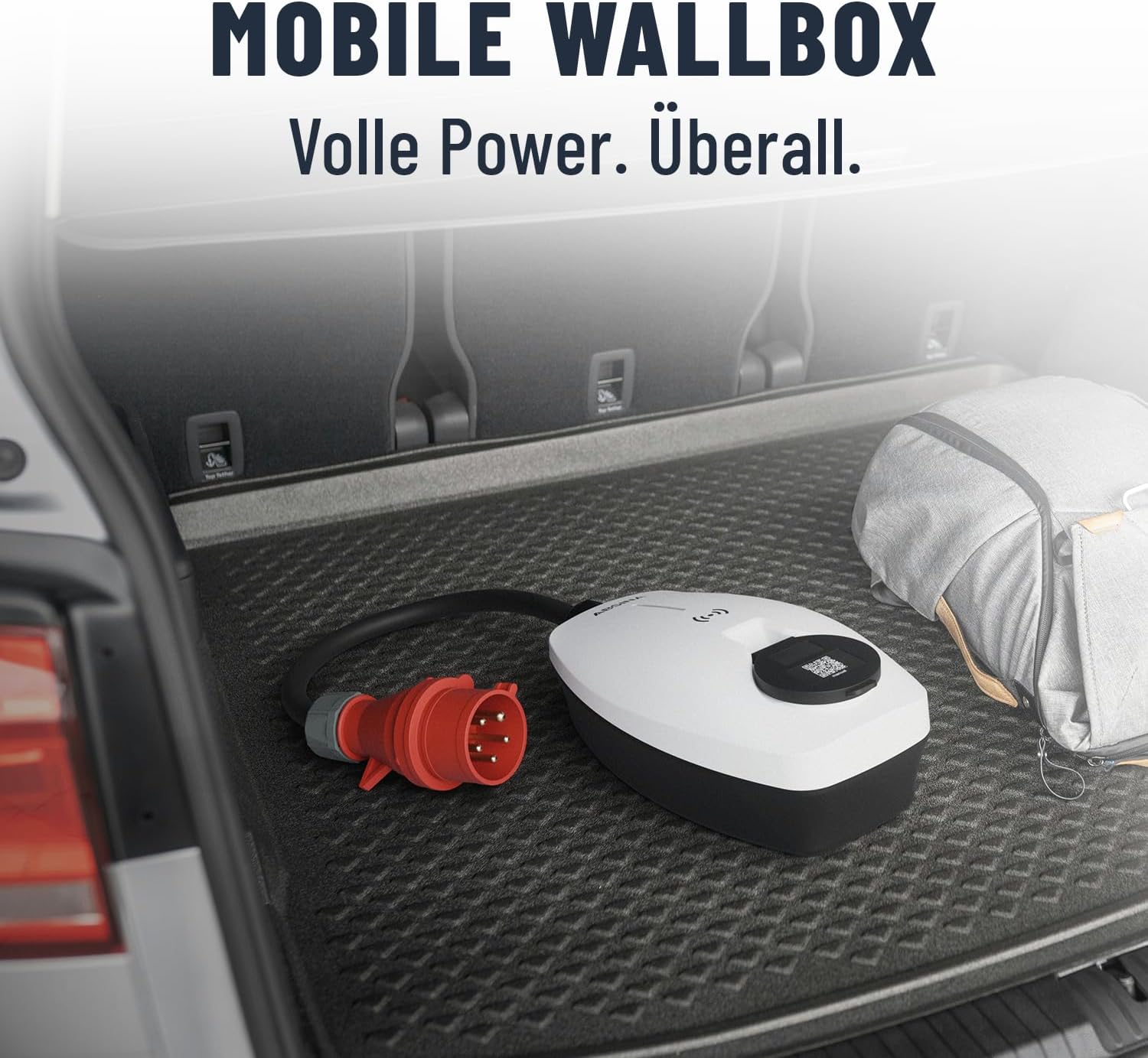
Figure 6: Mobile Wallbox for Travel. This image shows the Wallbox conveniently stored in a car trunk, highlighting its portability and ease of transport.
7. Вирішення проблем
If you encounter issues with your ABSINA Mobile Wallbox, refer to the following common problems and solutions:
| проблема | Можлива причина | Рішення |
|---|---|---|
| Wallbox does not power on. | No power from CEE socket; CEE plug not fully inserted; internal fault. | Check CEE socket power supply; ensure plug is fully inserted; try a different CEE socket if available. |
| Зарядка не починається. | RFID not read correctly; app connection issue; vehicle not ready to charge; emergency stop engaged. | Ensure RFID chip/card is held correctly; check app connection and Wallbox status; ensure vehicle is ready to accept charge; press emergency stop button once to reset. |
| Зарядка несподівано припиняється. | Overload protection activated; vehicle charging complete; power interruption. | Check for error codes on Wallbox/app; verify vehicle charging status; check CEE socket power. |
| App not connecting to Wallbox. | Wi-Fi signal weak; incorrect app settings; Wallbox not in pairing mode. | Ensure strong Wi-Fi signal at Wallbox location; restart app and Wallbox; refer to app's pairing instructions. |
If the problem persists after attempting these solutions, please contact ABSINA customer support.
8. Технічні характеристики
| Особливість | Деталь |
|---|---|
| Бренд | АБСІНА |
| Номер моделі | 301018 |
| Потужність зарядки | 11 кВт |
| Струм зарядки | Adjustable 8 A to 16 A |
| Фази | 3-фазний |
| Вхідний об'ємtage | 415 В змінного струму |
| Частота | 50/60 Гц |
| Тип роз'єму | Type 2 (output), CEE 16A (input) |
| Клас захисту | IP65 (водонепроникний) |
| Функції безпеки | Integrated Type A+DC6 mA RCD, Overvoltagе, Undervoltage, Overload, Temperature, Short-circuit protection |
| Рейтинг горючості | UL94V-0 |
| Вага товару | 2.25 кілограма |
| Розміри продукту (Д x Ш x В) | 25.7 х 15.3 х 9.5 см |
| Споживання в режимі очікування | < 3 Вт |
9. Гарантія та підтримка
ABSINA products are designed for reliability and performance. For warranty information and technical support, please refer to the official ABSINA webсайт або зверніться безпосередньо до служби підтримки клієнтів.
The manufacturer, ABSINA GmbH, is based in Germany and is committed to providing competent support.
Контактна інформація: Please visit the official ABSINA website for the most up-to-date contact details for customer support and warranty claims.


