вступ
Welcome to the Exway Atlas All-Terrain Electric Skateboard user manual. This guide provides essential information for the safe and effective operation, maintenance, and troubleshooting of your new electric skateboard. The Exway Atlas is designed for high performance across various terrains, offering a powerful and versatile riding experience.
Please read this manual thoroughly before your first ride to ensure proper setup and to understand all safety precautions.
Правила безпеки
Your safety is paramount. Always wear appropriate safety gear, including a helmet, knee pads, elbow pads, and wrist guards, when operating the Exway Atlas. Ride within your skill level and be aware of your surroundings.
- Завжди надягайте шолом і захисне спорядження.
- Не їздіть у вологих умовах або на слизьких поверхнях.
- Дотримуйтесь місцевих правил та законів дорожнього руху.
- Avoid riding in heavy traffic or crowded areas.
- Perform a pre-ride check before each use (brakes, wheels, battery level).
- Do not attempt stunts or maneuvers beyond your capability.
- Тримайте руки та ноги подалі від рухомих частин.
Компоненти продукту
The Exway Atlas A12WD consists of several key components working together to provide its performance and versatility.
- Carbon Fiber Unibody Deck: A durable and lightweight platform housing internal electronics.
- Swappable Drivetrain: Supports both dual and quad motor configurations for varied power and terrain capabilities.
- Пневматичні шини: 160x50mm rugged all-terrain, all-weather tires suitable for various conditions.
- DKP Trucks: Ultra-stable Trist 9.5" Double Kingpin Trucks for enhanced maneuverability.
- Змінний користувачем акумулятор: Internal 691Wh battery with optional AUXPack for extended range.
- Rexus Remote: Next-generation remote with 1.32-inch high-brightness touchscreen for precise control and real-time data.
- Розумна система зарядки: Compatible with SC1050 smart charger for fast and efficient charging.

Малюнок 1: Верх і низ view of the Exway Atlas A12WD electric skateboard, showcasing its carbon fiber deck and motor configurations.
Налаштування та перше використання
1. Розпакування та перевірка
Carefully remove all components from the packaging. Inspect the skateboard for any signs of damage during transit. Ensure all listed components are present.
2. Початкове заряджання
Before first use, fully charge the skateboard's battery. Connect the charger to the charging port on the board and then to a power outlet. The charging indicator on the charger will show the charging status. A full charge typically takes approximately 3.5 hours with the standard charger, or 1 hour with the SC1050 smart charger.
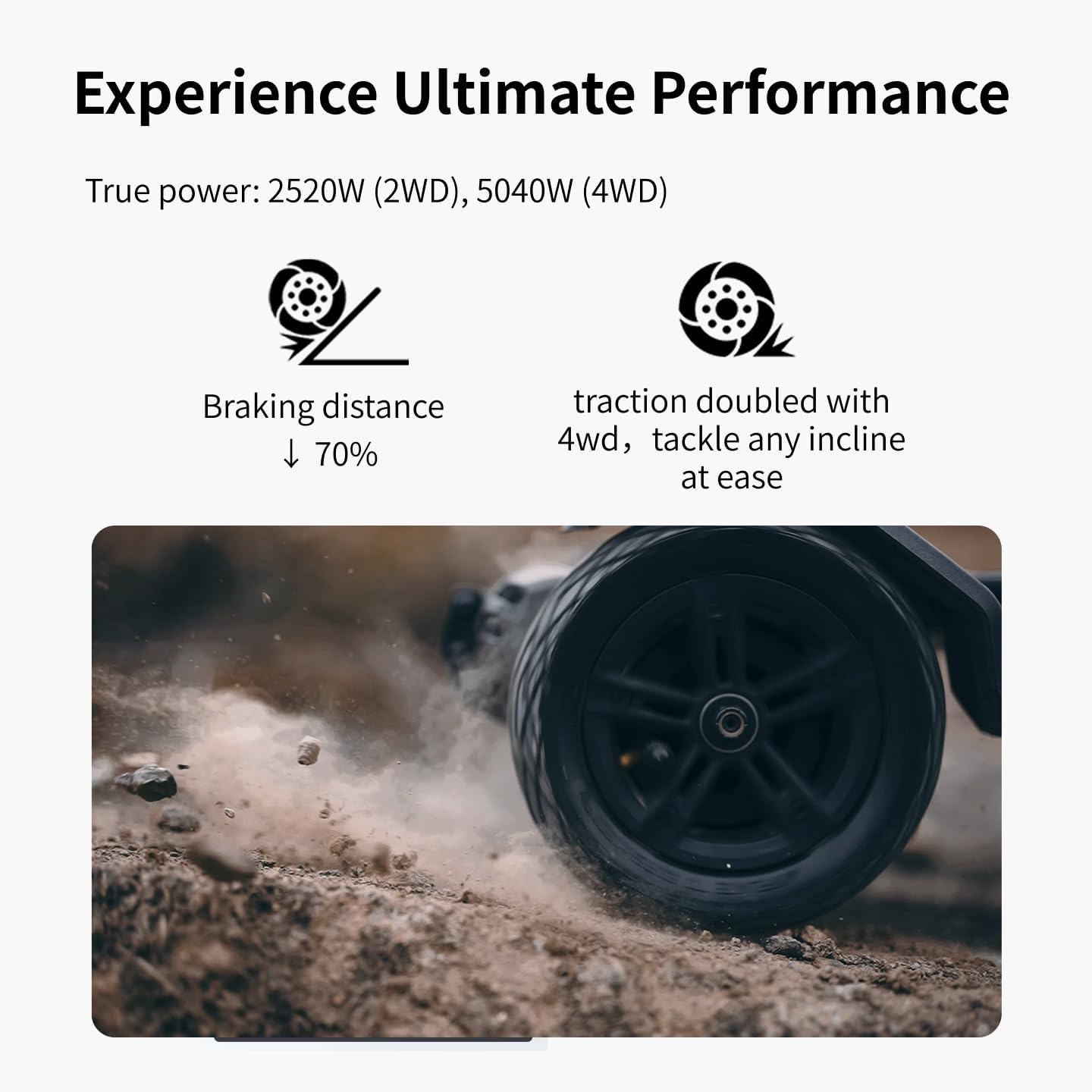
Figure 2: The Exway Atlas electric skateboard connected to its charger, illustrating the charging process.
3. Дистанційне керування сполученням
The Rexus Remote should come pre-paired with your board. If re-pairing is needed, refer to the remote's specific instructions. Ensure both the board and remote are powered on and within close proximity during pairing.
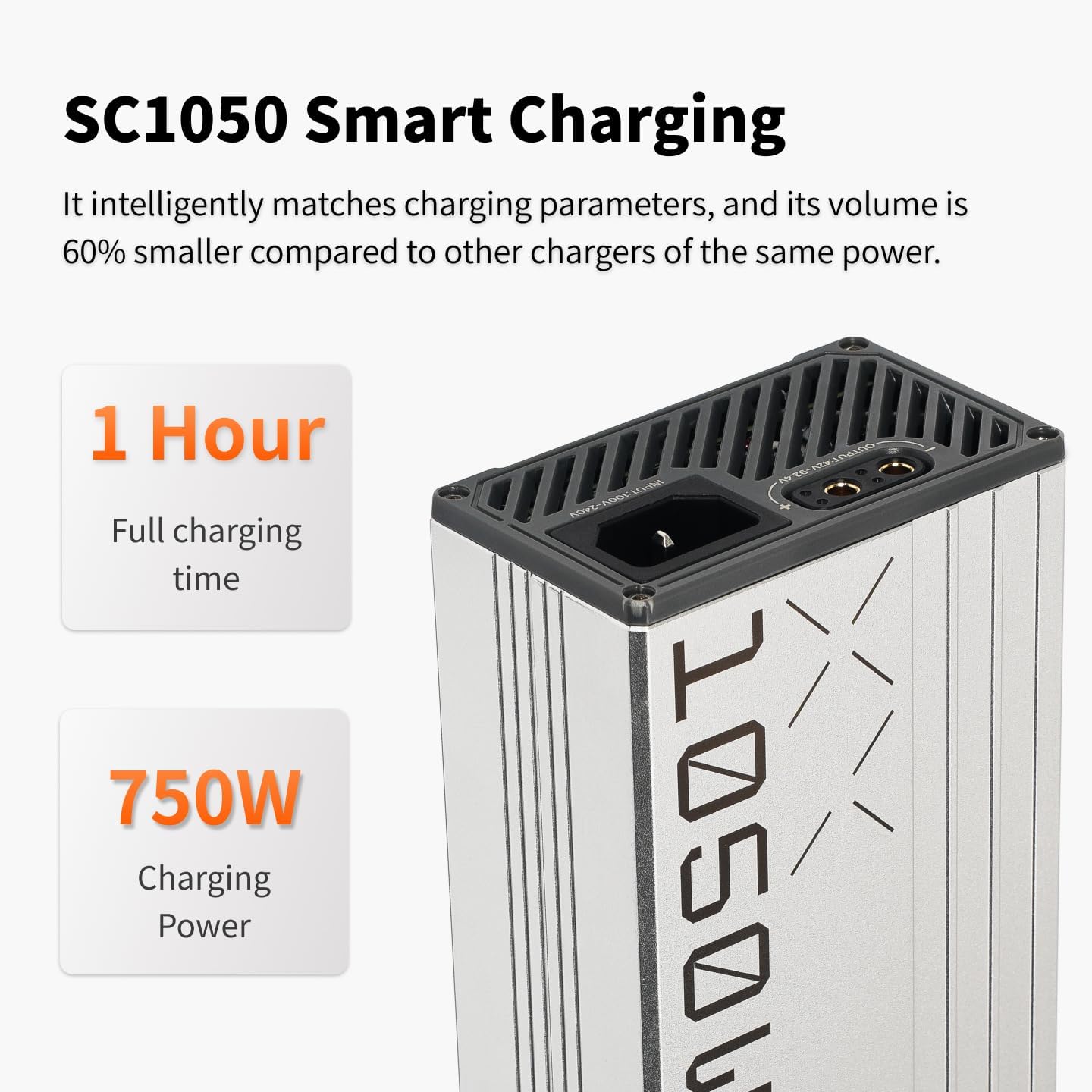
Рисунок 3: Крупний план view of the Rexus Remote, highlighting its display and controls for the Exway Atlas skateboard.
4. Підключення до програми (необов’язково, але рекомендовано)
Download the ExSkate App from your device's app store. Connect your board via Bluetooth to the app to access customizable features, ride logging, activity tracking, and OTA updates. This allows for fine-tuning of performance settings.
Operating Your Skateboard
1. Увімкнення/вимкнення живлення
To power on the board, press and hold the power button on the deck until the indicator lights illuminate. To power off, press and hold the same button until the lights turn off. Power on the remote control separately.
2. Riding Modes and Control
The Exway Atlas offers various riding modes accessible via the Rexus Remote or ExSkate App. These modes adjust acceleration, top speed, and braking sensitivity. Start with a lower speed mode until you are comfortable with the board's handling.
- Прискорення: Use the throttle wheel on the remote to control speed.
- Гальмування: Use the brake lever/button on the remote. The EBS regenerative brakes capture energy during braking.
- Кермове управління: Lean your body to steer the board. The DKP trucks provide excellent turning radius.
- Drivetrain Swap: The modular design allows swapping between dual and quad motor drivetrains. Refer to the detailed guide for this advanced procedure.

Figure 4: The Exway Atlas electric skateboard in action, demonstrating its use on a paved surface.
3. Terrain Adaptability
The Atlas is designed for all-terrain use. Its pneumatic tires and powerful motors allow it to handle smooth pavement, light trails, and damp conditions. Exercise caution on loose gravel, sand, or extremely wet surfaces.

Figure 5: The Exway Atlas electric skateboard navigating a dirt path, showcasing its all-terrain design.
4. Extending Range with AUXPack
The optional AUXPack battery can significantly extend your riding range. Installation is designed to be user-friendly. Ensure the board is powered off before installing or removing the AUXPack. The system automatically balances power between the internal and AUXPack batteries.
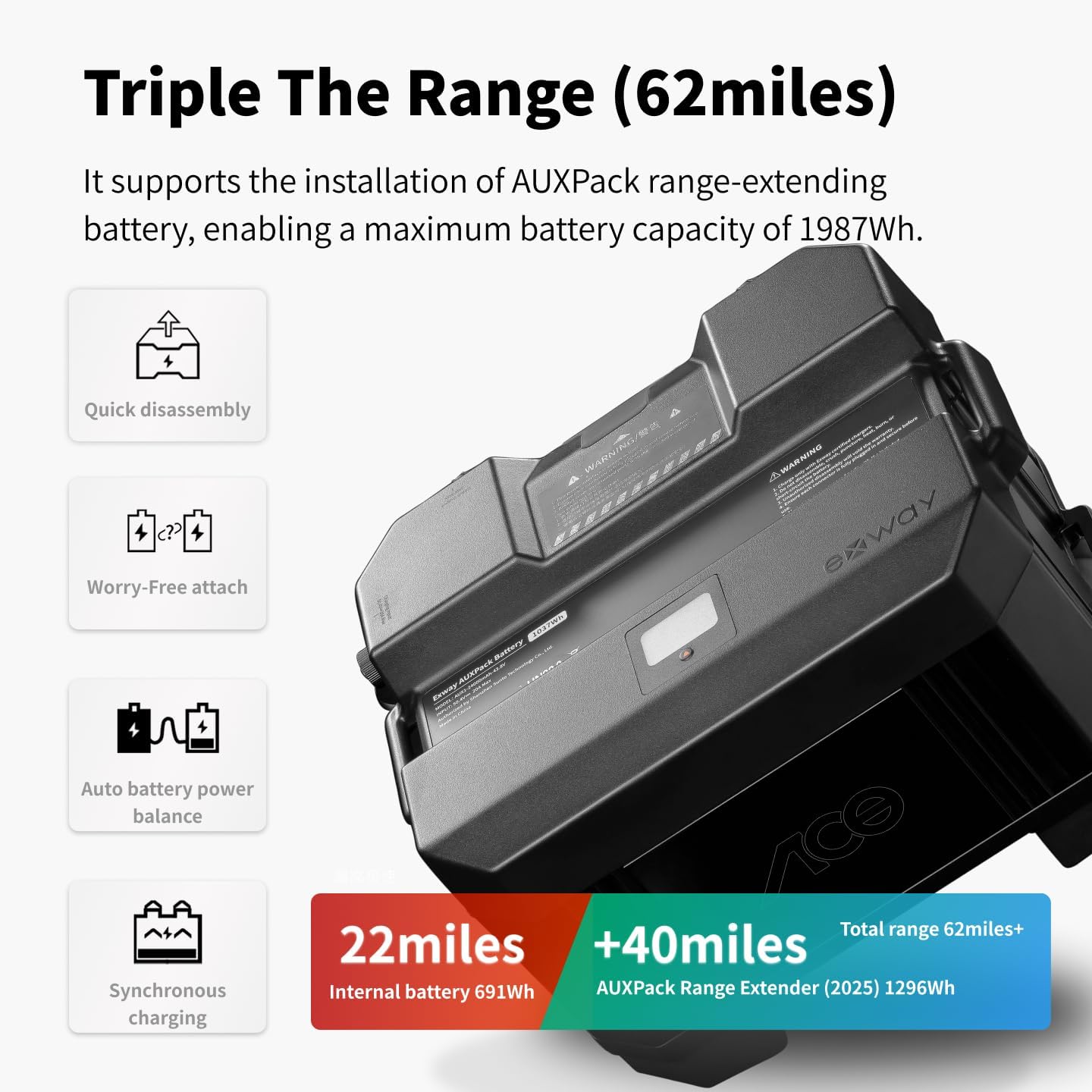
Figure 6: The Exway Atlas electric skateboard with the optional AUXPack battery, illustrating its extended range capability.
Технічне обслуговування
Regular maintenance ensures the longevity and optimal performance of your Exway Atlas. Always power off the board before performing any maintenance.
1. прибирання
Wipe down the deck and components with a damp cloth after each ride, especially if riding in dusty or muddy conditions. Avoid using high-pressure water jets directly on electronic components or bearings. The IP55 water resistance protects against splashes, but not submersion.
2. Wheel and Tire Care
Check tire pressure regularly and inflate to the recommended PSI (refer to tire sidewall). Inspect tires for wear, cuts, or punctures. Replace worn tires promptly to maintain grip and safety. Check wheel bearings for smooth rotation and clean/lubricate as needed.
3. Догляд за акумулятором
Store the board in a cool, dry place. If storing for extended periods, ensure the battery is charged to approximately 50-60% to preserve battery health. Avoid fully discharging the battery or leaving it fully charged for long durations.
4. Belt and Motor Inspection
Regularly inspect the drive belts for tension and wear. Replace belts if they show signs of cracking, fraying, or excessive stretching. Check motor mounts for tightness.
Усунення несправностей
| проблема | Можлива причина | Рішення |
|---|---|---|
| Плата не вмикається | Low battery; loose connection; power button malfunction. | Charge battery fully; check all cable connections; contact support if issue persists. |
| Пульт не підключається | Remote battery low; out of range; pairing issue. | Charge remote; move closer to board; re-pair remote according to instructions. |
| Зменшений запас ходу або потужність | Battery degradation; riding conditions (uphill, heavy load); tire pressure. | Ensure battery is fully charged; check tire pressure; consider AUXPack for extended range. |
| Unusual noises from motors/wheels | Debris in motors; worn bearings; loose belts. | Inspect motors for debris; check and replace worn bearings; adjust belt tension. |
For issues not listed here or if solutions do not resolve the problem, please contact Exway customer support.
Технічні характеристики
| Особливість | Деталь |
|---|---|
| Модель | Atlas A12WD |
| Максимальна швидкість | До 35 миль/год (56 км/год) |
| Діапазон | Up to 24 Miles (38 km) with internal battery; up to 62 Miles (100 km) with optional AUXPack |
| Потужність двигуна | 2520W (2WD), 5040W (4WD) |
| Ємність акумулятора | 691Wh (internal), 1296Wh (AUXPack 2025) |
| Час зарядки | Approx. 3.5 hours (standard charger), 1 hour (SC1050 smart charger) |
| Матеріал палуби | Carbon Fiber, Maple Wood |
| Розміри колоди | 46.69 x 12.28 x 6.3 inches (100 x 25.5 cm for carbon fiber deck) |
| Вага товару | 12 кілограма |
| Вантажопідйомність | 780 фунта |
| Розмір колеса | 160mm pneumatic tires |
| Водонепроникність | IP55 |
Гарантія та підтримка
Інформація про гарантію
The Exway Atlas A12WD comes with a Гарантія 12 місяців starting from the date the board is received. This warranty covers manufacturing defects and issues arising from normal use. To claim warranty service, customers must provide valid proof of purchase.
Please note that the warranty does not cover damage caused by misuse, accidents, unauthorized modifications, or normal wear and tear of consumable parts (e.g., tires, belts, bearings). Replacement parts are available for purchase after the warranty period.
Підтримка клієнтів
For any questions, concerns, or technical assistance, please contact Exway customer support. We value your feedback and are committed to providing excellent service.
- Електронна пошта: amazon@exwayboard.com
- Responses typically within 24 hours.


Figure 7: Exway brand logo and an image representing customer support, indicating available assistance.


