1. Вступ і даліview
This manual provides comprehensive instructions for the setup, operation, and maintenance of your Maxview Alphatronics SL Line+ Smart TV. Designed for mobile use, this versatile television operates on both 12v and 240v power, making it ideal for motorhomes, caravans, trucks, and boats. It features a Full HD LED display, integrated DVD player, Wi-Fi, Bluetooth, and access to popular streaming services via WebОС.

Зображення: спереду view of the Maxview Alphatronics SL Line+ Smart TV, highlighting its smart features and integrated DVD player.
Ключові особливості:
- Full HD LED Smart TV with Freeview.
- WebOS for access to Netflix, Amazon Prime, Disney+, iPlayer, ITVX, Sky Store, YouTube, and more.
- Dual power compatibility (12v or 240v).
- Built-in DVD Player, Bluetooth, Wi-Fi, and Ethernet.
- Multiple connectivity options: 2 HDMI ports, USB Port, and AV connections.
2. Що в коробці
Будь ласка, перевірте вміст вашої упаковки за списком нижче:
- Alphatronics TV (TVSL/22)
- Пульт дистанційного керування
- 240v Mains Lead
- Адаптер живлення 12В
- Посібник користувача (цей документ)

Image: The included remote control for the Maxview Alphatronics Smart TV.
3. Налаштування
3.1. Розміщення та монтаж
Choose a stable and flat surface for your TV. Ensure adequate ventilation around the unit. If mounting, refer to your specific wall mount instructions and ensure the mount is compatible with VESA standards for your TV size.

Зображення: Прample of the TV installed within a caravan interior.
3.2. Підключення живлення
The TV can be powered by either 12v DC or 240v AC.
- For 240v AC: Connect the supplied 240v Mains Lead to the TV's AC input and then to a standard wall socket.
- For 12v DC: Connect the supplied 12v Power Adapter to the TV's DC input and then to a 12v power source (e.g., vehicle's 12v socket).
Ensure the correct power source is used to prevent damage.
3.3. Підключення зовнішніх пристроїв
Телевізор оснащений різними портами для підключення зовнішніх пристроїв:
- Порти HDMI (x2): For high-definition audio and video devices like satellite receivers, game consoles, or laptops.
- Порт USB: Для підключення USB-накопичувачів для відтворення медіафайлів files.
- AV Connections: Для старіших пристроїв, що використовують композитне відео та стереоаудіо.
- Вхід для антени/супутника: Connect your terrestrial antenna or satellite dish cable for Freeview or satellite TV reception.

Image: Rear panel of the TV displaying available connection ports.
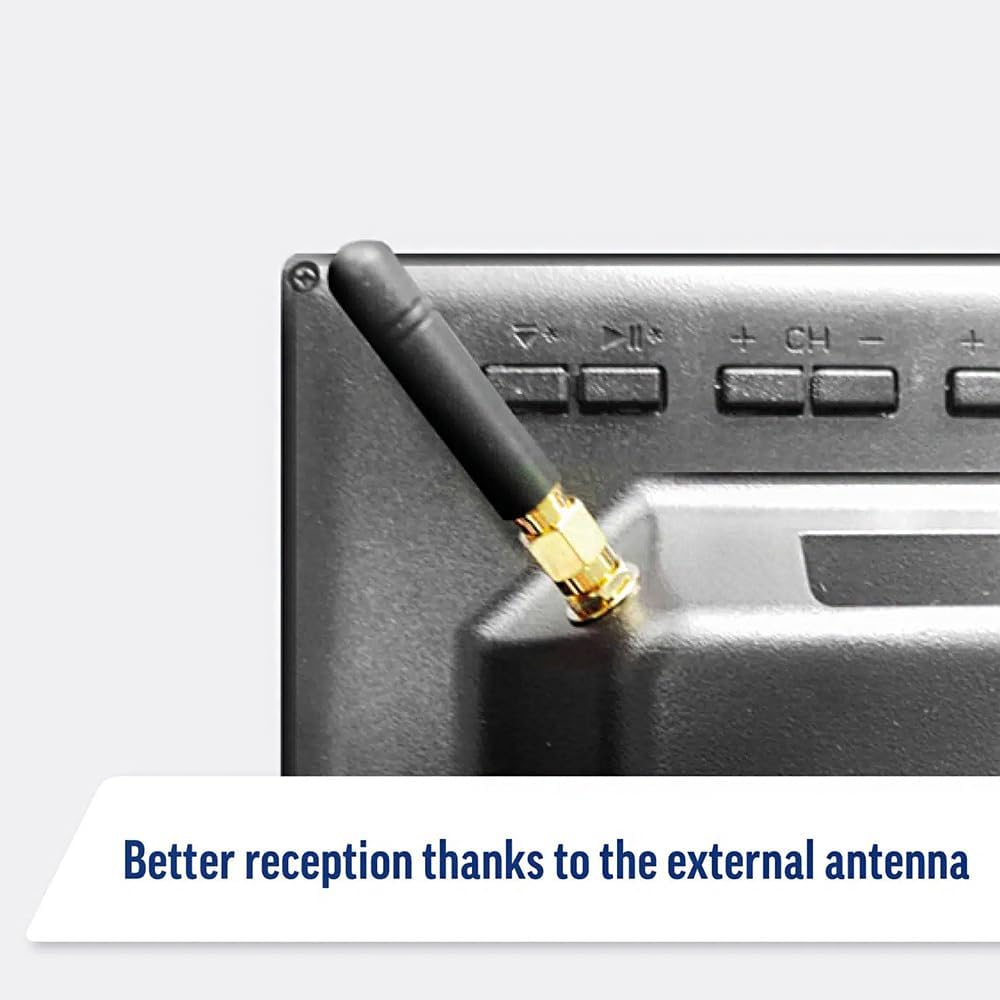
Image: Detail of the external antenna connection for improved signal reception.
3.4. Майстер початкового налаштування
Після першого ввімкнення телевізор проведе вас через майстер початкового налаштування. Він включає:
- Вибір мови: Виберіть бажану мову.
- Підключення до мережі: Connect to your Wi-Fi network or via Ethernet for internet access. This is crucial for Smart TV features.
- Сканування каналів: Scan for available Freeview or satellite channels.
- Налаштування часу та дати: Встановіть правильний часовий пояс і дату.
4. Керування телевізором
4.1. Основні елементи керування
Use the supplied remote control to navigate the TV. Common functions include:
- Кнопка живлення: Вмикає/вимикає телевізор або переводить його в режим очікування.
- Збільшення/зменшення гучності: Регулює рівень гучності.
- Канал вгору/вниз: Змінює телеканали.
- Джерело/Вхідні дані: Selects the input source (HDMI, AV, TV, DVD).
- Кнопки навігації (клавіші зі стрілками, OK): Навігація по меню та вибір опцій.
- Кнопка "Додому: Отримує доступ до WebГоловний екран ОС Smart TV.
- Кнопки швидкого доступу: Dedicated buttons for Netflix and Amazon Prime Video for direct access.
4.2. Функції смарт-телевізора (WebОС)
Your Maxview Alphatronics TV runs on WebOS, providing a user-friendly interface for accessing a wide range of applications and content.
- Головна інформаційна панель: Натисніть додому button to access the main dashboard, where you can find installed apps, input sources, and settings.
- App Store: Завантажте та встановіть додаткові програми з інтегрованого магазину додатків.
- Сервіси потокового передавання: Easily access popular services like Netflix, Amazon Prime Video, Disney+, BBC iPlayer, ITVX, and YouTube.
- Спільний доступ до екрана: Share content from your smartphone or tablet to the TV screen.
Image: Using a smartphone as a remote control for the TV.
4.3. Робота DVD-програвача
The integrated DVD player allows you to enjoy your movie collection on the go.
- Insert a DVD disc into the slot on the side of the TV.
- The TV should automatically switch to the DVD input. If not, press the Джерело/вхід button on your remote and select "DVD".
- Use the remote control's playback buttons (Play, Pause, Stop, Fast Forward, Rewind) to control the DVD.
- To eject the disc, press the Eject button on the remote or the TV.
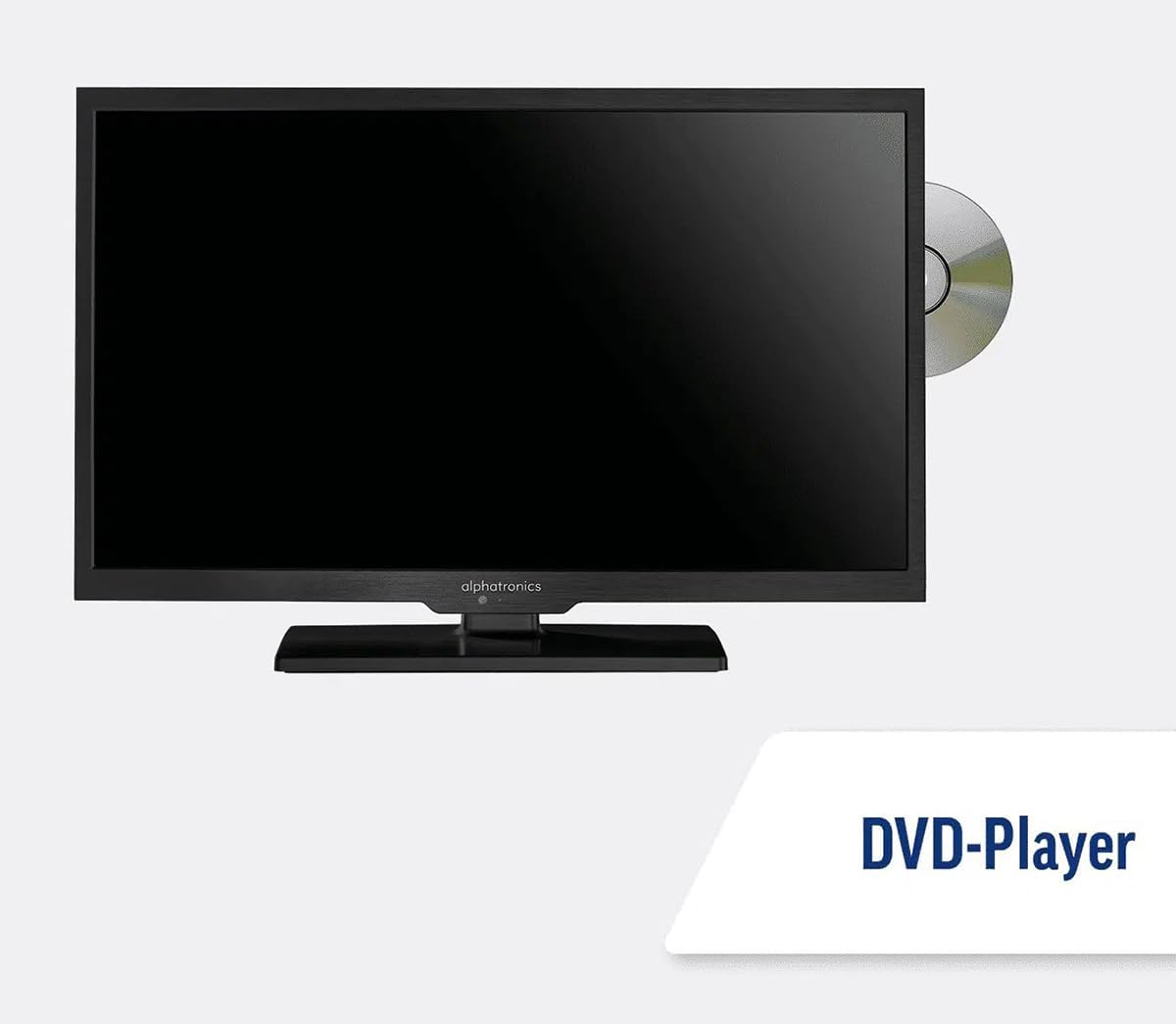
Image: The TV with a DVD disc being inserted into its built-in player.
5. Технічне обслуговування
5.1. прибирання
To clean the TV screen, gently wipe it with a soft, lint-free cloth. For stubborn marks, dampen the cloth slightly with water or a screen-cleaning solution. Do not spray liquid directly onto the screen. Clean the TV casing сухою, м’якою тканиною.
Увага: Завжди відключайте телевізор від джерела живлення перед чищенням.
5.2. Оновлення програмного забезпечення
Your Maxview Alphatronics Smart TV supports automatic software updates via the internet. Ensure your TV is connected to a stable Wi-Fi or Ethernet network to receive the latest firmware and feature enhancements.
- To check for updates manually, navigate to the Налаштування menu on your TV, then look for Оновлення програмного забезпечення or Інформація про систему.
- Follow the on-screen prompts to download and install any available updates. Do not power off the TV during an update process.

Image: The TV screen indicating a software update in progress.
6. Вирішення проблем
Якщо у вас виникли проблеми з телевізором, перш ніж звертатися до служби підтримки, ознайомтеся з наведеними нижче поширеними проблемами та способами їх вирішення.
| проблема | Можлива причина | Рішення |
|---|---|---|
| Немає живлення | Power cable disconnected; no power from outlet/source. | Check power connections. Ensure outlet/source is active. Try a different outlet. |
| Немає сигналу | Incorrect input selected; antenna/cable disconnected or faulty. | Прес Джерело/вхід to select correct input. Check antenna/cable connections. Perform a channel scan. |
| Немає підключення до Інтернету | Wi-Fi password incorrect; router issue; TV too far from router. | Re-enter Wi-Fi password. Restart your router. Move TV closer to router or use Ethernet. |
| DVD не відтворюється | Disc dirty or scratched; incorrect input selected; region code mismatch. | Clean the disc. Ensure "DVD" input is selected. Check disc region compatibility. |
| Пульт дистанційного керування не працює | Batteries low/dead; obstruction between remote and TV; remote not paired (if Bluetooth). | Замініть батарейки. Усуньте перешкоди. За потреби відновіть сполучення пульта дистанційного керування (див. налаштування телевізора). |
If the problem persists after trying these solutions, please contact Maxview підтримка клієнтів.
7. Технічні характеристики
| Особливість | Деталь |
|---|---|
| Номер моделі | TVSL/22 |
| Розмір екрана | 22 дюйми (56 см видимої діагоналі) |
| Технологія дисплея | LED |
| роздільна здатність | 1080p (повна HD) |
| Розміри продукту (Д x Ш x В) | 12 Г x 58 Ш x 38 В сантиметрів |
| Вхідна потужність | 12v DC / 240v AC |
| Підключення | Wi-Fi, Bluetooth, Ethernet |
| Порти | 2x HDMI, 1x USB, AV connections, Antenna/Satellite input |
| Особливості | Smart TV (WebOS), Built-in DVD Player |
| Співвідношення сторін | 16:9 |
| Виробник | Альфатроніка |
8. Гарантія та підтримка
Your Maxview Alphatronics SL Line+ Smart TV comes with a Гарантія 3 рік, providing peace of mind regarding your purchase. This warranty covers manufacturing defects and ensures reliable operation.
For warranty claims, technical support, or further assistance, please contact Maxview customer service. You can typically find contact information on the official Maxview webсайті або на пакувальних матеріалах.
Please have your model number (TVSL/22) and proof of purchase ready when contacting support.
Примітка: У наданих даних не знайдено офіційних відео продукту від продавця для вбудовування в цей посібник.


