1. Вступ
This manual provides essential information for the safe and efficient use of your Google TV 7000 Series 4K Ultra HD LED Television. Please read these instructions thoroughly before operating the device and retain them for future reference.
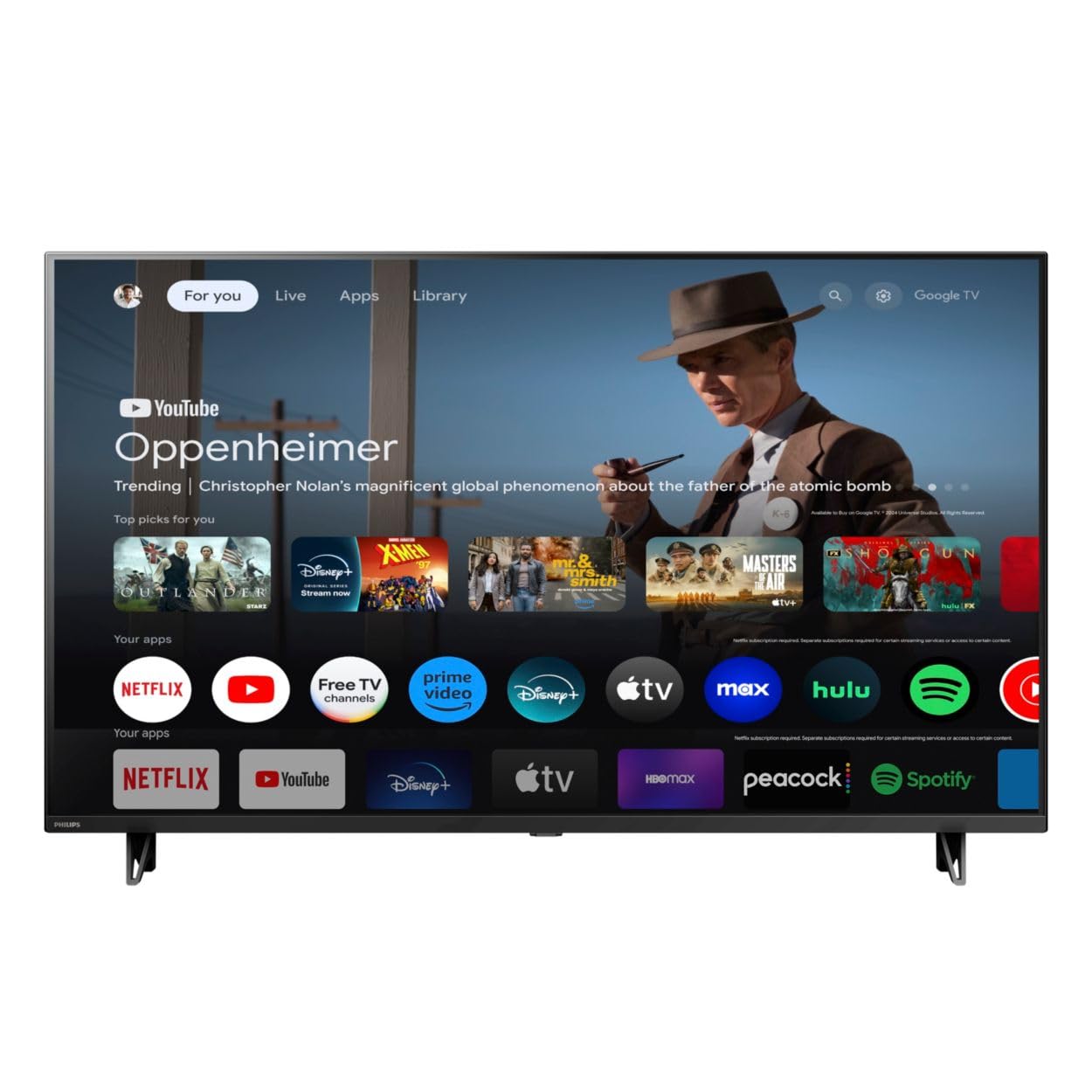
Фронт view of the Google TV 7000 Series 4K Ultra HD LED Television, showcasinйого тонку рамку та дисплей.
2. Налаштування
2.1 Розпакування та вміст упаковки
Обережно вийміть усі предмети з упаковки. Переконайтеся, що всі компоненти присутні:
- Google TV 7000 Series Television
- Дистанційне керування
- Батарейки для пульта
- Настільна підставка
- Screws for tabletop stand
- Короткий посібник
- Посібник користувача (цей документ)
2.2 Підключення живлення
Connect the power cord to the TV's power input, then plug the other end into a wall outlet. Ensure the power outlet is easily accessible.
2.3 Підключення зовнішніх пристроїв
Your television supports various connectivity options:
- HDMI: Connect devices like Blu-ray players, game consoles, or set-top boxes to the HDMI ports. This model features Audio Return Channel (HDMI 2).
- USB: Use the USB port for media playback or connecting compatible accessories.
- Ethernet: Для стабільного дротового інтернет-з’єднання підключіть кабель Ethernet до порту LAN.
- Вихід для навушників: Підключіть навушники для приватного прослуховування.
- Цифровий аудіовихід (оптичний): Для підключення до зовнішніх аудіосистем.
- CVBS+Audio L/R In: Для підключення старіших аналогових пристроїв.
2.4 Початкове налаштування
Після першого ввімкнення телевізор проведе вас через процес початкового налаштування. Це включає:
- Вибір мови
- Connecting to a Wi-Fi network or using Ethernet
- Signing in with your Google account to access Google TV features and apps
- Scanning for available channels (ATSC, NTSC)
2.5 Варіанти монтажу
You can place your TV on a tabletop using the included stand or mount it on a wall.
- Настільна підставка: Attach the tabletop stand using the provided screws as per the quick start guide.
- Настінне кріплення: For wall mounting, use a VESA compatible mount (600 x 400 mm). Consult a professional for wall mounting to ensure safety and proper installation.
3. Інструкція з експлуатації
3.1 Дистанційне керуванняview
The remote control allows you to navigate the Google TV interface, adjust settings, and control playback. It supports voice control for Google Assistant.
3.2 Основні функції
- Потужність: Натисніть кнопку живлення, щоб увімкнути або вимкнути телевізор.
- обсяг: Використовуйте кнопки гучності, щоб відрегулювати рівень звуку.
- Канали: Use the channel buttons to switch between TV channels.
- введення: Select the desired input source (HDMI, USB, etc.).
3.3 Навігація інтерфейсом Google TV
Use the directional pad and 'OK' button on your remote to navigate the Google TV home screen. The home screen provides access to your installed apps, recommended content, and settings.
3.4 Розумні функції
- Вбудований Chromecast: Cast content from your compatible mobile devices or computer directly to your TV.
- Вбудований Google Assistant: Press the Google Assistant button on your remote to use voice commands for searching content, controlling smart home devices, getting information, and more.
- Програми для потокового передавання: Access popular streaming services like Netflix, YouTube, Discovery+, Tubi TV, and Prime Video directly from the Google TV interface.
3.5 Налаштування зображення та звуку
Налаштуйте свій viewвраження від відтворення та прослуховування через меню налаштувань телевізора:
- Стиль зображення: Choose from various preset picture modes or customize settings like brightness, contrast, color, and sharpness. Features include Dynamic contrast, Film mode, Blue stretch, and Custom Color management.
- Підтримка HDR: The TV supports HDR10 and HLG for enhanced contrast and color with compatible content.
- Режим гри: Optimize picture settings for gaming to reduce input lag.
- Стиль звуку: Select sound presets or adjust bass and treble. Features include Dolby Audio and Auto Volume Leveling.
- Співвідношення сторін: Adjust the screen aspect ratio (e.g., Automatic, 4:3, Movie Expand, Full).
3.6 Підключення
Your TV offers various ways to connect to networks and devices:
- Wi-Fi: Підключіться бездротовим способом до домашньої мережі для доступу до Інтернету.
- Bluetooth: Connect compatible Bluetooth devices such as headphones or game controllers.
- Ethernet: Забезпечує стабільне дротове інтернет-з'єднання.
4. Технічне обслуговування
4.1 Cleaning the Screen and TV Body
- Завжди відключайте телевізор від мережі перед чищенням.
- Використовуйте м’яку, суху тканину без ворсу, щоб обережно протерти екран і корпус телевізора.
- Для стійких плям злегка протрітьampпротріть тканину водою або спеціалізованим засобом для чищення екранів. Ніколи не розпилюйте засіб для чищення безпосередньо на екран.
- Уникайте використання абразивних засобів для чищення, воску або розчинників.
4.2 Оновлення програмного забезпечення
Your Google TV may receive automatic software updates to improve performance and add new features. Ensure your TV is connected to the internet to receive these updates. You can also manually check for updates in the settings menu.
4.3 Догляд за пультом дистанційного керування
Replace batteries when the remote control's response becomes sluggish. Do not mix old and new batteries or different types of batteries. Keep the remote control away from moisture and direct sunlight.
5. Вирішення проблем
Якщо у вас виникли проблеми з телевізором, зверніться до наступних поширених рішень:
| проблема | Можливе рішення |
|---|---|
| Немає живлення | Перевірте, чи шнур живлення надійно підключено до телевізора та розетки. Переконайтеся, що розетка справна. |
| Немає зображення, але звук є | Перевірте, чи вибрано правильне джерело вхідного сигналу. Перевірте підключення зовнішніх пристроїв. |
| Звуку немає, але зображення є | Check the volume level and mute status. Ensure external audio systems are properly connected and powered on. |
| Пульт не працює | Замініть батарейки. Переконайтеся, що між пультом дистанційного керування та ІЧ-датчиком телевізора немає перешкод. |
| Проблеми з мережевим підключенням | Restart your router and modem. Reconnect to the Wi-Fi network or check the Ethernet cable connection. |
| Picture quality issues (e.g., pixelation) | Check the signal strength for broadcast channels. For streaming content, ensure a stable internet connection. Adjust picture settings. |
5.1 Скидання до заводських налаштувань
If problems persist, a factory reset may resolve them. This will erase all personal settings and installed apps, returning the TV to its original factory state. Consult the on-screen menu for the factory reset option, usually found under System or Device Preferences in Settings.
6. Технічні характеристики
Key technical specifications for the Google TV 7000 Series 4K Ultra HD LED Television:
| Особливість | Специфікація |
|---|---|
| Розмір екрана | 43 дюймів |
| Технологія дисплея | LCD UltraHD Display, LED Backlight |
| роздільна здатність | 4K (2160p) |
| Частота оновлення | 120 PMR (Picture Motion Rate) |
| Підтримується формат HDR | HDR10, HLG |
| Операційна система | Android 11 (Google TV) |
| Технологія підключення | Bluetooth, Ethernet, USB, Wi-Fi |
| Функції аудіо | Dolby Audio, Auto Volume Leveling |
| Особливості | Chromecast Built-in, Google Assistant Built-in, Game Mode, Digital Noise Reduction, MPEG artifact reduction, Dynamic contrast |
| Розміри продукту (Д x Ш x В) | 9.8" Г x 37.9" Ш x 23.9" В |
| Вага товару | 14.99 фунта |
| Стандарт кріплення VESA | 600 х 400 мм |
| Виробник | Philips |
| Номер моделі | 43PUL7652/F7 |
| UPC | 609585254893 |
7. Гарантія та підтримка
7.1 Інформація про гарантію
This product comes with a Limited Warranty. Please refer to the warranty card included in your package or contact the manufacturer for specific terms and conditions regarding coverage and duration.
7.2 Підтримка клієнтів
For technical assistance, troubleshooting beyond this manual, or warranty claims, please contact the manufacturer, Philips, or your retailer. Have your model number (43PUL7652/F7) and serial number ready when contacting support.


