1. Продукт закінчивсяview
The edelkrone FlexTILT MAX is an all-in-one flexible head designed to enhance your camera setup by providing versatile panning, tilting, and height adjustment capabilities. It can function as a tripod head, a standalone tabletop stand, or a handheld support, offering unparalleled flexibility for photographers and videographers.
Ключові особливості:
- Extend Beyond: Allows instant camera height changes without adjusting tripod legs, enabling unique bird's-eye angles.
- Tabletop Acrobat: Provides stable support for phones, cameras, lights, and mics on flat surfaces, with easy angle switching. Eliminates the need for an extra mini tripod.
- Hand-Held Support: Can be used as a handle, belt stick or chest support to reduce fatigue during handheld shots.
- Подвійна функціональність: Operates as a camera head on a tripod for tilt and pan adjustments, or as a self-standing unit.
- Міцна конструкція: Made from ultra-precise CNC machined parts, ensuring long-lasting joint tightness.

Figure 1: The edelkrone FlexTILT MAX in an extended configuration, supporting a camera. This image demonstrates its ability to elevate a camera for various shooting angles.

Figure 2: The FlexTILT MAX (6 joints) compared to FlexTILT PRIME (4 joints) and PRO (2 joints), illustrating the different models in the series and their compact folded forms.
2. Налаштування
The FlexTILT MAX is designed for quick and intuitive setup. It comes pre-assembled and ready for use. The package includes the FlexTILT MAX unit and Allen keys for tension adjustment.
2.1 Підключення камери або пристрою
- Locate the 1/4"-20 mounting screw on the top plate of the FlexTILT MAX.
- Align the tripod mount thread on your camera or device with the screw.
- Rotate your camera clockwise until it is securely fastened to the FlexTILT MAX. Ensure it is tight enough to prevent wobbling but do not overtighten.
2.2 Mounting on a Tripod
The FlexTILT MAX can be mounted directly onto a tripod or monopod using its base plate.
- Locate the 3/8"-16 tripod thread on the base of the FlexTILT MAX. (An adapter may be required for 1/4"-20 tripod screws, typically included with tripods).
- Screw the FlexTILT MAX onto your tripod's quick release plate or directly onto the tripod head.
- Ensure the connection is secure before mounting your camera.

Figure 3: The FlexTILT MAX attached to a tripod, demonstrating its ability to provide instant height adjustment for a camera.
3. Operating the FlexTILT MAX
The FlexTILT MAX features a unique joint system that allows for fluid and precise adjustments without the need for locking knobs. Its design ensures that it "stays as you leave" in any position.
3.1 Adjusting Position (Panning & Tilting)
- Gently hold your camera or the FlexTILT MAX itself.
- Carefully articulate the joints to achieve your desired pan or tilt angle. The mechanism is designed to hold its position once released.
- Experiment with different joint configurations to understand the full range of motion.
Video 1: Official edelkrone FlexTILT MAX demonstration. This video illustrates the product's versatile movements, including its ability to fold compactly, extend for height, and adjust for various shooting scenarios with both cameras and smartphones.
3.2 Using as a Tabletop Stand
Fold the FlexTILT MAX into a compact, stable configuration to use it as a desktop or tabletop stand. This is ideal for vlogging, video calls, or stable shots on flat surfaces.
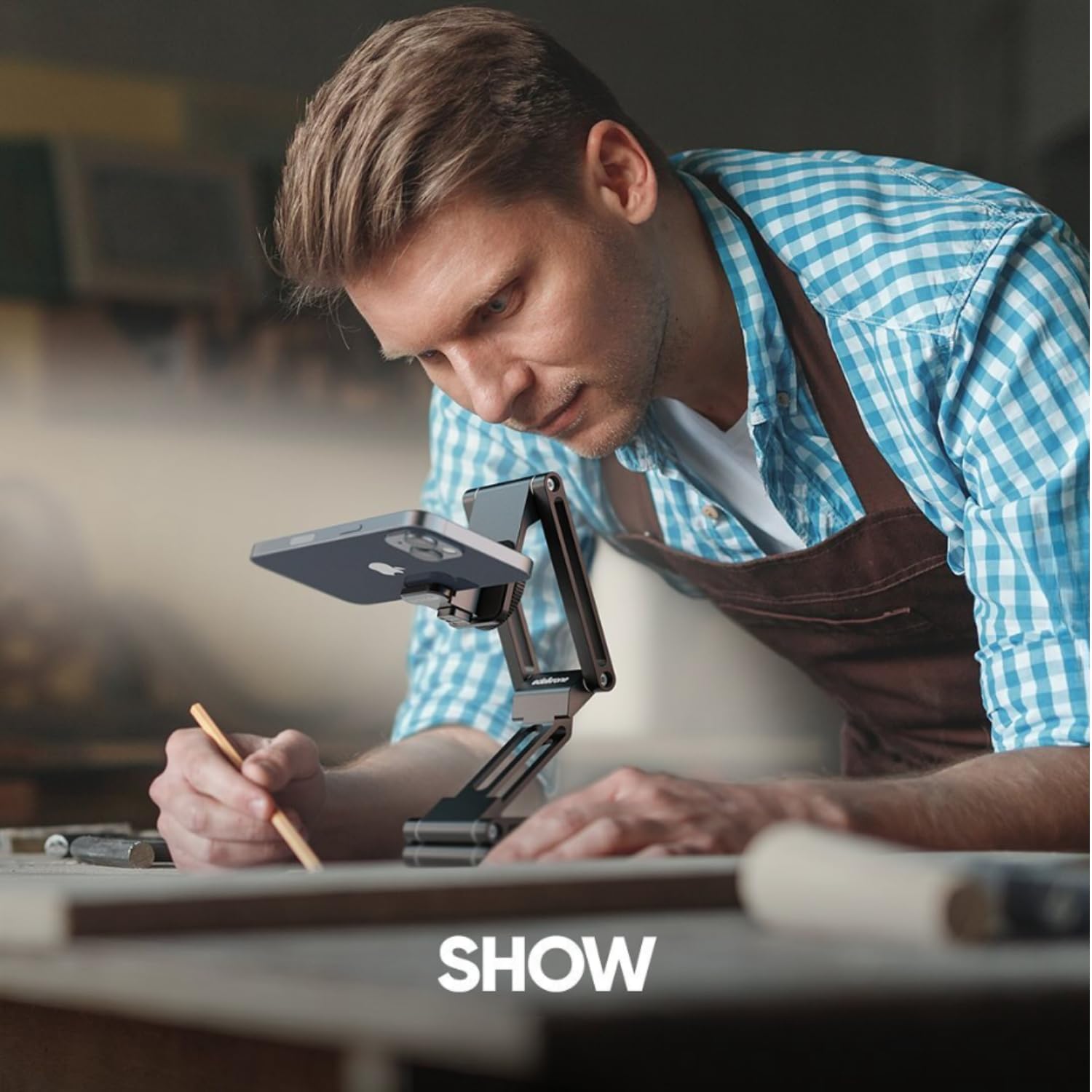
Figure 4: The FlexTILT MAX configured as a tabletop stand, demonstrating its utility for overhead shots or stable recording on a flat surface.
3.3 Handheld Support
For handheld shooting, the FlexTILT MAX can be configured to provide additional stability and comfort.
- Ручка: Extend the unit to form a comfortable grip for your camera.
- Belt Stick/Chest Support: Position the FlexTILT MAX against your body (e.g., belt or chest) to create a stable point of contact, reducing camera shake.

Figure 5: The FlexTILT MAX being used as a handheld support, providing a stable grip for mobile videography.
4. Технічне обслуговування
The edelkrone FlexTILT MAX is constructed with high-quality, precision-machined parts designed for durability and long-term performance with minimal maintenance.
- Прибирання: Wipe the unit with a soft, dry cloth to remove dust and debris. Avoid using harsh chemicals or abrasive materials.
- Напруження суглобів: The joints are designed to maintain tightness for extended periods. If you notice any loosening over time, use the provided Allen keys to carefully adjust the tension screws located at each joint. Do not overtighten.
- Зберігання: Store the FlexTILT MAX in a clean, dry environment when not in use. Its compact folded form makes it easy to store and transport.

Figure 6: The FlexTILT MAX in its compact, folded state, highlighting its portability and ease of storage.
5. Вирішення проблем
This section addresses common issues you might encounter with your FlexTILT MAX.
| проблема | Можлива причина | Рішення |
|---|---|---|
| FlexTILT MAX does not hold position. | Joint tension is too loose. | Use the provided Allen keys to slightly tighten the tension screws on the joints. Test the tension after small adjustments. |
| Camera wobbles on the FlexTILT MAX. | Камера ненадійно закріплена. | Ensure the camera's tripod mount is tightly screwed onto the FlexTILT MAX's 1/4"-20 screw. |
| Difficulty adjusting joints. | Joint tension is too tight. | Use the provided Allen keys to slightly loosen the tension screws on the joints. Adjust until movement is smooth but still holds position. |
6. Технічні характеристики
| Особливість | Деталь |
|---|---|
| Назва моделі | FlexTILT MAX |
| Номер моделі товару | Макс |
| Розміри упаковки | 6 x 5 x 2 дюймів |
| Вага товару | 1.3 фунта |
| ASIN | B0CTRVGYJS |
| Дата першої доступності | 4 червня 2024 р |
| Виробник | edelkrone |
6.1 Що в коробці
- FlexTILT MAX
- Tension Adjustment Allen Keys
7. Гарантія та підтримка
For detailed warranty information and customer support, please visit the official edelkrone webсайт або зверніться до їхнього відділу обслуговування клієнтів. Зберігайте чек про покупку для будь-яких гарантійних претензій.
edelkrone Official Webсайт: www.edelkrone.com
For further assistance, refer to the contact information provided on the edelkrone webсайт.


