вступ
This manual provides essential information for setting up, operating, and maintaining your TCL 605 smartphone. Please read this guide thoroughly to ensure optimal performance and longevity of your device.
Що в коробці
Перевірте наявність усіх елементів у вашій упаковці:
- Смартфон TCL 605
- USB кабель
- Cell Phone Cover
- Зарядний пристрій на 10 Вт
- Інструмент для вилучення лотка SIM-картки
- Захист екрану
Пристрій закінчивсяview
Familiarize yourself with the physical components of your TCL 605 smartphone.

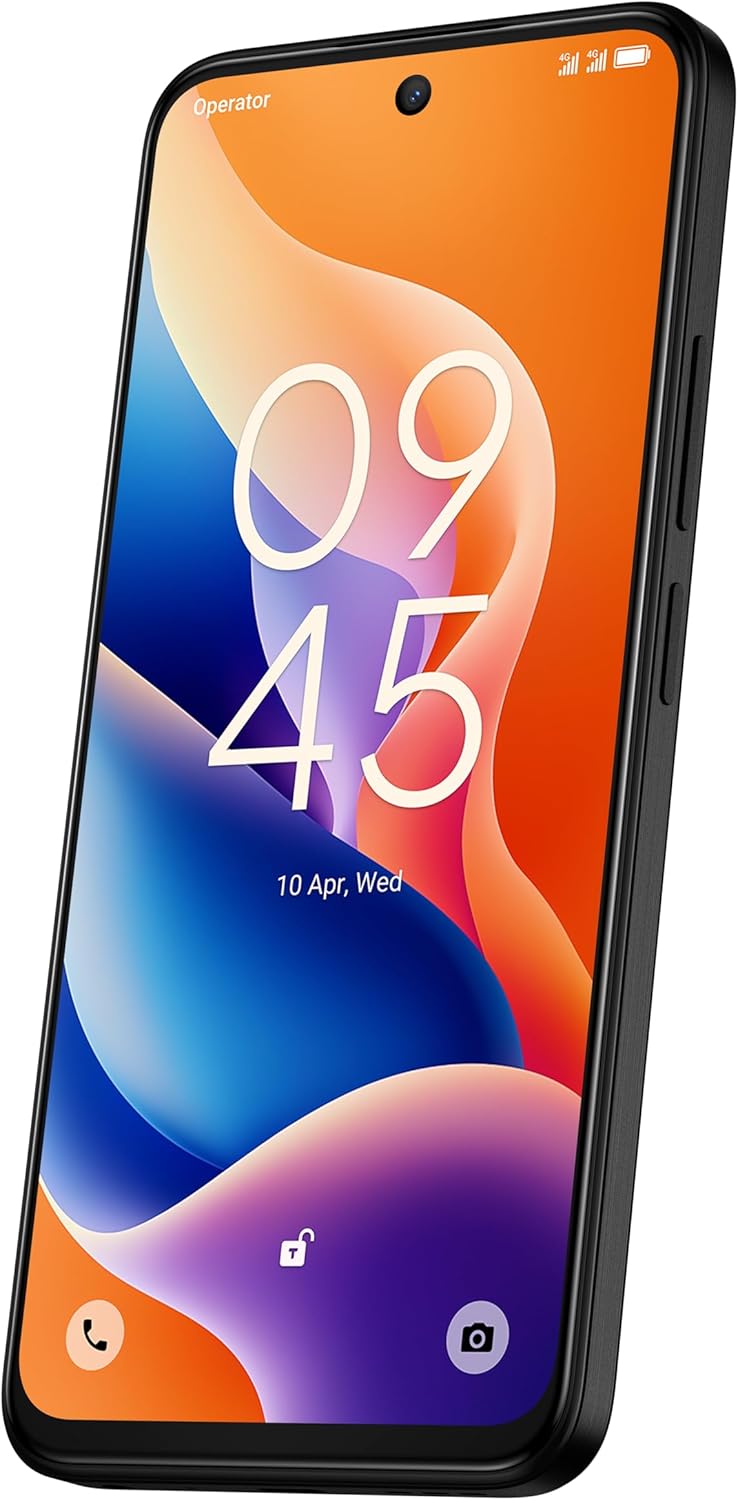
Зображення: спереду view of the TCL 605 smartphone, highlighting its 6.7-inch HD+ display and front camera.

Зображення: Збоку view of the TCL 605 smartphone, illustrating the placement of the power button and volume controls.
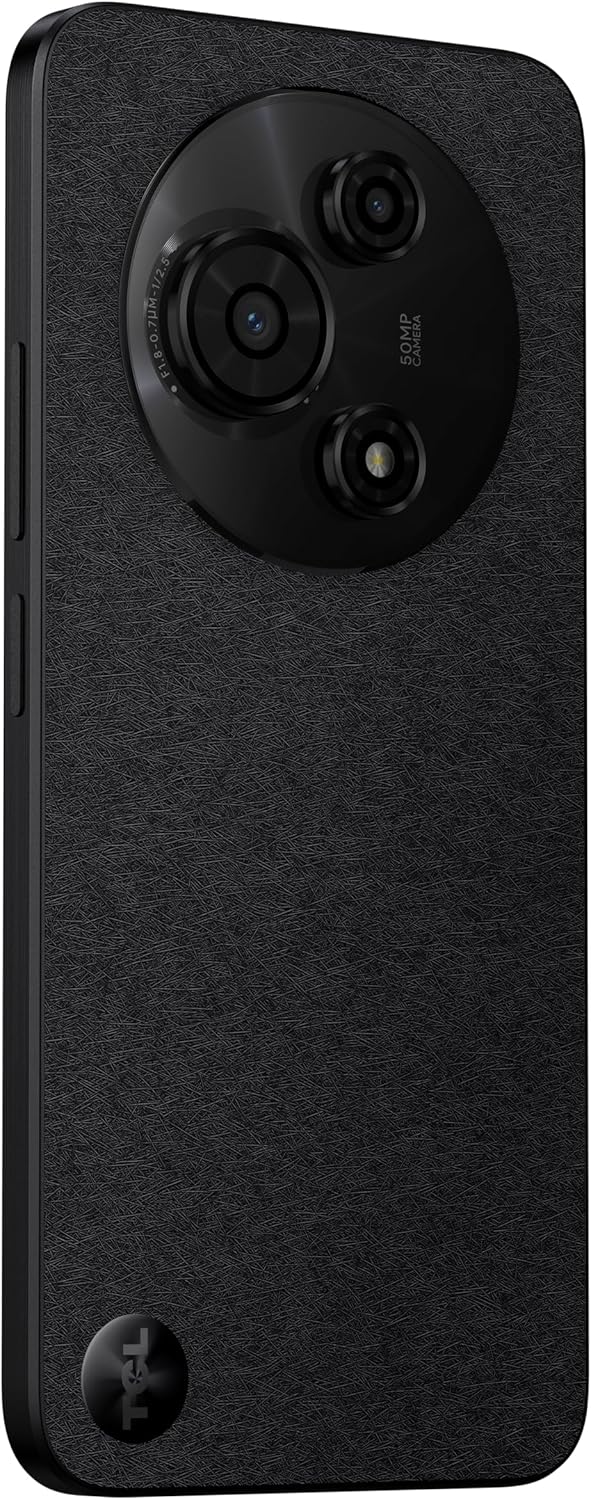
Зображення: Спина view of the TCL 605 smartphone, showcasing the distinctive circular camera module housing the 50MP main camera.
Налаштування
1. Встановлення SIM-картки
- Знайдіть лоток для SIM-картки на боковій стороні пристрою.
- Вставте інструмент для вилучення лотка SIM-картки в маленький отвір поруч із ним і обережно натисніть, доки лоток не вискочить.
- Вставте картку(и) Nano-SIM та/або картку microSD у лоток золотими контактами вниз. Переконайтеся, що вони правильно встановлені.
- Обережно вставте лоток у пристрій.
2. Початкове увімкнення
- Натисніть і утримуйте кнопку живлення (розташовану збоку), доки не з’явиться логотип TCL.
- Дотримуйтесь інструкцій на екрані, щоб завершити початкове налаштування, включаючи вибір мови, підключення Wi-Fi та налаштування облікового запису Google.
3. Зарядка батареї
Before first use, it is recommended to fully charge your device. Connect the USB cable to the phone's charging port and the other end to the 10W charger. Plug the charger into a power outlet.
Керування пристроєм
Дисплей і навігація
The TCL 605 features a 6.7-inch HD+ display with a 90Hz refresh rate for smooth scrolling and improved visual fluidity.
- Жести дотиком: Use standard Android gestures such as tap, swipe, pinch-to-zoom, and long-press for navigation and interaction.
- Головний екран: Customize your home screen with widgets, app shortcuts, and wallpapers.
- Сповіщення: Проведіть пальцем униз від верхньої частини екрана, щоб отримати доступ до панелі сповіщень та швидких налаштувань.
Продуктивність і зберігання
Your TCL 605 is equipped with an Octa-Core processor and 4GB RAM, expandable up to 14GB with RAM Boost technology, ensuring seamless performance for multitasking. It offers 256GB of internal storage, capable of storing over 100,000 photos.

Image: The TCL 605 smartphone showcasing its 6.7-inch display with a dynamic lock screen, indicating the time and date.
Особливості камери
The TCL 605 features a 50MP hybrid rear camera (main + macro) and a 5MP front camera. It supports HDR mode for vibrant colors.
Зйомка фотографій і відео
- Відкрийте програму Камера.
- Виберіть потрібний режим (Фото, Відео, Портрет, Макро тощо).
- Tap the Shutter button to capture a photo or start/stop video recording.
- Використовуйте елементи керування масштабуванням на екрані, щоб налаштувати збільшення.
Режими камери
- Основна камера 50 МП: Captures high-resolution images with clarity.
- Макрос режим: Allows for detailed close-up shots of small objects.
- Режим HDR: Enhances dynamic range for more vibrant and balanced photos in challenging lighting conditions.
- 5-мегапіксельна фронтальна камера: Ідеально підходить для селфі та відеодзвінків.
Зображення: Детальний view of the TCL 605's circular camera module, emphasizing the 50MP main lens and its surrounding sensors.
Керування батареєю
The TCL 605 is equipped with a 5200mAh battery, designed for up to 2 days of usage. It supports 18W fast charging.
Поради щодо подовження терміну служби акумулятора
- Зменшити яскравість екрана.
- Вимикайте Wi-Fi, Bluetooth та GPS, коли вони не використовуються.
- Закрийте фонові програми.
- Увімкнути режим економії заряду батареї.
Підключення
Ваш пристрій підтримує різні варіанти підключення:
- Wi-Fi: Підключіться до бездротових мереж для доступу до Інтернету.
- Bluetooth: Pair with wireless headphones, speakers, and other compatible devices.
- NFC (зв'язок ближнього поля): Use for contactless payments and quick data transfer with compatible devices.
- USB: Connect to a computer for data transfer or use with a USB-C accessory.
- GPS: Вбудований GPS для служб визначення місцезнаходження та навігації.
Довговічність
The TCL 605 features enhanced IP54 durability, proven by a 3-minute water-wash test. This provides protection against dust and splashing water. Note: The phone is not professionally water-resistant but is splash-proof, water-repellent, and dust-proof for everyday use. It has passed a 3-minute water-wash test under specific lab conditions. These features may degrade with daily use. Do not charge the phone in humid conditions. The warranty excludes water damage, including damage from immersion in liquids such as seawater, chlorinated water, or drinks. IP54 rating conditions differ from lab tests.
Особливості продукту закінченоview
Відео: Оверview of the TCL 605 smartphone's key features, including its display, storage capacity, seamless performance, camera capabilities, battery life, fast charging, and IP54 durability.
Технічні характеристики
| Особливість | Деталь |
|---|---|
| Модель | TCL 605 (T517J) |
| Операційна система | Android 15 |
| Дисплей | 6.7-inch HD+ 90Hz (720x1600 resolution) |
| Процесор | Octa-Core (MediaTek Helio, 2 GHz) |
| ОЗУ | 4GB (expandable to 14GB with RAM Boost) |
| Внутрішня пам'ять | 256 ГБ |
| Задня камера | 50MP (Main & Macro) + 0.08MP |
| Фронтальна камера | 5 МП |
| Ємність акумулятора | 5200 мАг (5010 міліamp Годин) |
| Зарядка | 10W Charger included, supports 18W fast charging |
| Підключення | Bluetooth, NFC, USB, Wi-Fi, GPS |
| Тип SIM | Подвійна SIM-карта |
| Розміри | 0.83 х 7.62 х 16.56 см |
| вага | 380 г |
| Атестація | АНАТЕЛ: 01679250760 |
Усунення несправностей
Поширені проблеми та рішення
- Пристрій не включається: Переконайтеся, що акумулятор заряджений. Підключіть зарядний пристрій і зачекайте кілька хвилин, перш ніж спробувати знову ввімкнути живлення.
- Екран не реагує: Try restarting the device by holding the Power button for approximately 10-15 seconds.
- Збої в роботі програм: Clear the cache of the problematic app (Settings > Apps > [App Name] > Storage > Clear Cache). If the issue persists, reinstall the app.
- Поганий час автономної роботи: Refer to the "Battery Management" section for tips to optimize battery usage.
- Проблеми з підключенням (Wi-Fi/Bluetooth): Toggle Wi-Fi or Bluetooth off and on. Restart your device and/or the router/paired device.
For more complex issues, please refer to the official TCL support webсайту або зв’яжіться зі службою підтримки клієнтів.
Гарантія та підтримка
Your TCL 605 smartphone comes with a standard manufacturer's warranty. Please refer to the warranty card included in your package for specific terms and conditions.
For technical support, service, or additional information, please visit the official TCL webсайт або зверніться до їхніх каналів підтримки клієнтів.
To consult product homologation, visit: sistemas.anatel.gov.br/sch


