1. Вступ
Thank you for choosing the Telefunken 40DTAF724 Android TV. This manual provides essential information for the safe and efficient use of your new television. Please read these instructions thoroughly before operating the device and retain them for future reference.
2. Продукт закінчивсяview
The Telefunken 40DTAF724 is a 40-inch Full HD (1920 x 1080) Android Smart TV designed to deliver an immersive viewing experience. It features a bezel-less design, HDR10 support for enhanced color and contrast, and integrated Chromecast. With built-in Bluetooth and Wi-Fi connectivity, it is compatible with Google Assistant and Alexa for smart home integration.
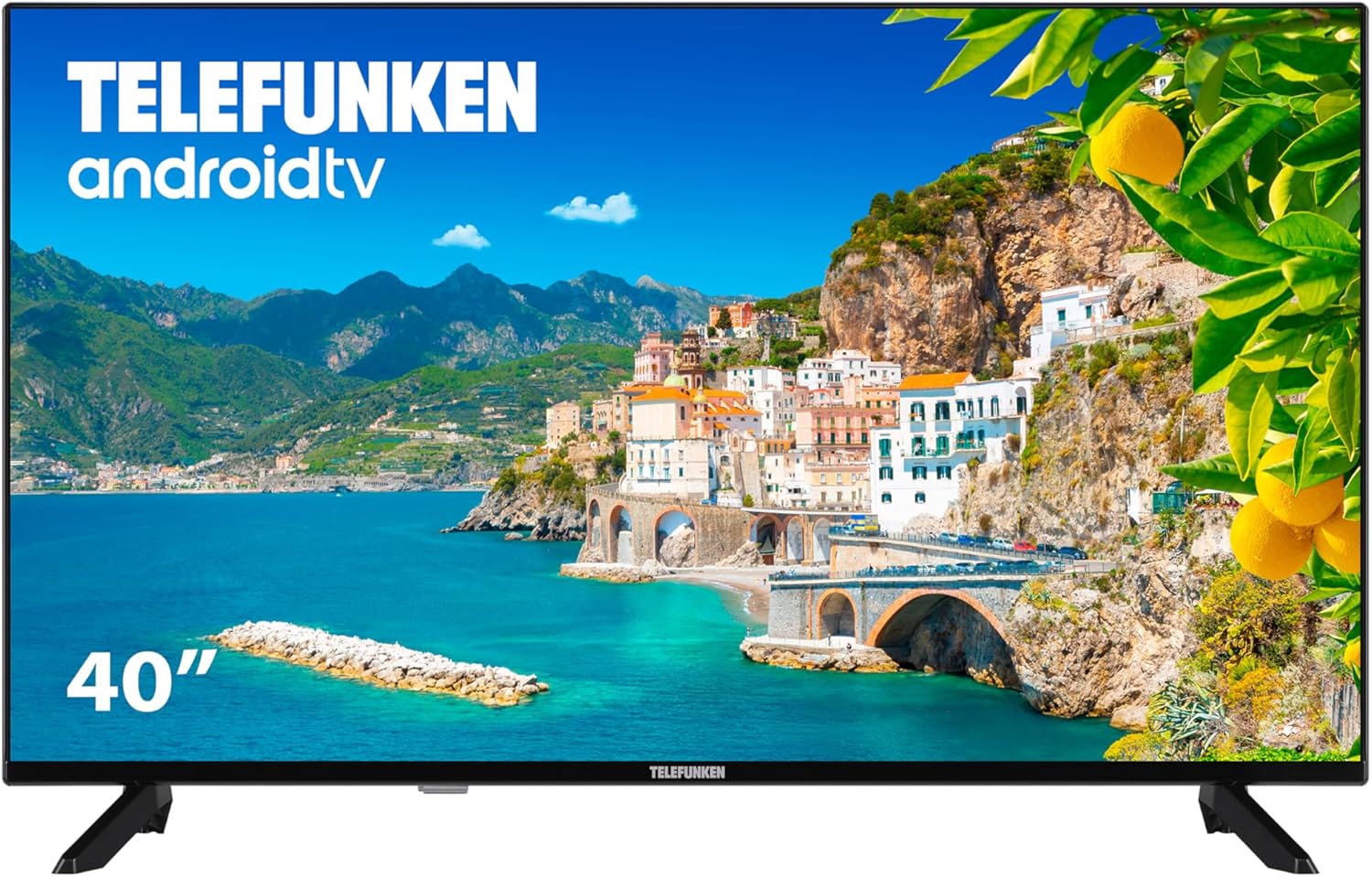
малюнок 2.1: Фронт view of the Telefunken 40DTAF724 Android TV, showcasing its bezel-less design and display.
3. Що в коробці
Upon unpacking your Telefunken 40DTAF724 TV, please ensure all the following components are present:
- Telefunken 40DTAF724 Android TV Unit
- Пульт дистанційного керування
- Акумулятори для дистанційного керування
- Посібник користувача (цей документ)
- Кабель живлення
- TV Stands (2 units) and Screws for assembly
4. Налаштування
4.1. Установка підставки
Щоб встановити підставки під телевізор:
- Обережно покладіть телевізор екраном донизу на м’яку рівну поверхню, щоб запобігти пошкодженню екрана.
- Вирівняйте кожну підставку з відповідними отворами для гвинтів на нижній панелі телевізора.
- Закріпіть кожну підставку за допомогою наданих гвинтів. Переконайтеся, що вони міцно затягнуті.
4.2. Настінне кріплення (додатково)
The Telefunken 40DTAF724 is compatible with VESA 100 x 100 M4 wall mounts. Please refer to your wall mount's instructions for proper installation. Ensure the wall can support the TV's weight (8.46 kg) and the mount.

малюнок 4.1: сторона view of the TV with dimensions (90.2 cm width, 56.7 cm height, 16.7 cm depth) and VESA mount details.
4.3. Підключення пристроїв
Connect your external devices (e.g., cable box, gaming console, Blu-ray player) to the TV's ports. The TV supports HDMI, USB, Ethernet, and Bluetooth connectivity.

малюнок 4.2: Задня view of the TV, illustrating the location of HDMI, USB, Ethernet, and other input/output ports.
For optimal performance, use high-quality HDMI cables for video and audio connections.
5. Інструкція з експлуатації
5.1. Перше налаштування
After connecting the power cable and turning on the TV for the first time, you will be guided through the initial setup process. This includes:
- Вибір мови
- Мережеве підключення (Wi-Fi або Ethernet)
- Google Account sign-in (recommended for full Android TV features)
- Сканування каналів
- Прийняття умов та положень
5.2. Функції Android TV
Your Telefunken TV runs on Android TV, providing access to a wide range of apps and services:
- Магазин Google Play: Download your favorite streaming apps, games, and more.
- Вбудований Chromecast: Транслюйте контент зі свого смартфона, планшета або комп'ютера безпосередньо на екран телевізора.
- Google Assistant: Використовуйте голосові команди за допомогою пульта дистанційного керування для пошуку контенту, керування пристроями розумного дому та отримання інформації.
- Сумісність Alexa: Integrate your TV with Alexa-enabled devices for voice control.
- HDR10: Experience enhanced contrast and a wider range of colors with HDR10 content.
5.3. Пульт дистанційного керування
The included remote control allows you to navigate the TV's interface, adjust settings, and access smart features. Insert the provided batteries into the remote control, ensuring correct polarity.
6. Технічне обслуговування
Щоб забезпечити довговічність та оптимальну роботу вашого телевізора:
- Прибирання: Unplug the TV before cleaning. Use a soft, dry cloth to wipe the screen and exterior. Do not use liquid cleaners or sprays directly on the screen.
- Вентиляція: Забезпечте належну вентиляцію навколо телевізора. Не блокуйте вентиляційні отвори.
- Потужність: Від’єднуйте телевізор від мережі під час грози або якщо він не використовуватиметься протягом тривалого часу.
7. Вирішення проблем
Якщо у вас виникли проблеми з телевізором, зверніться до наступних поширених рішень:
- Немає живлення: Перевірте, чи кабель живлення надійно підключено до телевізора та розетки. Переконайтеся, що розетка справна.
- Немає зображення/звуку: Перевірте, чи вибрано правильне джерело вхідного сигналу. Перевірте всі кабельні з’єднання (HDMI, антена тощо).
- Пульт дистанційного керування не працює: Замініть батарейки. Переконайтеся, що між пультом дистанційного керування та ІЧ-датчиком телевізора немає перешкод.
- Проблеми з мережевим підключенням: Restart your router and modem. Reconnect the TV to the Wi-Fi network or check the Ethernet cable.
- Повільна продуктивність: Close unused applications. Clear the cache of frequently used apps. Consider a factory reset if issues persist (note: this will erase all personal data and settings).
For further assistance, please contact Telefunken customer support.
8. Технічні характеристики
| Особливість | Специфікація |
|---|---|
| Бренд | Telefunken |
| Номер моделі | 40DTAF724 |
| Розмір екрана | 40 дюймів |
| Технологія дисплея | LED |
| роздільна здатність | 1080p (Full HD 1920 x 1080) |
| Частота оновлення | 60 Гц |
| Особливості | Chromecast, Bezel-less Design, VESA Wall Mount, HDR10 |
| Підключення | Bluetooth, Ethernet, HDMI, USB, Wi-Fi |
| Співвідношення сторін | 1.77:1 |
| Розміри продукту (ширина x глибина x висота) | 90.2 х 16.7 х 56.7 см |
| вага | 8.46 кг |
| Рейтинг енергоефективності | E |
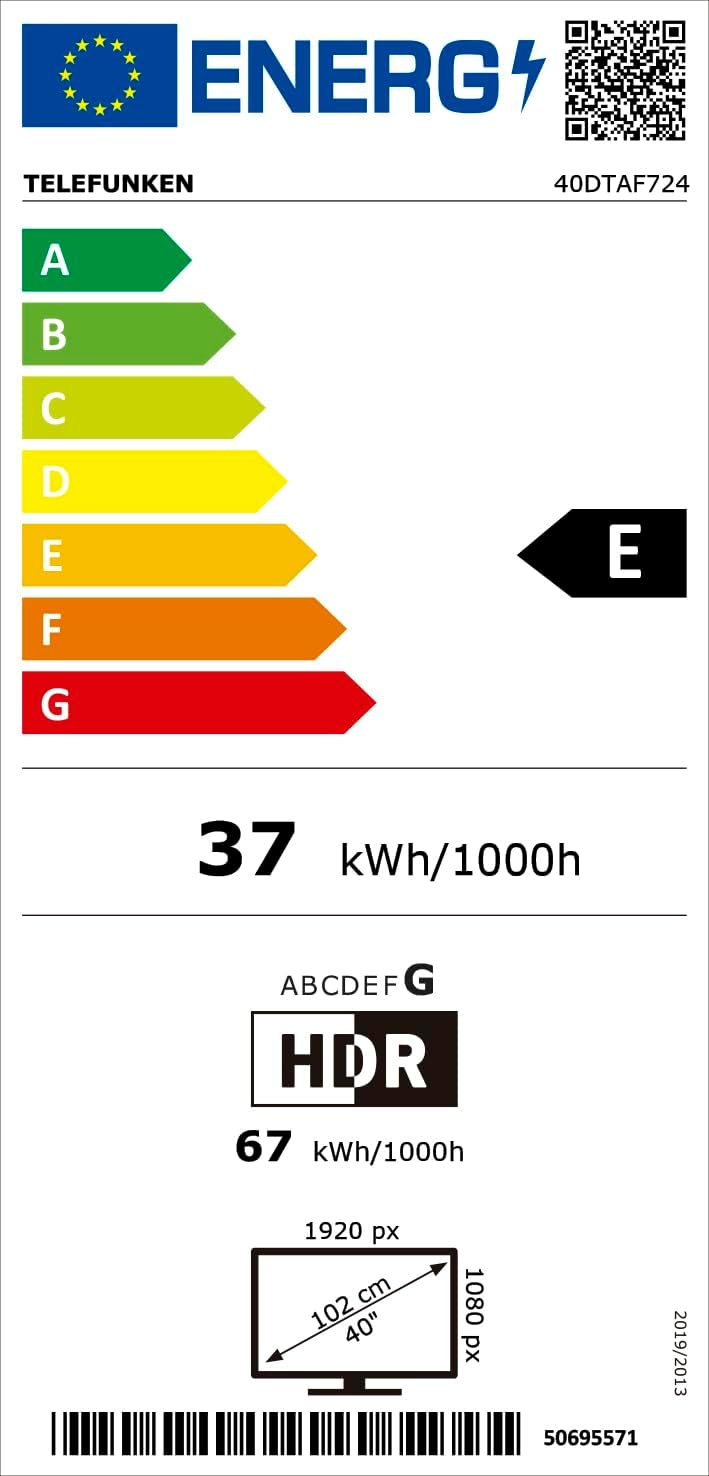
малюнок 8.1: Energy efficiency label for the Telefunken 40DTAF724 TV, showing its 'E' rating and power consumption.
For more details, scan the QR code or visit eprel.ec.europa.eu/qr/1860952.
9. Гарантія та підтримка
Your Telefunken 40DTAF724 TV comes with a standard manufacturer's warranty. Please refer to the warranty card included in the packaging for specific terms and conditions. For technical support, service, or warranty claims, please contact your local Telefunken customer service center. Contact information can typically be found on the Telefunken official webсайті або в гарантійній документації.


