1. Вступ
This user manual provides essential information for the safe and efficient operation of your Strong 24-inch HD TV, model SRT24HE4023C. Please read this manual thoroughly before using the product and retain it for future reference.
The Strong SRT24HE4023C is a compact and versatile 24-inch (60 cm) HD Ready television, specifically designed for portability with its 12V power input, making it ideal for use in caravans, campers, or other mobile environments. It features a triple tuner for various signal receptions and multiple connectivity options.
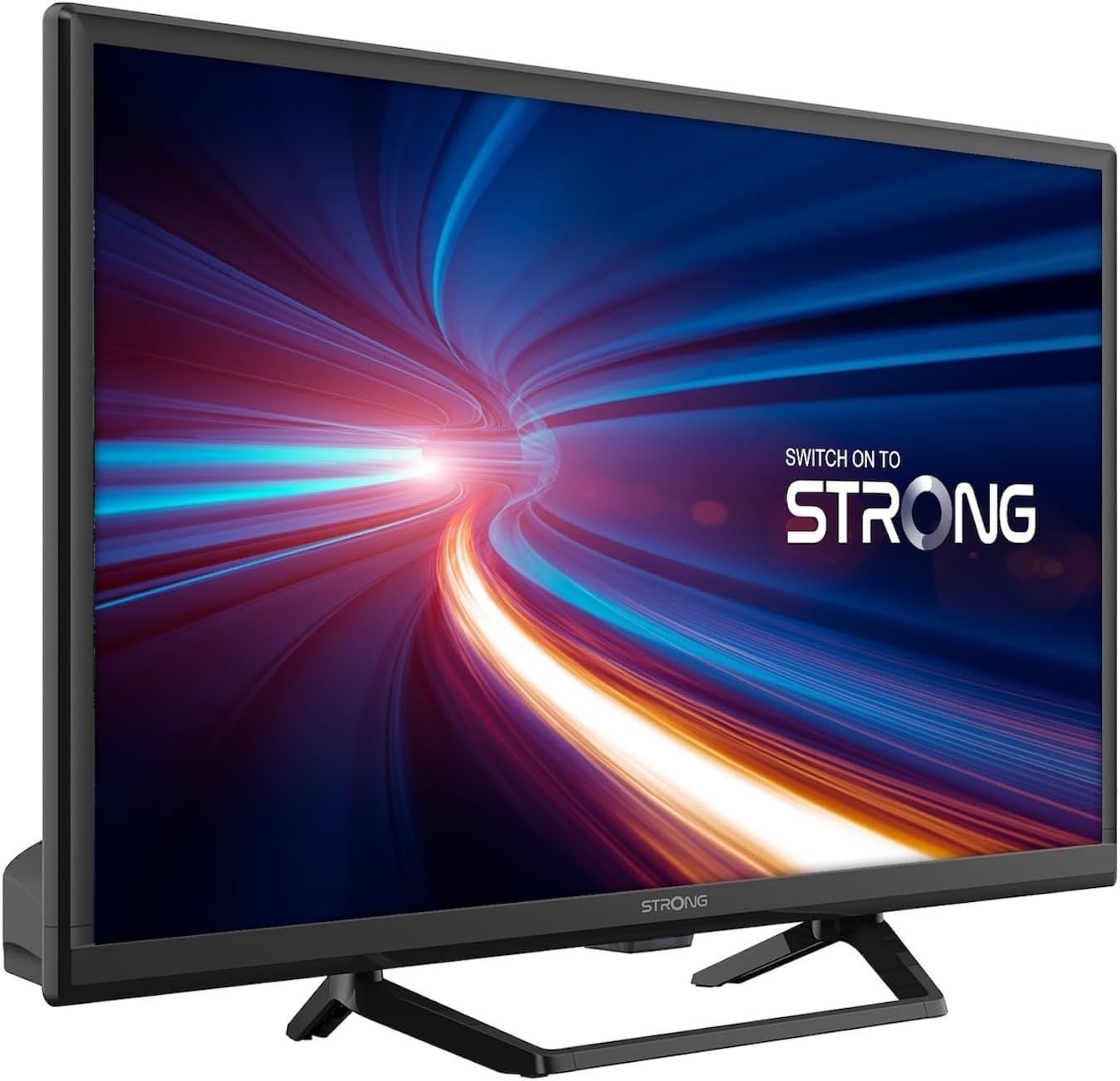
Малюнок 1.1: Спереду view of the Strong 24-inch HD TV.
2. Вміст упаковки
Upon unpacking, please ensure all items listed below are present and in good condition. If any items are missing or damaged, contact your retailer immediately.
- Strong 24-inch HD TV (SRT24HE4023C)
- Підставка для телевізора
- Пульт дистанційного керування (потрібні 2 батарейки типу AAA, в комплекті)
- Посібник користувача (цей документ)
3. Налаштування
3.1. Збірка підставки
Carefully place the TV screen-down on a soft, clean surface to prevent scratches. Attach the provided stand to the base of the TV using the designated screws. Ensure the stand is securely fastened before placing the TV upright.
3.2. Підключення живлення
This TV operates on a 12V DC power supply, making it suitable for mobile applications. Connect the 12V power adapter to the TV's power input port and then to a compatible 12V power source. Ensure the power source can provide sufficient current for the TV's operation.
3.3. Підключення зовнішніх пристроїв
Телевізор пропонує різні варіанти підключення:
- Порти HDMI (x2): Connect Blu-ray players, game consoles, or other HDMI-enabled devices. One port supports ARC (Audio Return Channel).
- USB-порт (x1): Для відтворення мультимедіа fileз USB-накопичувачів.
- Міні AV вхід: Для підключення старіших пристроїв з композитним відео та стереоаудіовиходами.
- Antenna Input (ANT in): Connect a terrestrial antenna for DVB-T/T2 reception.
- Satellite Input (SAT in): Connect a satellite dish for DVB-S/S2 reception.
- CI слот: Вставте модуль Common Interface для зашифрованих каналів.
- Вихід SPDIF: For digital audio output to an external sound system.
- Роз'єм для навушників: Для приватного прослуховування.

Малюнок 3.1: Задня частина view showing various connectivity ports.
4. Інструкція з експлуатації
4.1. Перше встановлення
When you power on the TV for the first time, a setup wizard will guide you through initial settings such as language, country, and channel scanning. Follow the on-screen prompts to complete the setup.
4.2. Сканування каналів
The TV features a triple tuner (DVB-T/T2, DVB-C, DVB-S/S2) for receiving digital terrestrial, cable, and satellite broadcasts. To scan for channels:
- Натисніть МЕНЮ кнопку на пульті дистанційного керування.
- Перейдіть до Канал or монтаж меню.
- Виберіть Автоматичне сканування or Ручне сканування depending on your preference and connection type.
- Follow the on-screen instructions to start the scan.
4.3. Using the Electronic Program Guide (EPG)
The EPG provides a schedule of current and upcoming TV programs. To access the EPG, press the EPG button on your remote control. You can browse programs, view details, and set reminders.
4.4. Multimedia Playback via USB
Insert a USB storage device into the USB port. The TV will typically prompt you to open the media browser. You can play various multimedia files, including videos, photos, and music.
4.5. Parental Control and Hotel Mode
The TV includes parental control features to restrict access to certain channels or programs based on age ratings. Hotel mode provides advanced settings for managing TV functions in a multi-unit environment.
5. Технічне обслуговування
5.1. Очищення телевізора
Before cleaning, always unplug the TV from the power source. Use a soft, dry cloth to wipe the screen and cabinet. For stubborn marks, lightly dampen the cloth with water or a mild, non-abrasive screen cleaner. Never spray liquid directly onto the TV.
5.2. Заміна батарейки пульта дистанційного керування
The remote control uses two AAA batteries. If the remote control's range decreases or it stops responding, replace both batteries with new ones, ensuring correct polarity.
6. Вирішення проблем
Якщо у вас виникли проблеми з телевізором, перш ніж звертатися до служби підтримки клієнтів, ознайомтеся з наведеними нижче поширеними проблемами та способами їх вирішення.
| проблема | Можлива причина | Рішення |
|---|---|---|
| Немає живлення | Power cable disconnected; no power from source. | Check power cable connection. Ensure 12V power source is active. |
| Немає зображення, але звук є | Неправильно вибрано джерело вхідного сигналу; нещільне з'єднання кабелю. | Натисніть ДЖЕРЕЛО кнопку, щоб вибрати правильний вхід. Перевірте підключення кабелю HDMI/AV. |
| Звуку немає, але зображення є | Volume too low or muted; audio settings incorrect. | Increase volume. Check mute status. Adjust audio output settings in the menu. |
| Погана якість зображення | Weak signal; incorrect resolution. | Check antenna/satellite connection. Perform a channel scan. Adjust picture settings. |
| Пульт не працює | Батарейки розряджені або неправильно вставлені. | Replace batteries, ensuring correct polarity. Ensure no obstructions between remote and TV. |
7. Технічні характеристики
| Особливість | Деталь |
|---|---|
| Модель | SRT24HE4023C |
| Розмір екрана | 24 дюйма (60 см) |
| Технологія дисплея | LED, IPS Panel |
| роздільна здатність | 1366 x 768p (HD Ready) |
| Співвідношення сторін | 16:9 |
| Частота оновлення | 60 Гц |
| Час відгуку | 5 мілісекунд |
| Тюнери | DVB-T/T2, DVB-C, DVB-S/S2 |
| Відеокодек | HEVC 265 10-bit |
| Порти HDMI | 2 (1 with ARC support) |
| USB порти | 1 |
| Інші входи/виходи | Mini AV In, CI Slot, SPDIF Out, Headphone Jack |
| Декодування звуку | DTS |
| Джерело живлення | 12 Вольт постійного струму |
| Розміри (Ш x В x Г) | 55.29 x 36.6 x 14.78 см (з підставкою) |
| вага | 2.5 кг |
| Настінне кріплення VESA | Підтримується |
| Клас енергоефективності | E (View EPREL details) |
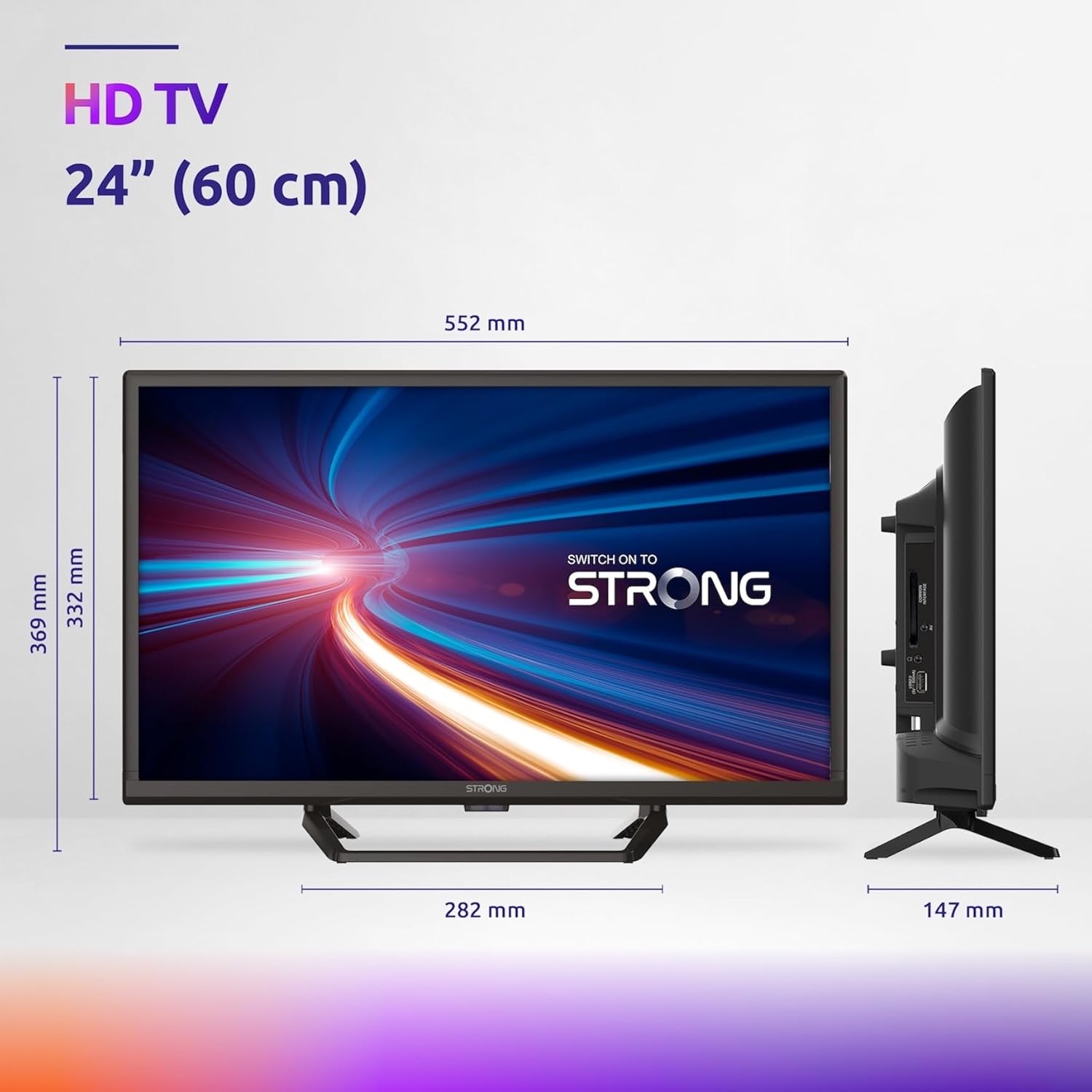
Figure 7.1: Product dimensions of the Strong 24-inch HD TV.

Figure 7.2: Energy efficiency label for the Strong SRT24HE4023C TV.
8. Гарантія та підтримка
Strong products are designed for reliability and performance. For warranty information and technical support, please refer to the warranty card included with your product or visit the official Strong webсайт. Зберігайте чек про покупку як підтвердження покупки для гарантійних претензій.
Для отримання додаткової допомоги ви також можете звернутися до Сильний брендовий магазин на Amazon для отримання додаткової інформації про продукт і ресурсів.


