1. Вступ
Thank you for choosing the LQWELL HY320-M Mini Projector. This manual provides essential information for the safe and efficient use of your new projector. Please read it thoroughly before operation and keep it for future reference.
The LQWELL HY320-M is a versatile home cinema projector offering Native 1080P resolution with 4K support, automatic keystone correction, and a wide 220-degree projection capability. It is designed for immersive visual experiences with eye-care technology and quiet operation.
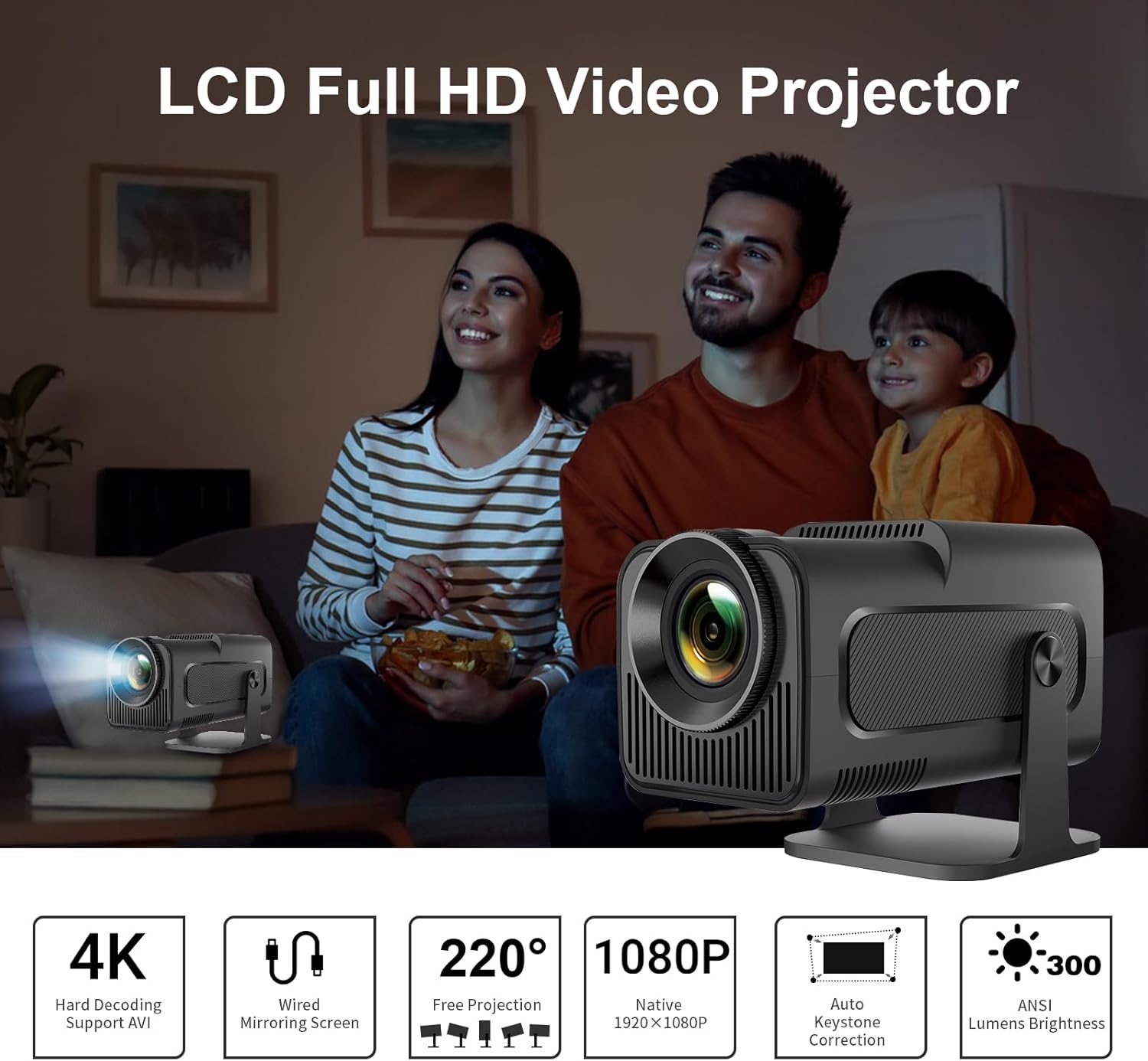
Image: The LQWELL HY320-M Mini Projector providing an immersive viewing experience for a family.
2. Інформація про безпеку
- Джерело живлення: Використовуйте лише зазначений адаптер живлення. Переконайтеся, що гучністьtagсумісний з вашим регіоном.
- Вентиляція: Не блокуйте вентиляційні отвори. Забезпечте достатній потік повітря навколо проектора, щоб запобігти перегріву.
- Вплив рідини: Тримайте проектор подалі від води або інших рідин. Не працюйте з проектором мокрими руками.
- Прибирання: Від’єднайте проектор від мережі перед чищенням. Використовуйте м’яку суху тканину. Уникайте абразивних засобів для чищення.
- Захист очей: Не дивіться безпосередньо в об'єктив проектора, коли він увімкнений.amp is on. The projector uses diffuse imaging technology to reduce direct eye exposure, but direct viewing should still be avoided.
- Розміщення: Розмістіть проектор на стійкій рівній поверхні. Уникайте розміщення його під прямими сонячними променями або поблизу джерел тепла.
- Розбирання: Не намагайтеся розбирати або ремонтувати проектор самостійно. Звертайтеся до кваліфікованого персоналу для проведення будь-яких технічних робіт.

Image: The HY320-M projector utilizes diffuse imaging to protect vision, unlike traditional LCD TVs.
3. Продукт закінчивсяview
Ключові характеристики:
- Native 1080P & 4K Support: Delivers vivid and detailed projections for an immersive cinema experience.
- Провідне віддзеркалення екрана: Effortlessly mirror your screen via HD or USB connections from various devices.
- Automatic Keystone Correction & 220° Free Projection: Ensures perfectly aligned and proportional projections from different angles.
- Дружня технологія: Utilizes diffuse imaging to prevent direct exposure and protect your vision.
- Низький рівень шуму: Operates at less than 25 dB, ensuring a quiet and comfortable environment.
- Універсальне використання: Suitable for home entertainment and office presentations.
Components & Ports:
The projector includes essential accessories for immediate use. Key ports include HDMI and USB for connectivity.
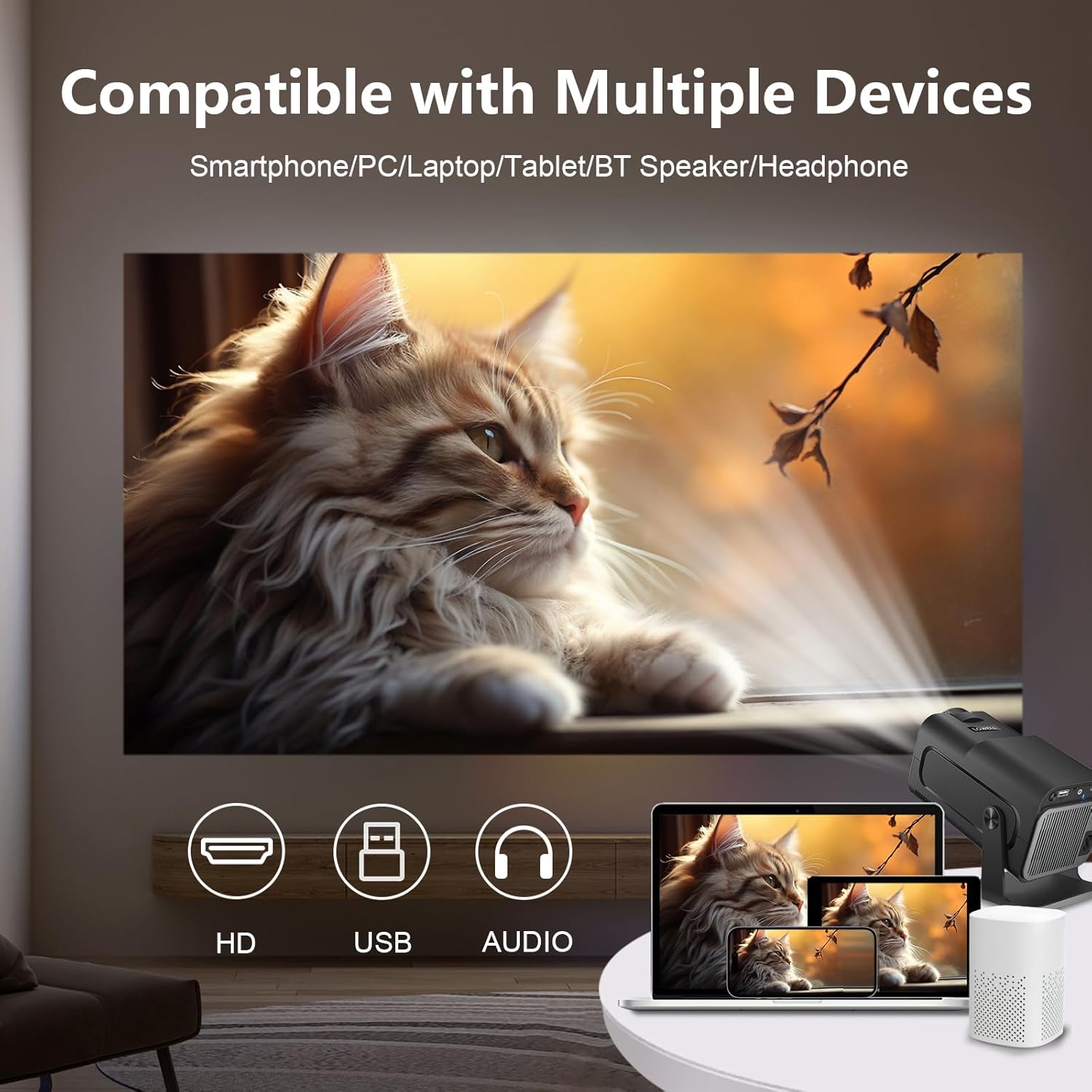
Image: The projector is compatible with smartphones, PCs, laptops, tablets, Bluetooth speakers, and headphones.
4. Налаштування
Початкове розміщення:
Place the projector on a stable surface. For optimal viewing, position the projector at a suitable distance from the projection surface. The projector supports an adjustable screen display from 30 to 135 inches, with an optimal projection distance of 1.68 meters for a 135-inch screen.

Image: Recommended projection distances for various screen sizes, from 30 to 135 inches.
Підключення живлення:
- Підключіть адаптер живлення до вхідного порту живлення проектора.
- Підключіть адаптер живлення до настінної розетки.
Підключення пристроїв:
The projector supports wired connections for screen mirroring from various devices:
- HDMI: Connect your laptop, game console (e.g., PS5), or media player using an HDMI cable.
- USB: Connect smartphones or other devices for wired screen mirroring via a USB cable.
- Bluetooth: Підключіть зовнішні Bluetooth-колонки або навушники для покращеного звуку.
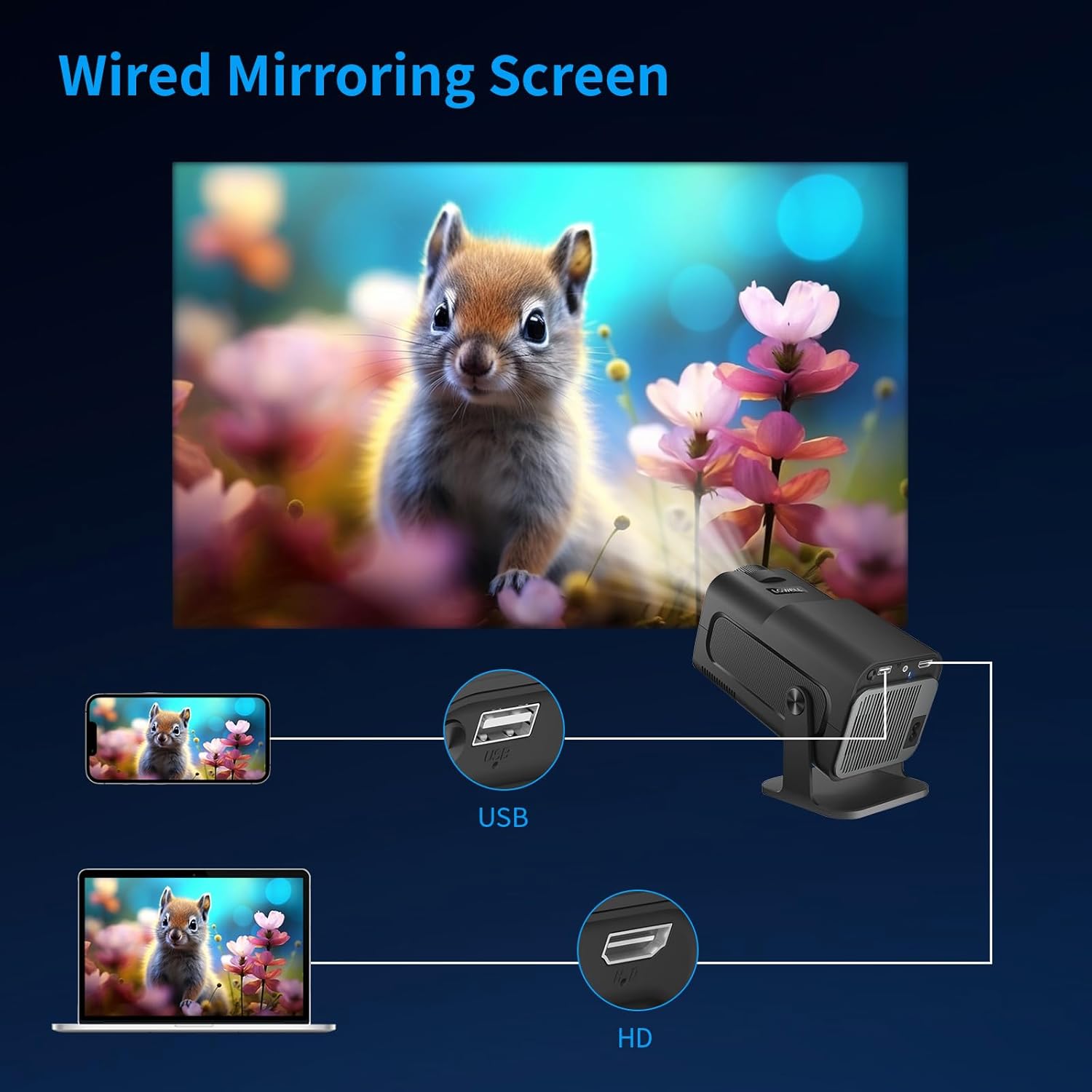
Image: Wired screen mirroring allows easy projection from smartphones and laptops.
5. Інструкція з експлуатації
Увімкнення/вимкнення живлення:
Натисніть кнопку живлення на проекторі або пульті дистанційного керування, щоб увімкнути або вимкнути пристрій.
Налаштування проекції:
- Регулювання фокусу: Manually adjust the focus ring on the lens until the image is clear.
- Автоматична корекція трапецеидального спотворення: The projector features automatic keystone correction to ensure your projections are perfectly aligned and proportional, even if the projector is not perfectly perpendicular to the screen.
- 220° Free Projection: The projector's design allows for flexible projection angles up to 220 degrees, enabling projection onto ceilings or walls from various positions.

Image: Automatic keystone correction ensures a square picture every time you project.

Image: The 220-degree free projection allows for flexible setup and viewінж.
Аудіовихід:
The projector has built-in speakers. For a more immersive audio experience, connect external Bluetooth speakers or headphones. The projector operates with low noise, below 25 dB, ensuring minimal distraction.

Image: The projector's low noise level (below 25 dB) ensures a quiet viewнавколишнього середовища.
6. Технічне обслуговування
- Очищення лінз: Use a soft, lint-free cloth specifically designed for optical lenses to gently wipe the projector lens. Do not use liquid cleaners directly on the lens.
- Видалення пилу: Regularly clean the projector's ventilation openings with a soft brush or compressed air to prevent dust buildup, which can affect performance and lifespan.
- Зберігання: Якщо проектор не використовується протягом тривалого часу, зберігайте його в прохолодному, сухому місці, подалі від прямих сонячних променів та екстремальних температур. Використовуйте оригінальну упаковку або захисний футляр, щоб запобігти потраплянню пилу та пошкодженням.
7. Вирішення проблем
| проблема | Можлива причина | Рішення |
|---|---|---|
| Зображення не проєктується | Power cable disconnected; Input source not selected; Device not connected properly. | Check power connection; Select correct input source (HDMI/USB); Ensure device is securely connected. |
| Зображення розмите | Фокус не налаштовано; проектор розташований занадто близько/далеко від екрана. | Відрегулюйте кільце фокусування; відрегулюйте відстань проекції. |
| Image is skewed/trapezoidal | Projector not aligned. | The projector features automatic keystone correction. Ensure it is enabled or reposition the projector. |
| Ні звуку | Volume too low; External audio device not connected/selected. | Increase volume; Check Bluetooth connection for external speakers; Ensure audio output is correctly configured. |
| Перегрів проектора | Заблокована вентиляція. | Ensure ventilation openings are clear and the projector has adequate space for airflow. |
If you encounter issues not listed here, please contact LQWELL customer support.
8. Технічні характеристики
| Особливість | Деталь |
|---|---|
| Бренд | LQWELL |
| Номер моделі | HY320-M |
| Тип продукту | Портативний проектор |
| Технологія дисплея | ЖК |
| Рідна роздільна здатність | 1920 x 1080P |
| Максимальна роздільна здатність дисплея | Підтримка 4K |
| Розмір екрана | 30 - 135 дюймів |
| Технологія підключення | HDMI, USB, Bluetooth |
| Особливості | Automatic Keystone Correction, 220° Free Projection, Eye Care Technology, Low Noise Operation (<25dB) |
| Сумісні пристрої | Laptop, Smartphone, Game Console (PS5), Media Player |
| Розміри продукту | 22 Д x 10.6 Ш x 10.7 В сантиметрів |
| Операційна система | No Android OS |
9. Гарантія та підтримка
For warranty information and customer support, please refer to the warranty card included with your product or visit the official LQWELL webсайт. Будь ласка, збережіть підтвердження покупки для будь-яких гарантійних претензій.
Примітка щодо відео: While the product listing indicates the presence of product videos, specific URLs for embedding official seller videos were not provided in the input data. Therefore, no videos could be embedded in this manual.


