1. Вступ
The Pro'sKit CP-335N is a versatile 3-in-1 modular plug crimping tool designed for cutting, stripping, and crimping network cables. It features a parallel crimping action for precise and reliable connections, making it suitable for CAT.5, CAT.6, CAT.6A, and CAT.7 modular plugs (8P and 6P). This manual provides detailed instructions for safe and effective use of the tool.
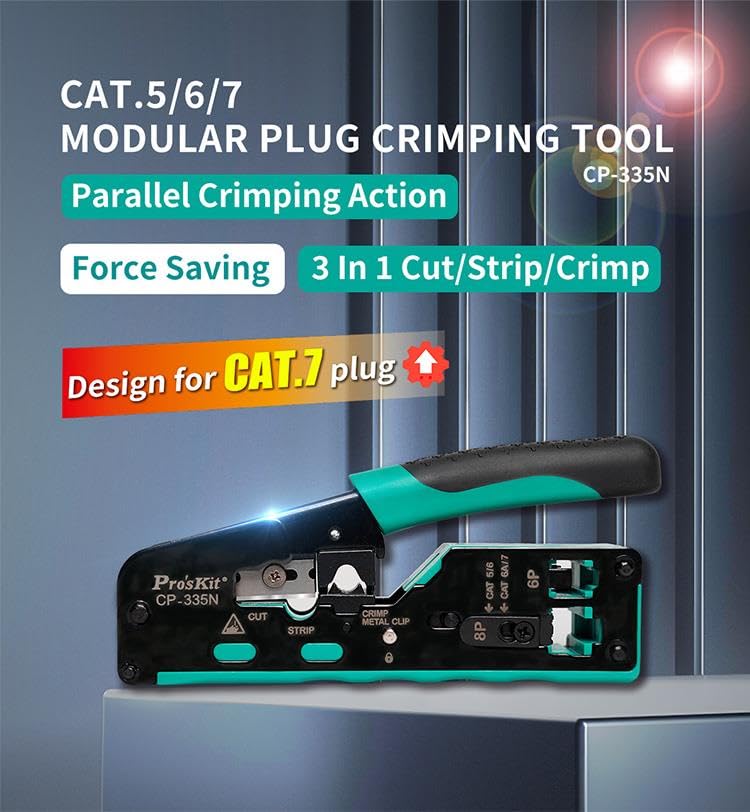
Image 1.1: The Pro'sKit CP-335N crimping tool, highlighting its 3-in-1 functionality and compatibility with CAT.5/6/7 modular plugs.
2. Інформація про безпеку
Please read and understand all safety instructions before operating this tool. Failure to follow these instructions may result in injury or damage to the tool.
- Захист очей: Always wear appropriate eye protection when cutting, stripping, or crimping cables to prevent eye injury from flying debris.
- Гострі леза: The tool contains sharp cutting and stripping blades. Exercise caution to avoid cuts. Keep fingers clear of these areas during operation.
- Використання за призначенням: Use this tool only for its intended purpose of cutting, stripping, and crimping modular plugs. Do not use it for other applications.
- Стан інструменту: Inspect the tool before each use for any damage or wear. Do not use a damaged tool.
- Зберігання: Store the tool in a dry, secure place, out of reach of children and unauthorized users. Utilize the handle lock for safe storage.
3. Продукт закінчивсяview і компоненти
Familiarize yourself with the different parts of the Pro'sKit CP-335N crimping tool:
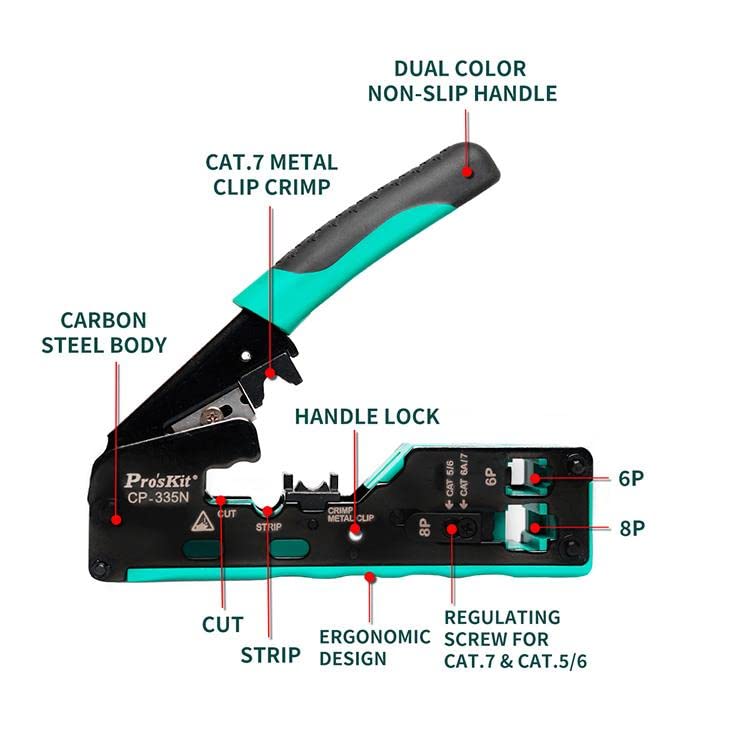
Зображення 3.1: Детальний опис view of the CP-335N components, including the carbon steel body, dual-color non-slip handle, handle lock, cut/strip blades, crimp metal clip, and regulating screw.
- Carbon Steel Body: Provides durability and strength for consistent performance.
- Dual Color Non-Slip Handle: Ергономічний дизайн для зручного та надійного захоплення під час роботи.
- Замок ручки: Secures the handles in a closed position for safe storage and transport.
- Cut Blade: Integrated blade for clean and precise cable cutting.
- Strip Blade: Designed for stripping the outer jacket of network cables.
- Crimp Metal Clip: Specific crimping area for CAT.7 metal clips.
- Regulating Screw: Adjusts the crimping height for different cable types (CAT.5/6 vs CAT.6A/7).
- 8P Crimping Die: For 8-position modular plugs (e.g., RJ45).
- 6P Crimping Die: For 6-position modular plugs (e.g., RJ11/RJ12).
4. Налаштування
Before beginning any crimping task, ensure the tool is correctly set up for the type of cable and modular plug you are using.
4.1 Adjusting the Regulating Screw
The CP-335N features a regulating screw to accommodate different cable jacket thicknesses, particularly for CAT.7 and CAT.5/6 cables. This ensures proper crimping depth for both shielded and unshielded cables.
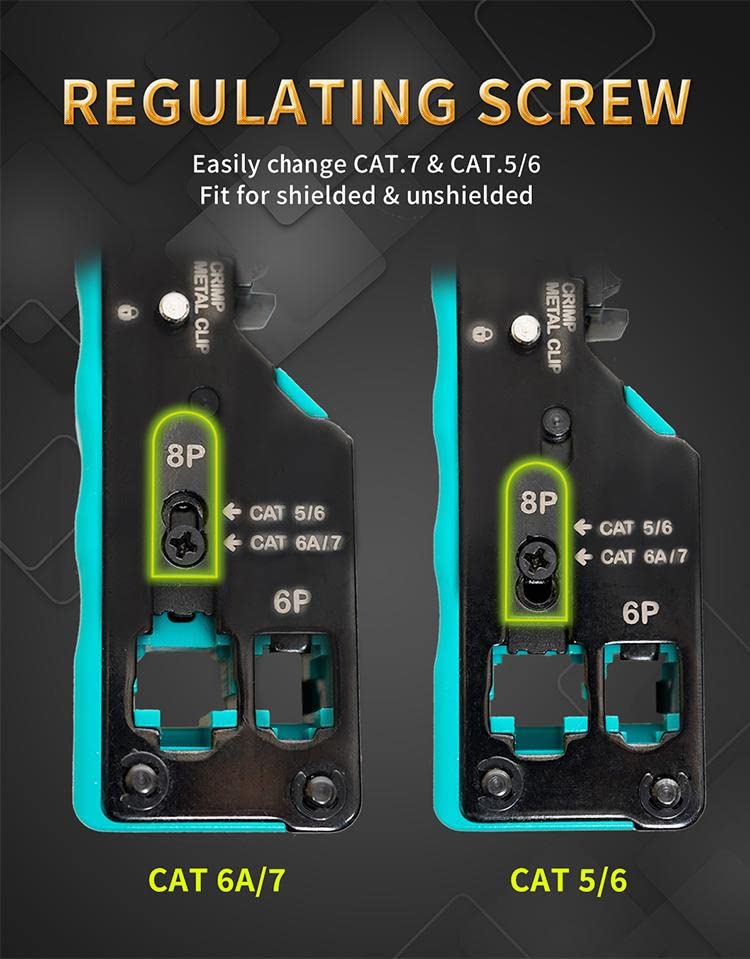
Image 4.1: The regulating screw allows adjustment for CAT.5/6 and CAT.6A/7 cables, ensuring proper crimping depth.
- Locate the regulating screw near the crimping dies.
- Use a small screwdriver to turn the screw.
- Adjust the screw to the appropriate setting for your cable type:
- CAT.5/6: Adjust for standard CAT.5 or CAT.6 cables.
- CAT.6A/7: Adjust for thicker CAT.6A or CAT.7 cables, which often have larger diameters or shielding.
5. Інструкція з експлуатації
Follow these steps for cutting, stripping, and crimping network cables using the Pro'sKit CP-335N tool.
5.1 Cutting the Cable
The integrated sharp blade allows for effortless and clean cable cuts.
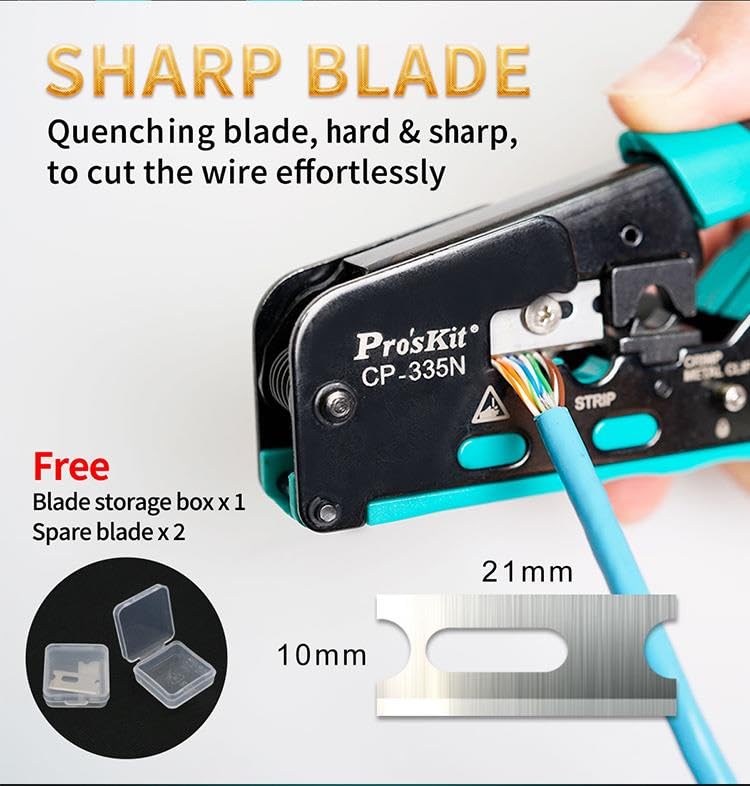
Image 5.1: The sharp blade of the CP-335N ensures clean cuts for network cables.
- Open the tool handles.
- Place the cable into the designated "CUT" slot.
- Squeeze the handles firmly until the cable is cleanly cut.
5.2 Stripping the Cable
The tool includes a stripping function to remove the outer jacket of the cable, exposing the internal wires.
- Open the tool handles.
- Place the end of the cable into the designated "STRIP" slot. Ensure the cable is inserted to the desired stripping length (typically 1/2 to 3/4 inch or 12-19mm for RJ45 connectors).
- Squeeze the handles firmly and rotate the tool around the cable a few times to score the jacket.
- Release the handles and carefully pull the stripped jacket off the cable.
5.3 Crimping Modular Plugs
The parallel crimping action ensures a precise and secure connection between the cable and the modular plug.
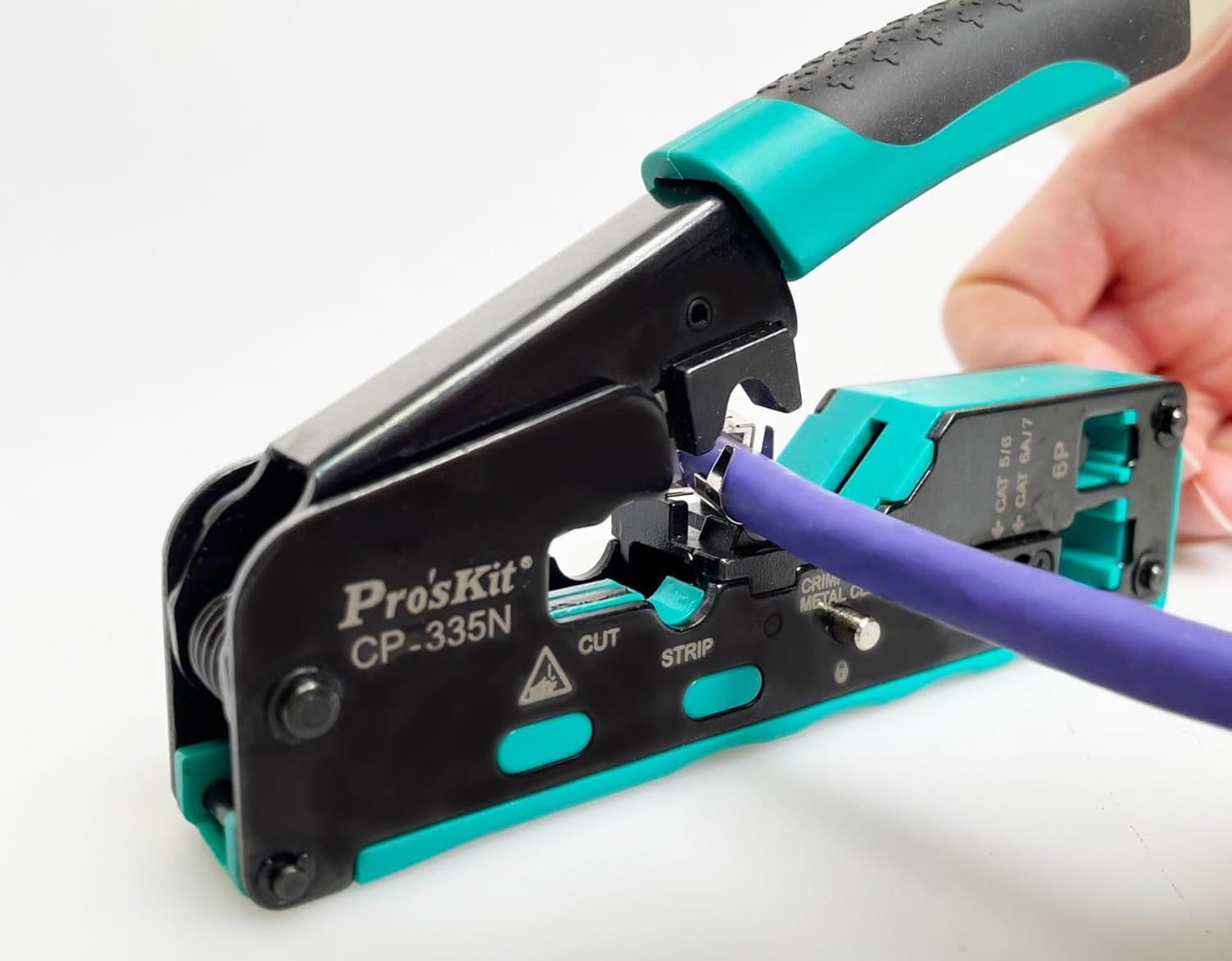
Image 5.2: The CP-335N in action, demonstrating the crimping process for a network cable.
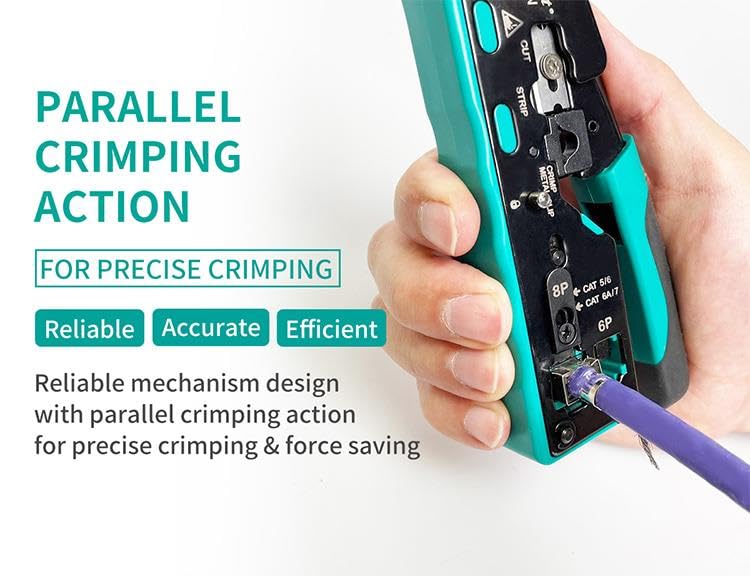
Image 5.3: The parallel crimping mechanism ensures reliable, accurate, and efficient crimps.
- After stripping the cable, arrange the individual wires according to the desired wiring standard (e.g., T568A or T568B for RJ45).
- Carefully insert the arranged wires into the modular plug, ensuring they reach the end of the connector and the cable jacket is seated correctly within the plug's strain relief.
- Select the appropriate crimping die on the tool:
- 8P: For 8-position plugs (e.g., RJ45, CAT.5/6/7).
- 6P: For 6-position plugs (e.g., RJ11/RJ12).
- Insert the modular plug into the selected crimping die. Ensure it is fully seated and aligned.
- Squeeze the tool handles firmly and completely until the crimping cycle is finished. The parallel action will ensure all pins are properly seated and the strain relief is crimped.
- For CAT.7 plugs with metal clips, ensure the metal clip crimp area is also utilized if applicable.
- Release the handles and remove the crimped plug. Inspect the crimp for proper pin seating and secure connection.
6. Технічне обслуговування
Proper maintenance will extend the life and performance of your Pro'sKit CP-335N crimping tool.
- Прибирання: After each use, wipe down the tool with a clean, dry cloth to remove any dust, dirt, or cable debris. Avoid using harsh chemicals that could damage the tool's finish or components.
- Змащення: Періодично наносьте невелику кількість легкого машинного масла на шарнірні точки та рухомі частини, щоб забезпечити плавну роботу.
- Заміна леза: The cutting and stripping blades are designed for durability but will dull over time with extensive use. The tool comes with spare blades for replacement.
Image 6.1: The CP-335N includes spare blades and a storage box for convenient replacement.
- To replace a blade, carefully loosen the retaining screw(s) holding the dull blade in place.
- Remove the old blade and insert a new one, ensuring it is correctly oriented.
- Tighten the retaining screw(s) securely. Exercise extreme caution when handling sharp blades.
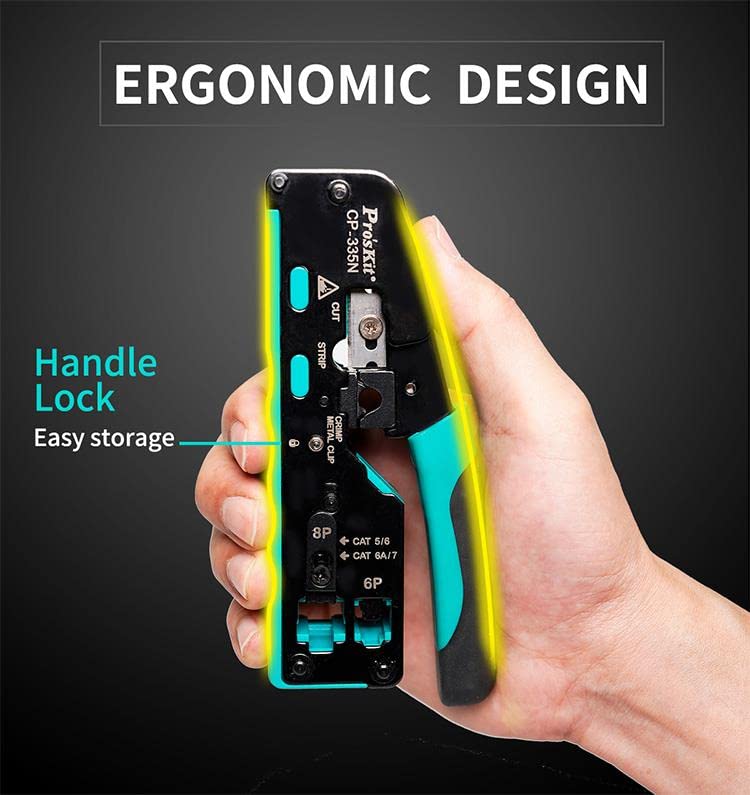
Image 6.2: The ergonomic design includes a handle lock for compact and safe storage.
7. Вирішення проблем
If you encounter issues while using the CP-335N, refer to the following common problems and solutions:
| проблема | Можлива причина | Рішення |
|---|---|---|
| Poor crimp quality (loose pins, intermittent connection) | Incorrect regulating screw setting; Wires not fully inserted into plug; Wrong plug type for cable; Tool not fully squeezed. | Adjust regulating screw for cable type; Ensure wires are pushed to the front of the plug; Use correct 8P/6P plug; Squeeze handles completely until cycle finishes. |
| Difficulty cutting or stripping cable | Dull or damaged blade; Cable not positioned correctly. | Replace the blade (refer to Section 6); Ensure cable is fully seated in the cut/strip slot. |
| Tool feels stiff or difficult to operate | Lack of lubrication; Accumulation of debris. | Clean the tool and apply light machine oil to pivot points. |
8. Технічні характеристики
Key specifications for the Pro'sKit CP-335N Modular Plug Crimping Tool:
- модель: CP-335N (Manufacturer Model: YH-Pro-CP-335N)
- функції: 3-in-1 (Cut, Strip, Crimp)
- Compatible Plugs: 8P (RJ45) for CAT.5, CAT.6, CAT.6A, CAT.7; 6P (RJ11/RJ12)
- Crimping Action: Паралельний
- матеріал: Carbon Steel Body, Dual Color Non-Slip Handle
- Розміри (Д x Ш x В): Приблизно 20 x 10 x 15 см (7.87 x 3.94 x 5.91 дюйма)
- вага: Приблизно 1 кг (2.2 фунта)
- Країна походження: Китай
9. Гарантія та підтримка
For warranty information, technical support, or service inquiries regarding your Pro'sKit CP-335N crimping tool, please contact the retailer or the manufacturer directly. Keep your purchase receipt as proof of purchase.
Manufacturer: Pro'sKit


