1. Вступ
The Tera Mini 1D Barcode Scanner 1100L is a compact, portable, and versatile laser barcode reader designed for efficient data collection. It features 3-in-1 connectivity options, including Bluetooth, 2.4GHz wireless, and USB wired modes, making it compatible with various operating systems such as iOS, Windows, and Android. Its robust design includes IP66 waterproof and dustproof protection, suitable for diverse working environments.
2. Вміст упаковки
- Сканер штрих-кодів x1
- USB кабель x1
- 2.4G USB-адаптер x1
- Посібник користувача x1
3. Продукт закінчивсяview

The Tera Mini 1D Barcode Scanner is designed for comfortable, single-handed operation, featuring a prominent pink scan button and a wrist strap for security. The package includes a USB cable and a 2.4G wireless dongle for versatile connectivity.
- Компактний і легкий: Weighing only 1.4oz (39g) with dimensions of 1.1 x 1.5 x 3.4 inches, it is designed for portability.
- Міцний дизайн: Features an IP66 waterproof and dustproof rating, enhanced by a silicone port plug for protection against environmental elements.
- Ergonomic Button: A soft silicone button ensures a smooth and comfortable scanning experience.

With a weight of only 1.4oz (39g) and compact dimensions, the Tera Mini 1D Barcode Scanner is highly portable, easily fitting into a pocket for on-the-go use.

The scanner features an IP66 waterproof and dustproof rating, ensuring durability in various environments. A silicone port plug protects the charging port from moisture and dust.
4. Налаштування та підключення
4.1 Заряджання сканера
Before first use, fully charge the scanner. The built-in 650mAh rechargeable battery provides up to 12 hours of continuous scanning or 4 weeks of standby time. A full charge typically takes 3.5 hours.

This image highlights the scanner's 650mAh high-capacity rechargeable battery, providing up to 12 hours of continuous scanning, 4 weeks of standby time, and a full charge in approximately 3.5 hours.
Важливе зауваження щодо заряджання:
- Use a standard 5V/1A charging adapter.
- Do NOT use USB Power Delivery (USB PD) standard power adapters or cables to charge this product.
- It is recommended to use the original USB cable included in the package for charging.

For optimal charging, use a 5V/1A adapter. Avoid using USB Power Delivery (USB PD) standard power adapters and cables, as they are not compatible with this device.
4.2 Режими підключення
Сканер підтримує три способи підключення:
- Bluetooth 5.0: For wireless connection to smartphones, tablets, and computers.
- Бездротовий зв'язок 2.4 ГГц: Using the included USB dongle for wireless connection to computers. Offers a transmission distance of up to 656ft in barrier-free environments and 98ft with obstacles.
- USB 2.0 Wired: Direct connection via the USB cable to a computer.
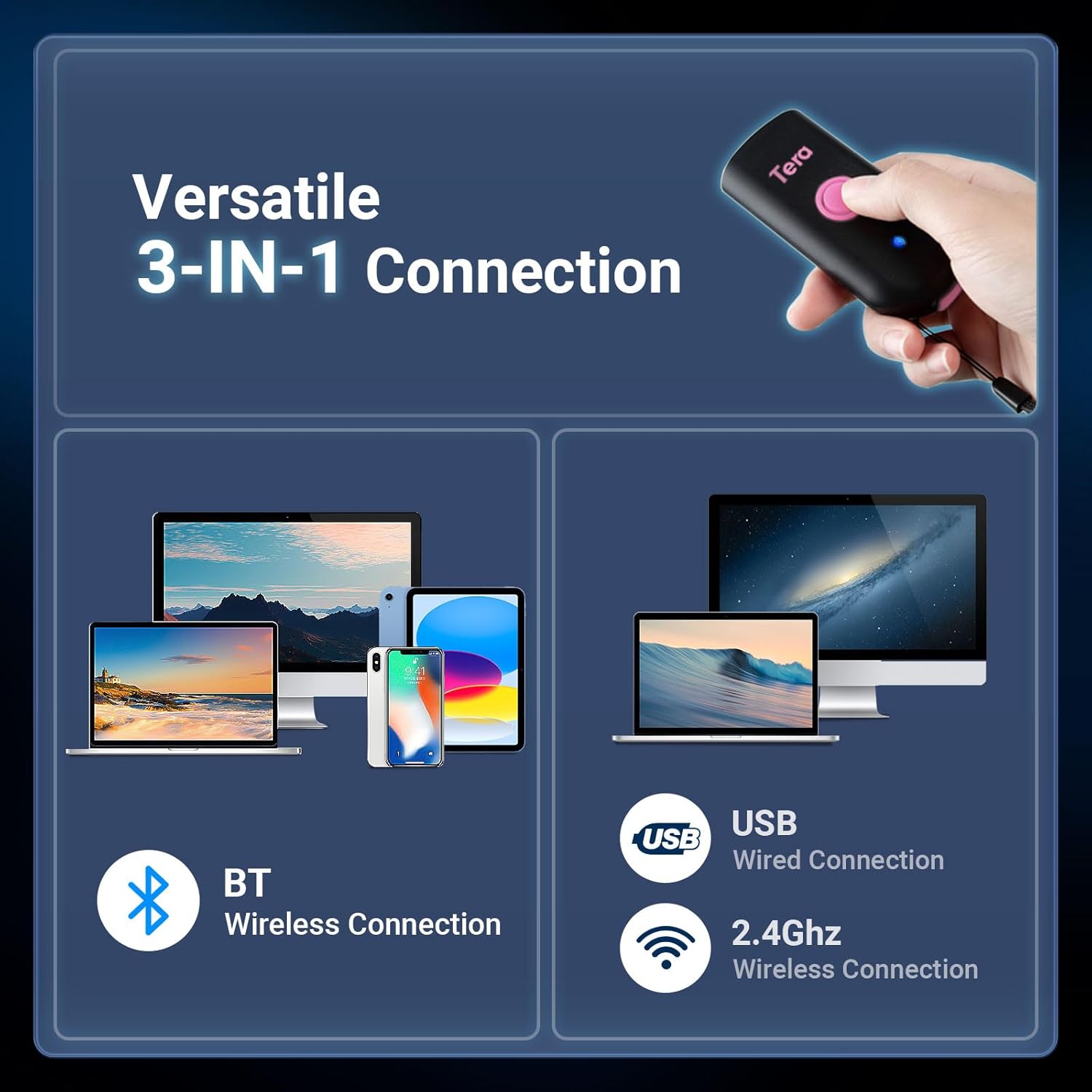
The scanner offers flexible connectivity with three modes: Bluetooth wireless for mobile devices, USB wired for direct connection, and 2.4GHz wireless via a dongle for extended range, supporting a wide range of operating systems.
4.3 Bluetooth Pairing Guide
To connect the scanner to your device via Bluetooth:
- Scan the 'Bluetooth HID' barcode.
- Scan the 'Pairing' barcode.
- On your smartphone or computer, go to Bluetooth settings and select 'Barcode Scanner HID' to connect.

To connect via Bluetooth, scan the 'Bluetooth HID' barcode, then the 'Pairing' barcode. Afterward, enable Bluetooth on your device and select 'Barcode Scanner HID' from the available devices.
5. Operating Modes and Configuration
5.1 Режими сканування
Сканер підтримує два основні режими сканування:
- Режим запуску клавіш: Натисніть кнопку сканування, щоб розпочати сканування.
- Безперервний режим: The scanner continuously emits a laser for automatic scanning without needing to press the button for each scan.

Users can choose between Key Trigger Mode for manual scanning by pressing the button, or Continuous Mode for automatic, uninterrupted scanning.
5.2 Data Transmission Modes
- Режим миттєвого завантаження: Відскановані дані негайно передаються на підключений пристрій.
- Режим зберігання: Scanned data is stored in the scanner's internal memory and can be uploaded later.
5.3 Параметри налаштування
The scanner offers various configuration options to suit your needs:
- Звук і вібрація: Adjust sound levels (Off, Low, Medium, High) and enable/disable vibration feedback.
- Префікс/Суфікс: Add custom characters before or after scanned barcode data.
- Багатомовна підтримка: The scanner supports various keyboard layouts for different languages.

Customize sound and vibration feedback.

Configure custom prefixes or suffixes.

Supports multiple language keyboard layouts.
6. Можливості сканування
The Tera Mini 1D Barcode Scanner 1100L is designed to read printed 1D barcodes efficiently.
6.1 Supported 1D Symbologies
- Codabar
- Код 11
- Код 93
- MSI
- Код 128
- UCC/EAN-128
- Код 39
- EAN-8
- EAN-13
- UPC-A
- ISBN
- Промислова 25
- Перемежовується 25
- Стандарт 25
- Матриця 2/5
6.2 Advanced Decoding
The scanner features super decoding ability, allowing it to read damaged, distorted, colorful, and reflective barcodes.
Important Scanning Limitations:
- This scanner cannot scan 2D barcodes.
- This scanner cannot scan 1D barcodes displayed on screens (e.g., phone or computer displays).
- It can ONLY scan printed 1D barcodes.
7. Технічне обслуговування
The Tera Mini 1D Barcode Scanner 1100L is built with an IP66 rating, providing protection against dust ingress and powerful water jets. This makes it suitable for use in environments where exposure to dust or water splashes is possible.
- Ensure the silicone port plug is securely closed when not charging to maintain waterproof and dustproof integrity.
- Clean the scanner's lens and body with a soft, dry cloth. Avoid abrasive cleaners or solvents.
8. Вирішення проблем
If you encounter issues with your scanner, please refer to the following common solutions:
- Сканер не підключається:
- Переконайтеся, що сканер повністю заряджений.
- For Bluetooth, re-scan the 'Bluetooth HID' and 'Pairing' barcodes, then re-attempt connection from your device's Bluetooth settings.
- For 2.4GHz wireless, ensure the USB dongle is securely plugged into your device.
- For USB wired, ensure the cable is properly connected to both the scanner and your device.
- Сканер не зчитує штрих-коди:
- Verify that the barcode is a printed 1D barcode. This scanner does not read 2D barcodes or 1D barcodes from screens.
- Переконайтеся, що штрих-код чистий і не надмірно пошкоджений.
- Відрегулюйте відстань та кут сканера до штрих-коду.
- No sound/vibration feedback: Check the configuration settings for sound and vibration.
9. Технічні характеристики
| Особливість | Деталь |
|---|---|
| Розміри продукту | 1.1 x 1.5 x 3.4 дюймів |
| Вага товару | 5.5 ounces (1.4oz / 39g for scanner only) |
| Технологія підключення | Bluetooth 5.0, 2.4G Wireless, USB Cable |
| Сумісні пристрої | Настільний комп'ютер, ноутбук, смартфон, планшет (iOS, Windows, Android) |
| Джерело живлення | Живлення від батареї (650 мАг) |
| Швидкість сканування | 100 сканувань/с |
| Можливість декодування | 1D: Codabar, Code 11, Code93, MSI, Code 128, UCC/EAN-128, Code 39, EAN-8, EAN-13, UPC-A, ISBN, Industrial 25, Interleaved 25, Standard 25, 2/5 Matrix etc. |
| Рейтинг водонепроникності/пилонепроникності | IP66 |
10. Підтримка
For further assistance or technical support, please refer to the contact information provided in your product packaging or visit the official Tera webсайт.


