вступ
Thank you for choosing the Bigben 5000mAh MagSafe Compatible Wireless Power Bank. This portable power bank is designed to provide convenient wireless charging for compatible devices, as well as wired charging via its USB-C port. Please read this manual carefully before using the product to ensure safe and optimal performance.
Інформація про безпеку
Щоб запобігти травмуванню або пошкодженню вашого пристрою, дотримуйтесь наступних запобіжних заходів:
- Не піддавайте портативний зарядний пристрій впливу екстремальних температур, прямих сонячних променів або вогню.
- Не занурюйте портативний зарядний пристрій у воду або інші рідини.
- Уникайте падіння, ударів або розбирання портативного зарядного пристрою.
- Зберігати в недоступному для дітей місці.
- Використовуйте лише сертифіковані зарядні кабелі та адаптери.
- Якщо портативний акумулятор роздувається, виділяє запах або надмірно нагрівається, негайно припиніть його використання.
- Утилізуйте портативний зарядний пристрій відповідально згідно з місцевими правилами.
Вміст упаковки
Будь ласка, перевірте упаковку на наявність наступних предметів:
- Bigben 5000mAh MagSafe Compatible Wireless Power Bank
- Зарядний кабель від USB-C до USB-C
- Посібник користувача (цей документ)
Продукт закінченийview
Ознайомтеся з компонентами вашого повербанку:

Зображення: спереду view of the Bigben 5000mAh Power Bank, highlighting the LED indicator lights and the USB-C port.
- Світлодіодні індикатори: Four small lights indicating the remaining battery level.
- Порт USB-C: For charging the power bank and for wired device charging.
- Бездротова зарядна поверхня: The flat surface designed for MagSafe compatible wireless charging.
- Кнопка живлення: Активує бездротову зарядку та перевіряє рівень заряду батареї.
Налаштування
Зарядка Power Bank
Перед першим використанням повністю зарядіть свій портативний зарядний пристрій (павербанк).
- Підключіть наданий кабель USB-C до порту USB-C зарядного пристрою.
- Підключіть інший кінець кабелю USB-C до сумісного настінного USB-адаптера (не входить до комплекту).
- The LED indicator lights will illuminate to show the charging status. When all four LEDs are solid, the power bank is fully charged.
Статус світлодіодного індикатора:
- 1 світлодіод: 0-25% заряду
- 2 світлодіоди: заряджено на 25-50%
- 3 світлодіоди: заряджено на 50-75%
- 4 світлодіоди: заряджено на 75-100%
Операційна
Бездротова зарядка (сумісна з MagSafe)
This power bank supports MagSafe compatible wireless charging up to 10W.
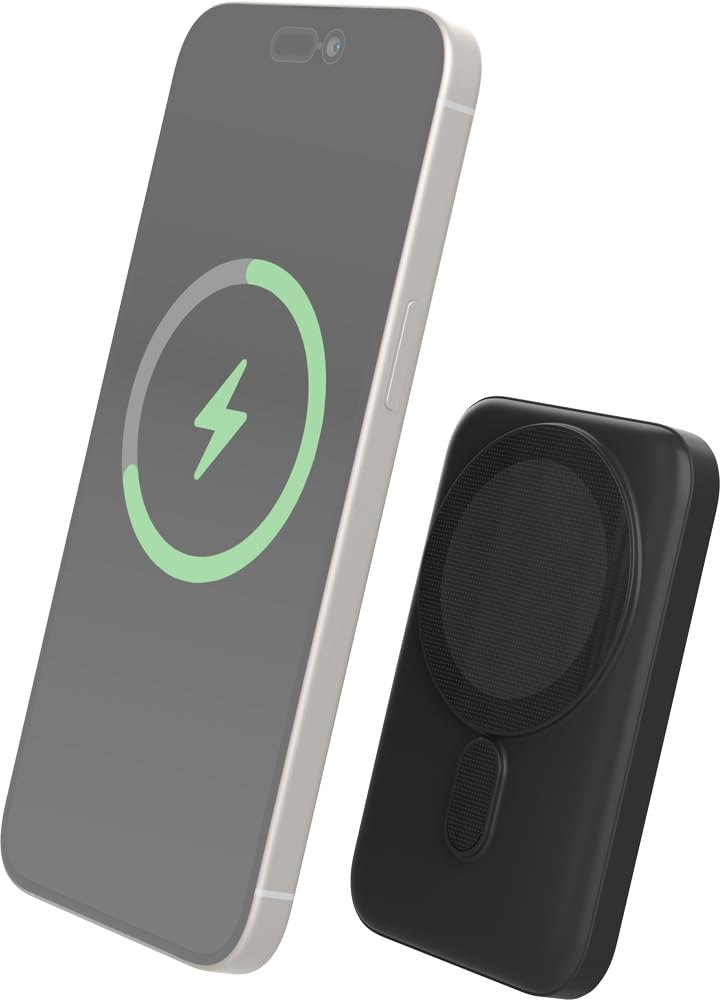
Image: The Bigben power bank magnetically connected to the back of a smartphone, illustrating the wireless charging function.
- Ensure your device is MagSafe compatible or has a MagSafe compatible case.
- Align the power bank with the back of your device. The magnets will snap it into place.
- The power bank will automatically begin charging your device. The LED indicators on the power bank will show its remaining charge.
- To stop charging, simply detach the power bank from your device.
Note: For optimal magnetic attachment and charging efficiency, ensure there are no obstructions between the power bank and your device.
Провідна зарядка
You can also charge devices using a USB-C cable.
- Connect one end of a USB-C cable (not included, or use the provided one if suitable) to the power bank's USB-C port.
- Підключіть інший кінець кабелю до порту зарядки вашого пристрою.
- Зовнішній акумулятор автоматично почне заряджати ваш пристрій.
Технічне обслуговування
прибирання
- Disconnect the power bank from all devices and power sources before cleaning.
- Протріть поверхню м’якою, сухою тканиною без ворсу.
- Не використовуйте агресивні хімікати, розчинники для чищення або сильні мийні засоби.
Зберігання
- Зберігайте портативний зарядний пристрій у прохолодному, сухому місці, подалі від прямих сонячних променів та екстремальних температур.
- Якщо ви зберігатимете акумулятор протягом тривалого періоду, заряджайте його приблизно до 50% кожні три місяці, щоб підтримувати його в робочому стані.
Усунення несправностей
| проблема | Можливе рішення |
|---|---|
| Power bank не заряджається |
|
| Пристрій не заряджається бездротовим способом |
|
| Device not charging via cable |
|
| Не працюють світлодіодні індикатори |
|
Технічні характеристики
| Особливість | Деталь |
|---|---|
| Номер моделі | 6128 |
| Ємність акумулятора | 5000 мАг |
| Бездротовий вихід | Up to 10W (MagSafe Compatible) |
| Порт введення/виведення | USB-C |
| вага | Приблизно 300 г |
Гарантія та підтримка
Bigben products are designed and manufactured to the highest standards. For warranty information or technical support, please refer to the warranty card included with your purchase or visit the official Bigben webсайт.
For further assistance, please contact Bigben customer service.


