1. Вступ
This manual provides comprehensive instructions for the IDUINO Simcom A7672S Development Board. It covers the product overview, features, technical specifications, setup procedures, operating guidelines, maintenance tips, and troubleshooting information. Please read this manual thoroughly before using the device to ensure proper operation and to maximize its potential.
2. Продукт закінчивсяview
The IDUINO Simcom A7672S Development Board is a high-quality, industrial-grade 4G modem designed for Machine-to-Machine (M2M) and Internet of Things (IoT) applications. It integrates the Simcom A7672S module, supporting Multi-Band LTE-TDD/LTE-FDD/HSPA+ and GSM/GPRS/EDGE networks. This board is engineered with robust power design, accepting input DC voltage from 7V to 18V, and features RF impedance matching for reliable performance. It supports LTE CAT1 with downlink data transfer speeds up to 10Mbps and includes an internal TCP/IP stack for direct internet connectivity via 4G/GPRS. Its versatility makes it suitable for tracking, SMS, voice, and data transfer applications, including vehicle tracking systems.
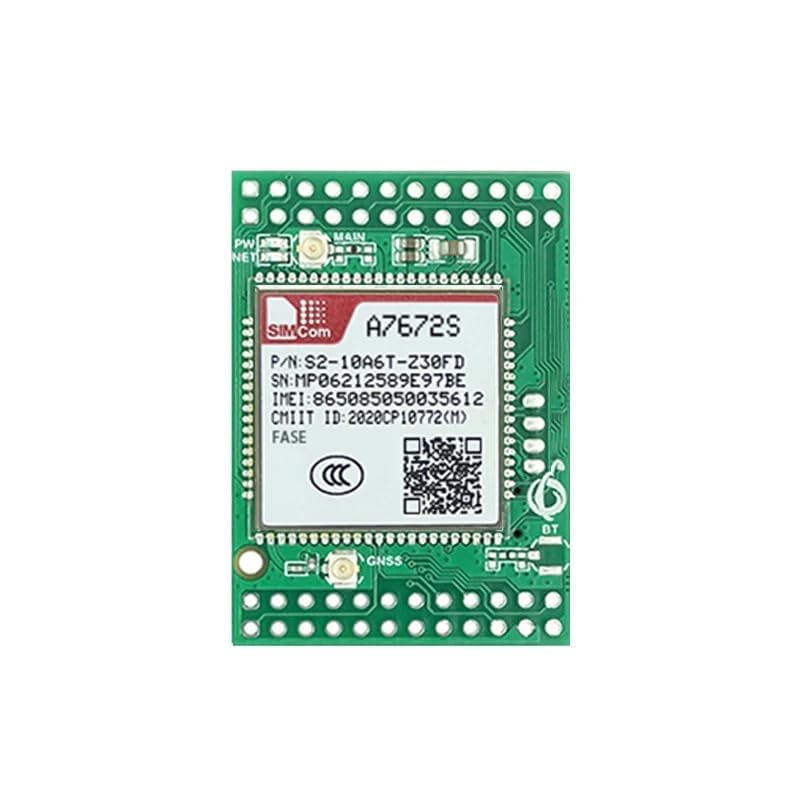
Малюнок 1: Спереду view of the IDUINO Simcom A7672S Development Board, showing the Simcom A7672S module, main antenna connector, and various pin headers.
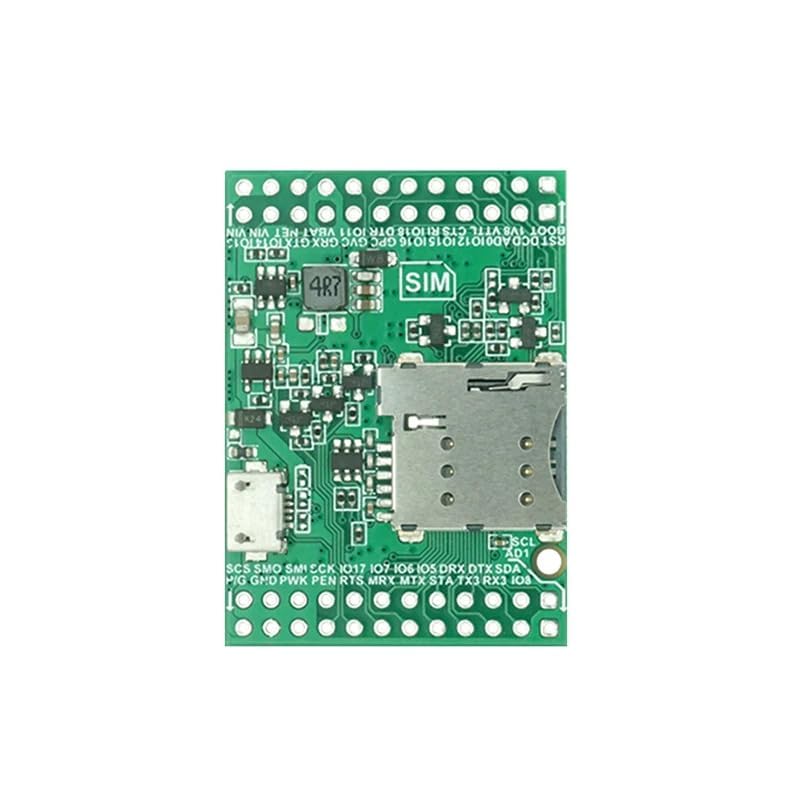
Малюнок 2: Задня частина view of the IDUINO Simcom A7672S Development Board, featuring the Nano SIM card connector, Micro USB port, and additional pin headers for various interfaces.
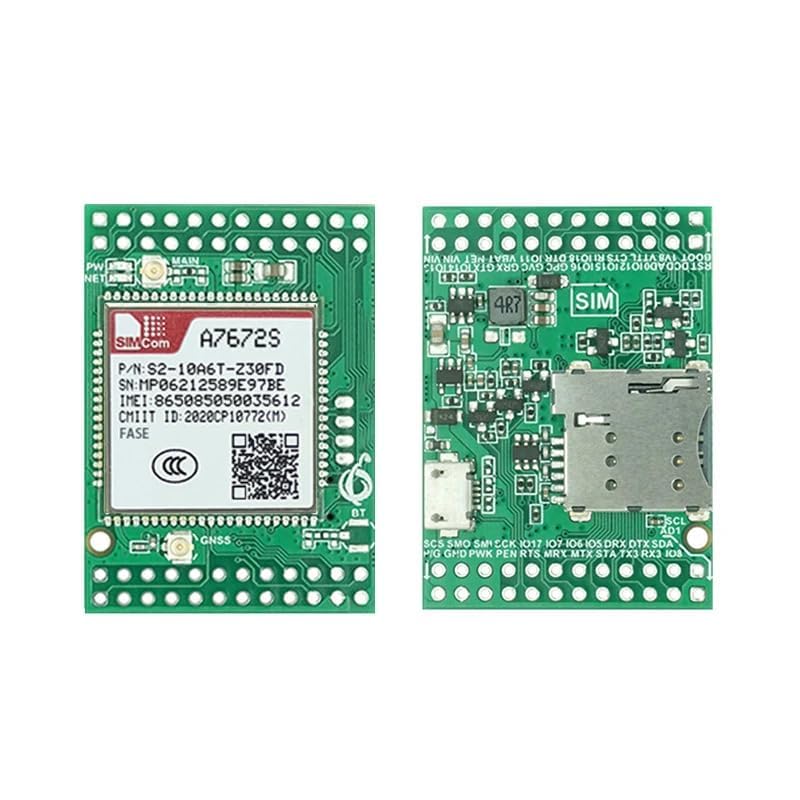
Рисунок 3: Комбінований view of the front and back sides of the IDUINO Simcom A7672S Development Board, illustrating its compact design and component layout.
3. Ключові характеристики
- Wide Input Voltage Діапазон: Operates with 7V to 18V DC input, featuring reverse polarity protection.
- Ефективне керування живленням: Equipped with a high-efficiency switching regulator.
- Nano SIM Card Support: Integrated on-board Nano SIM card connector for network access.
- Multi-Network Compatibility: Supports 2G, 3G, and 4G networks (LTE-TDD/LTE-FDD/HSPA+/GSM/GPRS/EDGE).
- LTE CAT1 Data Transfer: Achieves up to 10Mbps downlink data transfer speed.
- Аналого-цифровий перетворювач (АЦП): Provides 2 ADC inputs with a 0-1.8V range.
- TTL Interface: Male header available for TTL serial communication.
- Антенні роз'єми: UFL connectors for both GSM and GPS antennas.
- Індикатори стану: Power and Network LED indicators for operational status.
- Micro USB Connectivity: On-board Micro USB connector for data and power.
- Internal TCP/IP Stack: Enables direct internet connection via 4G/GPRS.
- Компактний дизайн: PCB size of 45 x 45 x 22 mm.
4. Технічні характеристики
| Атрибут | Деталь |
|---|---|
| Бренд | IDUINO |
| Виробник | Сімком |
| Номер моделі | IDU-00-RS5683 |
| Тип модему | Voice, Data, SMS |
| Технологія підключення | USB, TTL Serial |
| Швидкість передачі даних | Up to 10 Megabits Per Second (LTE CAT1) |
| Вхідний об'ємtage | 7 В до 18 В постійного струму |
| Підтримка SIM-карт | Nano SIM |
| Роз'єми для антени | UFL (GSM, GPS) |
| Входи АЦП | 2 (0-1.8 В) |
| Розміри друкованої плати | 45 x 45 x 22 мм |
| Вага товару | 100 г |
| Країна походження | Китай |
5. Посібник із налаштування
- Установка SIM-карти:
Locate the Nano SIM card slot on the back of the development board (refer to Figure 2). Carefully insert your activated Nano SIM card into the slot until it clicks into place. Ensure the SIM card is correctly oriented.
- Підключення антени:
Connect the appropriate GSM and GPS antennas to the UFL connectors on the board. Ensure a secure connection for optimal signal reception. The main antenna connector is typically labeled "MAIN" or "GSM", and the GPS antenna connector is labeled "GNSS" or "GPS".
- Підключення до джерела живлення:
Connect a DC power supply (7V to 18V) to the designated power input pins. Observe polarity; the board includes reverse polarity protection, but correct connection is always recommended. Alternatively, the board can be powered via the Micro USB port for development purposes, though external power is recommended for stable operation.
- USB-підключення (додатково):
For initial configuration, firmware updates, or data communication with a personal computer, connect the Micro USB port on the board to your computer using a Micro USB cable.
- TTL Interface Connection (Optional):
If using the TTL serial interface for communication with a microcontroller or other device, connect the male header pins (e.g., TX, RX, GND) to your target system. Refer to the module's datasheet for specific pin assignments.
- ADC Input Connection (Optional):
For applications requiring analog input, connect your analog sensors or signals (0-1.8V) to the designated ADC input pins on the board.
6. Інструкція з експлуатації
- Увімкнення:
Once all necessary connections (SIM, antennas, power) are made, apply power to the board. The Power LED indicator should illuminate, indicating the board is receiving power.
- Реєстрація в мережі:
After powering on, the module will attempt to register with the cellular network. The Network LED indicator will typically blink at different rates to show network status (e.g., searching for network, registered, GPRS/4G connected). Refer to the Simcom A7672S module documentation for specific LED blink patterns.
- Communication via AT Commands:
The A7672S module is primarily controlled via AT commands sent over the serial (TTL or USB) interface. Use a serial terminal program on your computer or a microcontroller to send AT commands for tasks such as:
- Checking network status (e.g., AT+CSQ for signal quality).
- Sending and receiving SMS messages.
- Making and receiving voice calls.
- Establishing GPRS/4G data connections (e.g., AT+CGACT, AT+HTTPINIT).
- Accessing GPS data (if GPS antenna is connected).
Consult the official Simcom A7672S AT Command Manual for a complete list of commands and their usage.
- Data Transfer Applications:
Utilize the internal TCP/IP stack to connect to internet servers for data logging, remote monitoring, or other IoT applications. This can be done through AT commands to open TCP/UDP sockets and send/receive data.
- Вимкнення живлення:
To safely power off the board, disconnect the external DC power supply or the Micro USB cable. For controlled shutdown via software, refer to the Simcom A7672S documentation for specific AT commands (e.g., AT+CPOF).
7. Технічне обслуговування
- Прибирання: Keep the board clean and free from dust and debris. Use a soft, dry cloth for cleaning. Avoid using liquids or harsh chemicals.
- Зберігання: Store the development board in a cool, dry environment, away from direct sunlight and extreme temperatures.
- Обробка: Handle the board with care to avoid physical damage to components or connectors. Avoid touching the electronic components directly to prevent electrostatic discharge (ESD).
- Оновлення прошивки: Періодично перевіряйте дані виробника website for any available firmware updates for the Simcom A7672S module. Follow the provided instructions carefully for any update procedures.
8. Вирішення проблем
- Індикатор живлення відсутній:
Ensure the power supply is connected correctly and providing 7V-18V DC. Check the power cable and connections. Verify the power supply is functional.
- Cannot Register to Network:
Check if the Nano SIM card is correctly inserted and activated. Ensure the GSM antenna is securely connected. Verify that there is cellular network coverage in your location. Try restarting the board.
- Немає з’єднання для передачі даних:
Confirm network registration. Check your APN settings via AT commands. Ensure your SIM card has an active data plan. Verify antenna connections.
- Проблеми з послідовним зв'язком:
Check the baud rate and other serial port settings (e.g., 8N1, no flow control) on your computer or microcontroller. Ensure correct TX/RX connections if using TTL. Verify USB drivers are installed if using the Micro USB port.
- GPS не працює:
Ensure the GPS antenna is connected and placed in an open area with a clear view of the sky. Allow sufficient time for the module to acquire satellite signals (first fix can take longer).
9. Гарантія та підтримка
For warranty information, technical support, and further assistance, please contact your point of purchase or the official IDUINO/Simcom support channels. Keep your purchase receipt or proof of purchase for warranty claims. Detailed documentation, including AT command manuals and application notes for the Simcom A7672S module, can typically be found on the Simcom official webсайт.
For additional resources and community support, consider visiting relevant online forums or developer communities focused on IoT and cellular modules.