1. Вступ
Thank you for choosing the BSIDE U1 Mini Digital Open Jaw Clamp Multimeter. This device is a compact, intelligent, and versatile tool designed for electrical measurements. It combines the functions of a clamp meter, smart multimeter, and voltage detector, making it suitable for both beginners and professionals. This manual provides essential information for safe and effective operation.
2. Інформація про безпеку
Always adhere to safety precautions when using electrical testing equipment. Failure to do so may result in electric shock, injury, or damage to the device or equipment under test.
- Не перевищуйте максимальні вхідні значення, зазначені для кожного діапазону вимірювання.
- Перед будь-яким вимірюванням переконайтеся, що вимірювальні дроти у справному стані та правильно підключені.
- Не використовуйте пристрій, якщо він виглядає пошкодженим або працює неправильно.
- Будьте особливо обережні при роботі з обtagвище 30 В змінного струму RMS, 42 В пікового значення або 60 В постійного струму. Ці значенняtagце небезпека ураження електричним струмом.
- Always disconnect power to the circuit before making resistance, continuity, or capacitance measurements.
- The device complies with CE standards and CATIII 600V safety regulations.
3. Вміст упаковки
Перевірте, чи всі перелічені нижче предмети присутні у вашій упаковці. Якщо будь-які предмети відсутні або пошкоджені, зверніться до служби підтримки клієнтів.
- BSIDE U1 Open Jaw Clamp мультиметр
- Вимірювальні дроти (червоний та чорний)
- USB-кабель для зарядки
- Чохол для транспортування
- English User Manual (PDF in Spanish available via email)
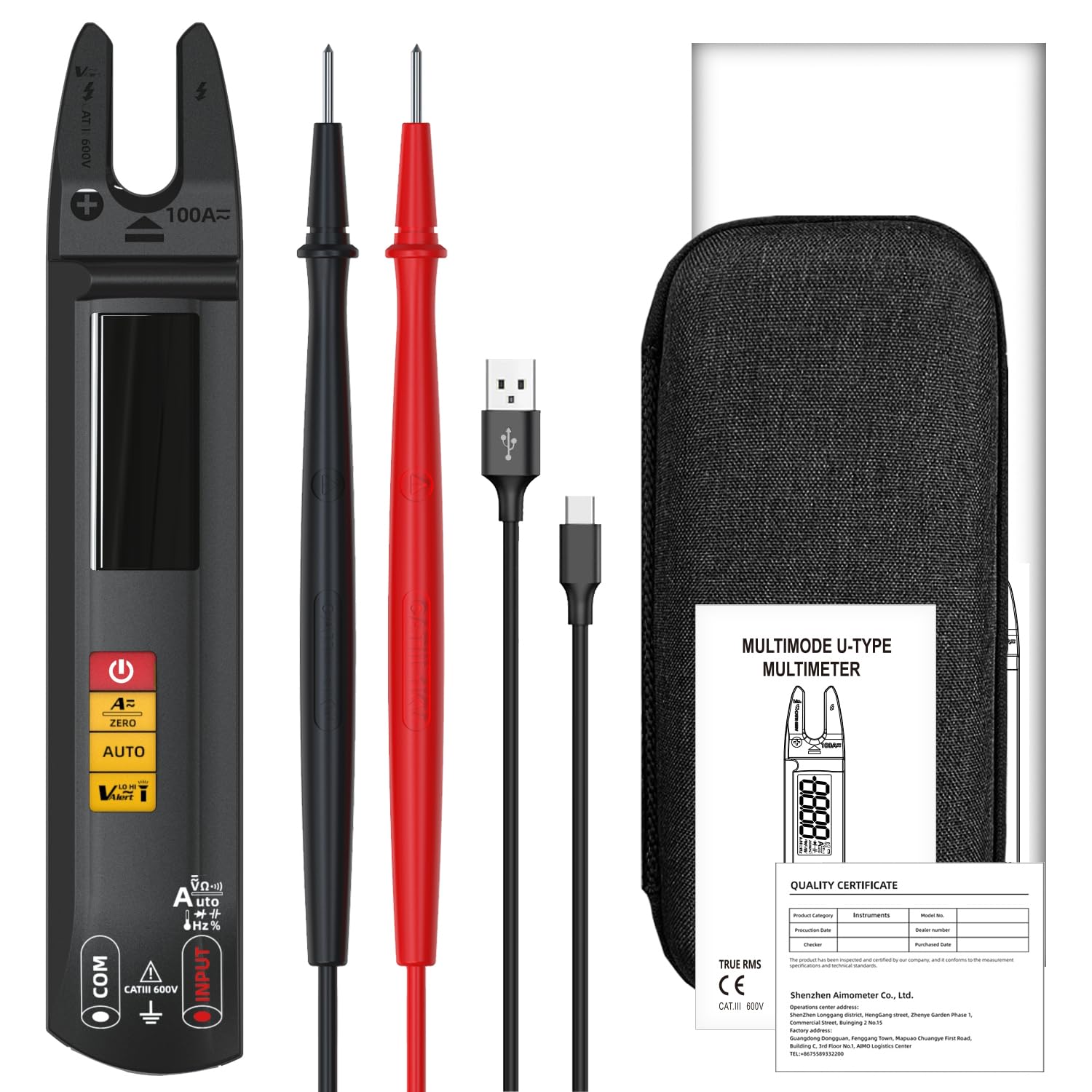
Image 3.1: Contents of the BSIDE U1 package, including the multimeter, test leads, charging cable, and carrying case.
4. Продукт закінчивсяview
The BSIDE U1 features a large color LCD display for clear readings and intuitive controls. It is designed for ease of use and portability.

Зображення 4.1: спереду view of the BSIDE U1 multimeter, highlighting its display, function buttons, and open jaw design.
4.1. Ключові характеристики
- Функціональність 3-в-1: Clamp meter, smart multimeter, and voltagелектронний детектор.
- Автоматичне визначення діапазону: Автоматично вибирає правильний діапазон вимірювання.
- Dual Test Mode: Automatic and manual modes for various measurements.
- Large Color LCD: High-precision values with large digits, auto-power off symbol, and low battery indication.
- Безпека: Anti-burn and overload protection, CATIII 600V rated.
- Зручність: Built-in LED flashlight, rechargeable Li-ion battery, and compact design.
5. Налаштування
5.1. Зарядка батареї
The BSIDE U1 is powered by a built-in 3.7V rechargeable Li-ion battery. Before first use, or when the low battery indicator appears, charge the device using the provided USB charging cable.
- Connect the small end of the USB charging cable to the charging port on the multimeter.
- Connect the standard USB end to a USB power adapter (not supplied) or a computer USB port.
- На дисплеї відображатиметься стан заряджання. Для оптимальної роботи переконайтеся, що пристрій повністю заряджений.

Image 5.1: The BSIDE U1 multimeter connected to its charging cable, illustrating the rechargeable battery feature.
5.2. Підключення вимірювальних щупів
Для випtage, resistance, continuity, capacitance, diode, and frequency measurements, connect the test leads to the input jacks.
- Вставте чорний вимірювальний дріт у роз'єм «COM» (загальний).
- Вставте червоний вимірювальний дріт у гніздо «INPUT».
6. Режими роботи та вимірювання
The BSIDE U1 features automatic measurement for common parameters upon power-on. Manual mode allows selection of specific functions.
6.1. Увімкнення/вимкнення живлення
Натисніть і утримуйте кнопку живлення (U) to turn the device on or off. The device will automatically enter auto-ranging mode upon startup.
6.2. Automatic Measurement Mode
When powered on, the multimeter automatically detects and measures AC/DC voltage, resistance, and continuity. Simply connect the test leads to the circuit or component, and the device will display the appropriate reading.
6.3. Manual Mode Selection
Press the 'AUTO' button to cycle through manual measurement functions. The selected function will be indicated on the display.
6.4. AC/DC Voltage Вимірювання
- Ensure test leads are connected correctly (black to COM, red to INPUT).
- Виберіть Voltage mode (if not in auto-ranging).
- Connect the test leads in parallel across the component or circuit to measure voltage.
6.5. AC/DC Current Measurement (Open Jaw Clamp)
The open jaw clamp allows for non-contact AC or DC current measurement. For DC current, a zeroing step is required.
- Select Current mode.
- For DC current, press the 'ZERO' button to zero the reading before measurement.
- Place the open jaw around a single conductor (not a cable containing multiple conductors) through which the current flows.
- Зчитайте поточне значення на дисплеї.
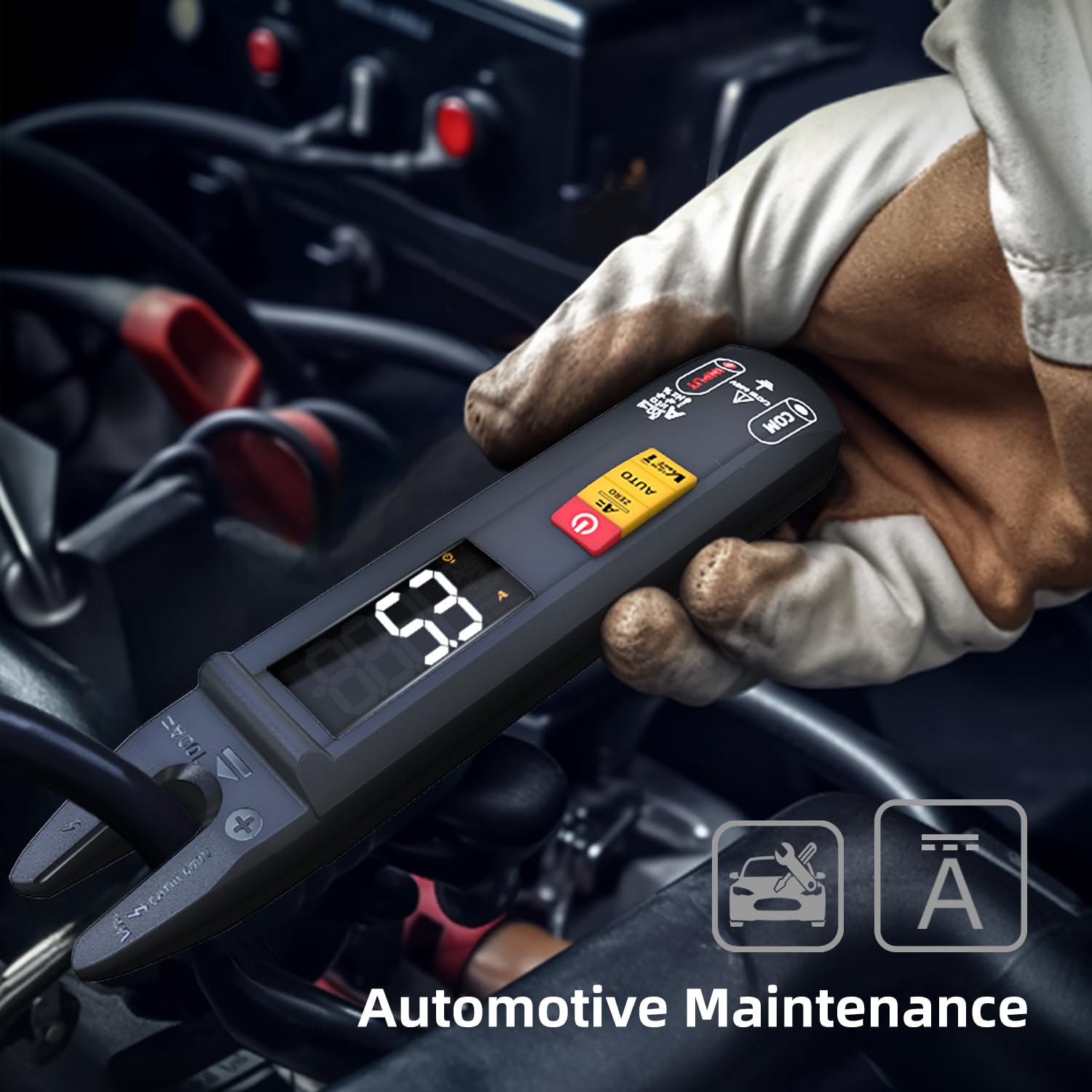
Image 6.1: The BSIDE U1 multimeter being used to measure current in an automotive maintenance scenario.
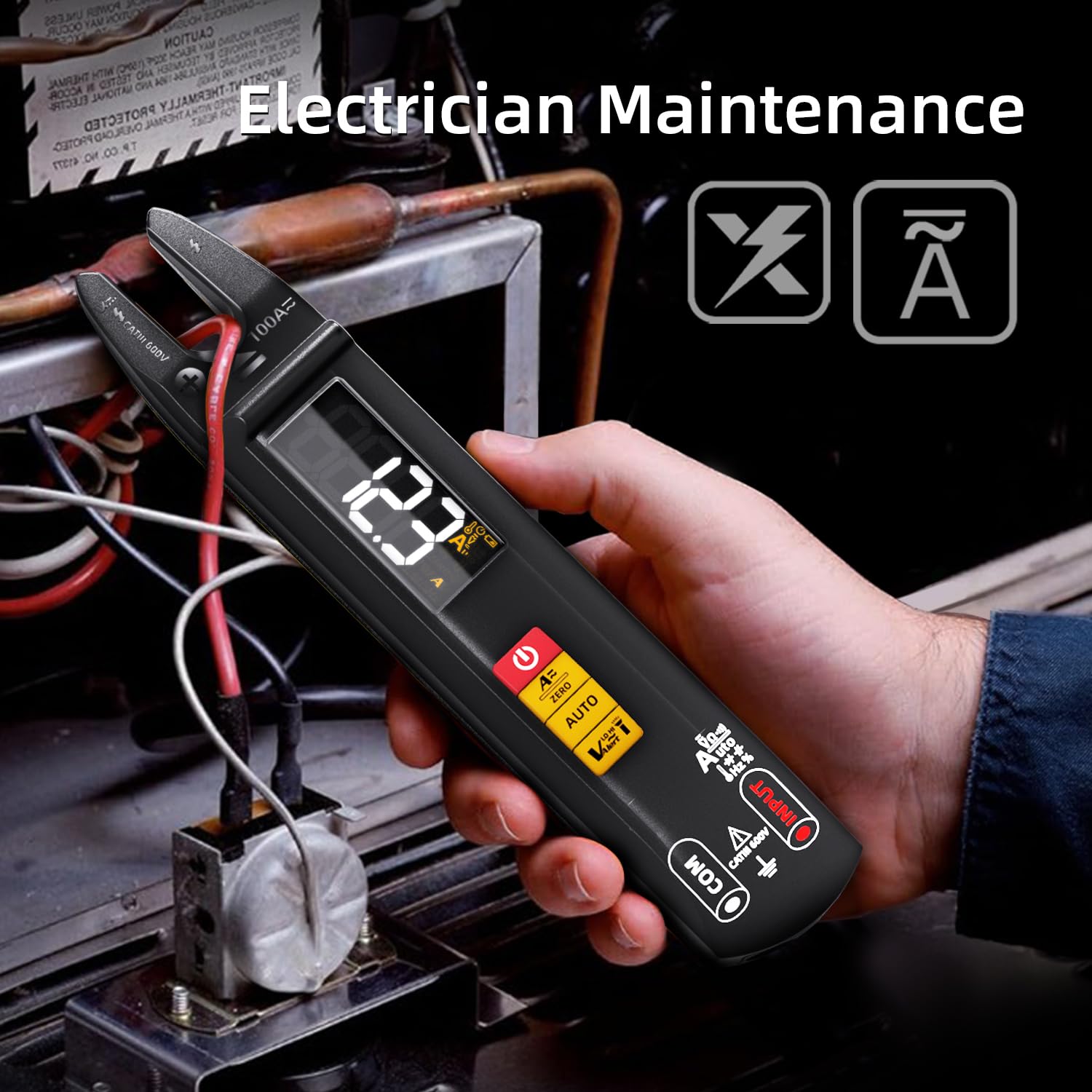
Image 6.2: The BSIDE U1 multimeter measuring current in an electrician maintenance application.
6.6. Вимірювання опору
- Переконайтеся, що ланцюг або компонент знеструмлені.
- Select Resistance mode.
- Підключіть вимірювальні щупи до компонента, щоб виміряти його опір.
6.7. Перевірка безперервності
- Переконайтеся, що ланцюг або компонент знеструмлені.
- Select Continuity mode.
- Connect the test leads across the circuit or component. A continuous beep indicates continuity (low resistance).
6.8. Вимірювання ємності
- Ensure the capacitor is discharged before testing.
- Select Capacitance mode.
- Підключіть вимірювальні щупи до клем конденсатора.

Image 6.3: The BSIDE U1 multimeter performing a capacitance measurement on an electronic circuit board.
6.9. Перевірка діодів
- Переконайтеся, що діод відключено від кола.
- Select Diode mode.
- Connect the red test lead to the anode and the black test lead to the cathode. The forward voltagВідобразиться падіння. Поміняйте місцями дроти, щоб перевірити наявність розриву ланцюга.
6.10. Вимірювання частоти
- Select Frequency mode.
- Підключіть вимірювальні щупи до джерела сигналу.
6.11. NCV (безконтактний томtagд) Виявлення
Функція NCV дозволяє швидко визначати об'єм змінного струмуtage без прямого контакту.
- Select NCV mode.
- Bring the tip of the multimeter near the conductor. The device will beep and the display will indicate the presence of AC voltage.

Image 6.4: The BSIDE U1 multimeter detecting non-contact voltage (NCV) near an electrical panel, indicated by visual and audible alerts.
6.12. Виявлення проводів під напругою
This function helps identify live wires using a single test lead.
- Select Live Wire mode.
- Вставте червоний вимірювальний дріт у гніздо «INPUT».
- Touch the tip of the red test lead to the conductor. The device will indicate if the wire is live.
6.13. Ambient Temperature Measurement
The device can measure ambient temperature.
- Select Temperature mode.
- The ambient temperature will be displayed. Note: External thermocouples for contact temperature measurement are not supplied.
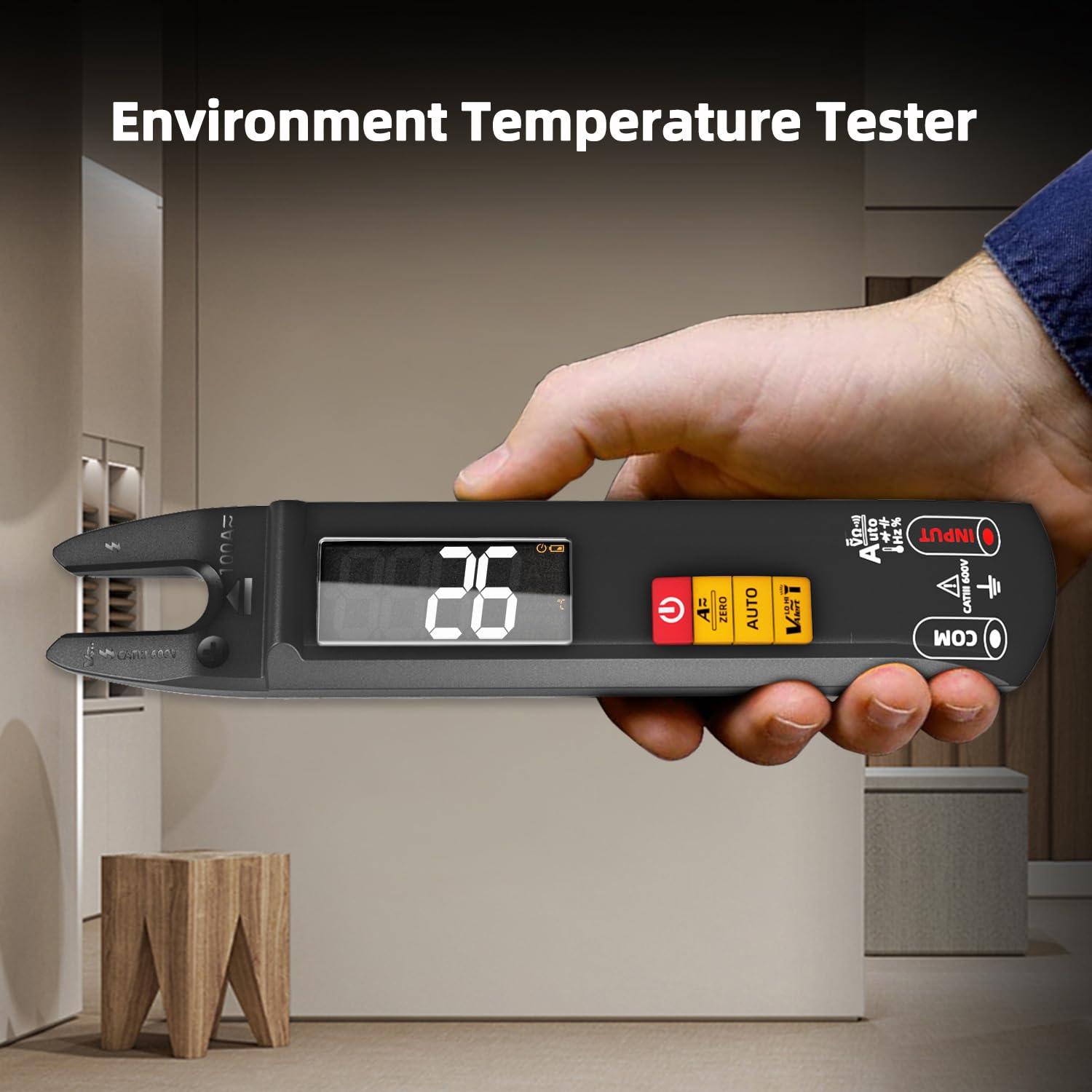
Image 6.5: The BSIDE U1 multimeter displaying the ambient temperature reading.
6.14. Світлодіодний ліхтарик
Press the flashlight button to activate the built-in LED flashlight for illumination in dimly lit areas.
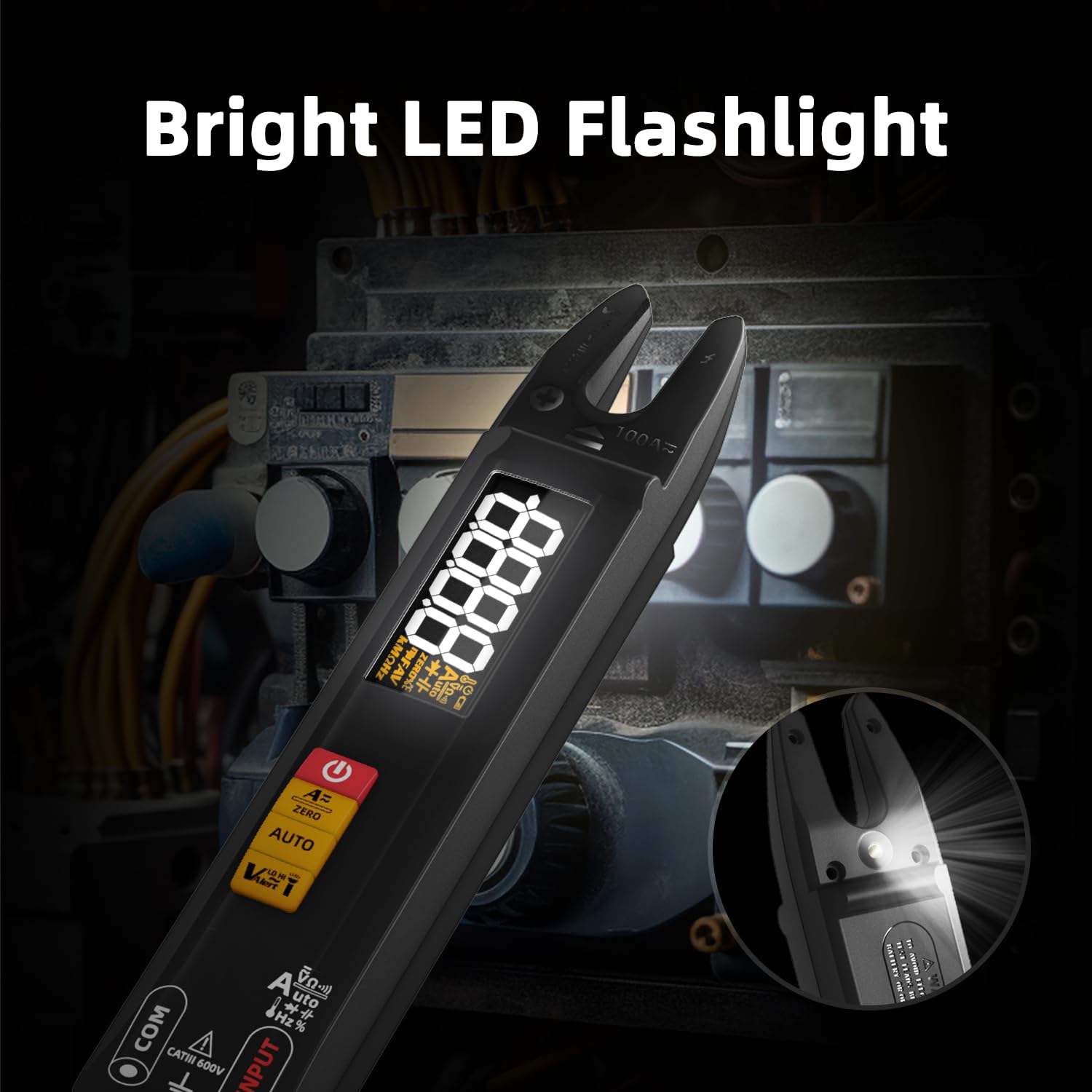
Image 6.6: The BSIDE U1 multimeter with its bright LED flashlight activated, useful for working in dark environments.
7. Технічне обслуговування
7.1. прибирання
Wipe the device with a dry, soft cloth. Do not use abrasive cleaners or solvents. Ensure the device is off and disconnected from any power source before cleaning.
7.2. Догляд за акумулятором
The integrated Li-ion battery should be charged regularly, especially if the device is not used for extended periods, to maintain battery health. Avoid extreme temperatures during storage.
7.3. Зберігання
Store the multimeter in its carrying case in a cool, dry place, away from direct sunlight and extreme temperatures. Remove test leads before storing.
8. Вирішення проблем
- Пристрій не вмикається: Переконайтеся, що акумулятор заряджений. Підключіть USB-кабель для заряджання та спробуйте ще раз.
- Неточні показники: Check test lead connections. Ensure the correct measurement mode is selected. For DC current, perform a zeroing operation.
- Немає звукового сигналу про безперервність: Ensure the circuit is de-energized. Check for open circuits or high resistance.
- NCV не виявляє об'ємtage: Ensure the NCV sensor is close enough to the conductor. Verify the conductor is live.
If issues persist, refer to the full user manual or contact customer support.
9. Технічні характеристики
| Параметр | Діапазон / Значення | Точність |
|---|---|---|
| Дисплей | 6000 відліків | N/A |
| DC Voltage | 0.001-610В | ±(0.8%+3) |
| AC Voltage | 0.050-610В | ±(1.0%+3) |
| Постійний струм | 1-100A | ±(2.5%+5) |
| Змінного струму | 1-100A (40-1000 Hz) | ±(2.5%+5) |
| опір | 0.1 Ом-60 МОм | ±(1.2%+3) |
| Ємність | 0.010 мкФ-60 мкФ | ±(3.5%+8) |
| Частота | 1-9.999 МГц | ±(2.0%+10) |
| V Alert (NCV) | До 1000 В змінного струму | N/A |
| Діодний тест | Вперед обtage drop < 3V | N/A |
| Температура навколишнього середовища | 0-50 ℃ | ±2 ℃ |
| Джерело живлення | 3.7-вольтова акумуляторна літій-іонна батарея | N/A |
| Розміри | 192 x 36 x 30 мм | N/A |
| вага | 102г | N/A |
| Рейтинг безпеки | CATIII 600V, CE | N/A |
10. Гарантія та підтримка
For detailed warranty information, please refer to the product packaging or contact your retailer. For technical support or inquiries, BSIDE offers 24/7 customer service. A PDF version of this manual in Spanish is available via email upon request.
For further assistance, please visit the official BSIDE webсайт або зверніться до їхніх каналів підтримки клієнтів.


