1. Більшеview
The JOBY Fly X Mini Drone is a compact quadcopter designed for ease of use and aerial photography. It features a 6-axis gyroscope for stable flight, one-button takeoff and landing, and the ability to perform 360-degree flips. Equipped with an HD camera, it captures 720p video and JPEG images, transmitting footage via Wi-Fi to a compatible smartphone.

Image 1.1: The JOBY Fly X Mini Drone, showcasing its compact design and integrated camera.
2. Що в коробці
Перш ніж продовжити налаштування, переконайтеся, що всі компоненти присутні:
- Міні-дрон JOBY Fly X з HD-камерою
- Пульт дистанційного керування
- 2 x Lithium Ion Batteries (for drone)
- USB-кабель для зарядки
- Запасні пропелери
- Інструкція з експлуатації (цей документ)
3. Налаштування
3.1 Встановлення та заряджання акумулятора
- Акумулятор Drone: Locate the battery compartment on the drone. Carefully insert one of the provided Lithium Ion batteries. Ensure it is securely connected.
- Зарядка: Connect the drone battery to the USB charging cable. Plug the USB cable into a compatible USB power source (e.g., computer, wall adapter). The indicator light on the cable will show charging status. Charge until fully indicated.
- Батареї контролера: Open the battery compartment on the remote control. Insert the required batteries (not specified in product data, typically AA or AAA, refer to physical product for exact type).
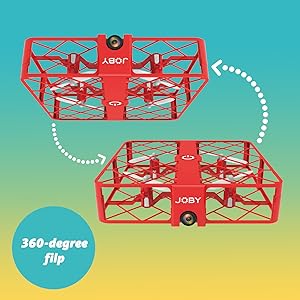
Image 3.1: Drone with its battery compartment open for installation.
3.2 Встановлення програми та підключення до Wi-Fi
To utilize the HD camera and view жити footage, download the dedicated drone control application on your smartphone (compatible with iPhone/Android). Refer to the packaging or a QR code on the drone for the specific app name.
- Увімкнення дрона: Press the power button on the drone. The indicator lights will flash.
- Підключіться до Wi-Fi: On your smartphone, go to Wi-Fi settings and connect to the drone's Wi-Fi network (usually named something like "JOBY_DRONE_XXXX").
- Запустити додаток: Open the drone control app. You should see the live camera feed from the drone.
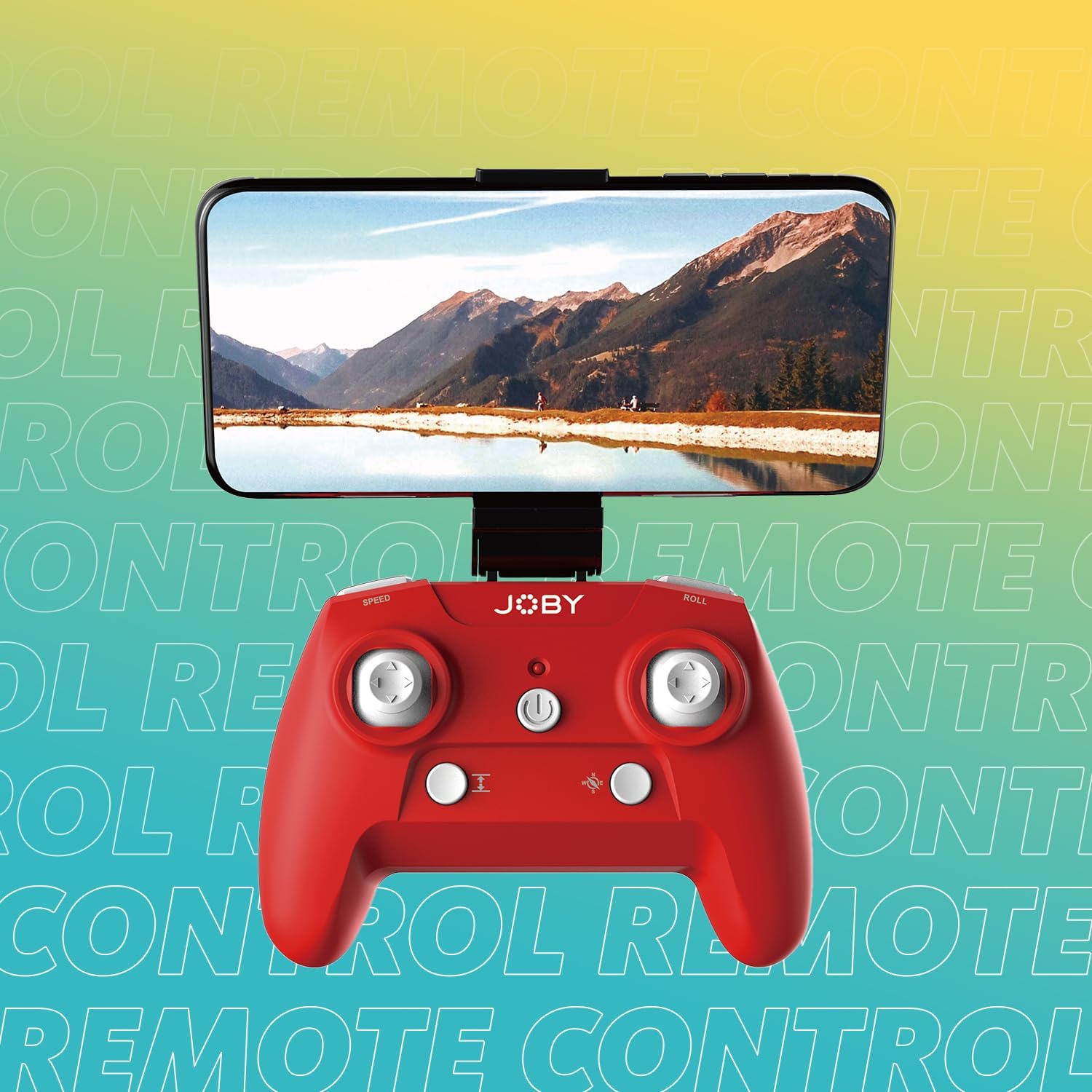
Image 3.2: Remote control with a smartphone attached, showing the live camera view.
4. Інструкція з експлуатації
4.1 Увімкнення та сполучення
- Увімкнення дрона: Press the power button on the drone. The lights will flash, indicating it's ready for pairing.
- Контролер увімкнення: Натисніть кнопку живлення на пульті дистанційного керування.
- Сполучення: Push the left joystick (throttle) all the way up, then all the way down. The drone's lights will stop flashing and become solid, indicating successful pairing.
4.2 Зліт та посадка
- One-Button Takeoff: After pairing, press the dedicated one-button takeoff/landing button on the controller. The drone will automatically ascend to a stable hovering height.
- Посадка однією кнопкою: Press the same one-button takeoff/landing button during flight, and the drone will automatically descend and land.
- Throw to Launch: For experienced users, the drone can be gently tossed into the air after pairing, and it will automatically stabilize.
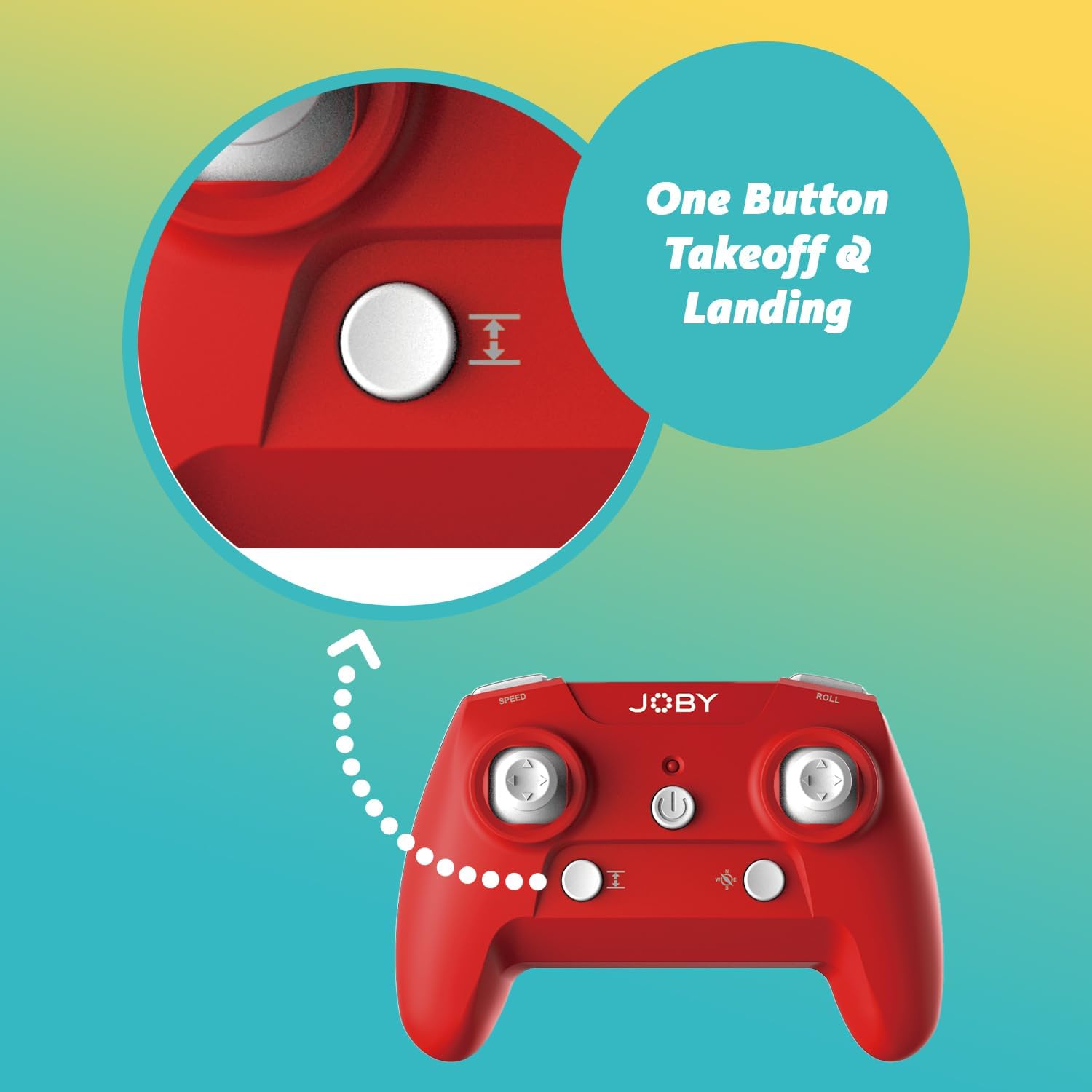
Image 4.1: Remote control highlighting the one-button takeoff/landing button.
4.3 Органи керування польотом
Використовуйте джойстики на пульті дистанційного керування для керування дроном:
- Лівий джойстик (дросель): Up/Down for ascend/descend; Left/Right for yaw (rotate).
- Правий джойстик (напрямок): Up/Down for forward/backward; Left/Right for left/right strafe.
4.4 Особливості
- Поворот на 360 градусів: Press the dedicated "Flip" button on the controller, then push the right joystick in the desired direction to perform an aerial flip.
- Аварійна посадка: In case of an emergency, activate the emergency landing function (refer to controller button layout for specific button) to quickly bring the drone down safely.

Image 4.2: Visual representation of the 360-degree flip feature.
4.5 Робота камери
The integrated HD camera captures 720p video and JPEG images. Control camera functions via the smartphone app:
- Фотозйомка: Tap the camera icon in the app to take a still photograph.
- Відеозапис: Tap the video icon to start recording. Tap again to stop.
- ViewЗМІ: Access recorded photos and videos directly through the app's gallery.
Image 4.3: Detail of the drone's HD camera.
4.6 Навчальне відео
Video 4.4: This video demonstrates the unboxing, battery installation, pairing process, and various flight maneuvers of the JOBY Fly X Mini Drone, including indoor and outdoor flight exampлес.
5. Технічне обслуговування
Регулярне технічне обслуговування забезпечує оптимальну продуктивність та довговічність вашого дрона:
- Перевірка гвинта: Regularly check propellers for damage (cracks, bends). Replace any damaged propellers using the spare parts provided.
- Прибирання: Використовуйте м’яку суху тканину для очищення корпусу дрона та об’єктива камери. Уникайте використання агресивних хімікатів або рідин.
- Догляд за акумулятором: Store batteries in a cool, dry place. Do not overcharge or completely drain batteries. Remove batteries from the drone and controller during extended periods of non-use.
- Зберігання: Store the drone in a safe place, away from direct sunlight and extreme temperatures.
6. Вирішення проблем
- Дрон не вмикається: Переконайтеся, що акумулятор повністю заряджений та правильно вставлений.
- Контролер не відповідає: Check controller batteries. Ensure the drone and controller are properly paired (refer to Section 4.1).
- Нестабільний політ: Perform a calibration (refer to the app or controller instructions for calibration steps). Check propellers for damage or obstructions.
- No Camera Feed/Poor Quality: Ensure your smartphone is connected to the drone's Wi-Fi network. Check for app updates. Ensure the camera lens is clean.
- Короткий час польоту: Batteries may not be fully charged or may be nearing the end of their lifespan.
7. Технічні характеристики
| Особливість | Деталь |
|---|---|
| Бренд | Joby |
| Назва моделі | Fly X Mini |
| Номер моделі товару | JB01966-BWW |
| Розміри | 5.12 см (Д) x 5.12 см (Ш) x 1.18 см (В) |
| Вага товару | 2.24 унції |
| Роздільна здатність захоплення відео | 720p |
| Роздільна здатність відеосигналу | 1280x720 пікселів |
| Формат захоплення відео | MP4 |
| Підтримуваний формат зображення | JPEG |
| Технологія підключення | Wi-Fi |
| Технологія дистанційного керування | Wi-Fi |
| Максимальна дальність | 100 футів (приблизно 30 метри) |
| Акумулятори | 2 літій-іонний акумулятор (у комплекті) |
| матеріал | пластик |
| Рівень майстерності | Початківець |
8. Гарантія та підтримка
For warranty information and customer support, please refer to the official Joby webсайт або зверніться безпосередньо до служби підтримки клієнтів. Зберігайте чек про покупку для будь-яких гарантійних претензій.
Ви можете відвідати Joby Store on Amazon для отримання додаткової інформації про продукт та ресурсів підтримки.


