вступ
This manual provides essential information for setting up, operating, maintaining, and troubleshooting your Acer Nitro 70 N70-130-UR13 Gaming Desktop. Please read these instructions carefully to ensure proper use and longevity of your device. Keep this manual for future reference.
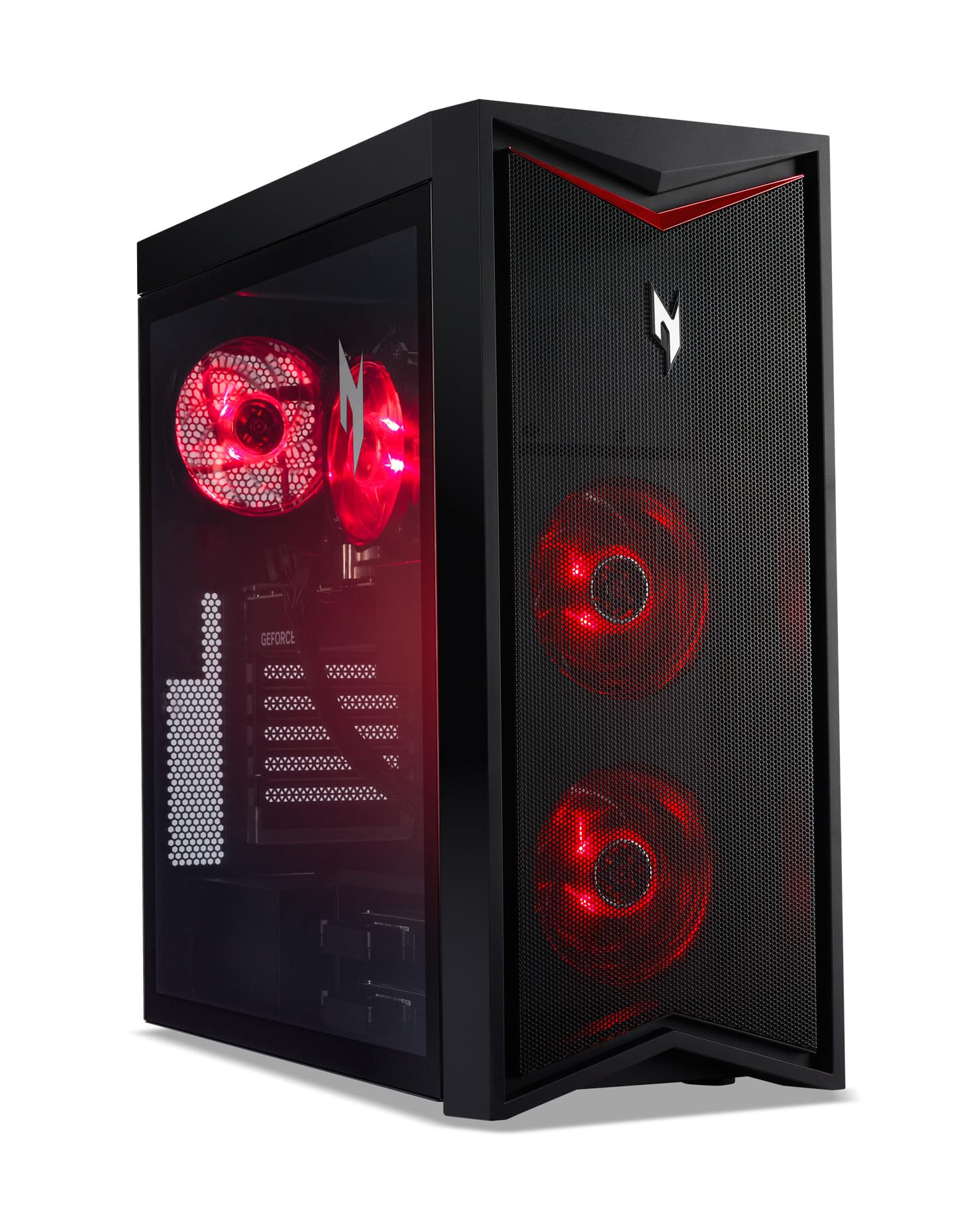
Зображення: спереду view ігрового настільного комп'ютера Acer Nitro 70 N70-130-UR13, демонстраціяasing its sleek black chassis with red accents and illuminated fans.
Що в коробці
Перевірте наявність усіх елементів в упаковці:
- Ігровий ПК Acer Nitro 70 N70-130-UR13
- Клавіатура
- миша
- Шнур живлення
Інструкції з налаштування
- Розпакування: Carefully remove the desktop and all accessories from the packaging. Retain the packaging for future transport or service needs.
- Розміщення: Place the desktop on a stable, flat surface with adequate ventilation around all sides. Avoid placing it in direct sunlight or near heat sources.
- Підключення периферійних пристроїв:
- Connect your monitor(s) to the graphics card ports (HDMI, DisplayPort) on the rear of the desktop.
- Підключіть клавіатуру та мишу, що входять до комплекту, до доступних USB-портів.
- Підключіть будь-які інші периферійні пристрої, такі як динаміки, навушники або зовнішні накопичувачі.
- Підключення живлення: Connect the power cord to the desktop's power input and then to a grounded electrical outlet.
- Перше ввімкнення: Press the power button located on the top of the desktop. The system will boot into Windows 11 Home. Follow the on-screen instructions for initial setup.

Image: A user seated at a desk, operating the Acer Nitro 70 desktop connected to a monitor, keyboard, mouse, and headset, illustrating a typical setup.
Інструкція з експлуатації
Увімкнення/вимкнення живлення
- Щоб увімкнути: Press the power button on the top of the desktop.
- Щоб вимкнути: Натисніть кнопку «Пуск» у Windows, а потім виберіть «Живлення» > «Завершити роботу».
- Щоб перезапустити: Натисніть кнопку «Пуск» у Windows, а потім виберіть «Живлення» > «Перезавантажити».
- Спати: Натисніть кнопку «Пуск» у Windows, а потім виберіть «Живлення» > «Сон».
Using NitroSense
The NitroSense utility application allows you to monitor system performance, adjust fan speeds, and customize settings for optimal gaming and computing experience.
- Launch NitroSense: Locate the NitroSense icon in your Windows Start menu or desktop and click to open.
- Монітор продуктивності: View real-time CPU and GPU temperatures, usage, and fan speeds.
- Adjust Fan Settings: Налаштувати професійного фанатаfiles (e.g., Auto, Max) to manage cooling performance.

Image: The Acer Nitro 70 desktop positioned next to a monitor displaying the NitroSense software interface, showing system performance metrics.
Ключові характеристики
- Процесор: AMD Ryzen 9 7900 12-Core Processor (Up to 5.4GHz)
- Графіка: NVIDIA GeForce RTX 4070 with 12GB GDDR6X Video Memory
- Пам'ять: 32GB DDR5 4800MHz RAM
- Зберігання: 1TB M.2 2280 PCIe Gen 4 SSD
- Операційна система: Windows 11 Домашня
- Підключення: Wi-Fi 6E, Bluetooth, Multiple USB 2.0 and 3.0 ports
- Шасі: 38L volume with optimized airflow and red LED lighting.

Image: The Acer Nitro 70 desktop with its side panel open, revealing the internal components including the M.2 PCIe Gen4 SSD and cooling fans.

Зображення: Детальний view of the internal cooling fans and the NVIDIA GeForce RTX 4070 graphics card within the Acer Nitro 70 desktop.
Технічне обслуговування
Regular maintenance helps ensure optimal performance and extends the lifespan of your desktop.
- Зберігайте чистоту: Regularly clean the exterior of the desktop with a soft, dry cloth. Use compressed air to clear dust from vents and fans to maintain proper airflow. Ensure the system is powered off and unplugged before cleaning.
- Оновлення програмного забезпечення: Keep your operating system (Windows 11) and drivers (especially graphics drivers) updated to the latest versions for security and performance improvements.
- Резервні дані: Періодично створюйте резервні копії важливих fileна зовнішній диск або хмарне сховище, щоб запобігти втраті даних.
- Уникайте перешкод: Ensure that the desktop's ventilation openings are not blocked by objects or placed in enclosed spaces.
Усунення несправностей
У цьому розділі розглядаються поширені проблеми, з якими ви можете зіткнутися під час роботи з вашим робочим столом.
- Немає живлення / Система не вмикається:
- Перевірте, чи шнур живлення надійно підключений як до робочого столу, так і до електричної розетки.
- Переконайтеся, що розетка працює, перевіривши її за допомогою іншого пристрою.
- If using a power strip or surge protector, ensure it is switched on and working.
- Немає відображення на моніторі:
- Verify that the monitor is powered on and its video cable is securely connected to the graphics card ports on the desktop.
- Переконайтеся, що на моніторі вибрано правильне джерело вхідного сигналу.
- Спробуйте підключити монітор до іншого відеопорту на відеокарті, якщо він є.
- System Running Slowly:
- Закрийте непотрібні програми, що працюють у фоновому режимі.
- Перевірте та встановіть будь-які оновлення Windows або оновлення драйверів, що очікують на оновлення.
- Ensure there is sufficient free space on your primary drive (SSD).
- Запустіть сканування системи на наявність шкідливих програм або вірусів.
- Перегрів:
- Ensure the desktop's vents are clear of obstructions and dust.
- Use the NitroSense application to monitor temperatures and adjust fan speeds.
- Ensure the desktop is placed in a well-ventilated area.
Технічні характеристики
| Особливість | Специфікація |
|---|---|
| Номер моделі | N70-130-UR13 |
| Процесор | AMD Ryzen 9 7900 (12-Core, up to 5.4GHz) |
| Графічна карта | NVIDIA GeForce RTX 4070 with 12GB GDDR6X |
| ОЗУ | 32 ГБ DDR5 4800 МГц |
| Зберігання | 1TB M.2 2280 PCIe Gen 4 SSD |
| Операційна система | Windows 11 Домашня |
| Бездротове підключення | Wi-Fi 6E, Bluetooth |
| Порти USB 2.0 | 2 |
| Порти USB 3.0 | 8 |
| Відеовихід | 3 x DisplayPort 1.4a, 1 x HDMI 2.1 |
| Розміри (ДxШxВ) | 19.87 x 8.62 x 19.09 дюймів |
| Вага товару | 13.6 фунта |
Продукт закінченийview відео
Відео: Офіційна відеопрезентація продуктуasing the design, internal components, and features of the Acer Nitro 70 N70-130-UR13 Gaming Desktop.
Гарантія та підтримка
Your Acer Nitro 70 N70-130-UR13 Gaming Desktop comes with a standard manufacturer's warranty. For detailed warranty terms and conditions, please refer to the warranty card included with your product or visit the official Acer support webсайт.
Щоб отримати технічну підтримку, завантажити драйвери або звернутися до служби підтримки Acer website or contact Acer customer service directly. Have your product model number (N70-130-UR13) and serial number ready when contacting support.
Підтримка Acer Webсайт: www.acer.com/support


