1. Вступ
Thank you for choosing the ZEBRONICS K4000MW Wireless Keyboard. This manual provides essential information for setting up, operating, maintaining, and troubleshooting your new keyboard. The K4000MW offers versatile connectivity options, including 2.4 GHz wireless and dual Bluetooth, making it compatible with a wide range of devices such as laptops, desktops, tablets, and smartphones. Its compact design and integrated multimedia keys enhance productivity and user convenience.

Зображення 1: Зверху вниз view of the ZEBRONICS K4000MW Wireless Keyboard, showcasing its compact layout and black finish.
2. Налаштування
2.1 Вміст упаковки
- ZEBRONICS K4000MW Wireless Keyboard
- USB Nano Receiver (for 2.4 GHz connection)
- Посібник користувача
2.2 Встановлення батареї
- Знайдіть відсік для батареї на нижній стороні клавіатури.
- Відкрийте кришку батарейного відсіку.
- Insert the required batteries (not specified in JSON, typically AA or AAA) according to the polarity markings.
- Надійно закрийте кришку батарейного відсіку.
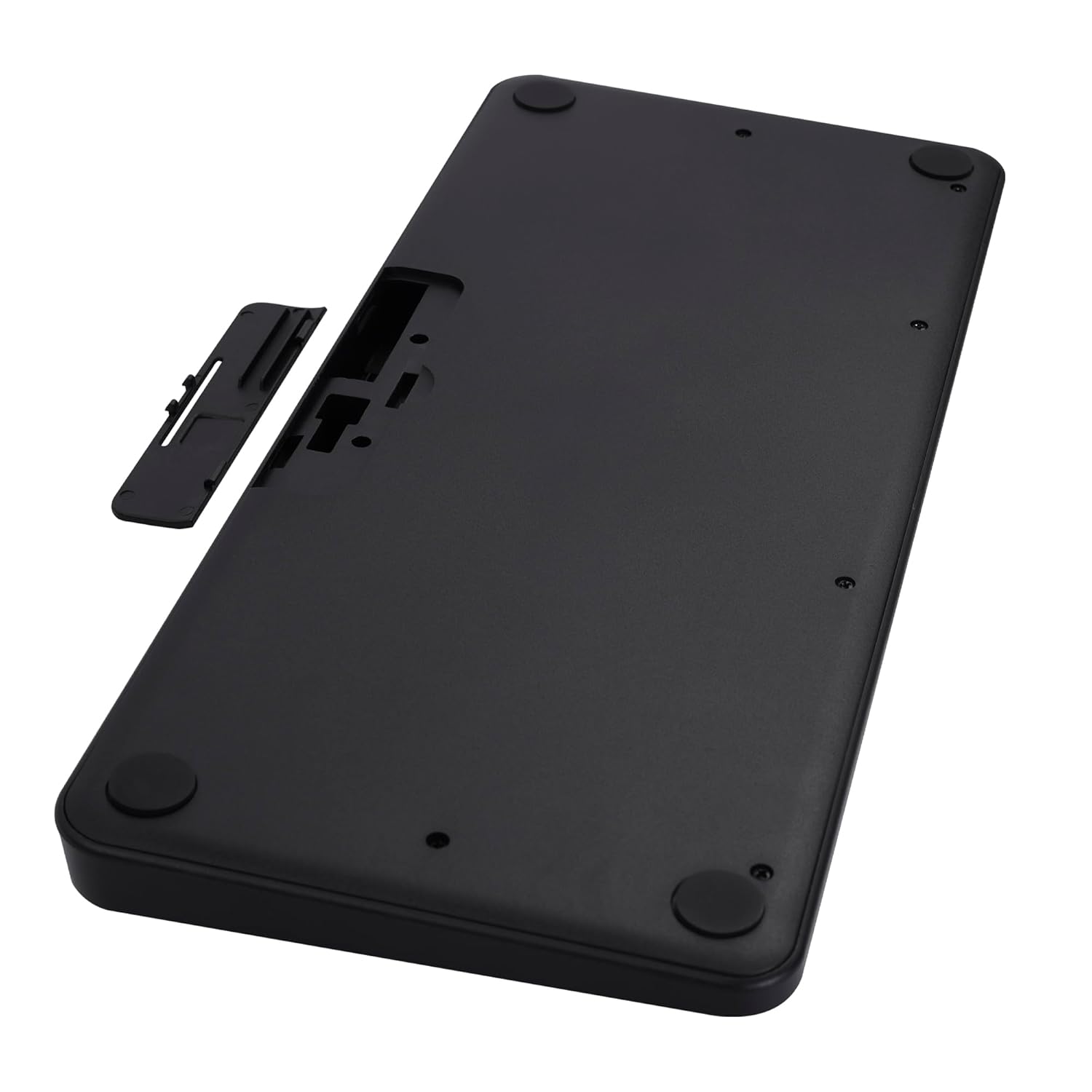
Image 2: The underside of the keyboard, showing the battery compartment and the slot for the USB nano receiver.
2.3 Підключення через бездротовий зв'язок 2.4 ГГц
- Remove the USB nano receiver from its storage slot in the battery compartment.
- Plug the nano receiver into an available USB port on your computer or compatible device.
- The keyboard should automatically connect. The 2.4G LED indicator on the keyboard will illuminate briefly to confirm connection.
2.4 Підключення через Bluetooth
The keyboard supports up to two Bluetooth connections (BT1 and BT2).
- Pairing for BT1:
a. Натисніть і утримуйте Fn + BT1 keys simultaneously for 3-5 seconds until the BT1 LED indicator starts blinking rapidly.
b. On your device (laptop, tablet, smartphone), enable Bluetooth and search for available devices.
c. Select "ZEB-K4000MW" from the list of devices to pair.
d. Once paired, the BT1 LED indicator will stop blinking and remain solid for a few seconds. - Pairing for BT2:
a. Follow the same steps as for BT1, but press and hold Fn + BT2 ключі.
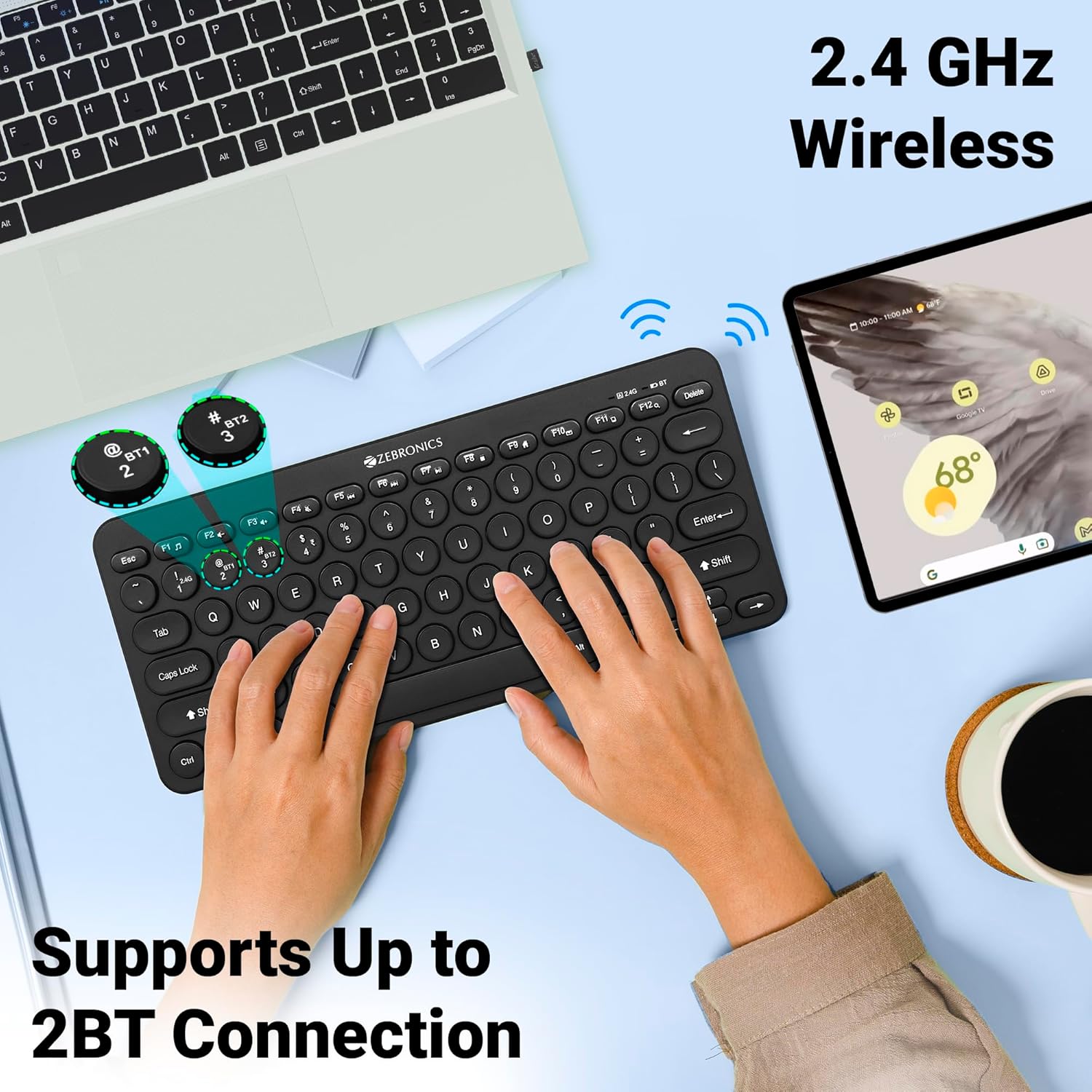
Image 3: The keyboard in use, highlighting the 2.4 GHz wireless and dual Bluetooth connection capabilities with LED indicators.
2.5 Перемикання між пристроями
Щоб переключатися між підключеними пристроями:
- Прес Fn + 2.4G to switch to the device connected via the 2.4 GHz nano receiver.
- Прес Fn + BT1 to switch to the device paired with Bluetooth 1.
- Прес Fn + BT2 to switch to the device paired with Bluetooth 2.
3. Робота з клавіатурою
3.1 Базове введення тексту
The keyboard features 78 UV-coated keys designed for comfortable and efficient typing. The layout includes standard alphanumeric keys, function keys, and navigation keys.
3.2 мультимедійних клавіш
The keyboard integrates 12 multimedia keys (F1-F12) for quick access to media controls and other functions. To use these functions, press the Fn клавішу одночасно з потрібною функціональною клавішею.
- Fn+F1: Медіаплеєр
- Fn+F2: Зменшення гучності
- Fn+F3: Збільшення гучності
- Fn+F4: Вимкнути звук
- Fn+F5: Попередній трек
- Fn+F6: Відтворення/Пауза
- Fn+F7: Наступний трек
- Fn+F8: СТІЙ
- Fn+F9: Web Браузер
- Fn+F10: Електронна пошта
- Fn+F11: Мій комп'ютер
- Fn+F12: Калькулятор
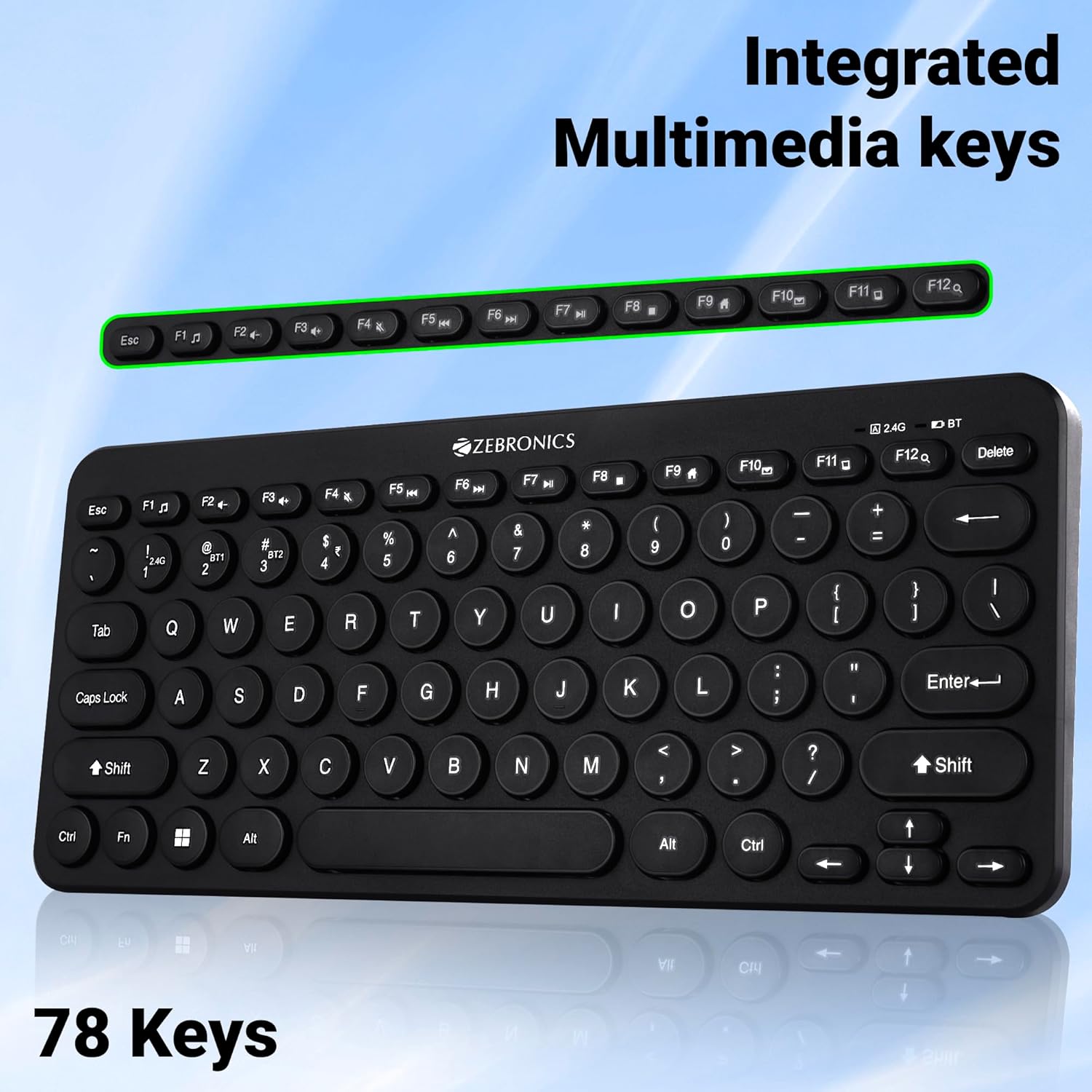
Image 4: The keyboard with the row of function keys (F1-F12) highlighted, indicating their integrated multimedia capabilities.
3.3 Rupee Key
The keyboard includes a dedicated Rupee key, indicating regional inclusivity for users.
3.4 світлодіодні індикатори
The keyboard features LED indicators to provide status information:
- 2.4G LED: Indicates 2.4 GHz wireless connection status.
- BT1/BT2 LED: Indicates Bluetooth connection status for BT1 or BT2.
- Світлодіодний індикатор Caps Lock: Світиться, коли активовано Caps Lock.
- Індикатор низького заряду батареї: Flashes or changes color to indicate low battery power.
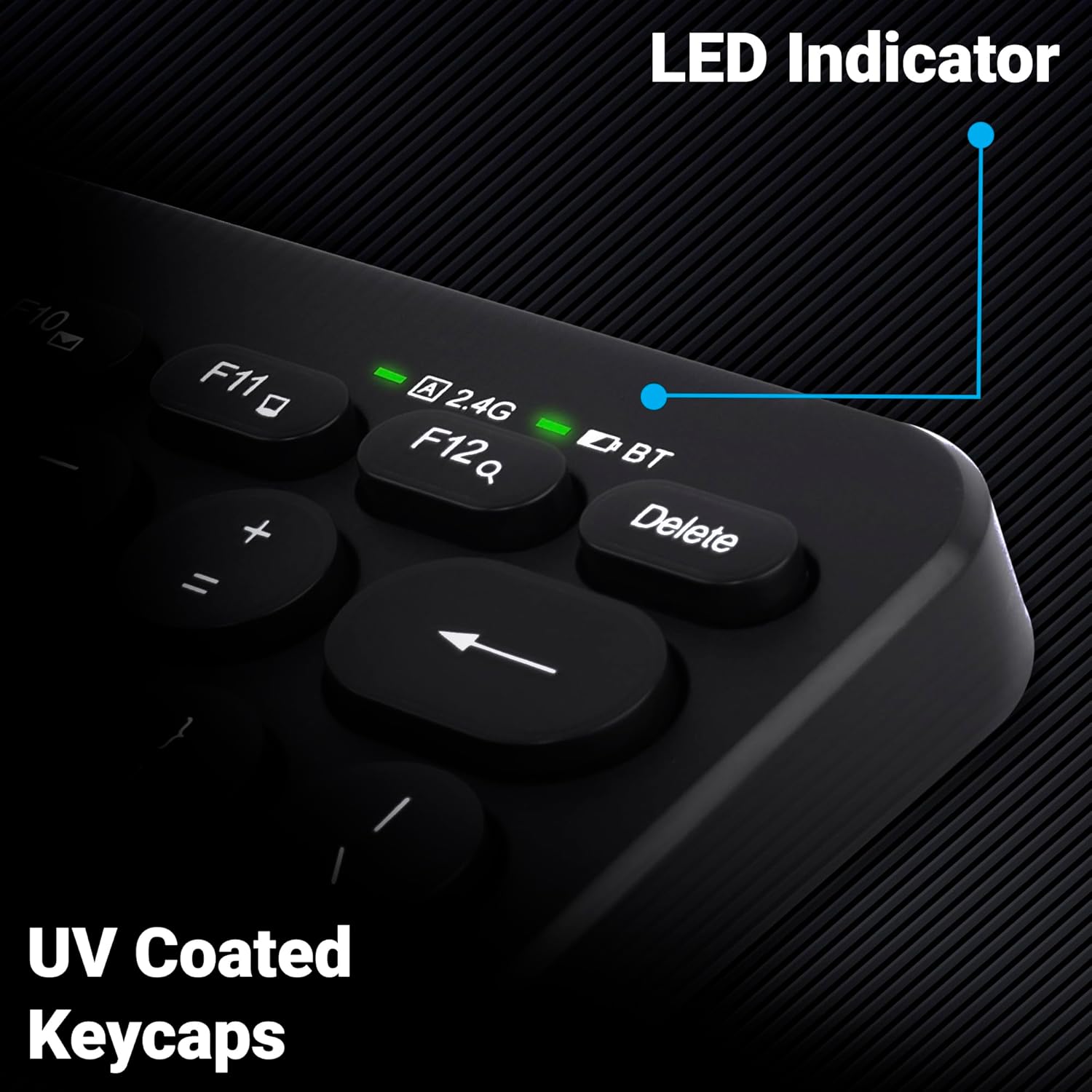
Зображення 5: Крупний план view of the keyboard's top right corner, showing the LED indicators for 2.4G, BT, and Caps Lock, along with the UV-coated keycaps.
3.5 Сумісність пристрою
The K4000MW keyboard is designed for broad compatibility, integrating seamlessly with:
- Ноутбуки
- Настільні комп'ютери
- Таблетки
- Смартфони
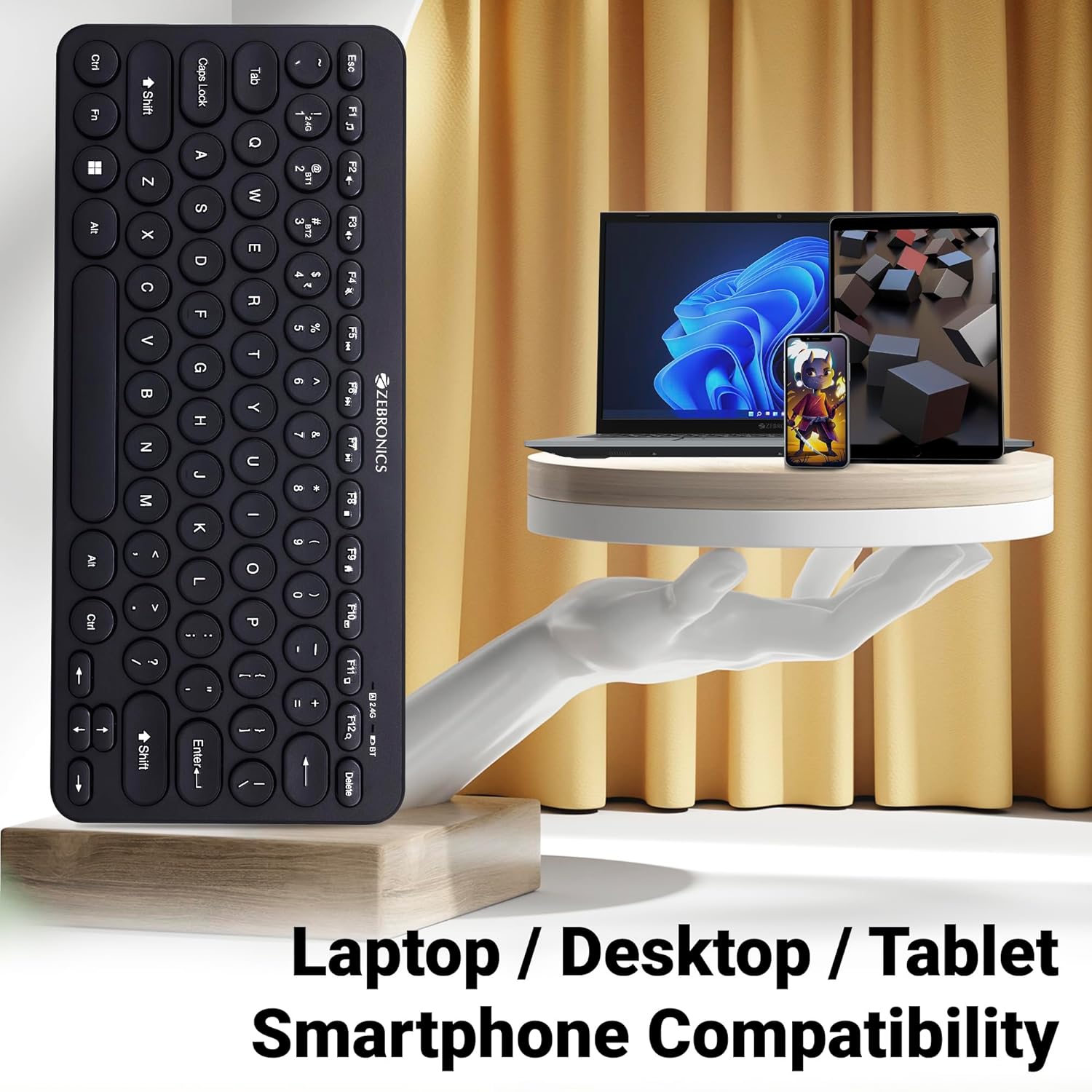
Image 6: The keyboard positioned next to a laptop, tablet, and smartphone, illustrating its multi-device compatibility.
4. Технічне обслуговування
4.1 Очищення
- Використовуйте м’яку, суху тканину для протирання поверхні клавіатури.
- Для стійкого бруду злегкаampПротріть тканину водою або м’яким миючим розчином. Уникайте надмірного зволоження.
- Do not use harsh chemicals or abrasive cleaners, as these can damage the keycaps and finish.
- Використовуйте стиснене повітря, щоб видалити пил та сміття між клавішами.
4.2 Догляд за акумулятором
- Replace batteries when the low battery indicator illuminates to ensure uninterrupted operation.
- If the keyboard will not be used for an extended period, it is recommended to remove the batteries to prevent leakage.
- Store the keyboard in a cool, dry place.
5. Вирішення проблем
5.1 Клавіатура не реагує
- Перевірте батареї: Переконайтеся, що батарейки правильно встановлені та мають достатній заряд. За потреби замініть їх.
- Перевірити підключення: Verify that the 2.4 GHz nano receiver is securely plugged into the USB port, or that the Bluetooth connection is active and paired.
- Перемикати канали: If using Bluetooth, ensure you are on the correct BT1 or BT2 channel.
- Повторне підключення Bluetooth: If connection issues persist, try unpairing and re-pairing the keyboard with your device.
- Перешкоди: Move the keyboard closer to the receiver/device and away from other wireless devices that might cause interference.
5.2 Keys Not Working or Lagging
- Чисті ключі: Переконайтеся, що під клавішами немає сміття.
- Рівень заряду батареї: Low battery can sometimes affect key responsiveness. Replace batteries.
- Перешкоди: Wireless interference can cause lag. Try moving closer to the receiver/device.
- Сумісність пристрою: Ensure your device's operating system is compatible with the keyboard.
5.3 Bluetooth Disconnection Issues
- Відстань: Переконайтеся, що клавіатура знаходиться в межах ефективного радіусу дії вашого Bluetooth-пристрою.
- Перешкоди: Other Bluetooth or wireless devices nearby can cause disconnections.
- Device Bluetooth Driver: Update your device's Bluetooth drivers to the latest version.
- Повторна пара: Видаліть клавіатуру зі списку Bluetooth вашого пристрою та повторно підключіть її.
6. Технічні характеристики
| Особливість | Деталь |
|---|---|
| Бренд | ЗЕБРОНІКА |
| Назва моделі | K4000MW |
| Технологія підключення | 2.4 GHz Wireless, Bluetooth (Dual BT) |
| Кількість клавіш | 78 |
| Мультимедійні клавіші | 12 Integrated Multimedia Keys |
| Тип клавіатури | UV-Coated |
| Особливості | Rupee Key, LED Indicator (Battery, Connectivity, Caps Lock) |
| Дизайн | Slim & Minimalist |
| Сумісні пристрої | Desktop, Laptop, Tablet, Smartphone |
| Операційна система | Windows 10 (та інші сумісні ОС) |
| Джерело живлення | Працює від батареї |
| Розміри продукту (ДxШxВ) | 29.4 х 13.4 х 3 см |
| Вага товару | 320 г |
7. Гарантія та підтримка
7.1 Інформація про гарантію
For specific warranty terms and conditions, please refer to the warranty card included with your product or visit the official ZEBRONICS webсайт. Зберігайте чек про покупку як підтвердження покупки для гарантійних претензій.
7.2 Підтримка клієнтів
If you encounter any issues or have questions regarding your ZEBRONICS K4000MW Wireless Keyboard, please contact ZEBRONICS customer support through their official webсайт або контактну інформацію, зазначену на упаковці вашого продукту.


