вступ
Thank you for choosing the R-MUSIC KARADUO Complete Karaoke Pack. This manual provides detailed instructions for the safe and efficient use of your new karaoke system, which includes a portable RGB speaker and two wireless microphones. Please read this manual thoroughly before operation and retain it for future reference.
Вміст упаковки
Переконайтеся, що всі предмети присутні та знаходяться у належному стані після розпакування:
- 1 x R-MUSIC KARADUO Portable RGB Speaker
- 2 x бездротові мікрофони
- 1 x USB-C зарядний кабель
- 1 x Посібник користувача (цей документ)

Image: The R-MUSIC KARADUO portable RGB speaker and two wireless microphones, as included in the package.
Продукт закінченийview
Компоненти та елементи керування динаміками

Зображення: Верх view of the R-MUSIC KARADUO speaker, showing the control buttons.
- LED Animation Button: Press to cycle through 5 different LED light animations.
- Кнопка «Гучність +» / «Наступна пісня»: Коротке натискання для збільшення гучності. Тривале натискання для переходу до наступної пісні.
- ON / OFF / Pause / Play Button: Long press to power the speaker on or off. Short press to play or pause music.
- Кнопка гучності / попередньої пісні: Коротке натискання для зменшення гучності. Тривале натискання для переходу до попередньої пісні.
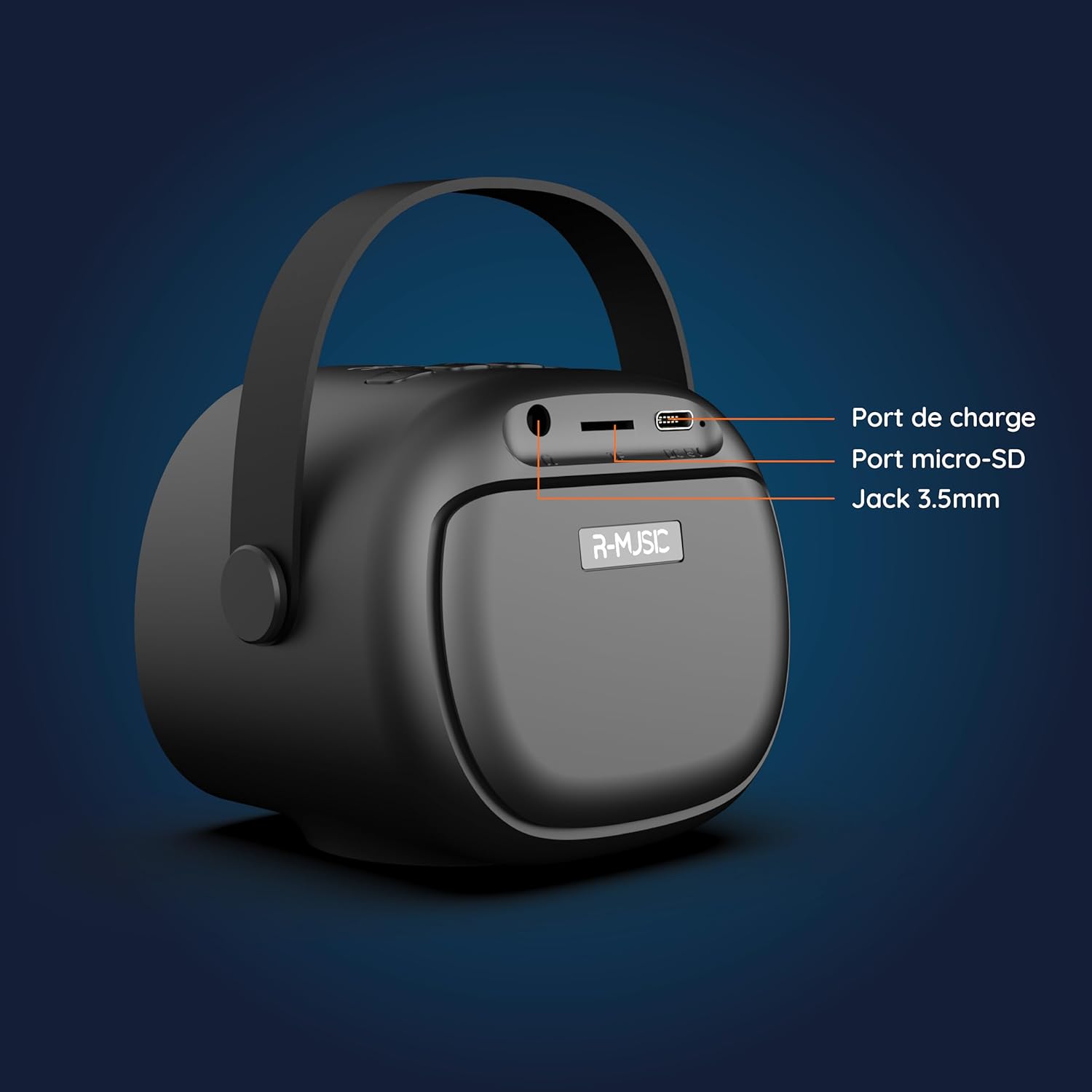
Зображення: Спина view of the R-MUSIC KARADUO speaker, highlighting the charging port, Micro-SD card slot, and 3.5mm Jack port.
- Порт зарядки (USB-C): Connect the provided USB-C cable for charging.
- Слот для картки Micro-SD: Insert a Micro-SD card for direct music playback.
- 3.5-мм AUX-порт: Connect external audio devices using a 3.5mm audio cable (not included).
Керування мікрофоном

Image: Close-up of the R-MUSIC wireless microphones, illustrating the power, volume, and mode buttons.
- Кнопка живлення: Long press to power the microphone on or off.
- Гучність + кнопка: Збільшити гучність мікрофона.
- Кнопка гучності: Зменшити гучність мікрофона.
- Кнопка режиму (M): Short press to cycle through 5 voice deformation effects and 3 karaoke modes.
Налаштування
1. Заряджання динаміка та мікрофонів
Перед першим використанням повністю зарядіть динамік та обидва мікрофони.
- Доповідач: Connect the provided USB-C charging cable to the speaker's charging port and a compatible USB power adapter (not included). The charging indicator will show the charging status.
- Мікрофони: Each microphone has its own charging port (usually Micro-USB, check the microphone itself). Connect them to a USB power source using appropriate cables (not included, or check if included with microphones).
A full charge provides approximately 14 hours of speaker playback without LED lights, or 7 hours with LED lights activated.
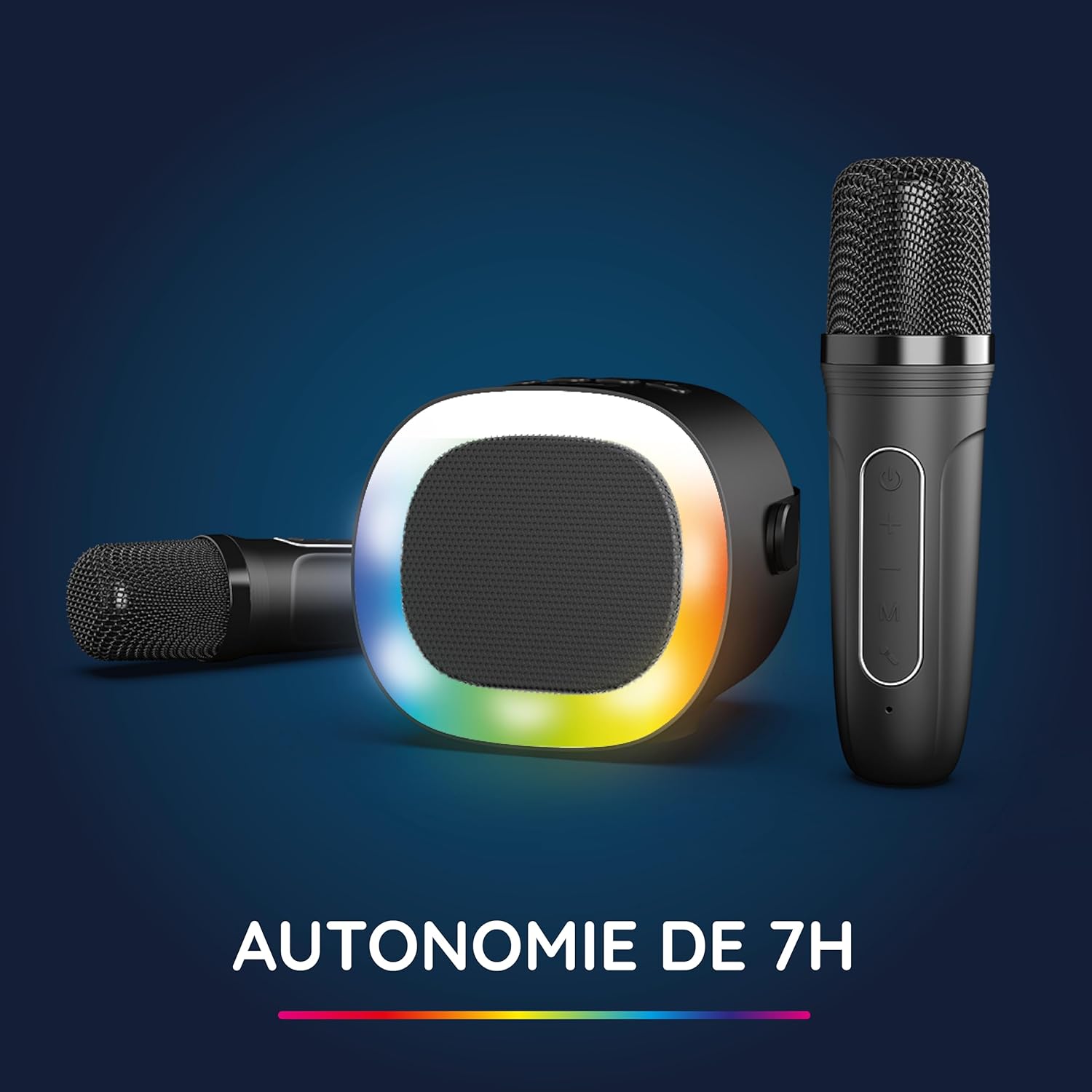
Image: The R-MUSIC speaker and microphones, illustrating the battery life with LED lights active.
2. Увімкнення та сполучення мікрофонів
- Увімкнення динаміка: Long press the ON/OFF button on the speaker until it powers on.
- Увімкнення мікрофонів: Long press the Power button on each microphone until they power on.
- The microphones should automatically pair with the speaker. If not, ensure they are within close proximity and try powering them off and on again.
Інструкція з експлуатації
1. Підключення до аудіоджерел
The KARADUO speaker offers multiple connectivity options:
- Bluetooth 5.0:
- Переконайтеся, що динамік увімкнено.
- Activate Bluetooth on your smartphone, tablet, PC, or other compatible device.
- шукати "KARADUO" in your device's Bluetooth settings and select it to pair. A confirmation sound will indicate a successful connection.
- The Bluetooth 5.0 technology ensures optimal sound quality and a stable connection up to 10 meters.
- Вхід AUX:
- Connect a 3.5mm audio cable (not included) from your audio device's headphone jack to the speaker's 3.5mm AUX port.
- Колонка автоматично перейде в режим AUX.
- Micro-SD Card Playback:
- Insert a Micro-SD card containing MP3 audio files into the Micro-SD card slot on the back of the speaker.
- Динамік автоматично розпізнає карту та почне відтворювати музику.
2. Speaker Operation
- Відтворення/пауза: Short press the ON/OFF/Pause/Play button.
- Регулювання гучності: Коротко натисніть кнопки «Гучність +» або «Гучність -».
- Наступний / попередній трек: Long press the Volume + (next) or Volume - (previous) buttons.
- Режими світлодіодного освітлення: Press the LED Animation button to cycle through 5 different LED light animations.

Image: The R-MUSIC speaker showcasing its dynamic LED light animations.
3. Робота мікрофона
- Гучність мікрофона: Use the Volume + and Volume - buttons on the microphone to adjust your vocal volume.
- Voice Deformation Effects: Short press the 'M' (Mode) button on the microphone to cycle through 5 different voice deformation effects.
- Режими караоке: Continue pressing the 'M' button to cycle through 3 distinct karaoke modes.
Технічне обслуговування
To ensure the longevity and optimal performance of your R-MUSIC KARADUO system, follow these maintenance guidelines:
- Прибирання: Використовуйте м’яку суху тканину для очищення динаміка та мікрофонів. Не використовуйте абразивні засоби для чищення, розчинники чи агресивні хімікати.
- Зберігання: Зберігайте пристрій у прохолодному, сухому місці, подалі від прямих сонячних променів та екстремальних температур, коли він не використовується.
- Вплив води: Цей виріб не є водонепроникним. Уникайте контакту з водою або надмірною вологістю.
- Зарядка: Only use the provided charging cable and a compatible USB power adapter. Do not overcharge the device.
Усунення несправностей
If you encounter issues with your KARADUO system, please refer to the following common problems and solutions:
| проблема | Можлива причина | Рішення |
|---|---|---|
| Немає живлення | Низький заряд батареї або пристрій вимкнено. | Charge the speaker/microphones. Long press the power button to turn on. |
| Немає звуку з динаміка | Занадто низька гучність, неправильний режим введення або пристрій не підключено. | Increase speaker volume. Ensure correct input (Bluetooth, AUX, Micro-SD). Reconnect Bluetooth or check AUX cable. |
| Мікрофони не працюють | Microphones off, low battery, or not paired. | Ensure microphones are charged and powered on. They should automatically pair with the speaker. If not, power cycle them. |
| Відключення Bluetooth | Device out of range, interference, or low battery. | Move the connected device closer to the speaker (within 10m). Ensure no major obstacles. Recharge the speaker. |
If the problem persists after trying these solutions, please contact R-MUSIC customer support.
Технічні характеристики
| Особливість | Деталь |
|---|---|
| Бренд | Р-МУЗИКА |
| Номер моделі | RM484437 |
| Колір | чорний |
| Технологія підключення | Bluetooth 5.0 |
| Порти підключення | 3.5mm Jack, USB Type-C (charging), Micro-SD Card Slot |
| Особливості | 2 Wireless Microphones, Universal Connectivity, 5 Voice Deformation Effects, LED Lights |
| Сумісні пристрої | PC, Smartphone, Tablet, TV (via AUX) |
| Джерело живлення | Працює від батареї |
| Термін служби батареї динаміка | Up to 14 hours (without LED), 7 hours (with LED) |
| Діапазон Bluetooth | До 10 метрів |

Image: Technical dimensions of the R-MUSIC KARADUO speaker, showing its height, width, and depth.
Гарантія та підтримка
Information regarding specific warranty terms and conditions for the R-MUSIC KARADUO Complete Karaoke Pack is not available in this document. Please refer to the product packaging or the retailer's webсайт для деталей гарантії.
For technical support or further assistance, please contact R-MUSIC customer service through their official webабо контактну інформацію, надану під час покупки.


