вступ
Thank you for choosing the Twisted Minds 32 FHD 240Hz VA Gaming Monitor. This manual provides essential information for setting up, operating, maintaining, and troubleshooting your new monitor. Please read this manual thoroughly before use to ensure proper operation and to maximize your viewнабутий досвід.
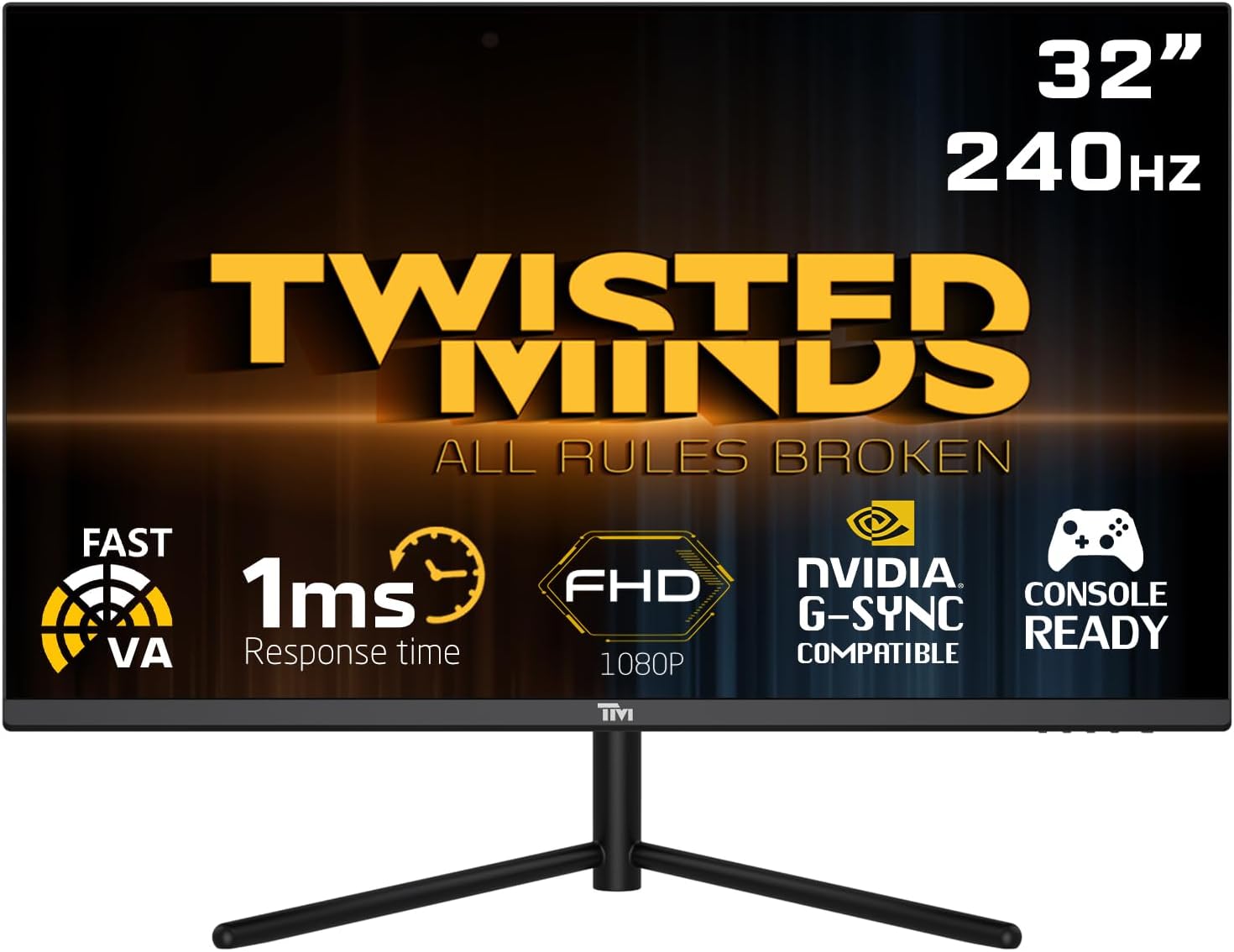
Фронт view of the Twisted Minds 32-inch Gaming Monitor, highlighting its 32-inch display, 240Hz refresh rate, 1ms MPRT response time, FHD 1080p resolution, NVIDIA G-SYNC compatibility, and console readiness.
Посібник із налаштування
1. Розпакування та вміст упаковки
Обережно вийміть усі компоненти з упаковки. Переконайтеся, що всі перелічені нижче елементи присутні:
- Twisted Minds 32-inch Gaming Monitor
- Підставка для монітора (основа та шия)
- Адаптер живлення та кабель
- Кабель HDMI
- Кабель DisplayPort
- Посібник користувача (цей документ)
2. Збірка підставки
- Покладіть монітор екраном вниз на м’яку, чисту поверхню, щоб запобігти подряпинам.
- Прикріпіть шийку підставки до задньої панелі монітора, сумістивши монтажні отвори. Закріпіть гвинтами, якщо вони є.
- Connect the stand base to the stand neck and tighten the thumb screw or screws from the bottom of the base.
3. Підключення монітора
The monitor supports multiple input options. Choose the appropriate cable for your device.

Задня view of the monitor displaying its various input/output ports, including DC power, HDMI 2.1 (x2), DisplayPort 1.4 (x2), and Audio Out, along with menu buttons and a quick release base.
- Підключення живлення: Підключіть адаптер живлення до вхідного порту постійного струму монітора, а потім підключіть кабель живлення до розетки.
- Підключення відео:
- For PC: Connect one end of the DisplayPort cable to your computer's graphics card and the other end to a DisplayPort 1.4 input on the monitor.
- For PC/Console: Connect one end of the HDMI cable to your computer's graphics card or game console and the other end to an HDMI 2.1 input on the monitor.
- Аудіовихід: If desired, connect external speakers or headphones to the Audio Out port on the monitor.
4. Початкове увімкнення
After all connections are made, press the power button on the monitor. The power indicator light will illuminate, and the display will turn on. If no signal is detected, ensure your source device is powered on and correctly configured.
Інструкція з експлуатації
1. Основна операція
- Увімкнення/вимкнення живлення: Натисніть кнопку живлення, розташовану на моніторі, щоб увімкнути або вимкнути його.
- Вибір входу: Use the OSD (On-Screen Display) menu buttons to navigate and select the desired input source (HDMI 1, HDMI 2, DP 1, DP 2).
2. Екранне меню (OSD).
The OSD menu allows you to adjust various display settings. Use the menu buttons (typically located on the back or bottom of the monitor) to navigate.
- Яскравість/Контрастність: Налаштуйте загальну яскравість та контрастність дисплея.
- Параметри кольору: Змінити колірну температуру, гаму та окремі рівні RGB.
- Режим зображення: Select from preset modes (e.g., Standard, Game, Movie, Text) optimized for different content.
- Response Time/Overdrive: Adjust the pixel response time for reduced ghosting in fast-paced content. This monitor features a 1ms MPRT response time for smooth visuals.
- Частота оновлення: The monitor supports up to 240Hz refresh rate. Ensure your graphics card settings are configured to utilize this high refresh rate for optimal gaming performance.
- HDR (розширений динамічний діапазон): Enable or disable HDR for enhanced contrast and color depth with compatible content.
- FreeSync/G-SYNC Compatibility: This monitor is compatible with adaptive sync technologies. Enable this feature in the OSD and your graphics card control panel for tear-free gaming.

Illustration demonstrating the 1ms quick response time of the monitor, showing a fast-paced gaming scene with reduced motion blur and low input lag.

Демонстрація зображеньasing the monitor's frameless design, ideal for multi-monitor setups, with a wide 178-degree viewкут.

A user engaged in gaming on the Twisted Minds monitor, emphasizing the immersive experience provided by the 1920x1080 resolution, 300 nits brightness, 4000:1 contrast ratio, and 240Hz refresh rate.
3. Ергономічні налаштування
Підставка монітора дозволяє регулювати нахил для оптимізації viewing angle and reduce strain.

Diagram illustrating the ergonomic tilt adjustment range of the monitor stand (-5 to 15 degrees) for optimal viewing comfort, and highlighting VESA wall-mount compatibility (100x100mm).
- Нахил: Обережно нахиліть екран монітора вперед або назад, щоб знайти потрібний viewing angle. The tilt range is typically -5° to 15°.
- Кріплення VESA: For alternative mounting solutions, the monitor is VESA compatible (100x100mm). Remove the stand and attach a compatible VESA mount (sold separately).
Технічне обслуговування
Правильний догляд та обслуговування подовжать термін служби вашого монітора.
- Очищення екрану: Обережно протріть екран м’якою тканиною без ворсу. Для стійких плям, dampЗлегка промокніть тканину водою або засобом для чищення екранів на основі аміаку та спирту. Ніколи не розпилюйте рідину безпосередньо на екран.
- Очищення Casing: Використовуйте м’яку суху тканину для протирання монітора casing. Уникайте використання абразивних засобів для чищення або розчинників.
- Вентиляція: Переконайтеся, що вентиляційні отвори на моніторі не заблоковані. Не розміщуйте монітор у закритому просторі без належного потоку повітря.
- Вимкнути, коли не використовується: Вимикайте монітор, коли він не використовується протягом тривалого часу, щоб заощадити енергію та продовжити термін його служби.
Усунення несправностей
Якщо у вас виникли проблеми з монітором, зверніться до наступних поширених проблем та способів їх вирішення.
| проблема | Можлива причина | Рішення |
|---|---|---|
| На екрані немає зображення | Monitor not powered on; Incorrect input selected; Loose video cable. | Ensure power cable is connected and monitor is on. Select correct input source. Check video cable connections. |
| Зображення розмите або спотворене | Неправильна роздільна здатність; проблема з драйвером графіки. | Set display resolution to 1920x1080. Update graphics card drivers. |
| Немає звуку з динаміків/навушників | Аудіокабель не підключено; Гучність занадто низька; На ПК вибрано неправильний аудіовихід. | Ensure audio cable is connected to the monitor's audio out port. Adjust volume. Select monitor as audio output device in PC settings. |
| Мерехтіння екрана | Невідповідність частоти оновлення; несправний кабель. | Ensure refresh rate is set correctly (e.g., 240Hz). Try a different video cable. |
| Кнопки не реагують | Блокування екранного меню ввімкнено. | Refer to OSD menu section for unlocking button functions (if applicable). Power cycle the monitor. |
Якщо проблема не зникає після спроби цих рішень, зверніться до служби підтримки клієнтів.
Технічні характеристики
Detailed technical specifications for the Twisted Minds 32 FHD 240Hz VA Gaming Monitor.
| Особливість | Специфікація |
|---|---|
| Бренд | Twisted Minds |
| Номер моделі | TM32 FHD 240Hz VA |
| Розмір дисплея | 32 дюймів |
| Роздільна здатність екрана | 1920 x 1080 (FHD 1080p) |
| Частота оновлення | 240 Гц |
| Час відгуку | 1 мс MPRT |
| Тип панелі | VA |
| Співвідношення сторін | 16:9 |
| Яскравість | 300 ніт |
| Коефіцієнт контрастності | 4000:1 |
| Колірна гамма | 77.29% NTSC |
| Підключення | 2 x HDMI 2.1, 2 x DisplayPort 1.4, аудіовихід |
| Сумісність VESA | 100 х 100 мм |
| Розміри продукту | 10 х 63 х 44 см |
| Вага товару | 8.8 кілограма |
| Колір | чорний |
Гарантія та підтримка
Інформація про гарантію
Twisted Minds products are manufactured to the highest quality standards. This monitor comes with a standard manufacturer's warranty. Please refer to the warranty card included in your package or visit the official Twisted Minds webсайт для отримання детальних гарантійних умов, що стосуються вашого регіону.
Підтримка клієнтів
If you require technical assistance or have questions regarding your monitor, please contact Twisted Minds customer support. Have your model number (TM32 FHD 240Hz VA) and purchase information ready when contacting support.
For the most up-to-date contact information, please visit the official Twisted Minds webсайт або сторінку підтримки продавця, де ви придбали товар.


