1. Вступ
Thank you for choosing the THOKWOK TK-X2 Motorcycle Bluetooth Headset. This manual provides detailed instructions for the proper installation, operation, and maintenance of your device. Please read this manual thoroughly before use to ensure optimal performance and safety.
Заходи безпеки:
- Завжди ставте на перше місце безпеку дорожнього руху. Не використовуйте пристрій таким чином, щоб це відволікало вас від їзди.
- Перед поїздкою переконайтеся, що пристрій надійно закріплений на шоломі.
- Adjust volume to a safe level that allows you to hear ambient traffic sounds.
- Не намагайтеся розбирати або модифікувати пристрій. Це може призвести до анулювання гарантії та пошкодження.
2. Що в коробці
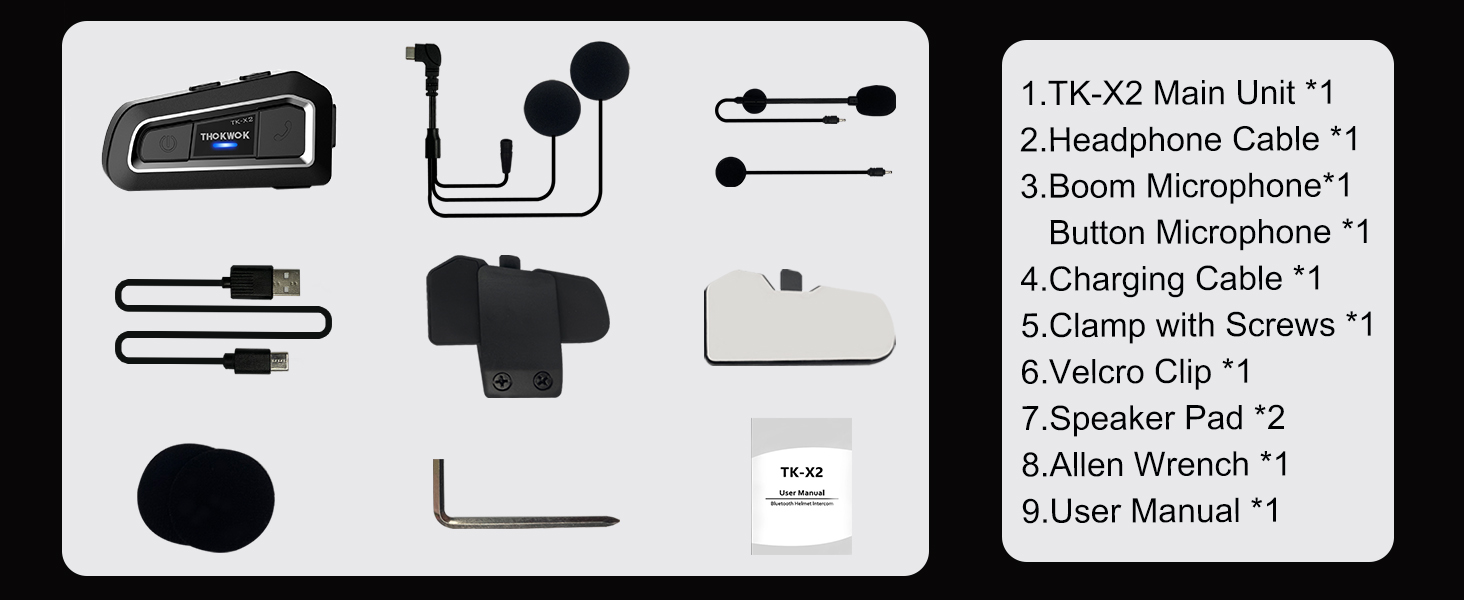
Перш ніж продовжувати встановлення, перевірте наявність усіх компонентів.

TK-X2 Main Unit

Мікрофон стріли

Кнопковий мікрофон

Headphone Cable & Charging Cable
Clamp з гвинтами
Затискач на липучці
Підкладки для динаміків
Аллен Гайковер
Посібник користувача
3. Продукт закінчивсяview
The THOKWOK TK-X2 features an intuitive button layout for easy operation even with gloves. Below is a diagram highlighting the main unit and its components.
Main Unit: Power Button (left), Function Button (middle), Phone Button (right).
Key Features: Bluetooth 5.0, 3 Riders' Group, FM Radio, Hi-Fi Stereo, DSP&CVC Noise Reduction, Voice Assistant, IP67 Waterproof, 650mAh Battery.
4. Монтаж
The TK-X2 offers flexible installation options to suit various helmet types.
4.1. Монтаж основного блоку
Use either the clamp with screws or the velcro clip to attach the main unit to the side of your helmet. Ensure it is securely fastened and does not obstruct your vision or helmet functionality.
4.2. Microphone Options
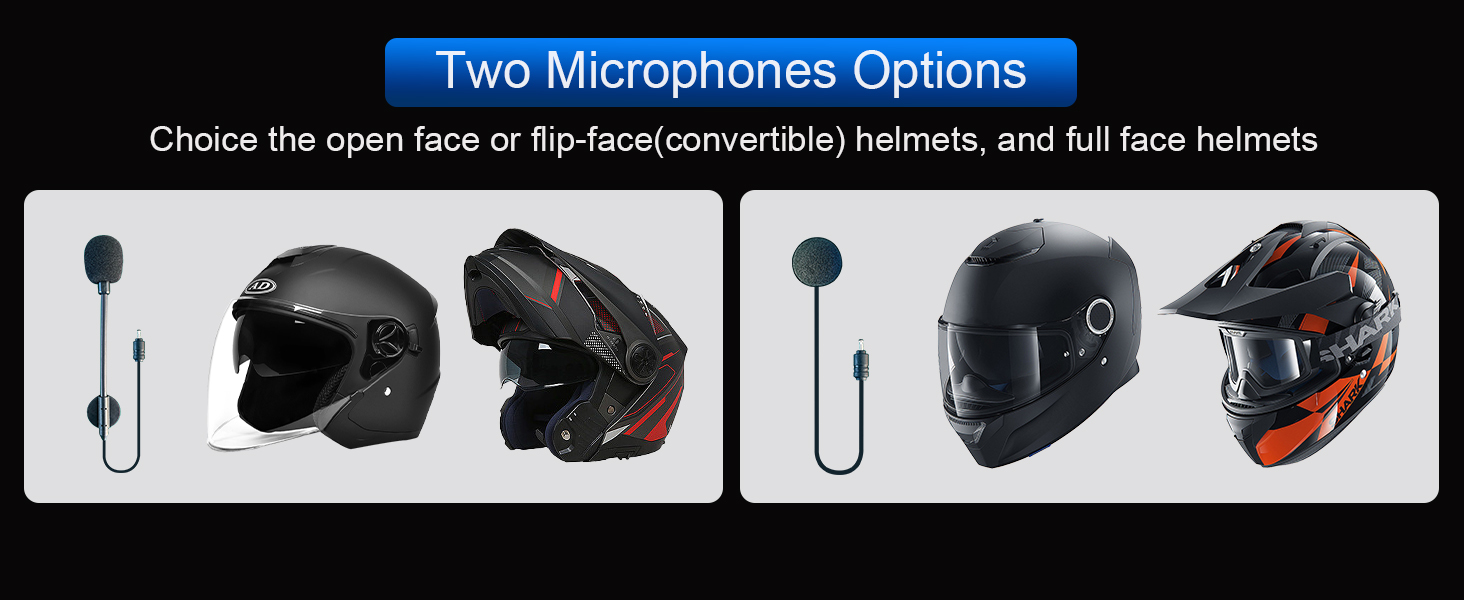
The TK-X2 includes two interchangeable microphones for different helmet styles:
- Стрільний мікрофон: Ideal for open-face or flip-face (modular) helmets.
- Кнопковий мікрофон: Підходить для шоломів із повним захистом обличчя.

Choose the appropriate microphone for your helmet type.
5. Налаштування та сполучення
5.1. З’єднання з телефоном через Bluetooth
To connect your TK-X2 headset to your smartphone:
- Переконайтеся, що TK-X2 вимкнено.
- Long press the Power button for 4 seconds until the red and blue lights flash alternately. This indicates pairing mode.
- On your phone, turn on Bluetooth and search for "TK-X2".
- Select "TK-X2" to connect. Once connected, the blue light on the headset will flash slowly.
Video: Demonstrates pairing the TK-X2 with a smartphone for music and call functions.
5.2. Intercom Pairing (Multiple Units)
The TK-X2 supports intercom communication for up to 3 riders, with 2 riders talking simultaneously. Before pairing, ensure all units have their previous Bluetooth pairing records cleared by long pressing the Power and Phone buttons simultaneously for 8 seconds until pink lights flash twice.
5.2.1. Two-Way Intercom Pairing
- Turn on both TK-X2 units.
- On both units, long press the Power button for 4 seconds until red and blue lights flash alternately (pairing mode).
- Click the Power button on one of the units to initiate pairing.
- Once paired, the blue lights on both units will flash slowly, and you will hear "Intercom connected".
5.2.2. Three-Way Intercom Pairing
- Clear all previous pairing records on all three units (A, B, C) as described above.
- Turn on all three units.
- Pairing A and B: On units A and B, long press the Power button for 4 seconds until red and blue lights flash alternately. Click the Power button on unit A to pair. Once paired, blue lights flash slowly.
- Pairing B and C: On unit B, click the Power button to hang up the intercom. On units B and C, long press the Power button for 4 seconds until red and blue lights flash alternately. Click the Power button on unit B to pair. Once paired, blue lights flash slowly.
- Pairing C and A: On unit C, click the Power button to hang up the intercom. On units C and A, long press the Power button for 4 seconds until red and blue lights flash alternately. Click the Power button on unit C to pair. Once paired, blue lights flash slowly.
- Initiating 3-Way Intercom: Double-click the Power button on unit A to talk with C. Click the Power button on unit C to talk with B.
Video: Illustrates the process of pairing two and three TK-X2 units for intercom communication.
6. Операція
6.1. Основні елементи керування
- Увімкнення/вимкнення живлення: Утримуйте кнопку живлення протягом 2 секунд.
- Відтворення музики/пауза: Click the Function button.
- Наступна пісня: Click the Phone button.
- Попередня пісня: Натисніть кнопку живлення.
- Збільшення гучності: Long press the Phone button. You will hear a "Di" sound when maximum volume is reached.
- Зменшення гучності: Довго натискайте кнопку живлення.
- Відповісти/закінчити виклик: Click the Phone button.
- Відхилити виклик: Long press the Phone button for 2 seconds.
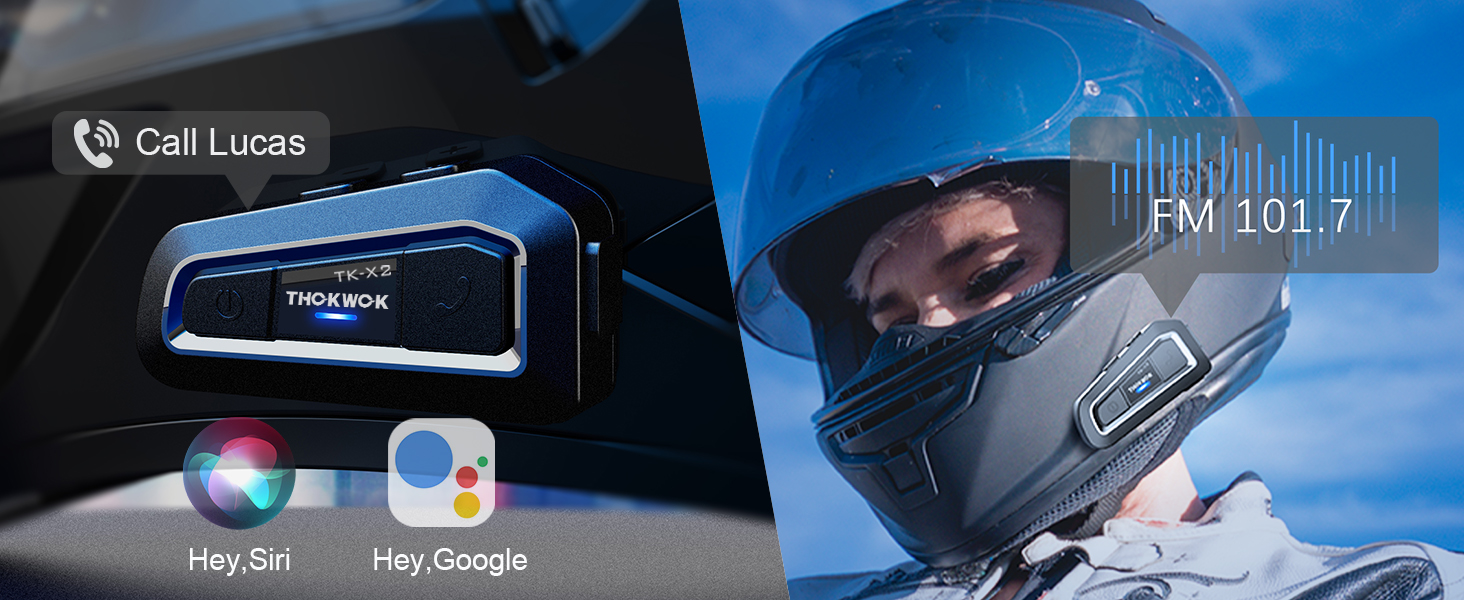
- Voice Assistant (Siri/S-Voice): Long press the Function button for 2 seconds. You will hear "Voice Dial".
- Увімкнення/вимкнення FM-радіо: Double-click the Function button. You will hear "Turn on radio" or "Turn off radio".
Access voice assistant and FM radio with simple button presses.
6.2. Використання домофона
- Запуск інтеркому: Click the Power button (after successful pairing).
- Кінець інтеркому: Натисніть кнопку живлення.
- When an intercom call is active, music playback will automatically pause. Music will resume when the intercom call ends.
7. Технічне обслуговування
7.1. Зарядка
The TK-X2 features a built-in 650mAh Lithium Polymer battery. Connect the charging cable to the Type-C port on the unit and a suitable USB power source. A full charge takes approximately 2.5 hours. The device will broadcast battery status upon power-on: "Battery full", "Battery medium", or "Battery low".

Enjoy up to 24 hours of music or intercom time and 280 hours of standby time.
7.2. Очищення та зберігання
The TK-X2 has a waterproof design (IP67 rated), allowing use in various weather conditions. To clean, wipe the unit with a soft, damp cloth. Avoid using harsh chemicals or abrasive materials. Store the device in a cool, dry place when not in use.
The waterproof design ensures durability in various riding environments.
8. Вирішення проблем
| проблема | Можлива причина | Рішення |
|---|---|---|
| Не вдається включити | Низький заряд батареї | Заряджайте пристрій щонайменше 2.5 години. |
| Не вдається підключити телефон | Device not in pairing mode / Phone Bluetooth off / Previous pairing conflict | Ensure TK-X2 is in pairing mode (red & blue flashing). Turn on phone Bluetooth. Clear previous pairing records on TK-X2 and try again. |
| Домофон не підключається | Units not in pairing mode / Previous pairing conflict | Ensure all units are in pairing mode. Clear all previous pairing records on all units and re-pair. |
| Погана якість звуку / Шум | Microphone/speaker placement / Environmental noise | Adjust microphone and speaker position inside the helmet. Ensure microphone is close to your mouth. The device features DSP & CVC noise cancellation for high-speed clarity. |
| FM-радіо не працює | Weak signal / Feature not activated | Move to an area with better signal. Double-click the Function button to activate FM radio. |
9. Технічні характеристики
| Особливість | Деталь |
|---|---|
| Назва моделі | TK-X2 Single |
| Версія Bluetooth | 5.1 |
| Відстань домофону | Up to 1000m (no obstacles) |
| Макс Райдерс (Інтерком) | 3 (2 одночасні розмови) |
| Контроль шуму | Active Noise Cancellation (DSP & CVC) |
| Тип батареї | Літій-полімерний (650 мАг) |
| Music/Intercom Time | До 24 годин |
| Час очікування | До 280 годин |
| Час зарядки | прибл. 2.5 години |
| Рівень водонепроникності | Водонепроникний (IP67) |
| Гніздо для навушників | Тип-C |
| Розміри | 3 x 1.6 x 0.83 дюймів |
| Вага товару | 8.4 унції |
| матеріал | Акрилонітрилбутадієнстирол (АБС) |
10. Гарантія та підтримка
THOKWOK products are designed and manufactured to the highest quality standards. For warranty information, technical support, or customer service inquiries, please refer to the contact information provided on your product packaging or visit the official THOKWOK webсайт.
Зберігайте підтвердження покупки для гарантійних претензій.


