1. Вступ
This manual provides detailed instructions for the installation, operation, and maintenance of your EverBrite 88LED Under Cabinet Lighting. This versatile lighting solution features a motion sensor, remote control, adjustable color temperatures, and dimmable brightness, designed to enhance visibility in various indoor spaces.
2. Вміст упаковки
Будь ласка, перевірте, чи всі перелічені нижче предмети входять до вашої упаковки:
- EverBrite 88LED Under Cabinet Light Bar
- Пульт дистанційного керування
- USB-кабель для зарядки
- Magnetic Mounting Bracket(s)
- Клейкі подушечки
- Шурупи та настінні анкери
- Посібник користувача

3. Особливості продукту
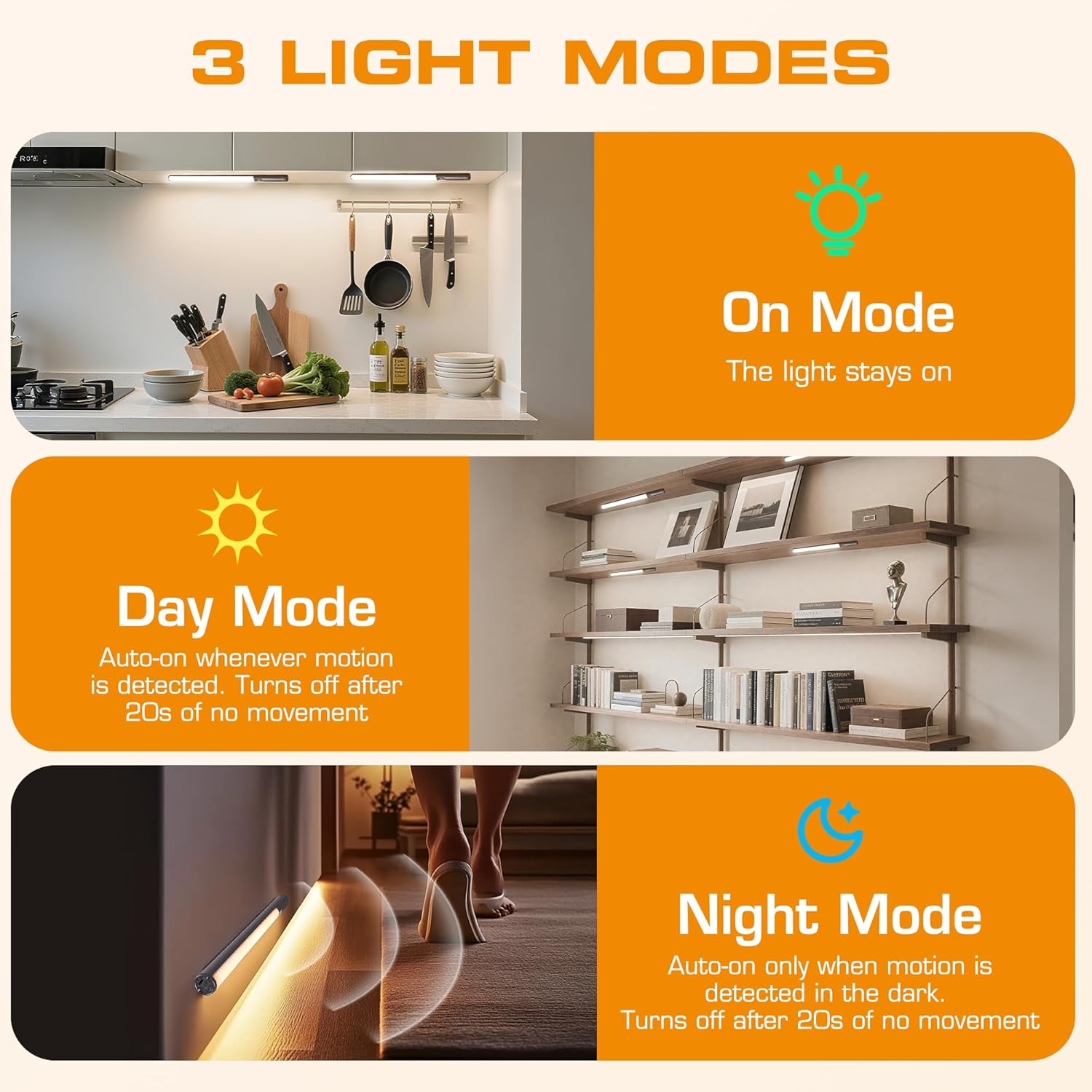
- 3 режими освітлення: On Mode (light stays on), Day Mode (motion-activated regardless of ambient light), Night Mode (motion-activated only in dark).
- 3 колірні температури: Warm Light (3000K), Natural Light (4000K), Cold Light (6500K).
- затемнення: 10 brightness levels with short press, stepless dimming with long press.
- Подвійний контроль: Operable via remote control or direct touch on the light bar.
- Легка установка: Multiple mounting options including magnetic, adhesive, and screw-in.
- Акумуляторна батарея: 2600mAh capacity for extended use.
- Широке застосування: Suitable for kitchens, closets, wardrobes, garages, stairwells, and more.
4. Налаштування та встановлення
The EverBrite Under Cabinet Light offers flexible installation to suit various surfaces and needs.
- Виберіть спосіб кріплення:
- Магнітне кріплення: For iron surfaces, simply attach the light bar directly. The light has built-in magnets.
- Клейовий монтаж: For non-iron surfaces, peel the backing from the adhesive pads and attach them to the magnetic mounting bracket. Then, adhere the bracket to your desired surface. The light bar can then be magnetically attached to this bracket.
- Гвинтове кріплення: For a more permanent installation, use the provided screws and wall anchors. Determine the mounting location, drill two holes, insert anchors, and fasten the magnetic mounting bracket with screws. Attach the light bar magnetically.
- Позиціонування: Ensure the motion sensor is facing the area where movement is expected for optimal detection. The light bar can be rotated up to 90 degrees on its magnetic mount to direct illumination.


5. Зарядка
The EverBrite light is equipped with a 2600mAh rechargeable Lithium-Ion battery.
- Locate the USB-C charging port on the end of the light bar.
- Connect the provided USB charging cable to the light bar and a compatible USB power source (e.g., wall adapter, computer USB port).
- The indicator light will show charging status (refer to product for specific indicator behavior).
- A full charge provides approximately 25 hours of continuous light or up to 25 days in motion sensor mode (based on 1 hour of activation per day).


6. Інструкція з експлуатації
Your EverBrite light can be operated using either the manual touch controls on the device or the included remote control.
6.1. Ручне керування (на пристрої)
The light bar features a switch and a touch sensor on one end for direct control.
- Перемикач режимів: Slide the switch to select between 'Off', 'Day Mode' (motion sensor always active), 'Night Mode' (motion sensor active only in dark), or 'On Mode' (light stays on continuously).
- Колірна температура: In 'On Mode', short press the touch sensor to cycle through the 3 color temperatures: Warm White (3000K), Natural White (4000K), and Cold White (6500K).
- Регулювання яскравості: In 'On Mode', long press the touch sensor to activate stepless dimming. Release at your desired brightness level.

6.2. Пульт дистанційного керування
The remote control provides convenient access to all light functions from a distance.
- Увімкнення/вимкнення живлення: Натисніть ВИМКНЕНО button to turn the light off. Press the ON кнопку, щоб увімкнути його.
- Режими освітлення: Use the dedicated buttons for ON (continuous light), ДЕНЬ (motion sensor always active), or НІЧ (motion sensor active only in dark).
- Колірна температура: Виберіть WW (Warm White), NW (Natural White), or CW (Cold White) to change the light color.
- Регулювання яскравості: Short press the brightness buttons (sun icons) to cycle through 10 preset brightness levels. Long press for stepless dimming.
- Налаштування таймера: Прес 15 хв, 30 хв, або 60 хв to set an automatic shut-off timer. Press the Таймер вимкнено button to cancel any active timer.

6.3. Motion Sensor Modes
The integrated motion sensor provides hands-free illumination.
- Режим дня: The light will turn on automatically when motion is detected, regardless of the ambient light level. It will turn off after 20 seconds of no movement.
- Нічний режим: The light will turn on automatically only when motion is detected in dark conditions. It will turn off after 20 seconds of no movement.

7. Технічні характеристики
| Особливість | Специфікація |
|---|---|
| Бренд | EverBrite |
| Номер моделі | E101115A |
| Джерело живлення | Живлення від батареї (1 літій-іонна батарея в комплекті) |
| Ємність акумулятора | 2600 мАг |
| Тип джерела світла | LED |
| Кольорові температури | 3000K (Warm Light), 4000K (Natural Light), 6500K (Cold Light) |
| Спосіб контролю | Сенсорний, пульт дистанційного керування |
| Особливість | Cordless, Motion Sensor, Dimmable |
| Тип установки | Surface Mount (Magnetic, Adhesive, Screws) |
| матеріал | Алюміній |
| Вага товару | 9.9 унції |
| Розміри упаковки | 16.3 x 1.97 x 1.65 дюймів |
| Використання в приміщенні/зовні | закритий |
8. Технічне обслуговування
To ensure the longevity and optimal performance of your EverBrite Under Cabinet Light, follow these simple maintenance guidelines:
- Прибирання: Wipe the light bar and remote control with a soft, dry cloth. Avoid using abrasive cleaners or solvents, as these may damage the finish or electronic components.
- Догляд за акумулятором: Recharge the battery when the light output diminishes. Avoid fully depleting the battery frequently to prolong its lifespan. Store the device in a cool, dry place if not in use for extended periods.
- Технічне обслуговування датчика: Keep the motion sensor lens clean and free from obstructions to ensure accurate detection.
9. Вирішення проблем
If you encounter any issues with your EverBrite Under Cabinet Light, please refer to the following common problems and solutions:
- Світло не вмикається:
- Переконайтеся, що акумулятор заряджений.
- Check the mode switch on the light bar; it should be set to 'On', 'Day Mode', or 'Night Mode'.
- If using the remote, ensure the light bar's main switch is in an active mode (not 'Off').
- Motion sensor is not working:
- Verify the light is set to 'Day Mode' or 'Night Mode'.
- In 'Night Mode', ensure the environment is sufficiently dark.
- Check for any obstructions blocking the sensor lens.
- Ensure the motion is within the 9.8ft (3m) detection range and 120-degree angle.
- Пульт дистанційного керування не реагує:
- Ensure the light bar's main switch is in an active mode (not 'Off').
- Перевірте батарейку пульта дистанційного керування.
- Ensure there are no obstructions between the remote and the light bar.
- Light is not charging:
- Ensure the USB cable is securely connected to both the light bar and the power source.
- Спробуйте інший кабель USB або адаптер живлення.
10. Гарантія та підтримка
Щоб отримати інформацію про гарантію, технічну підтримку або додаткову допомогу, зверніться до офіційного представника виробника. webсайт або зверніться безпосередньо до служби підтримки клієнтів. Зберігайте чек про покупку для гарантійних претензій.


