1. Вступ
The HiFuture Future Zone 2 BT Smartwatch is designed to enhance your daily life by providing convenient access to fitness tracking, communication, and entertainment features directly from your wrist. This manual provides essential information on how to set up, operate, and maintain your new smartwatch.
Key features include step tracking, distance measurement, time and date display, music playback control, an AMOLED touchscreen display, and a seamless Bluetooth calling system. With an impressive 7-day battery life, the Future Zone 2 is built for extended use.
2. Продукт закінчивсяview
2.1. особливості
- Відстеження активності: Helps you track simple steps, distance traveled, time, and date.
- Керування музикою: Allows you to control your phone's music player directly from the watch.
- Дисплей: Features a vibrant AMOLED touchscreen display.
- Виклик через Bluetooth: Enables hassle-free communication with a built-in Bluetooth calling system.
- Термін служби батареї: Offers an impeccable battery that lasts up to 7 days on a single charge.
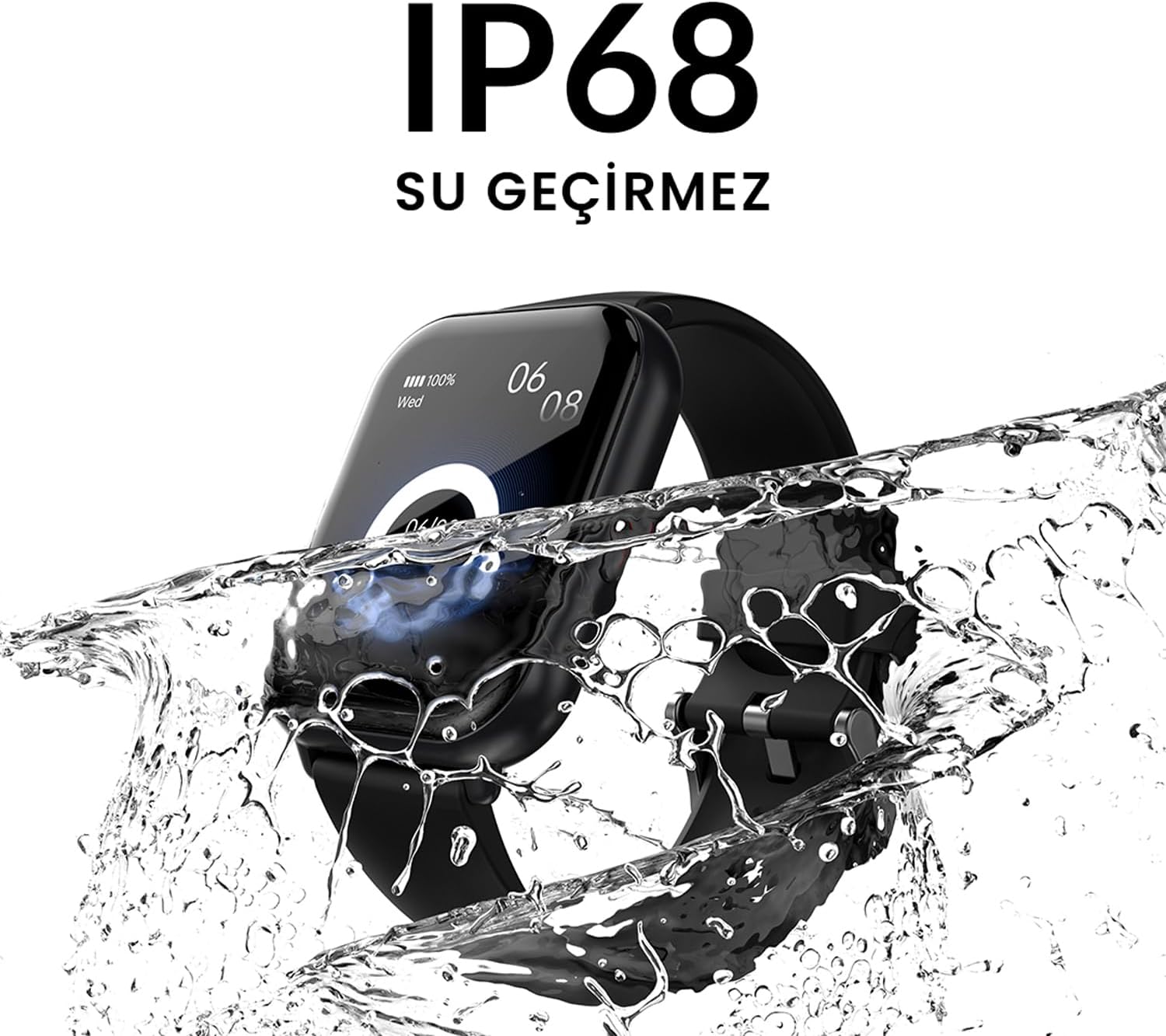
- Водонепроникність: IP68 certified for water resistance.
- Спортивні режими: Підтримує понад 100 спортивних режимів для різноманітного відстеження активності.
2.2. Компоненти та дисплей

малюнок 2.2.1: The HiFuture Future Zone2 Smartwatch in silver and white, showcasing its sleek design and vibrant display with activity metrics.
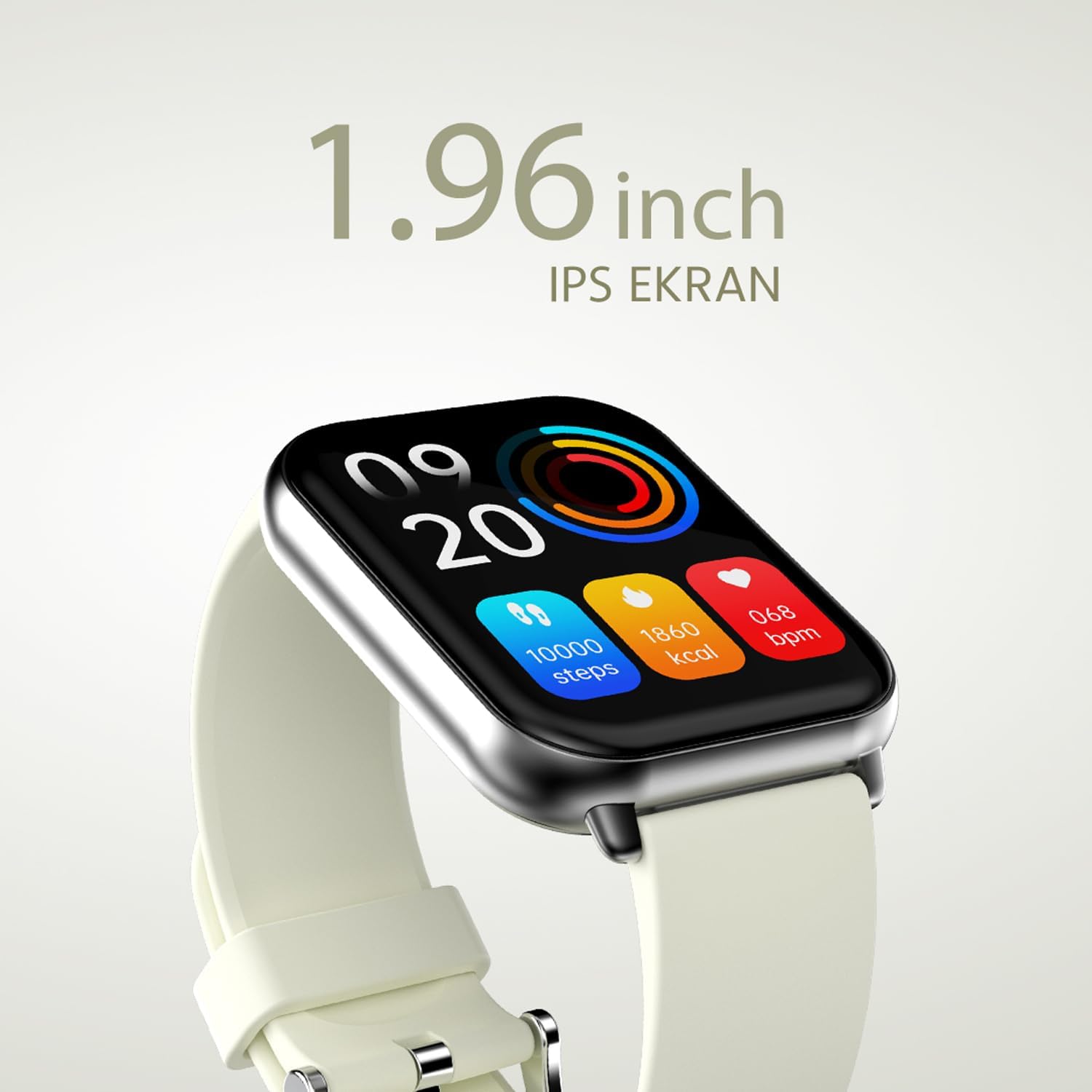
малюнок 2.2.2: Детальний view of the smartwatch display, highlighting its 1.96-inch IPS screen, which offers clear and crisp visuals.

малюнок 2.2.3: The smartwatch accompanied by icons representing its core features: 1.96-inch IPS screen, wireless connectivity, 7-day battery life, and IP68 water resistance.

малюнок 2.2.4: The smartwatch surrounded by various sport icons, indicating its support for over 100 different sport modes for comprehensive fitness tracking.
3. Налаштування
3.1. Заряджання смарт-годинника
Before first use, fully charge your HiFuture Future Zone2 Smartwatch. Connect the charging cable to the charging port on the back of the watch and plug the USB end into a compatible power adapter (not included) or a computer's USB port. The watch display will indicate charging status. A full charge typically takes approximately 2 hours.
3.2. Сполучення зі смартфоном
- Завантажте додаток: шукати the official HiFuture companion app on your smartphone's app store (Google Play Store for Android or Apple App Store for iOS). Install the app.
- Увімкнути Bluetooth: Переконайтеся, що Bluetooth увімкнено на вашому смартфоні.
- Відкрийте додаток: Launch the HiFuture app and follow the on-screen instructions to create an account or log in.
- Додати пристрій: У додатку перейдіть до розділу «Додати пристрій» або «Підключити пристрій». Додаток шукатиме смарт-годинники поблизу.
- Виберіть свій годинник: Select "HiFuture Future Zone2" from the list of discovered devices.
- Підтвердити сполучення: A pairing request will appear on both your phone and the smartwatch. Confirm the pairing on both devices.
- Повне налаштування: Once paired, the app will guide you through initial settings such as personal information, notification preferences, and watch face customization.
Note: For optimal performance, ensure your smartphone's operating system and the smartwatch app are up to date.
4. Інструкція з експлуатації
4.1. Основна навігація
- Сенсорний екран: Проведіть пальцем ліворуч, праворуч, вгору або вниз, щоб переходити між меню та екранами. Торкніться, щоб вибрати опцію.
- Бічна кнопка: Press the side button to return to the home screen or wake up the display. A long press may access power options or a quick menu.
4.2. Виклики через Bluetooth
The Future Zone2 Smartwatch supports Bluetooth calling, allowing you to make and receive calls directly from your wrist when connected to your smartphone.
- Увімкнути аудіо дзвінка: Ensure that the smartwatch is connected to your phone for both data and call audio. This setting is usually managed within your phone's Bluetooth settings after initial pairing.
- Здійснення дзвінків: Access the dialer or contact list on your smartwatch. Tap to dial a number or select a contact to initiate a call.
- Отримання дзвінків: Коли надходить дзвінок, годинник відображатиме ідентифікатор абонента. Натисніть зелений значок, щоб відповісти, або червоний значок, щоб відхилити.
- Під час дзвінка: You can speak directly into the watch's built-in microphone and listen through its speaker. Options to mute, adjust volume, or transfer the call to your phone may be available on the watch screen.
малюнок 4.2.1: The smartwatch screen showing a missed call notification, demonstrating its Bluetooth calling capability.
4.3. Керування відтворенням музики
Control your smartphone's music playback directly from your smartwatch.
- Access Music Control: Swipe on your watch face or navigate through the app list to find the "Music" or "Media Control" icon.
- Керування відтворенням: From this screen, you can play/pause, skip tracks (next/previous), and adjust the volume of the music playing on your connected smartphone.
4.4. Відстеження активності
The smartwatch automatically tracks your daily steps, distance, and calories burned. You can view these metrics on the watch display or in the companion app for more detailed insights.
- Щоденна активність: The main watch face or a dedicated activity screen will show your current steps, calories, and heart rate (if applicable).
- Спортивні режими: Select a specific sport mode (e.g., running, cycling, walking) from the watch's menu before starting an activity for more accurate tracking.
5. Технічне обслуговування
5.1. Очищення смарт-годинника
- Протріть екран та корпус годинника м’якою тканиною без ворсу.
- Для стійких плям dampзлегка змочіть тканину водою. Уникайте використання агресивних хімікатів або абразивних матеріалів.
- Перед заряджанням переконайтеся, що зарядні контакти чисті та сухі.
5.2. Водостійкість (IP68)
The HiFuture Future Zone2 Smartwatch is IP68 water-resistant, meaning it can withstand immersion in water up to 1.5 meters for up to 30 minutes. It is suitable for daily use, such as hand washing or light rain.
- Do not use the watch for diving, snorkeling, or high-pressure water activities.
- Avoid exposing the watch to hot water, steam, or detergents, as this may compromise its water resistance.
- If the watch gets wet, dry it thoroughly before charging or operating.

малюнок 5.2.1: The smartwatch shown with water splashing over it, illustrating its IP68 water resistance rating.
5.3. Догляд за акумулятором
- Щоб продовжити термін служби акумулятора, уникайте частого повного розряджання акумулятора.
- Заряджайте годинник, використовуючи лише кабель для заряджання, що входить до комплекту.
- Зберігайте годинник у прохолодному, сухому місці, якщо він не використовується протягом тривалого часу.
6. Вирішення проблем
6.1. Поширені проблеми та їх вирішення
| Випуск | Можлива причина | Рішення |
|---|---|---|
| Годинник не вмикається | Low battery; device frozen | Charge the watch for at least 30 minutes. If still unresponsive, perform a forced restart (refer to device-specific instructions, usually a long press of the side button). |
| Не вдається підключити пристрій до смартфона | Bluetooth вимкнено; проблема з додатком; годинник не видно | Ensure Bluetooth is on for both devices. Restart both the watch and phone. Clear the app's cache or reinstall it. Make sure the watch is in pairing mode. |
| Виклики через Bluetooth не працюють | Incorrect Bluetooth profile; app permissions | Check your phone's Bluetooth settings to ensure the watch is connected for "Calls" or "Phone audio." Verify app permissions for phone calls. |
| Неточне відстеження активності | Improper wear; software glitch | Ensure the watch is worn snugly on your wrist. Restart the watch. Update the watch firmware via the app if available. |
7. Технічні характеристики
| Особливість | Деталь |
|---|---|
| Бренд | Футура |
| Назва моделі | Smartwatch (Future Zone2) |
| Номер моделі | ZONE2 SILVER WHITE |
| Колір | Silver and White (as per product title, though spec says Grey) |
| Розмір екрана | 41 Millimeters (1.96 inches IPS) |
| Технологія підключення | Bluetooth |
| Особливості | Music Player, Distance Tracker, Bluetooth Calling |
| Сумісні пристрої | Smartphone, Tablet, Other Portable Devices |
| Склад батареї | Lithium-ion (1 Lithium-polymer battery included) |
| Акумуляторна батарея | так |
| Водонепроникність | Сертифіковано IP68 |
| GPS | Немає GPS |
| Форма | Квадратний |
| Виробник | Група HiFuture |
8. Гарантія та підтримка
8.1. Гарантія на продукт
Specific warranty details for the HiFuture Future Zone2 Smartwatch are typically provided with your purchase documentation or on the manufacturer's official webсайт. Будь ласка, збережіть підтвердження покупки для гарантійних претензій.
Note: Information regarding guaranteed software updates and spare parts availability is not explicitly provided.
8.2. Підтримка клієнтів
For technical assistance, troubleshooting beyond this manual, or warranty inquiries, please contact HiFuture customer support through their official webсайт або контактну інформацію, надану на упаковці вашого продукту.
Ви також можете звернутися до сторінка товару на Amazon.com.be для отримання додаткової інформації та звернення до клієнтівviews.


