вступ
This manual provides detailed instructions for the safe and effective use of the KAIWEETS KM201 Smart Digital Multimeter. The KM201 is a compact, auto-ranging multimeter designed for measuring voltage, resistance, and continuity, featuring True RMS for accurate readings and Non-Contact Voltage (NCV) detection for enhanced safety. Please read this manual thoroughly before operation and retain it for future reference.
Інформація про безпеку
Always adhere to local and national safety codes. Use appropriate personal protective equipment (PPE) when working with electrical circuits. Do not use the device if it appears damaged or if the test leads are compromised. Ensure the battery compartment is securely closed before operation.
Вміст упаковки
Перевірте наявність усіх елементів в упаковці:
- 1 x KAIWEETS KM201 Smart Digital Multimeter
- 2 батареї AAA
- 1 x Посібник користувача (цей документ)
Продукт закінченийview
The KAIWEETS KM201 is designed for ease of use and portability. Below is an illustration of the device and its main components.

малюнок 1: Спереду і ззаду view of the KAIWEETS KM201 Multimeter, showing the display, function buttons, and integrated test leads with storage clips.
Ключові характеристики:
- Smart Automatic Mode: Automatically identifies measurement type (voltage, опір, безперервність).
- Справжнє середньоквадратичне значення: Забезпечує точні показники для несинусоїдальних форм хвиль.
- Безконтактний випtagВиявлення e (NCV): Виявляє AC voltage без фізичного контакту.
- Phase Sequence Test: Identifies live and phase wires.
- Підсвічування та ліхтарик: Покращує видимість в умовах слабкого освітлення.
- Утримання даних: Заморожує поточне значення на дисплеї.
- Автоматичне вимкнення: Зберігає час роботи батареї.
- Індикатор низького заряду батареї: Сповіщає про необхідність заміни батареї.
Налаштування
Установка батареї
- Знайдіть кришку відсіку для батарейок на задній панелі мультиметра.
- Використовуйте викрутку, щоб відкрити батарейний відсік.
- Вставте дві батарейки типу AAA, дотримуючись правильної полярності (+/-).
- Встановіть на місце кришку батарейного відсіку та закріпіть її гвинтом.
Note: The device will display a low battery indicator when batteries need replacement.
Інструкція з експлуатації
Увімкнення/вимкнення живлення
Натисніть Кнопка живлення ( ) to turn the multimeter on or off. The device will automatically power off after a period of inactivity to conserve battery.
Smart Automatic Mode
The KM201 features a smart automatic mode that simplifies measurements. When powered on, the multimeter defaults to this mode, indicated by "Auto" on the display. In this mode, the device automatically detects and measures AC/DC voltagе, опір та безперервність.
малюнок 2: The multimeter display indicating "Auto" mode, ready for automatic measurement.
томtage Test (AC/DC)
In Smart Automatic Mode, connect the test leads to the circuit or component you wish to measure. The multimeter will automatically detect and display the AC or DC voltage.
- Ensure the test leads are securely plugged into the COM and INPUT jacks.
- Touch the red probe to the positive terminal or live wire and the black probe to the negative terminal or neutral/ground wire.
- Прочитайте томtage значення на дисплеї.

малюнок 3: Вимірювання постійного струму обtage on a car battery using the KM201 multimeter.
Перевірка опору та цілісності
In Smart Automatic Mode, the multimeter will automatically switch to resistance or continuity measurement when connected to a non-powered circuit.
- Перед підключенням вимірювальних дротів переконайтеся, що ланцюг знеструмлений.
- Підключіть вимірювальні щупи до компонента або кола.
- For continuity, if the resistance is less than approximately 50 ohms, the screen will turn green and a beeping sound will indicate continuity.
- For resistance, the display will show the resistance value in ohms (Ω), kilohms (kΩ), or megohms (MΩ).
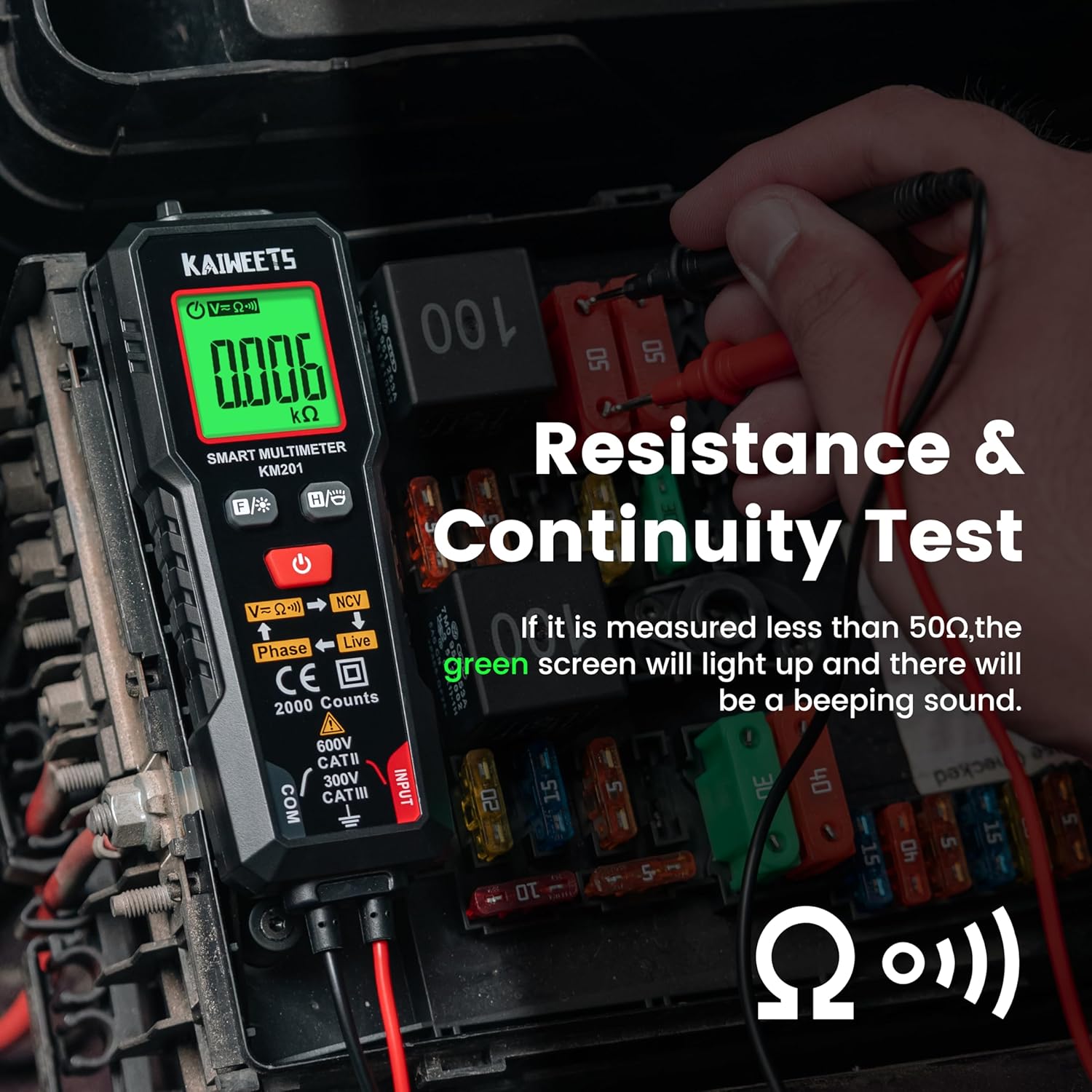
малюнок 4: Performing a resistance and continuity test on electrical components within a fuse box.
Безконтактний випtage (NCV) Виявлення
Функція NCV дозволяє безпечно виявляти об'єм змінного струмуtagе без прямого контакту з провідниками.
- Натисніть кнопка NCV (labeled V=K))) NCV) to activate NCV mode.
- Move the top tip of the multimeter close to the wire or outlet.
- Якщо змінний обtage is detected, the screen will display red, show "-H", and emit a rapid beeping sound, indicating the presence of live voltage.
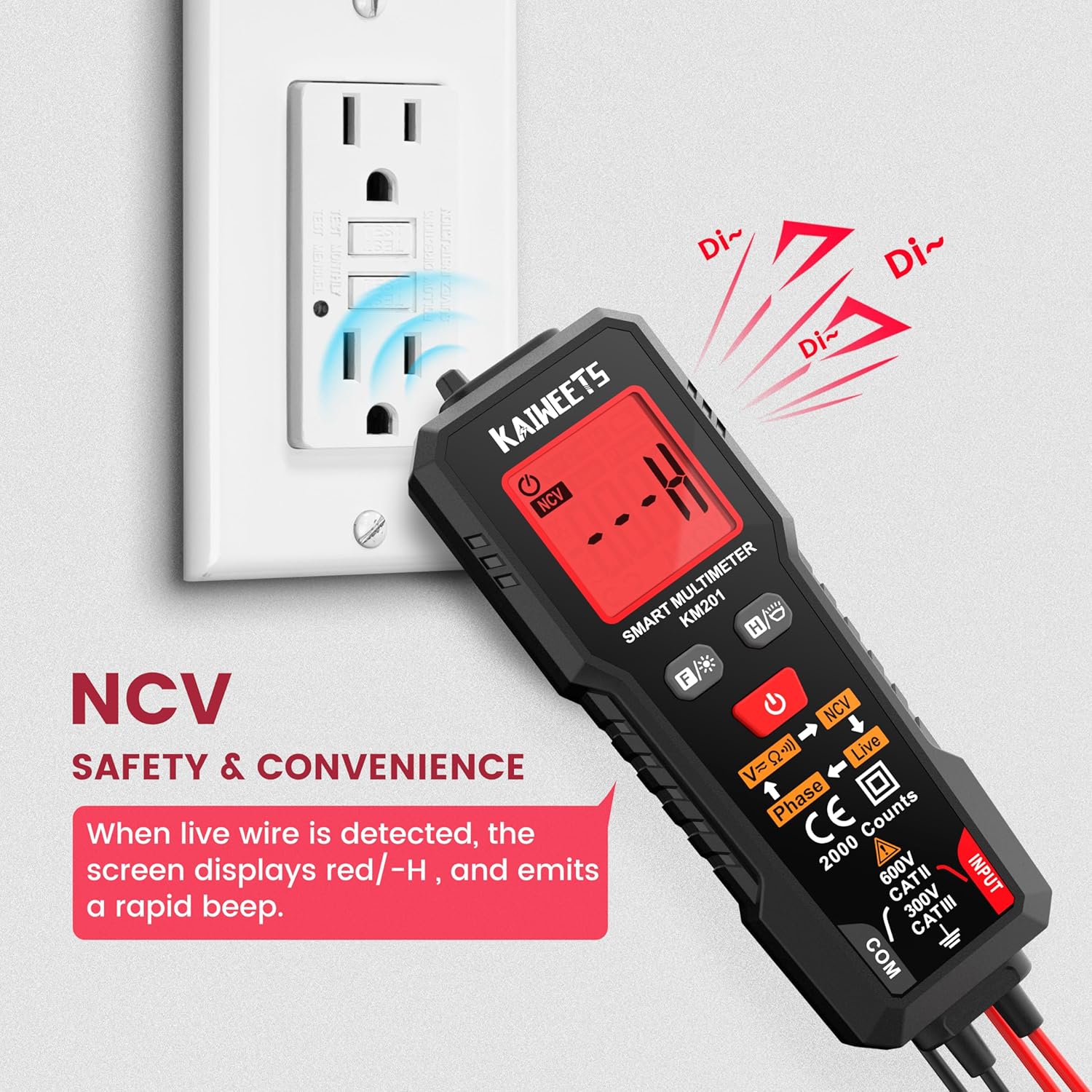
малюнок 5: Using the NCV function to detect live voltage in an electrical outlet, indicated by a red screen and audible alarm.
Тест фази
The phase test helps identify live and phase wires.
- Натисніть Кнопка фази (labeled Phase ← Live) to activate the phase test mode.
- Touch the red probe to the wire you want to test.
- The display will indicate "Phase" or "Live" to identify the wire type.
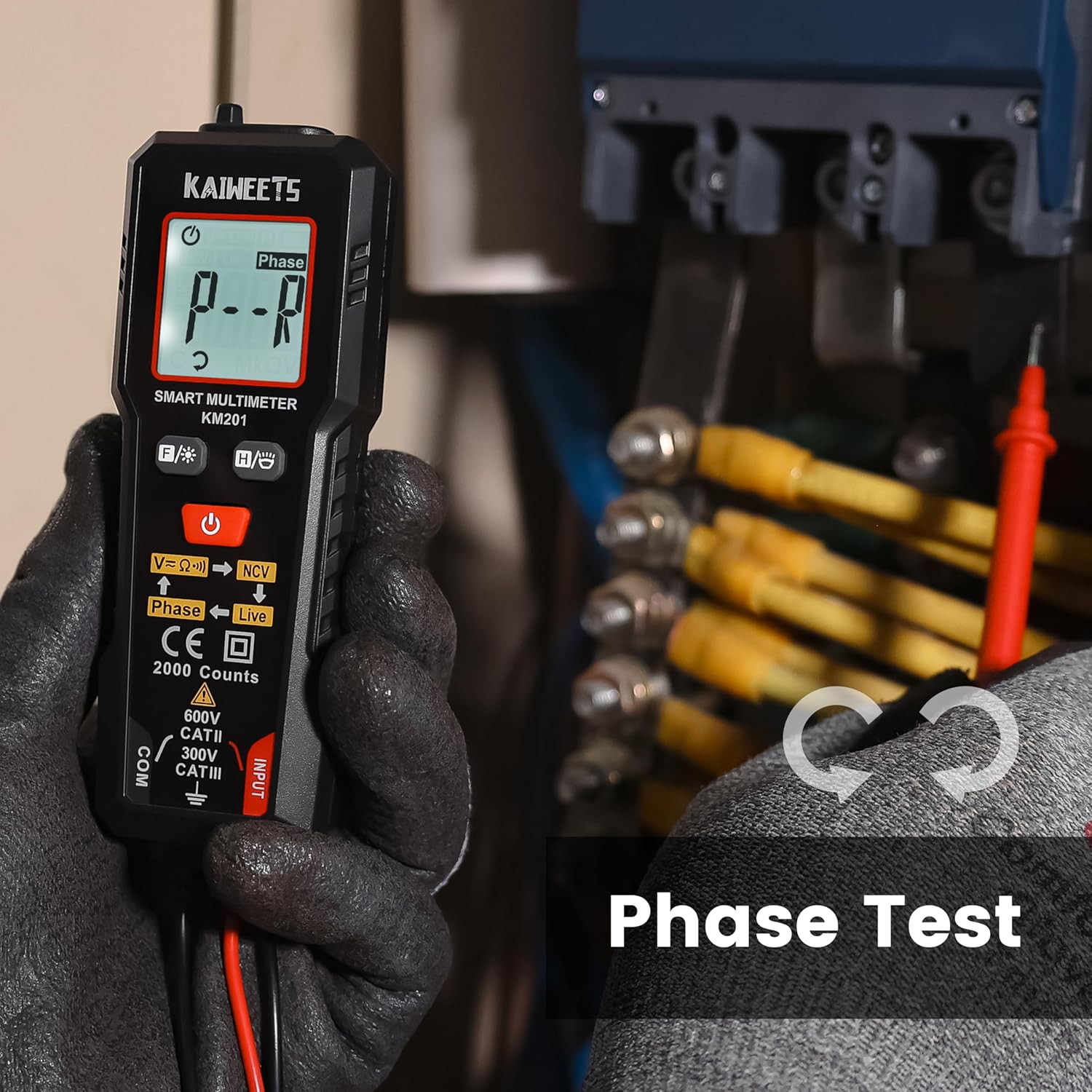
малюнок 6: Performing a phase test on electrical wiring to identify live conductors.
Backlight and Flashlight
The KM201 includes a backlight for the display and a built-in flashlight for improved visibility in dark environments.
- Натисніть Кнопка підсвічування/ліхтарика (
 ) to toggle the display backlight.
 - Натисніть і утримуйте Кнопка підсвічування/ліхтарика to turn the flashlight on or off.
малюнок 7: The KM201 multimeter with its display backlight and integrated flashlight active, illuminating wires in a dark space.
Технічне обслуговування
прибирання
Протріть мультиметр casing з оголошеннямamp cloth and mild detergent. Do not use abrasive cleaners or solvents. Ensure the device is dry before storage or use.
Заміна батареї
When the low battery indicator appears on the display, replace the batteries as described in the "Battery Installation" section. Always use two new AAA batteries of the same type.
Зберігання
If the multimeter will not be used for an extended period, remove the batteries to prevent leakage. Store the device in a cool, dry place, away from direct sunlight and extreme temperatures.
Усунення несправностей
| проблема | Можлива причина | Рішення |
|---|---|---|
| Мультиметр не вмикається. | Розряджені або неправильно встановлені батареї. | Перевірте полярність батарейок або замініть батарейки. |
| Неточні показання. | Damaged test leads; incorrect measurement technique; external interference. | Inspect test leads for damage; ensure proper connection; move away from strong electromagnetic fields. |
| "Auto" mode not selecting desired measurement (e.g., continuity instead of voltagд). | The smart auto mode prioritizes voltage detection. If a small voltage is present, it may default to voltagе вимірювання. | Ensure the circuit is completely de-energized for resistance/continuity tests. The KM201 is primarily designed for automatic detection, which may not suit all specific manual mode requirements. |
| Дисплей тьмяний або мерехтить. | Низький заряд батареї. | Замініть батареї. |
Технічні характеристики
| Особливість | Деталь |
|---|---|
| Номер моделі | KM201 |
| Бренд | КАЙВІТС |
| Підрахунки дисплея | 2000 графів |
| Тип вимірювання | Smart Digital Multimeter (True RMS) |
| Джерело живлення | 2 батареї AAA (у комплекті) |
| Розміри (Д x Ш x В) | 13.97 x 4.57 x 3.56 см (5.5 x 1.8 x 1.4 дюйма) |
| вага | 200 грамів (приблизно 7.05 унцій) |
| Рейтинг безпеки | 600V CAT II, 300V CAT III, CE compliant |
| особливості | Smart Auto Mode, NCV, Phase Test, Backlight, Flashlight, Data Hold, Auto Power Off, Low Battery Indicator |
Гарантія та підтримка
KAIWEETS provides a 36-місячна гарантія на обслуговування і довічна технічна підтримка for the KM201 Smart Digital Multimeter. For any inquiries, technical assistance, or warranty claims, please contact KAIWEETS customer service through their official channels.


