вступ
The Cisco Headset 721 is a wireless on-ear Bluetooth headset designed for professional use, offering comfort and advanced features for communication and collaboration. This manual provides comprehensive instructions for its setup, operation, and maintenance.
Що в коробці
Перевірте наявність усіх елементів в упаковці:
- Cisco Headset 721 (Single On-Ear Headset)
- USB-A HD Bluetooth Adapter
- Підставка для зарядки
- Зарядний кабель USB-A
- Soft Protective Case
- Амбушури (попередньо встановлені або запасні)
- Оголов'я (інтегроване)

Image: The Cisco Headset 721 shown alongside its soft protective case, highlighting its portability.
Налаштування
1. Заряджання гарнітури
Before initial use, fully charge the headset. The headset has a battery life of approximately 23 hours of talk time.
- Підключіть зарядний кабель USB-A до зарядної підставки.
- Connect the other end of the USB-A charging cable to a powered USB port (e.g., computer, wall adapter).
- Place the headset onto the charging stand, ensuring proper alignment. The LED indicator on the headset will show charging status.
2. Підключення через Bluetooth
The headset can connect wirelessly to two devices simultaneously via Bluetooth.
- Увімкнення: Press and hold the Power button on the headset until the LED indicator flashes.
- Режим сполучення: With the headset powered on, press and hold the Bluetooth button until the LED indicator flashes blue and red alternately. This indicates pairing mode.
- Сполучення пристроїв: On your device (e.g., smartphone, laptop), go to Bluetooth settings and select "Cisco Headset 721" from the list of available devices.
- Підтвердження: The headset LED will turn solid blue when successfully paired.
3. Connecting with USB-A HD Bluetooth Adapter
For optimal performance and integration with Cisco applications, use the provided USB-A HD Bluetooth Adapter.
- Plug the USB-A HD Bluetooth Adapter into an available USB-A port on your computer.
- The adapter will automatically attempt to pair with your Cisco Headset 721. The LED on the adapter will indicate connection status.
- Ensure your headset is in pairing mode if it does not connect automatically.
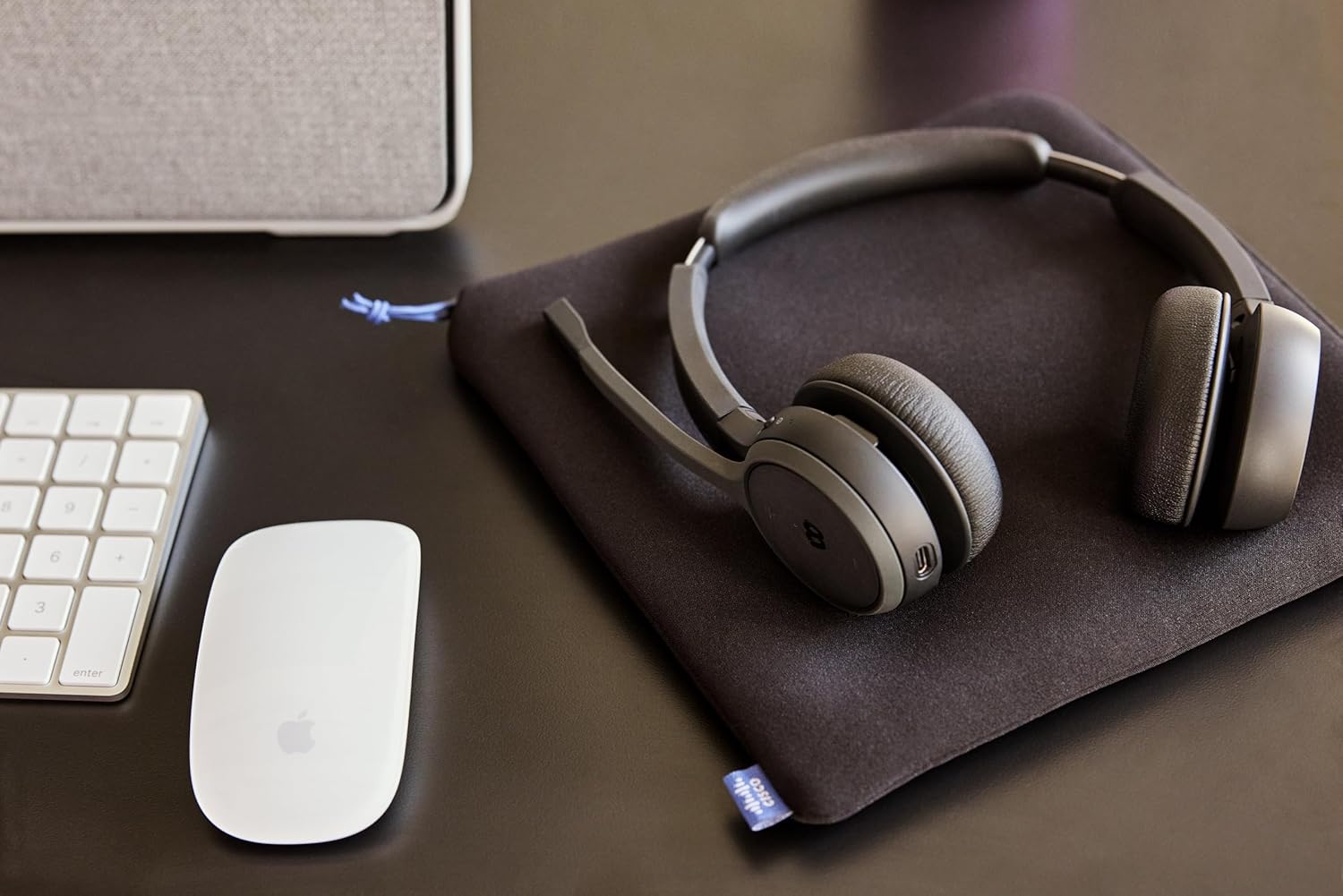
Image: The Cisco Headset 721, USB-A adapter, and charging stand arranged on a desk, illustrating a typical setup.
4. Adjusting the Microphone Boom Arm
The microphone boom arm rotates 276 degrees for optimal placement and features a flip-to-mute function.
- Position the microphone approximately two finger-widths from the corner of your mouth for clear audio.
- To mute the microphone, flip the boom arm upwards. Flip it down to unmute.
Інструкція з експлуатації
Навушні елементи керування
The headset features intuitive on-ear controls for managing calls and media.
- Збільшення/зменшення гучності: Use the dedicated volume buttons to adjust audio levels.
- Відповісти/закінчити виклик: Press the Call button once to answer an incoming call or end an active call.
- Вимкнути/увімкнути звук: In addition to the flip-to-mute boom arm, a dedicated mute button may be present for quick toggling.
- Відтворення/призупинення медіафайлів: Press the Call button once to play or pause media playback.
- Наступний / попередній трек: Use specific media control buttons if available, or double-press/triple-press the Call button (refer to specific model documentation for exact functionality).
Webex Button Integration
Присвячений Webex button provides seamless integration with Cisco Webex applications.
- Приєднуйтесь Webколишня зустріч: Натисніть Webex button to quickly join an active or scheduled Webколишнє засідання.
- Webex Control: The button may also provide quick access to other Webex-specific functions depending on the application version.
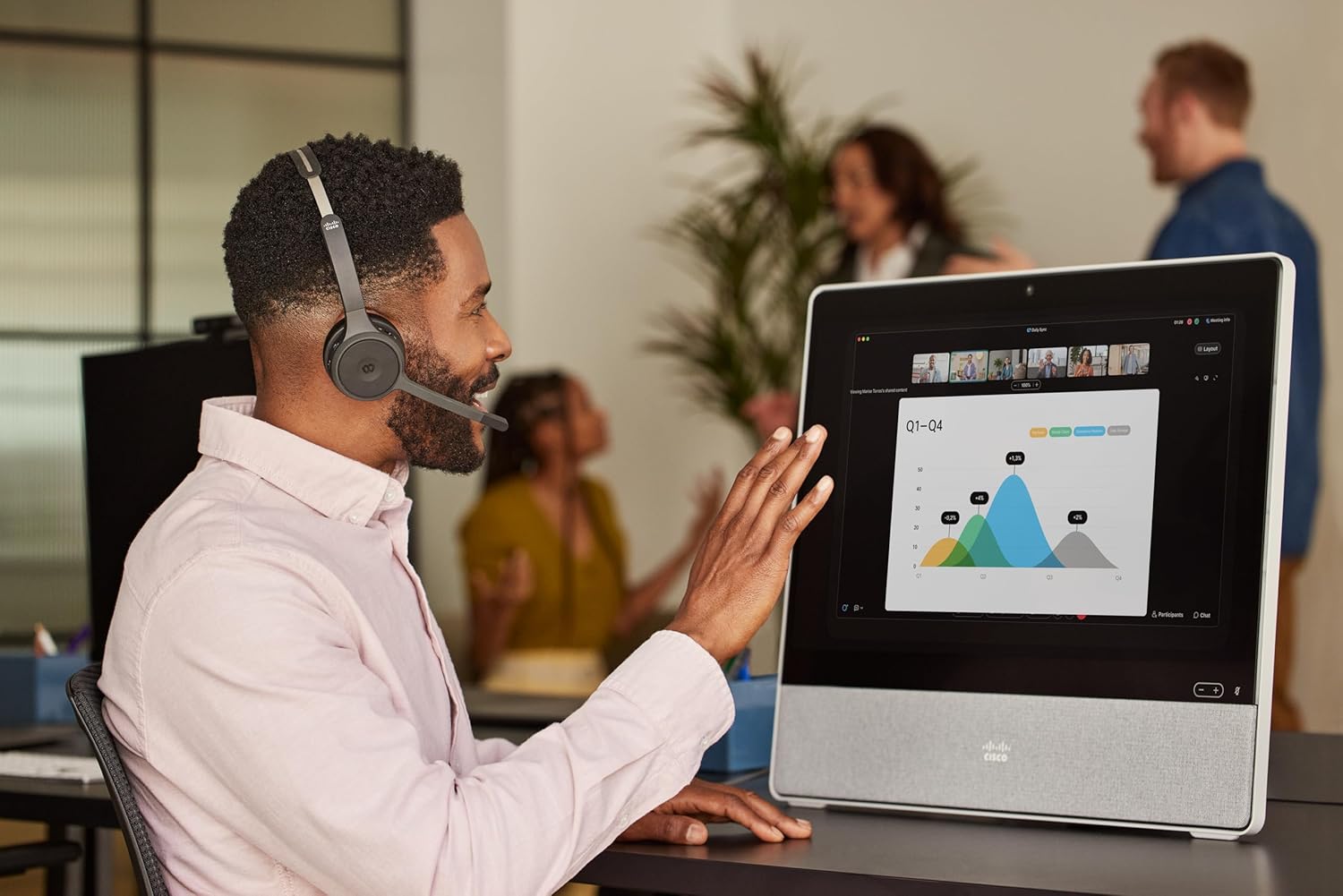
Image: A person wearing the Cisco Headset 721 while engaged in a video conference on a large display, demonstrating its use in a professional setting.
AI Voice-Activated Microphones
The headset features AI voice-activated microphones designed to minimize background noise, ensuring clear communication.
- These microphones automatically focus on your voice and suppress ambient sounds.
- No specific user action is required for this feature; it operates automatically.
Багатоточкове сполучення
The headset supports multipoint pairing, allowing it to be connected to two Bluetooth devices simultaneously.
- Once paired with two devices, the headset can seamlessly switch between them for calls or media.
- наприкладample, you can be connected to your laptop for a video conference and your smartphone for incoming calls.
Технічне обслуговування
Очищення гарнітури
Regular cleaning helps maintain the headset's hygiene and performance.
- Використовуйте м’яку, суху тканину без ворсу для протирання поверхонь гарнітури.
- Амбушури обережно протріть злегкаamp cloth (water only) and allow to air dry completely before use.
- Уникайте використання агресивних хімікатів, розчинників або абразивних матеріалів.
Зберігання
When not in use, store the headset properly to protect it from damage.
- Use the provided soft protective case for storage and transport.
- Зберігайте в прохолодному, сухому місці подалі від прямих сонячних променів і екстремальних температур.
Усунення несправностей
Поширені проблеми та рішення
| Випуск | Рішення |
|---|---|
| Гарнітура не вмикається. | Ensure the headset is fully charged. Connect it to the charging stand and check the LED indicator. |
| Не вдається підключитися до пристрою. | Ensure the headset is in pairing mode (LED flashing blue/red). Check your device's Bluetooth settings. Try restarting both the headset and the device. |
| Немає звуку або погана якість звуку. | Check the volume levels on both the headset and the connected device. Ensure the headset is selected as the audio output device. Move closer to the connected device to avoid interference. |
| Мікрофон не працює. | Ensure the microphone boom arm is flipped down (unmuted). Check microphone settings on your connected device/application (e.g., Webнаприклад). |
| Webex button not responding. | Ensure the headset is properly connected to a device running the Webex application. Verify that the Webex application is up to date. |
Технічні характеристики
| Особливість | Деталь |
|---|---|
| Номер моделі | HS-WL-721-BUNAS-C |
| Технологія підключення | Бездротовий (Bluetooth) |
| Версія Bluetooth | 4.0 |
| Діапазон Bluetooth | 10 метрів |
| Розташування вуха | На вухо |
| Форм-фактор | На вухо |
| Контроль шуму | Passive Noise Cancellation, Sound Isolation |
| Термін служби батареї | 23 годин (час розмови) |
| Тип управління | Call Control, Button, App |
| Особливості | Adjustable Headband, Fast Charging, Lightweight, Multipoint Pairing, Noise Isolation |
| Сумісні пристрої | Мобільні телефони, настільні комп'ютери, ноутбуки, планшети |
| Вага товару | 0.12 кілограма (4.2 унції) |
| матеріал | Aluminum, Stainless Steel, Leather or Faux Leather, Memory Foam |
| Включені компоненти | Cable, Charging Station, Ear Cushions, Headband, Protective Case |
Гарантія та підтримка
The Cisco Headset 721 comes with a Two-Year Limited Liability Warranty, що забезпечує душевний спокій щодо виробничих дефектів та проблем з продуктивністю.
For technical support, warranty claims, or further assistance, please visit the official Cisco support website or contact your Cisco product provider. Ensure you have your product model number (HS-WL-721-BUNAS-C) and proof of purchase available.
Додаткові плани захисту
Additional protection plans may be available for extended coverage:
- 2-річний план захисту: Подовжує покриття на 24 місяці.
- 3-річний план захисту: Подовжує покриття на 36 місяці.
- Повний захист: Щомісячний план, що охоплює відповідні минулі та майбутні покупки.
Please refer to the terms and conditions of these plans for full details.