1. Вступ
This manual provides comprehensive instructions for the installation, operation, and maintenance of your OLUMAT Smart Door Lock with Handle. This device offers multiple keyless entry options, including fingerprint recognition, keypad codes, key fobs, and smartphone control. The included WiFi Gateway and door sensor enhance security and convenience, allowing for remote management and real-time door status monitoring.
2. Інформація про безпеку
- Уважно прочитайте всі інструкції перед установкою та використанням.
- Не намагайтеся розбирати або ремонтувати замок самостійно. Зверніться до служби підтримки клієнтів за допомогою.
- Use only specified batteries (4 AAA batteries, not included). Do not mix old and new batteries or different types of batteries.
- Keep traditional keys in a safe location outside the property, accessible only in emergencies.
- Ensure the door is properly aligned and closes smoothly before installing the lock to prevent damage or malfunction.
3. Вміст упаковки
Перед початком встановлення перевірте наявність усіх компонентів:
- OLUMAT Smart Door Lock (Exterior and Interior Handles)
- Шлюз WiFi
- Door Sensor (Magnetic Contact)
- Брелоки (2)
- Традиційні ключі (2)
- Installation Hardware (Screws, Spindle, Latch, Strike Plate)
- Посібник користувача

This image displays the main components of the OLUMAT Smart Door Lock system, including the smart lock unit with its keypad and fingerprint sensor, the interior handle, the WiFi gateway for remote connectivity, the door sensor for status monitoring, two key fobs, and two traditional keys for manual access. All necessary installation hardware is also included.
4. Налаштування та встановлення
The OLUMAT Smart Door Lock is designed for easy installation, typically requiring only a Phillips screwdriver. No additional drilling is needed for standard door preparations, and a locksmith is generally not required. The reversible door handle accommodates both left and right-handed doors.
4.1 Сумісність дверей
Переконайтеся, що ваші двері відповідають наступним вимогам:
- Товщина дверей: 1.30" – 1.97" (33mm – 50mm)
- Діаметр отвору: 2.13 дюйм (54 мм)
- Задня частина отвору: 2.36 дюйма (60 мм) або 2.76 дюйма (70 мм)
Note: This lock is not compatible with storm doors due to the lock handle size.
This diagram provides critical measurements for door thickness, bore hole diameter, and backset, ensuring proper fit and function of the OLUMAT Smart Door Lock. Please verify your door's dimensions against these specifications before proceeding with installation.
4.2 Кроки встановлення (див. вище)view)
- Remove existing door hardware.
- Встановіть засувку в край дверей.
- Install the exterior handle assembly, ensuring the spindle is correctly oriented.
- Install the interior handle assembly, connecting the cable from the exterior unit.
- Secure both handle assemblies with screws.
- Install batteries (4 AAA, not included) into the interior unit.
- Встановіть запірну пластину на дверну коробку.
- Test the lock's basic mechanical function.

This image illustrates the recommended installation position for the OLUMAT Smart Door Lock, specifically advising placement above an existing deadbolt lock if one is present. This ensures optimal functionality and security integration.
4.3 WiFi Gateway Setup
The WiFi Gateway enables remote control and smart home integration. Plug the gateway into a power outlet within range of your smart lock and your home WiFi network. Follow the instructions in the mobile application to pair the gateway with your lock and connect it to your WiFi.
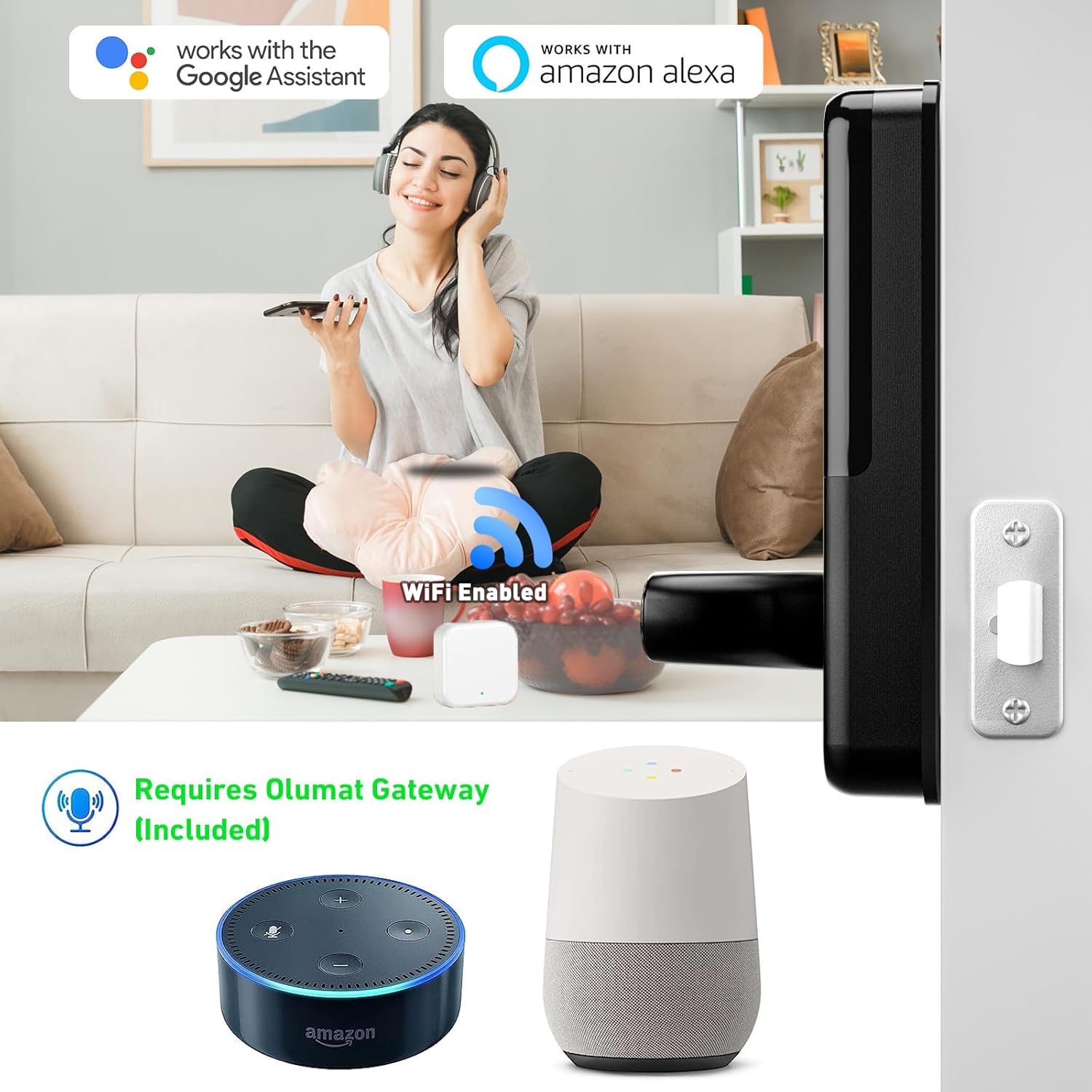
This image demonstrates the OLUMAT Smart Door Lock's compatibility with Google Assistant and Amazon Alexa, facilitated by the included WiFi Gateway. The gateway allows for voice control and remote management of the lock.
4.4 Встановлення датчика дверей
Install the door sensor on the door frame and the door itself, ensuring the two parts are aligned and within 1/2 inch (1.27 cm) of each other when the door is closed. This sensor allows the app to monitor the door's open/closed status.

This image illustrates the OLUMAT Door Sensor in action, showing how it monitors whether the door is open or closed and relays this information to the mobile application, providing real-time status updates.
5. Інструкція з експлуатації
5.1 Методи розблокування
The OLUMAT Smart Door Lock offers multiple ways to unlock:
- Розпізнавання відбитків пальців: Помістіть зареєстрований відбиток пальця на датчик.
- Код клавіатури: Enter your programmed code on the keypad.
- Брелоки: Present a registered key fob to the lock.
- Додаток для смартфона: Use the OLUMAT app to unlock remotely (requires WiFi Gateway).
- Traditional Keys: Use the physical keys for manual override.

This image visually represents the diverse unlocking options available for the OLUMAT Smart Door Lock, including app control, traditional keys, keypad entry, and key fobs, providing flexibility for users.
5.2 Розширені функції безпеки
- Автоблокування: The lock can be configured to automatically lock after a set period when the door is closed, providing an additional layer of security.
- Протиугінна сигналізація: The lock features an alarm system to deter unauthorized access attempts.
- Код доступу для захисту від підглядання: You can enter random digits before or after your actual passcode to prevent others from guessing your code. The lock will still recognize the correct sequence within the longer string of numbers.

This image highlights two key security features of the OLUMAT Smart Door Lock: the automatic locking function, which engages when the door is closed, and an anti-theft alarm designed to alert users to potential security breaches.
5.3 App Management and Remote Control
The OLUMAT mobile application allows for comprehensive management of your smart lock:
- Керування користувачами: Add, modify, or delete fingerprints, passcodes, and key fobs for various users.
- Контроль доступу: Grant temporary or scheduled access to guests or service providers.
- Одноразові паролі: Generate unique, single-use passcodes for convenient temporary access.
- Журнали активності: View історія подій блокування та розблокування.
- Дистанційне розблокування/блокування: Control the lock from anywhere via the app (requires WiFi Gateway to be online).
- Door Status Monitoring: Check if the door is open or closed, and locked or unlocked, in real-time (requires door sensor).

This image displays the OLUMAT Smart Lock's management interface, accessible via both computer and smartphone. It illustrates the capabilities for user and access control, including generating passcodes and monitoring lock activity.

This image demonstrates the process of generating a one-time passcode through the OLUMAT mobile application, allowing users to grant temporary access to visitors or service personnel.
6. Технічне обслуговування
- Прибирання: Wipe the lock's exterior with a soft, dry cloth. Avoid abrasive cleaners or solvents that could damage the finish or electronic components.
- Заміна батареї: The lock will provide a low battery warning. Replace all four AAA batteries promptly. Do not use rechargeable batteries, as they may not provide consistent voltage.
- Вирівнювання дверей: Periodically check that your door and frame remain properly aligned. Misalignment can cause the lock to bind or malfunction.
- Оновлення прошивки: Regularly check the OLUMAT app for available firmware updates to ensure optimal performance and security.
7. Вирішення проблем
| проблема | Можлива причина | Рішення |
|---|---|---|
| Lock does not respond to input (fingerprint, keypad, fob). | Low batteries; incorrect input; sensor obstruction. | Replace batteries. Re-enter code carefully. Clean fingerprint sensor. Re-register fingerprint/fob. |
| Remote unlock/lock via app not working. | WiFi Gateway offline; poor WiFi signal; app not connected. | Ensure WiFi Gateway is powered on and connected to home WiFi. Check internet connection. Restart app. Re-pair gateway if necessary. |
| Door sensor not reporting status correctly. | Sensor misalignment; low sensor battery (if applicable); interference. | Realign sensor parts. Check sensor battery. Ensure no metal objects are interfering. |
| Lock is difficult to operate mechanically. | Door/frame misalignment; incorrect installation. | Check door alignment and hinges. Re-check installation steps, especially latch and spindle. |
| Cannot create new passcodes or open remotely when away from home. | WiFi Gateway is not connected or online. | Ensure the WiFi Gateway is properly set up, powered, and connected to the internet. Remote functions rely on the gateway's active connection. |
8. Технічні характеристики
| Особливість | Деталь |
|---|---|
| Бренд | ОЛУМАТ |
| Назва моделі | Smart door lock (OL-0825) |
| Тип замка | Keypad, Fingerprint |
| Особливості | Fingerprint, Keyless Entry, WiFi Connectivity, Door Sensor |
| матеріал | Цинк |
| Тип обробки | Пофарбований |
| Колір | чорний |
| Розміри предмета (Д x Ш x В) | 7.1 x 2.8 x 1.2 дюймів |
| Вага товару | 4.3 фунта |
| Джерело живлення | 4 батареї AAA (не входять в комплект) |
| Протокол підключення | Wi-Fi |
| Спосіб контролю | App, Keypad, Fingerprint, Key Fob, Traditional Key |
| Тип контролера | Amazon Alexa, Google Assistant (via WiFi Gateway) |
| Рекомендоване використання | Residential use, short-term rentals, property management |
| UPC | 769129866231 |
9. Гарантія та підтримка
OLUMAT stands behind its products with the following:
- 30-денна гарантія повернення грошей: Якщо ви не задоволені своєю покупкою, ви можете повернути її протягом 30 днів для повного відшкодування коштів.
- 1-річна гарантія на продукт: The smart door lock is covered by a 1-year warranty against manufacturing defects.
- Довічна підтримка клієнтів: OLUMAT provides lifetime customer support for any questions or issues you may encounter.
For technical assistance, warranty claims, or general inquiries, please contact OLUMAT customer support through the contact information provided on the official OLUMAT webсайт або ваша платформа для покупок.


