вступ
This manual provides detailed instructions for the setup, operation, and maintenance of your PDP Afterglow Wave Wireless Headset. Designed for an immersive audio experience, this headset is compatible with Xbox Series X|S, Windows 10/11 PC, PlayStation PS5/PS4, and various Bluetooth-enabled devices.

Image: The PDP Afterglow Wave Wireless Headset, showcasing its black design and customizable RGB lighting on the earcups.
Особливості продукту
- Настроюване освітлення RGB: Personalize your headset with millions of color combinations and lighting effects via the free PDP Control Hub app.
- Зручний дизайн: Features soft, memory foam ear cushions and swivel earcups for extended gaming sessions and comfortable storage.
- Імерсивне аудіо: Equipped with 50mm drivers for clear highs and deep lows.
- Зручне керування: On-ear volume controls and a game/chat balance dial for quick audio adjustments.
- Мікрофон із шумопоглинанням: Provides clear communication, with a flip-to-mute function for privacy.
- Універсальний підключення: Connects wirelessly via a low-latency USB dongle to consoles or via Bluetooth to mobile devices.
- Широка сумісність: Officially licensed for Xbox, and compatible with Windows 10/11 PC, PlayStation consoles (PS5/PS4), and most Bluetooth devices.
- Тривалий термін служби батареї: До 16 годин відтворення на одному заряді.
Інструкції з налаштування
1. Заряджання гарнітури
Before initial use, fully charge the headset. Connect the included USB charging cable to the headset's charging port and to a powered USB port (e.g., console, PC, USB wall adapter). The headset's RGB lights will pulse during charging and should turn solid when fully charged. A full charge typically takes approximately 8 hours and provides up to 16 hours of battery life.
Image: The headset highlighting its 16-hour battery life for extended gaming sessions.
2. Connecting to Xbox/PC (Wireless Dongle)
- Insert the USB wireless dongle into an available USB port on your Xbox console or PC.
- Power on the headset by pressing and holding the Power button until the lights illuminate.
- The headset and dongle should automatically pair. A solid light on the dongle and headset indicates a successful connection.
- Adjust volume using the on-ear controls.
Image: The headset emphasizing its cross-compatibility with various gaming platforms and Bluetooth devices.
3. Connecting via Bluetooth (Mobile Devices, PS5/PS4)
- Переконайтеся, що гарнітуру вимкнено.
- Press and hold the Bluetooth button on the headset until the indicator light begins to flash, indicating pairing mode.
- On your device (e.g., smartphone, tablet, PlayStation console), navigate to Bluetooth settings and select "Afterglow Wave" from the list of available devices.
- Once connected, the headset's Bluetooth indicator light will become solid.
Інструкція з експлуатації
Елементи керування гарнітурою
- Кнопка живлення: Натисніть і утримуйте, щоб увімкнути/вимкнути живлення. Коротко натисніть, щоб перевірити стан батареї.
- Регулятор гучності: Поверніть, щоб налаштувати загальну гучність звуку.
- Баланс гри/чату: Adjusts the balance between game audio and chat audio.
- Кнопка режиму: Cycles through different RGB lighting effects. Press and hold to turn RGB lights on/off.
- Мікрофон: Flip the microphone boom up to mute. Flip down to unmute.
Image: Close-up of the headset's noise-canceling microphone, illustrating the flip-to-mute feature.
Додаток PDP Control Hub
Download the free PDP Control Hub app from the Microsoft Store (for Xbox/PC) or your device's app store (for mobile) to customize your headset:
- Modify RGB lighting zones and effects.
- Adjust audio settings and equalizer presets.
- Оновіть прошивку гарнітури.
Image: Diagram showing the customizable RGB lighting zones on the headset, managed via the PDP Control Hub app.
Технічне обслуговування
- Прибирання: Використовуйте м’яку суху тканину для очищення гарнітури. Уникайте абразивних засобів для чищення або розчинників.
- Зберігання: Store the headset in a cool, dry place away from direct sunlight and extreme temperatures. The swivel earcups allow for a flat storage position.
- Догляд за акумулятором: Щоб продовжити термін служби акумулятора, уникайте частого повного розряджання гарнітури. Регулярно заряджайте її, навіть якщо вона не використовується протягом тривалого часу.
- Водонепроникність: Ця гарнітура не є водонепроникною. Уникайте контакту з рідинами.
Усунення несправностей
| Випуск | Можливе рішення |
|---|---|
| No audio or low volume |
|
| Мікрофон не працює |
|
| Headset disconnects randomly or poor signal |
|
| Світильники RGB не працюють |
|
Технічні характеристики
| Особливість | Деталь |
|---|---|
| Назва моделі | Бездротова гарнітура Afterglow Wave |
| Номер моделі | 049-032-БК |
| Підключення | Wireless (USB Dongle), Bluetooth |
| Версія Bluetooth | 4.0 |
| Діапазон Bluetooth | 20 футів |
| Розмір звукового драйвера | 50-мм динамічні драйвери |
| Імпеданс | 32 Ом |
| Термін служби батареї | До 16 годин |
| Час зарядки | Приблизно 8 години |
| мікрофон | Шумозаглушення, вимкнення звуку перевертанням |
| Елементи керування | On-ear Volume, Game/Chat Balance, Mode Button (RGB) |
| Сумісність | Xbox Series X|S, Windows 10/11 PC, PlayStation PS5/PS4, Bluetooth devices |
| вага | 1.19 фунта (приблизно 0.54 кг) |
| матеріал | Полікарбонат (ПК) |
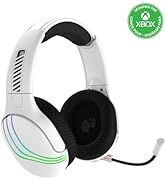
Image: The headset highlighting its 50mm drivers for immersive audio quality.
Інформація про гарантію
PDP products are covered by a manufacturer's warranty. For specific details regarding your PDP Afterglow Wave Wireless Headset warranty period and terms, please refer to the official PDP webсайт або зверніться до служби підтримки клієнтів. Зберігайте чек про покупку для гарантійних випадків.
Підтримка
For further assistance, technical support, or to download the PDP Control Hub app, please visit the official PDP webсайт:
You can also find FAQs and additional resources on their support pages.


