1. Вступ
This manual provides essential information for the installation, operation, and maintenance of your Phillips MX7053 Digital Deadbolt PCD-360. Please read these instructions carefully before installation and use to ensure proper function and longevity of the product.
The Phillips MX7053 Digital Deadbolt is designed for interior wood or metal doors, offering secure keyless entry via a numeric keypad or traditional key access. It features a light indicator for status updates and supports up to 50 unique user codes.
2. Особливості продукту
- Легка установка: Designed for straightforward installation using basic tools.
- Універсальний монтаж: Features an interior mounting plate that can be screwed or welded.
- Цифрова клавіатура: Exterior keypad supports 4 to 10-digit codes for up to 50 users.
- Індикатор стану: Integrated light indicator shows lock/unlock status and alerts for incorrect code entries.
- Подвійний доступ: Keyless entry via keypad or traditional high-security key access.
- Працює від батареї: Requires 4 AA batteries (not included), eliminating the need for electrical wiring.
3. Вміст упаковки
Перед початком встановлення перевірте наявність усіх компонентів:
- Phillips MX7053 Digital Deadbolt (Exterior Keypad Unit)
- Interior Thumb Turn Unit
- Монтажна пластина
- High-Security Keys (Quantity may vary)
- Монтажні гвинти та кріплення
- Інструкція з експлуатації (цей документ)

Зображення 3.1: Packaging of the Phillips MX7053 Digital Deadbolt, illustrating the included components and highlighting the 1-year warranty.
4. Технічні характеристики
| Виробник | Філіпс |
| Номер моделі | MX7053 |
| Колір | чорний |
| Закінчити | Брашований |
| матеріал | Метал, пластик |
| Тип замка | Дедлайт |
| Особливості | Touch keypad, Keyless entry |
| Джерело живлення | 4 батарейок типу АА (не входять в комплект) |
| вага | 1.12 кілограма |
| Розміри (Д x Ш x В) | 21.01 х 11 х 23.01 см |
5. Інформація про безпеку
- Do not expose the lock to extreme temperatures or direct moisture.
- Використовуйте лише зазначені лужні батарейки типу АА. Не змішуйте старі та нові батарейки або батарейки різних типів.
- Зберігайте ключі в безпечному місці подалі від замка.
- Regularly check battery levels and replace batteries when indicated to prevent lock-out.
- Уникайте використання абразивних засобів для чищення або розчинників на поверхні замка.
6. Монтаж
The Phillips MX7053 Digital Deadbolt is designed for surface-mount installation on interior wood or metal doors. It is compatible with both left and right-opening doors.
6.1 Необхідні інструменти
- Викрутка (рекомендується хрестова)
- Свердлити (якщо потрібні нові отвори)
- Мірна стрічка або лінійка
- Олівець
6.2 Етапи встановлення
- Підготуйте двері: Ensure the door is clean and free of obstructions. If replacing an existing lock, remove it.
- Встановіть засувку ригеля: Insert the deadbolt latch into the door edge. Ensure the latch is oriented correctly for your door's handing (left or right).
- Mount the Exterior Keypad: Position the exterior keypad unit on the outside of the door, aligning it with the deadbolt latch.
- Встановлення внутрішньої монтажної пластини: On the inside of the door, attach the interior mounting plate. Secure it with the provided screws. This plate can be screwed directly or welded for added security.
- Connect the Interior Unit: Connect the cable from the exterior keypad to the interior thumb turn unit. Carefully tuck any excess cable into the door cavity.
- Secure the Interior Unit: Attach the interior thumb turn unit to the mounting plate using the remaining screws. Ensure it is flush against the door.
- Тестова операція: Before closing the door, test the deadbolt's operation using both the thumb turn and the key. Ensure the deadbolt extends and retracts smoothly.
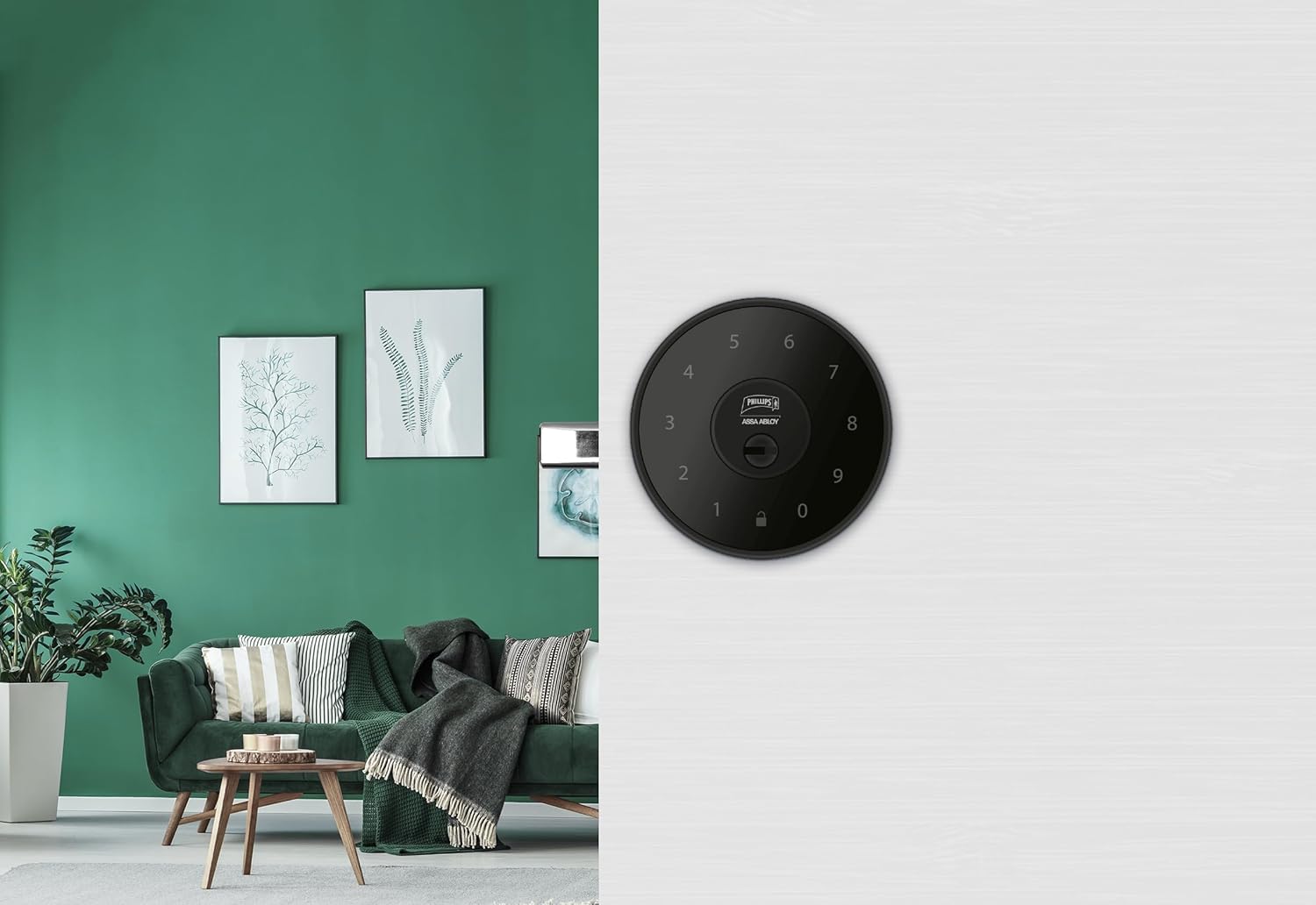
Зображення 6.1: An installed Phillips MX7053 Digital Deadbolt, showcasing its exterior keypad on a door.

Зображення 6.2: Крупний план спереду view of the exterior keypad, highlighting the numeric interface and keyhole.
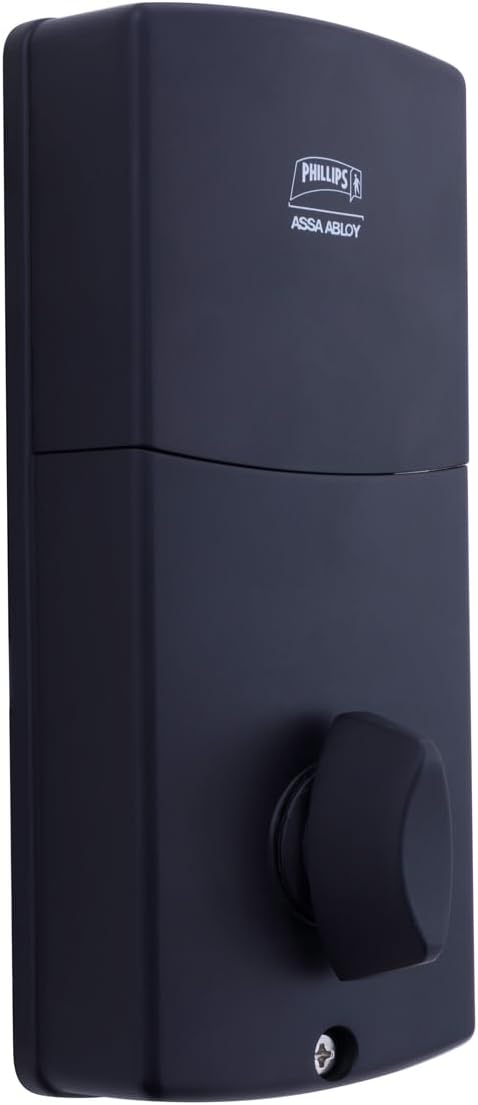
Зображення 6.3: Задня view of the interior unit, which houses the battery compartment and the thumb turn for manual locking/unlocking.
7. Установка та заміна батареї
The Phillips MX7053 Digital Deadbolt requires 4 AA alkaline batteries for operation. Batteries are not included.
- Доступ до відсіку для батареї: Locate the battery cover on the interior thumb turn unit. Slide or unclip the cover to open the compartment.
- Вставте батареї: Insert 4 new AA alkaline batteries, ensuring correct polarity (+/-) as indicated inside the compartment.
- Закрити відсік: Встановіть кришку батарейного відсіку назад, переконавшись, що вона щільно закрита.
- Тест: After installing batteries, the lock should emit a beep and the keypad lights may illuminate briefly, indicating power.
Примітка: Replace all four batteries simultaneously. Do not mix old and new batteries or different battery types. Low battery indication will typically be a series of beeps or a specific light pattern when operating the lock.
8. Операція
8.1 Розблокування дверей
- Використання коду: Enter your 4 to 10-digit user code on the exterior keypad. The light indicator will confirm successful entry, and the deadbolt will retract.
- Використання ключа: Insert the high-security key into the keyhole on the exterior keypad and turn it to unlock the deadbolt.
- Зсередини: Turn the thumb turn on the interior unit to retract the deadbolt.
8.2 Блокування дверей
- Ззовні: Press any key on the keypad or simply wait for the auto-lock feature (if enabled) to engage the deadbolt.
- Використання ключа: Insert the high-security key into the keyhole on the exterior keypad and turn it to extend the deadbolt.
- Зсередини: Turn the thumb turn on the interior unit to extend the deadbolt.
9. Програмування кодів користувачів
The lock supports up to 50 unique user codes, each 4 to 10 digits long. Refer to the specific programming instructions included with your lock for detailed steps on adding, deleting, or modifying user codes. Generally, this involves entering a master code followed by a sequence of commands and the desired user code.
Важливо: Keep your master code confidential and do not share it. It is essential for managing all other user codes.
10. Технічне обслуговування
- Прибирання: Протріть поверхню замка м’якою ганчіркоюamp тканина. Не використовуйте агресивні хімікати або абразивні засоби для чищення.
- Перевірка батареї: Негайно замінюйте батарейки, коли з’являється індикатор низького заряду батарейок.
- Механічна перевірка: Periodically check that all screws are tight and the lock operates smoothly. Lubricate the deadbolt mechanism with a silicone-based lubricant if necessary.
11. Вирішення проблем
- Замок не відповідає: Перевірте встановлення батарейок та замініть їх за потреби. Переконайтеся, що клавіатура чиста та не містить сміття.
- Deadbolt Not Extending/Retracting: Verify that the door frame strike plate is properly aligned with the deadbolt. Check for any obstructions in the door jamb.
- Incorrect Code Entry: If the light indicator flashes or beeps after entering a code, re-enter the code carefully. Ensure you are using a valid, programmed user code.
- Клавіатура не підсвічується: This may indicate very low batteries or a power issue. Replace batteries.
12. Гарантія та підтримка
The Phillips MX7053 Digital Deadbolt PCD-360 comes with a Гарантія 1 рік з дати покупки, що покриває виробничі дефекти. Будь ласка, збережіть підтвердження покупки для пред'явлення гарантійних претензій.
For technical assistance, troubleshooting beyond this manual, or warranty inquiries, please contact Phillips customer support. Refer to the contact information provided on the product packaging or Phillips' official webсайт.
Additional protection plans may be available from third-party providers for extended coverage.


