1. Вступ
This manual provides detailed instructions for the setup, operation, and maintenance of your TECLAST N15 Mini PC. Please read this manual thoroughly before using the device to ensure proper functionality and to prevent damage.
The TECLAST N15 is a compact desktop computer featuring an Intel Celeron N5095 processor, 16GB DDR4 RAM, and a 512GB SSD. It supports triple 4K monitor output and comes with Windows 11 Pro pre-installed, making it suitable for various applications including office work, creative design, and multimedia entertainment.
2. Що в коробці
Перевірте наявність усіх елементів в упаковці:
- 1 x TECLAST N15 Mini PC
- 1 x адаптер живлення
- 1 кріплення VESA
- 1 кабель HDMI
- 1 х посібник користувача

Image: Contents of the TECLAST N15 Mini PC package.
3. Продукт закінчивсяview
3.1. Dimensions and Design
The TECLAST N15 Mini PC is designed for compactness and portability, measuring approximately 4.5 x 1.6 x 4.5 inches (115 x 43 x 115 mm) and weighing around 400g. Its aluminum body ensures a sturdy structure.
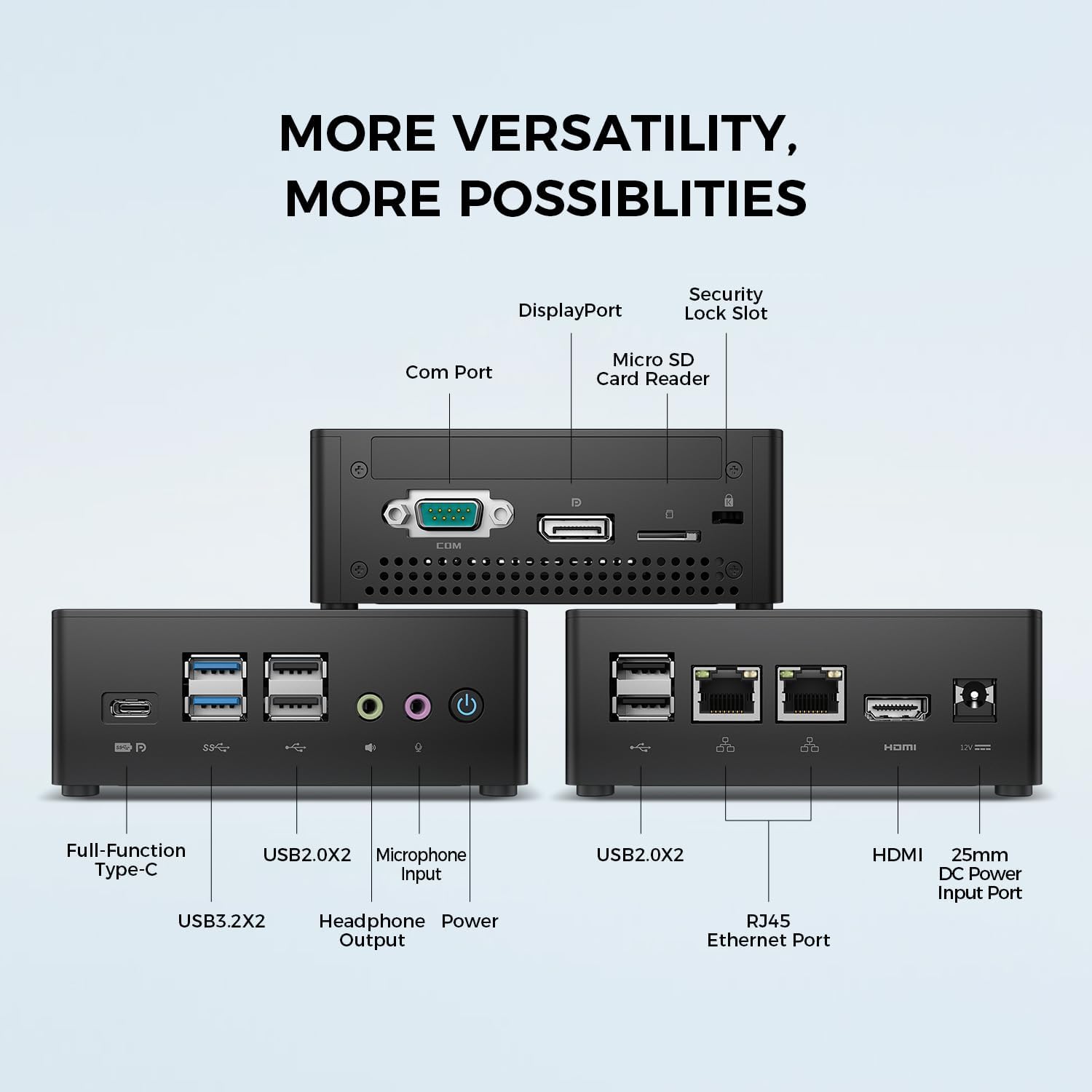
Image: TECLAST N15 Mini PC dimensions and compact design.
3.2. Порти та підключення
The N15 Mini PC offers extensive connectivity options to support various peripherals and displays.
- Передні порти: 1x Full-Function Type-C, 2x USB 3.0, 2x USB 2.0, 1x Headphone Output, 1x Microphone Input, Power Button.
- Бічні порти: 1x COM Port, 1x DisplayPort, 1x Micro SD Card Reader, 1x Security Lock Slot.
- Задні порти: 2x RJ45 Ethernet Ports (2.5Gbps), 2x USB 2.0, 1x HDMI Port, 1x DC Power Input.

Зображення: Оверview of the TECLAST N15 Mini PC's various connectivity ports.

Image: Front panel ports of the TECLAST N15 Mini PC.

Image: Side panel ports of the TECLAST N15 Mini PC.

Image: Rear panel ports of the TECLAST N15 Mini PC.
3.3. Внутрішні компоненти
The N15 features an Intel Gen 11 N5095 processor, 16GB DDR4 RAM, and a 512GB PCIe 3.0 SSD. It also includes an M.2 E-slot for function expansion (pre-occupied by a wireless network card by default).

Image: Internal components of the TECLAST N15 Mini PC.
4. Інструкції з налаштування
4.1. Підключення периферійних пристроїв
- Підключення дисплея: Use the HDMI, DisplayPort, or Full-Function Type-C port to connect your monitor(s). The N15 supports up to three 4K displays simultaneously.
- Підключення клавіатури та миші: Підключіть USB-клавіатуру та мишу до доступних USB-портів.
- Підключити мережу: For a wired connection, connect an Ethernet cable to one of the two RJ45 ports. For wireless, ensure your Wi-Fi network is available during initial setup.
- Підключіть живлення: Підключіть адаптер живлення до вхідного порту живлення постійного струму на міні-ПК, а потім підключіть адаптер до розетки.
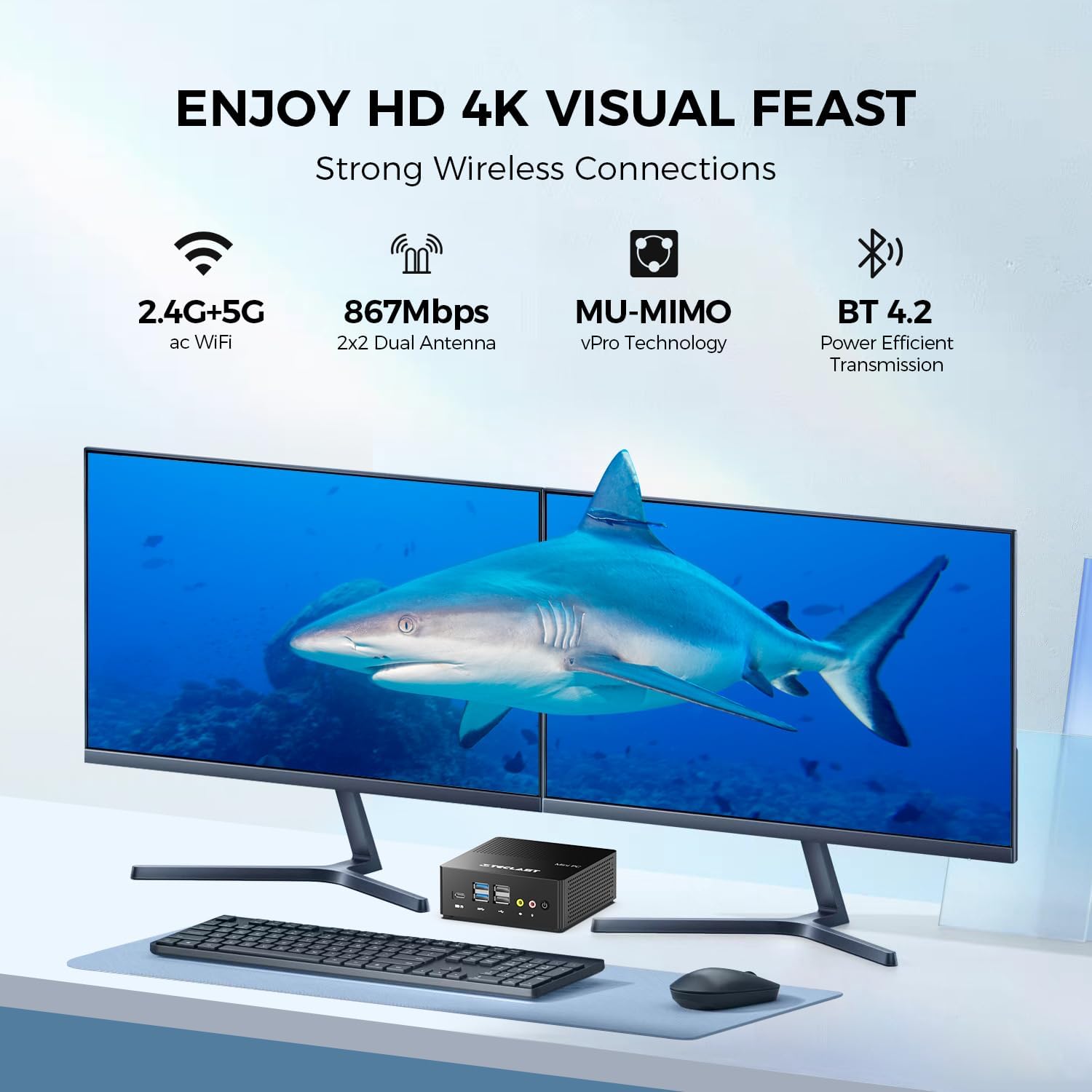
Зображення: Прample setup with the TECLAST N15 Mini PC connected to multiple displays and peripherals.
4.2. Початкове увімкнення
Press the power button on the front of the Mini PC. The device will boot into Windows 11 Pro. Follow the on-screen instructions to complete the initial Windows setup, including language, region, network connection, and user account creation.
4.3. Встановлення кріплення VESA (додатково)
The included VESA mount allows you to attach the Mini PC to the back of a compatible monitor or to a wall, saving desk space. Refer to the VESA mount instructions for detailed installation steps.

Image: TECLAST N15 Mini PC with VESA mount for space-saving installation.
5. Інструкція з експлуатації
5.1. Windows 11 Pro
Your TECLAST N15 Mini PC comes with Windows 11 Pro pre-installed. This operating system provides a secure and versatile environment for various tasks, from productivity to entertainment. Ensure Windows updates are regularly installed to maintain system security and performance.

Image: Windows 11 Pro interface on the TECLAST N15 Mini PC.
5.2. Налаштування кількох моніторів
The Mini PC supports connecting up to three displays simultaneously at 4096x2160@60Hz via HDMI, DisplayPort, and the Full-Function Type-C port. This allows for an extended workspace, enhancing productivity for tasks like creative design, data analysis, or multi-tasking.
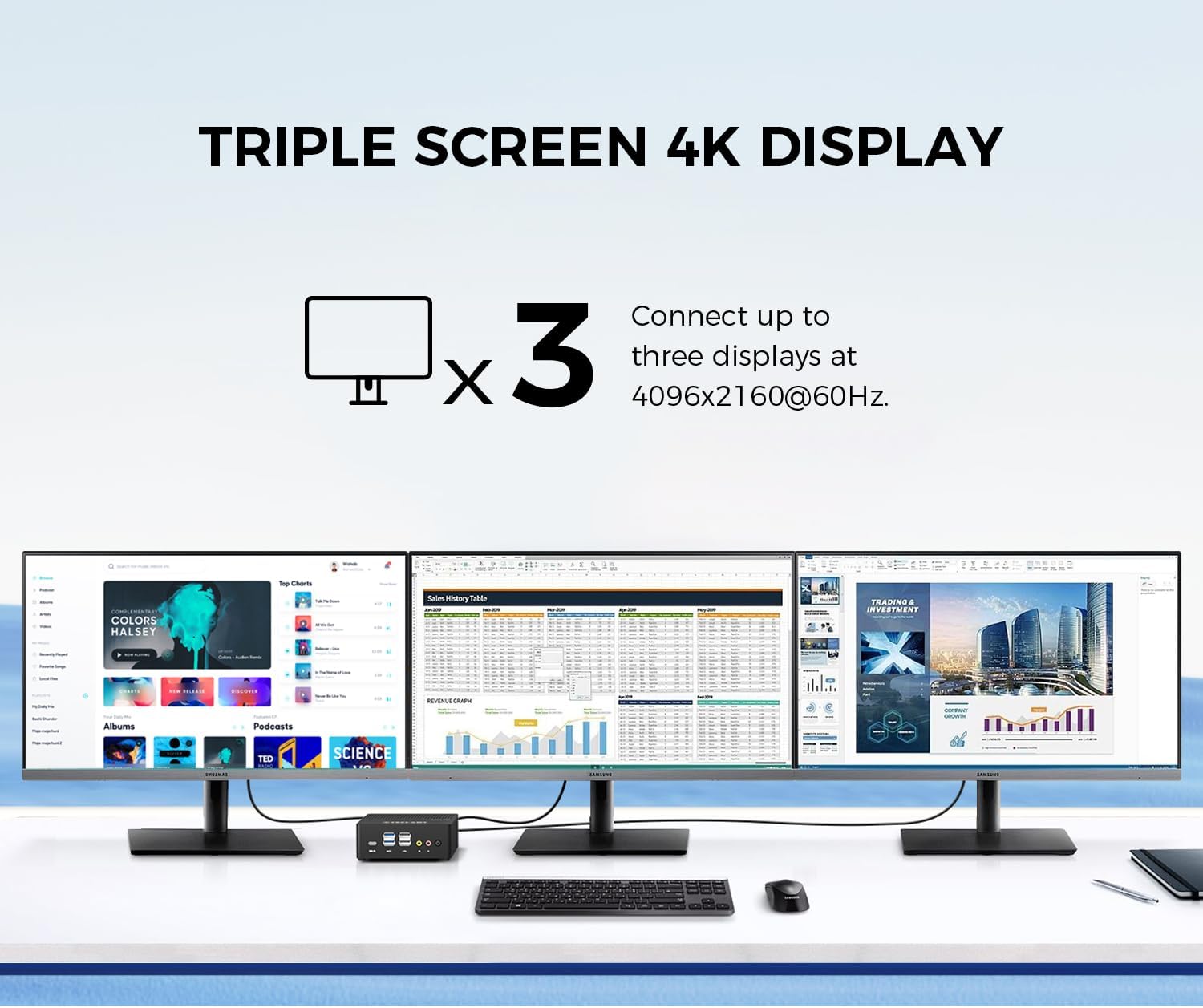
Image: Triple 4K monitor setup with the TECLAST N15 Mini PC.
5.3. Управління живленням
- Вимкнути: Натисніть кнопку «Пуск», потім «Живлення» > «Вимкнути».
- Перезапуск: Натисніть кнопку «Пуск», потім «Живлення» > «Перезавантажити».
- Сон: Click the Start button, then Power > Sleep.
- Автоматичне включення: The device supports Auto Power On, RTC Wake Settings, and Wake On LAN, which can be configured in the BIOS settings.
6. Продуктивність та охолодження
The TECLAST N15 is equipped with an Intel Celeron N5095 processor, offering a turbo frequency of up to 2.9 GHz. It features Intel UHD Graphics with 16 Execution Units (EU) and Quick Sync Video technology for efficient hardware video encoding and decoding.

Image: Key performance specifications of the TECLAST N15 Mini PC.
6.1. Система охолодження
The Mini PC incorporates a built-in fan cooling system with a nickel-plated heat pipe and a large heat dissipation area (over 16000mm²). This design ensures efficient heat transfer and silent operation, preventing overheating during multitasking.

Image: Internal cooling system and noise level illustration.
7. Технічне обслуговування
- Прибирання: Use a soft, dry cloth to clean the exterior of the Mini PC. For vents, use compressed air to remove dust buildup. Do not use liquid cleaners directly on the device.
- Оновлення програмного забезпечення: Регулярно перевіряйте наявність оновлень Windows і драйверів та встановлюйте їх, щоб забезпечити оптимальну продуктивність і безпеку.
- Управління сховищем: Періодично прибирайте зайве files and applications to free up storage space and improve system responsiveness.
- Умови навколишнього середовища: Використовуйте міні-ПК у добре провітрюваному приміщенні, подалі від прямих сонячних променів, надмірного тепла та вологи.
8. Вирішення проблем
| проблема | Можлива причина | Рішення |
|---|---|---|
| Немає живлення | Адаптер живлення не підключено, проблема з розеткою. | Переконайтеся, що адаптер живлення надійно підключений до міні-ПК та робочої розетки. Спробуйте іншу розетку. |
| Немає дисплея | Монітор не підключено, неправильне джерело вхідного сигналу, несправний кабель. | Check HDMI/DP/Type-C cable connections. Ensure monitor is on and set to the correct input source. Try a different cable or monitor if possible. |
| Немає підключення до Інтернету | Ethernet cable disconnected, Wi-Fi disabled, router issue. | For wired: Check Ethernet cable. For Wi-Fi: Ensure Wi-Fi is enabled in Windows settings and connected to your network. Restart your router/modem. |
| Peripherals not recognized | Loose connection, driver issue, incompatible device. | Reconnect the peripheral. Try a different USB port. Check Device Manager for driver issues. Ensure the peripheral is compatible with Windows 11. |
9. Технічні характеристики
| Особливість | Деталь |
|---|---|
| Процесор | Intel Celeron N5095 (2.9 GHz Turbo Frequency) |
| ОЗУ | 16 ГБ DDR4 |
| Зберігання | 512GB PCIe x4 SSD |
| Графіка | Графіка Intel UHD (інтегрована) |
| Операційна система | Windows 11 Pro (попередньо встановлена) |
| Відеовихід | HDMI, DisplayPort, Full-Function Type-C (Supports Triple 4K @ 60Hz) |
| USB порти | 2x USB 3.0, 4x USB 2.0, 1x Full-Function Type-C |
| Мережа | 2x 2.5Gbps RJ45 Ethernet, 802.11ac Wi-Fi (Dual-band) |
| Bluetooth | Bluetooth 4.2 |
| Інші порти | COM Port, Micro SD Card Reader, Headphone Output, Microphone Input, Security Lock Slot |
| Розміри (ДxШxВ) | 4.5 x 1.6 x 4.5 дюйма (115 x 43 x 115 мм) |
| вага | 14.6 унцій (приблизно 400 г) |
| Охолодження | Built-in fan cooling with nickel-plated heat pipe |
10. Гарантія та підтримка
The TECLAST N15 Mini PC comes with a 1-year product satisfaction warranty and lifetime technical support. For any questions or assistance, please contact TECLAST customer support.
You can find contact information and further resources on the official TECLAST webсайт або через вашу платформу для покупок.
11. Відеодемонстрація продукту
Перегляньте офіційне відео про продукт для візуального ознайомленняview of the TECLAST N15 Mini PC's features and capabilities.
Video: Official demonstration of the TECLAST N15 Mini PC, highlighting its design, ports, and usage scenarios.


