1. Вступ
This manual provides comprehensive instructions for the Olvy Wireless Android Auto Dongle W-28. This device enables wireless Android Auto connectivity in compatible vehicles, allowing you to access your smartphone's features on your car's display without a physical cable connection.
Важлива примітка: To use this dongle, your vehicle must have a factory-integrated Android Auto system that also supports wired CarPlay. This is typically found in 98% of cars manufactured after 2017. The dongle supports Android phones running Android 10 or higher.

Image 1.1: The Olvy dongle facilitating wireless Android Auto, eliminating cable clutter.
2. Інформація про безпеку
- Не намагайтеся розібрати чи модифікувати пристрій.
- Тримайте пристрій подалі від води, вологи та екстремальних температур.
- Ensure the device is securely connected to prevent accidental disconnection during driving.
- Operate your vehicle responsibly. Do not interact with the device or your smartphone in a way that distracts you from driving.
3. Вміст упаковки
Будь ласка, перевірте упаковку на наявність наступних предметів:
- Olvy Wireless Android Auto Dongle W-28
- Кабель USB-C – USB-A
- Кабель USB-C – USB-C
4. Продукт закінчивсяview
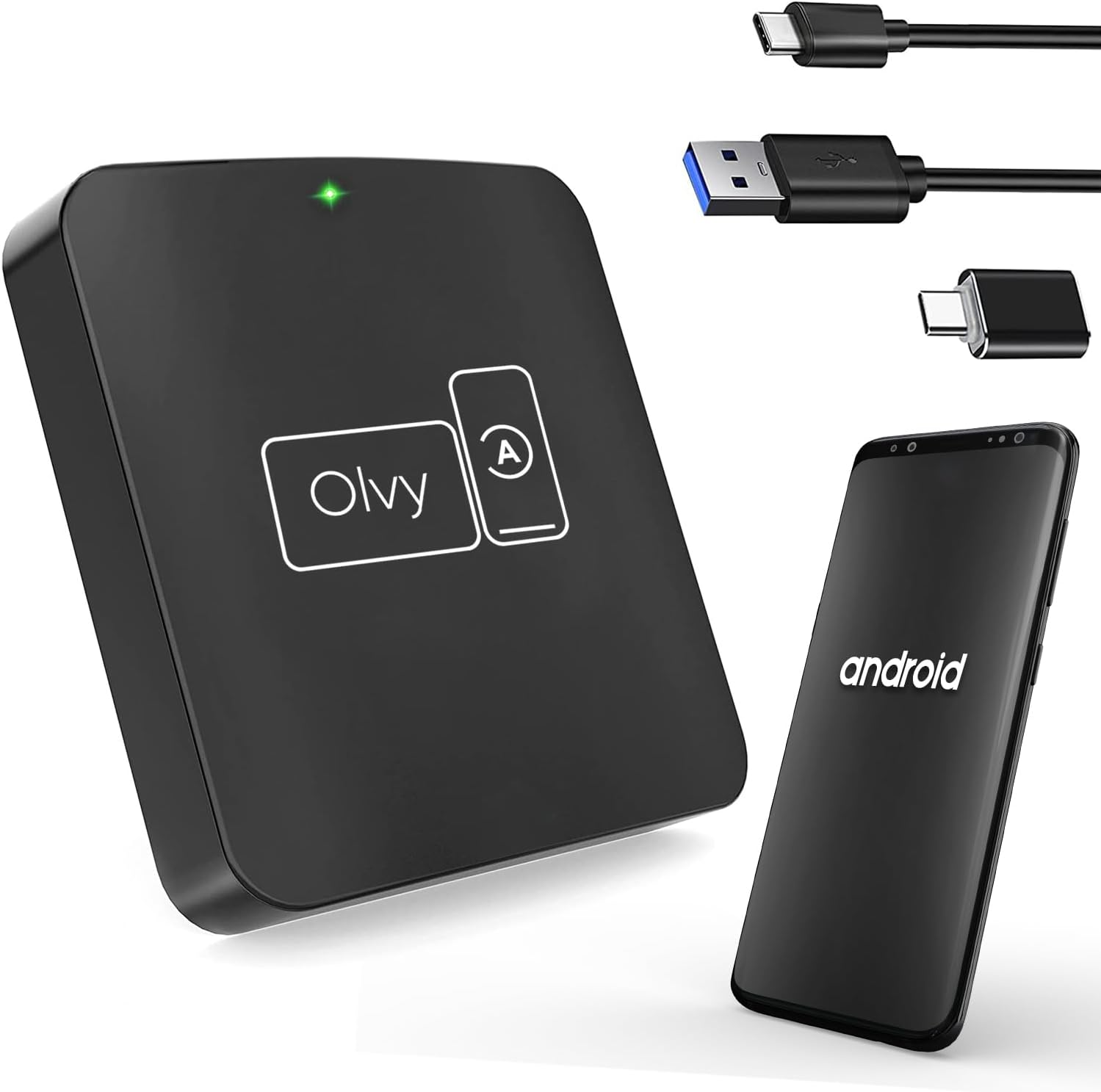
Image 4.1: Olvy Wireless Android Auto Dongle and connectivity options.
The Olvy Wireless Android Auto Dongle is a compact device designed to provide a seamless wireless connection between your Android smartphone and your car's infotainment system. It features a 5.8GHz chip for faster and more stable connections.

Image 4.2: Compact design and dimensions of the Olvy dongle (55mm x 55mm x 12mm).

Image 4.3: Key features of the Olvy dongle, including Plug & Play functionality and a 5.8GHz chip.
5. Інструкції з налаштування
Виконайте такі кроки для швидкого та легкого налаштування:
- Step 1: Connect the Dongle to your Car. Use the provided USB-C to USB-A or USB-C to USB-C cable to connect the Olvy dongle to your car's USB port. Ensure the port supports data transfer for Android Auto.
- Step 2: Pair your Smartphone via Bluetooth. On your smartphone, enable Bluetooth and search for available devices. Select the device named "Smart-box..." (or similar) and pair with it.
- Step 3: Establish Wireless Connection. Once paired, the dongle will automatically connect your phone to the car's Android Auto system wirelessly. The initial setup typically takes about 15 seconds. Subsequent connections should occur within 5 seconds automatically.
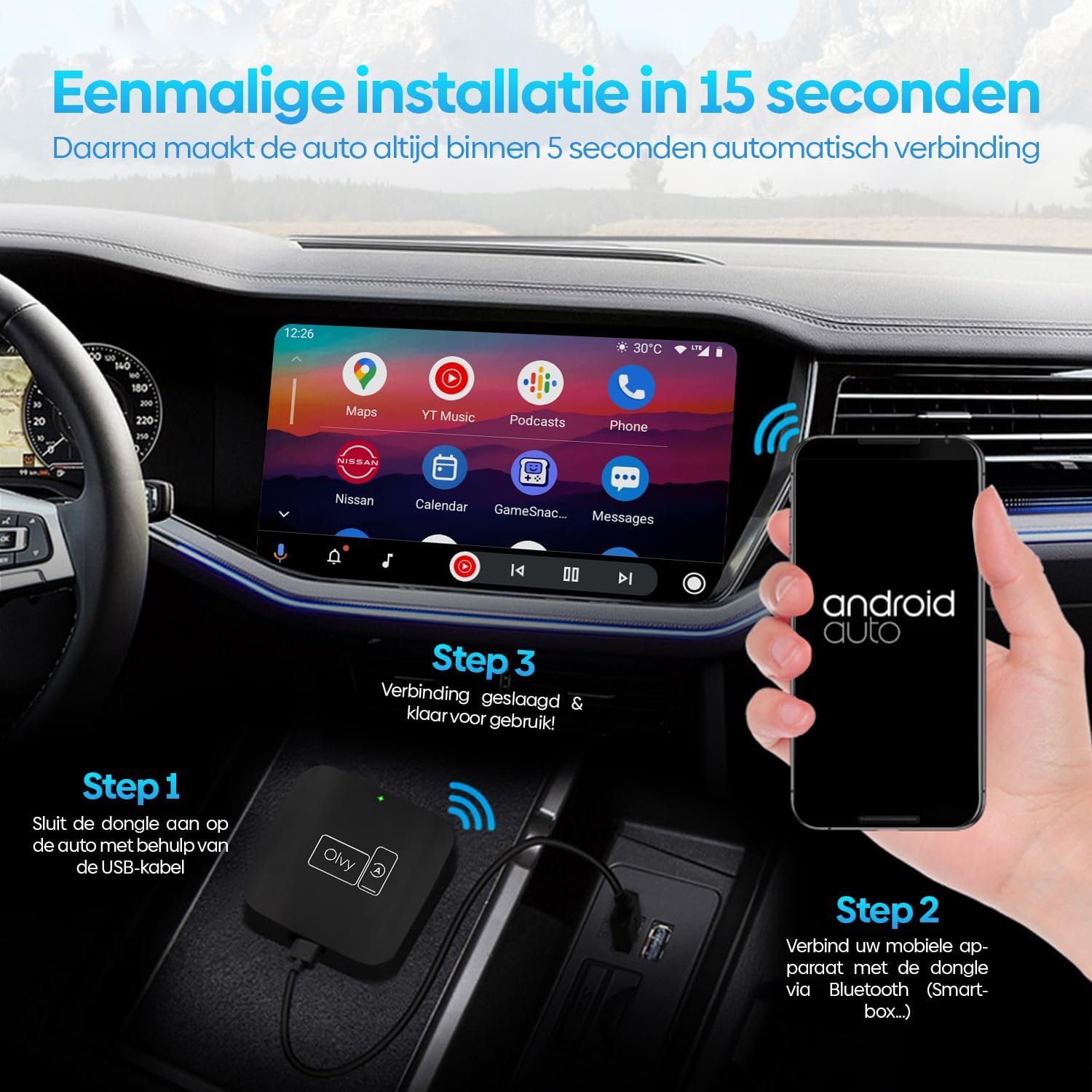
Зображення 5.1: Візуальний посібник з 3-етапного процесу встановлення.
6. Інструкція з експлуатації
6.1. Використання Android Auto
Once connected, your car's display will show the Android Auto interface. You can navigate through apps, maps, music, and calls directly from your car's screen.
6.2. Методи контролю
The Olvy dongle supports various control methods available in your vehicle:
- Елементи керування на кермі: Use your car's built-in steering wheel buttons for audio, calls, and navigation.
- Оригінальні ручки керування: Utilize the original equipment manufacturer (OEM) control knobs for menu navigation.
- Голосове керування: Activate voice commands through your car's system or by saying "Hey Google" to control Android Auto hands-free.
- Робота з сенсорним екраном: Взаємодійте безпосередньо із сенсорним дисплеєм автомобіля.

Image 6.1: Supported control methods for Android Auto.
6.3. Денний і нічний режими
The dongle supports automatic switching between day and night modes to optimize screen visibility and protect driver's vision. It detects ambient light conditions or car headlight status to adjust the display accordingly.

Image 6.2: Android Auto display in day and night modes.
7. Технічне обслуговування
- Тримайте донгл чистим і без пилу. Використовуйте для очищення м’яку суху тканину.
- Уникайте тривалого впливу прямого сонячного світла на пристрій.
- Зберігайте пристрій у прохолодному сухому місці, коли він не використовується.
8. Вирішення проблем
| проблема | Можлива причина | Рішення |
|---|---|---|
| Device does not connect automatically. | Bluetooth not paired or connection interrupted. | Ensure Bluetooth is enabled on your phone and paired with "Smart-box...". Reconnect manually if necessary. |
| Android Auto does not launch. | Car's USB port not providing data, or car does not support wired Android Auto/CarPlay. | Try a different USB port in your car. Verify your car supports factory-wired Android Auto and CarPlay. Ensure your phone runs Android 10 or higher. |
| Періодичне з'єднання. | Перешкоди або слабкий сигнал. | Ensure no other Bluetooth devices are causing interference. Try restarting both the dongle (by unplugging and replugging) and your phone. |
9. Технічні характеристики
- модель: W-28
- Бренд: Olvy
- Технологія підключення: Bluetooth, USB, Wi-Fi
- Тип роз'єму: USB-C, USB-A
- Особливість: Бездротовий Android Auto
- Сумісні пристрої: Android Smartphones (Android 10+)
- роздільна здатність: 1080p (supported by Android Auto)
- Розміри: Приблизно 55 мм x 55 мм x 12 мм
10. Гарантія та підтримка
For warranty information and technical support, please refer to the official Olvy webсайт або зверніться до продавця. Зберігайте чек про покупку як підтвердження покупки.
Виробник: Olvy
Дата випуску: 27 червня 2023 р


