вступ
Welcome to your VTech VT680 Cordless Phone. This manual provides essential information for setting up, operating, and maintaining your new phone. The VTech VT680 is a DECT 6.0 cordless phone designed for reliable fixed-line communication.
Key features include Caller ID, a log of the last 10 received calls, a reminder alarm, and a 20-contact phonebook.

Image: VTech VT680 Cordless Phone handset and base unit positioned on a desk in a home office environment, alongside office supplies.
Вміст упаковки
Будь ласка, перевірте, чи містить ваша упаковка такі предмети:
- VTech VT680 Cordless Handset
- Зарядна база
- Адаптер живлення
- Шнур телефонної лінії
- 2 акумуляторні батарейки типу AAA
- Посібник користувача (цей документ)
Налаштування
1. Встановлення батареї
Крок 1: Знайдіть батарейний відсік на задній панелі слухавки.
Крок 2: Insert the two AAA rechargeable batteries, observing the correct polarity (+ and -) as indicated inside the compartment.
Крок 3: Надійно закрийте кришку батарейного відсіку.

Зображення: Задня частина view of the VTech VT680 cordless phone handset, showing the battery compartment area.
2. Підключення базового блоку
Крок 1: Connect one end of the telephone line cord to the TEL LINE jack on the back of the charging base.
Крок 2: Підключіть інший кінець телефонного шнура до телефонної розетки.
Крок 3: Connect the small end of the power adapter to the POWER jack on the back of the charging base.
Крок 4: Підключіть більший кінець адаптера живлення до стандартної електричної розетки.

Зображення: Side profile of the VTech VT680 cordless phone handset docked in its charging base, illustrating its compact design.
3. Початкове заряджання
Place the handset on the charging base. The handset display will show a charging indicator. Allow the handset to charge for at least 12 hours before initial use to ensure optimal battery performance and longevity.

Зображення: спереду view of the VTech VT680 cordless phone handset docked in its charging base, displaying the screen and keypad.
Інструкція з експлуатації
Здійснення дзвінка
- Візьміть слухавку або натисніть ТЕЛЕФОН кнопку.
- Наберіть потрібний номер телефону за допомогою клавіатури.
- Натисніть ТЕЛЕФОН ще раз, щоб закінчити дзвінок.
Відповідь на дзвінок
Коли дзвонить телефон, підніміть слухавку або натисніть ТЕЛЕФОН кнопку.
Using Caller ID
When a call comes in, the caller's name and number will appear on the handset display (requires subscription to Caller ID service from your telephone provider).
Повторноview the call log, press the ЖУРНАЛ ВИКЛИКІВ кнопку. Використовуйте UP і ВНИЗ arrow buttons to scroll through the last 10 received calls.
Телефонна книга
Телефонна книга може зберігати до 20 контактів.
Додавання контакту
- Натисніть МЕНЮ кнопку.
- Navigate to "Phonebook" and select "Add New Entry".
- Enter the contact's name and phone number using the keypad.
- Прес ЗБЕРЕГТИ щоб зберегти запис.
Making a Call from Phonebook
- Натисніть ТЕЛЕФОННА КНИГА кнопку.
- Використовуйте UP і ВНИЗ arrow buttons to find the desired contact.
- Натисніть ТЕЛЕФОН button to dial the contact.
Setting a Reminder Alarm
- Натисніть МЕНЮ кнопку.
- Navigate to "Alarm" or "Reminders" in the menu.
- Set the desired time and activate the alarm function.
- Прес ЗБЕРЕГТИ для підтвердження.
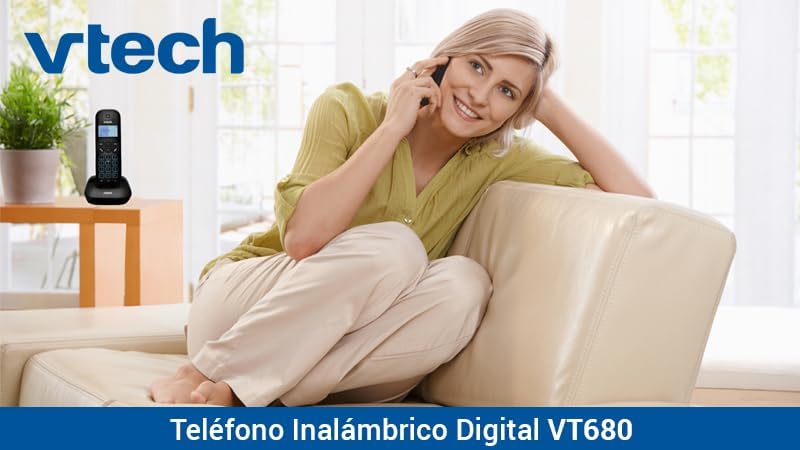
Image: A woman comfortably seated on a couch, engaged in a phone conversation using the VTech VT680 cordless phone.
Технічне обслуговування
прибирання
Протріть слухавку та базу м’якою, злегка втираною ганчіркоюamp cloth. Do not use harsh cleaning agents, abrasive materials, or excessive liquid, as these can damage the device.
Догляд за акумулятором
Use only the specified AAA rechargeable batteries. Replace batteries when they no longer hold a charge effectively or if you notice a significant decrease in talk time.
Усунення несправностей
If you encounter any issues with your VTech VT680 Cordless Phone, please refer to the table below for common problems and their solutions.
| проблема | Рішення |
|---|---|
| Немає гудка | Ensure the telephone line cord is securely connected to both the base unit and the telephone wall jack. Verify the power adapter is properly connected to the base unit and a working electrical outlet. |
| Телефон не заряджається | Ensure the handset is correctly seated in the charging cradle. Verify the power adapter is plugged in. Clean the charging contacts on both the handset and base unit with a dry cloth. |
| Погана якість дзвінків або шум | Move closer to the base unit. Check for interference from other electronic devices (e.g., Wi-Fi routers, microwaves). Try relocating the base unit. |
| Ідентифікація абонента не працює | Ensure you are subscribed to Caller ID service from your telephone service provider. Contact your provider to confirm the service is active. |
Технічні характеристики
Технічні характеристики
- Бренд: VTech
- модель: VT680
- Тип телефону: Cordless, DECT 6.0 Technology
- колір: чорний
- матеріал: пластик
- Джерело живлення: Battery operated (2 AAA rechargeable batteries included)
- Dimensions (Handset on Base): Приблизно 16.8 х 7.8 х 15.8 см
- вага: Приблизно 680 г
- особливості: Caller ID, 10-call log, Reminder Alarm, 20-contact Phonebook
- Line Operation: Однолінійна робота
Гарантія та підтримка
For detailed warranty information, technical support, or to register your product, please visit the official VTech website or contact VTech customer service. Specific warranty terms and support options may vary by region.


