вступ
Thank you for choosing the ZEBRONICS Zeb-Rainbow 400 Multimedia Speaker. This manual provides essential information for the proper setup, operation, and maintenance of your speaker system. Please read it carefully before use and retain it for future reference.
Інструкції з техніки безпеки
- Не піддавайте пристрій впливу дощу або вологи, щоб запобігти пожежі або ураженню електричним струмом.
- Do not open the speaker cabinet. Refer all servicing to qualified personnel.
- Забезпечте належну вентиляцію навколо пристрою. Не блокуйте вентиляційні отвори.
- Захищайте шнур живлення від наступання або защемлення.
- Відключайте пристрій від мережі під час грози або якщо він не використовується протягом тривалого часу.
- Тримайте виріб подалі від прямих сонячних променів, джерел тепла та сильних магнітних полів.
Вміст упаковки
Будь ласка, поставте позначку у відповідному полі для наступних пунктів:
- Блок сабвуфера
- Сателітні динаміки (4 одиниці)
- Пульт дистанційного керування
- Вхідний аудіокабель (3.5 мм – RCA)
- Посібник користувача
Продукт закінченийview
The ZEBRONICS Zeb-Rainbow 400 is a 4.1 channel multimedia speaker system designed for versatile audio playback. It features multiple connectivity options including Bluetooth, AUX, USB, and FM radio. The system includes a powerful subwoofer and four satellite speakers for an immersive audio experience, complemented by integrated RGB lighting.
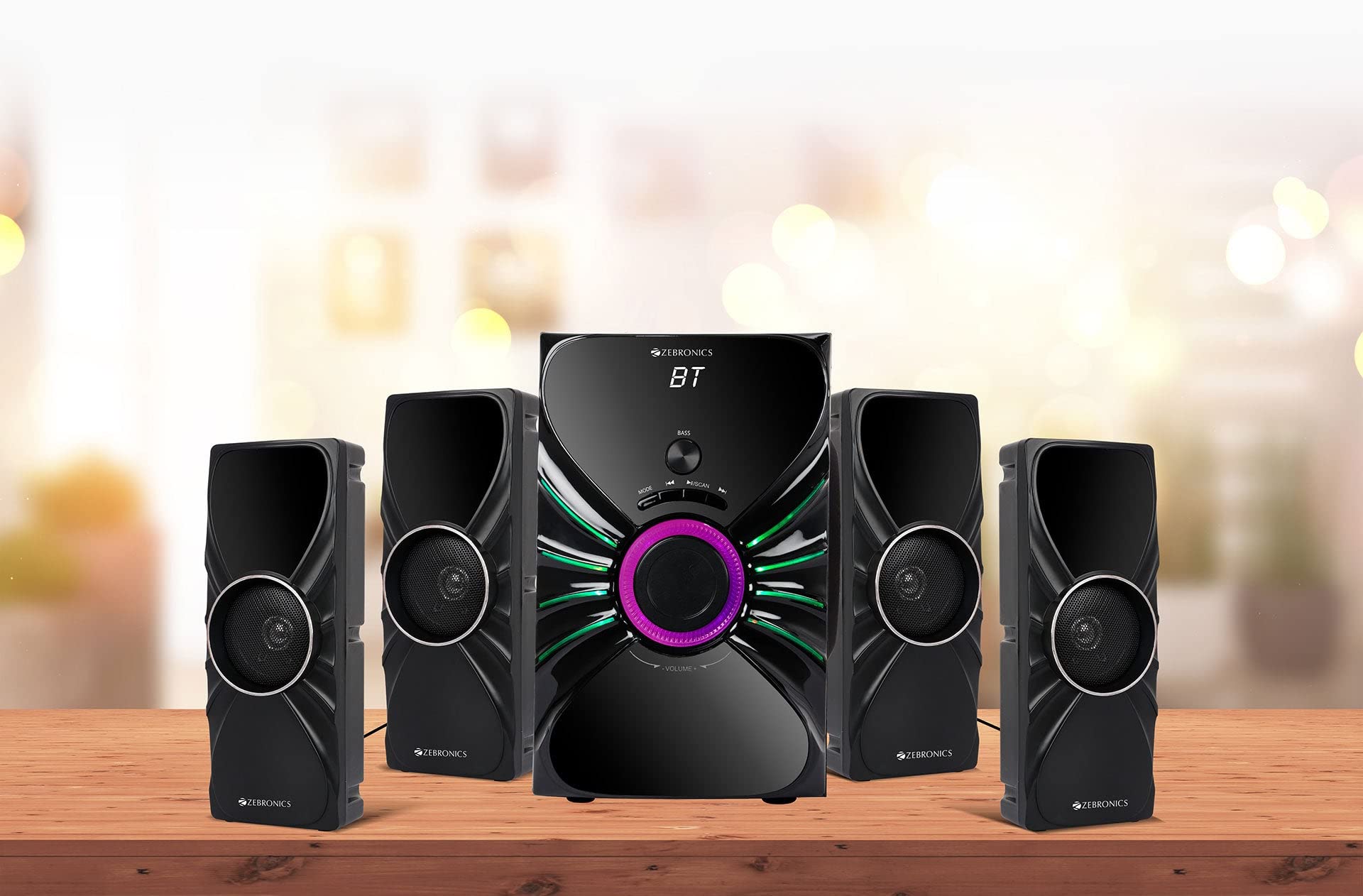
Image: The complete ZEBRONICS Zeb-Rainbow 400 multimedia speaker system, showing the subwoofer, four satellite speakers, and remote control.
Налаштування
1. Розпакування
Обережно вийміть усі компоненти з упаковки. Зберігайте пакувальні матеріали для подальшого транспортування або зберігання.
2. Розміщення динаміків
Place the subwoofer on a stable, flat surface, preferably on the floor for optimal bass response. Position the four satellite speakers around your listening area for a balanced sound field. Ensure adequate space for ventilation.

Image: A visual representation of the 4.1 speaker setup, illustrating the subwoofer and four satellite speakers.
3. Connecting Satellite Speakers
Connect each of the four satellite speakers to the corresponding output ports on the rear panel of the subwoofer unit. Ensure the connections are secure.
4. Підключення джерел звуку
- Вхід AUX: Use the provided 3.5mm to RCA cable to connect your audio device (e.g., smartphone, tablet, PC) to the AUX input ports on the subwoofer.
- USB вхід: Вставте флеш-накопичувач USB, що містить аудіофайли у форматі MP3 fileдо USB-порту на сабвуфері.
5. Підключення живлення
Connect the power cable to the subwoofer unit and then plug it into a standard AC power outlet.
Інструкція з експлуатації
1. Увімкнення/вимкнення живлення
Press the Power button on the front panel of the subwoofer or on the remote control to turn the speaker system on or off.
2. Вибір режиму
Press the 'MODE' button on the front panel or remote control to cycle through the available input modes: Bluetooth (BT), AUX, USB, and FM Radio.

Image: Close-up of the subwoofer's front panel, showing the control buttons (Mode, Play/Pause, Next/Previous, Bass, Volume) and the integrated RGB lighting.
3. Регулювання гучності
Rotate the 'VOLUME' knob on the front panel of the subwoofer or use the Volume Up/Down buttons on the remote control to adjust the overall sound level. The 'BASS' knob can be used to adjust the bass intensity.
4. Режим Bluetooth
- Switch the speaker to Bluetooth mode using the 'MODE' button. The display will show 'BT'.
- Увімкніть Bluetooth на своєму мобільному пристрої або комп’ютері.
- шукати available devices and select "Zeb-Rainbow 400" to pair.
- Once paired, you can play audio from your device through the speakers.
5. Режим AUX
Connect your audio source using the 3.5mm to RCA cable. Switch the speaker to AUX mode. Audio from your connected device will play automatically.
6. Режим USB
Insert a USB flash drive into the USB port. The speaker will automatically switch to USB mode and begin playing MP3 files from the drive. Use the Play/Pause, Next, and Previous buttons to control playback.
7. Режим FM-радіо
- Переведіть динамік у режим FM.
- Press and hold the 'SCAN' button (often combined with Play/Pause) to automatically scan and save available FM stations.
- Use the Next/Previous buttons to navigate through the saved stations.
8. Пульт дистанційного керування
The included remote control provides full functionality for power, mode selection, volume, track control, and FM station tuning. Ensure the remote has working batteries and is pointed towards the subwoofer's sensor.

Image: The ZEBRONICS Zeb-Rainbow 400 subwoofer unit shown with its remote control, highlighting the main controls.
9. Світло RGB
The subwoofer features integrated RGB lights. These lights typically cycle through various colors and patterns automatically. Refer to the remote control for any specific buttons to change light modes, if available.
Технічне обслуговування
1. прибирання
Wipe the speaker surfaces with a soft, dry cloth. Do not use abrasive cleaners, waxes, or solvents as they may damage the finish. Avoid spraying liquids directly onto the speakers.
2. Зберігання
If storing the speakers for an extended period, unplug them from the power outlet and store them in a cool, dry place, away from direct sunlight and extreme temperatures.
Усунення несправностей
| проблема | Можлива причина | Рішення |
|---|---|---|
| Немає живлення | Power cable not connected; Power outlet faulty; Unit switched off | Ensure power cable is securely connected. Check power outlet with another device. Press the Power button. |
| Ні звуку | Volume too low; Incorrect input mode; Audio cable loose/faulty; Device volume low | Increase volume. Select correct input mode. Check audio cable connections. Increase volume on connected device. |
| Bluetooth не підключається | Speaker not in BT mode; Device not in pairing mode; Interference | Switch speaker to BT mode. Ensure device Bluetooth is on and searching. Move devices closer. Restart both devices. |
| Пульт не працює | Batteries depleted; Obstruction; Remote not pointed at sensor | Replace batteries. Remove any obstructions. Point remote directly at the subwoofer's IR sensor. |
| Поганий FM -прийом | Слабкий сигнал; положення антени | Adjust the position of the FM antenna. Rescan for stations. |
Технічні характеристики
| Особливість | Специфікація |
|---|---|
| Бренд | ЗЕБРОНІКА |
| Номер моделі | Zeb Rainbow 400 |
| Розміри продукту (ДxШxВ) | 21 х 39 х 32 сантиметрів |
| Вага товару | 9 кг 350 г |
| Технологія підключення | Допоміжний, Bluetooth, USB, Бездротовий |
| Джерело живлення | AC |
| Сумісні пристрої | Смартфон, планшет |
| Subwoofer Drive Size | 16.51 см |

Image: A visual highlighting the 16.51 cm subwoofer drive of the ZEBRONICS Zeb-Rainbow 400.
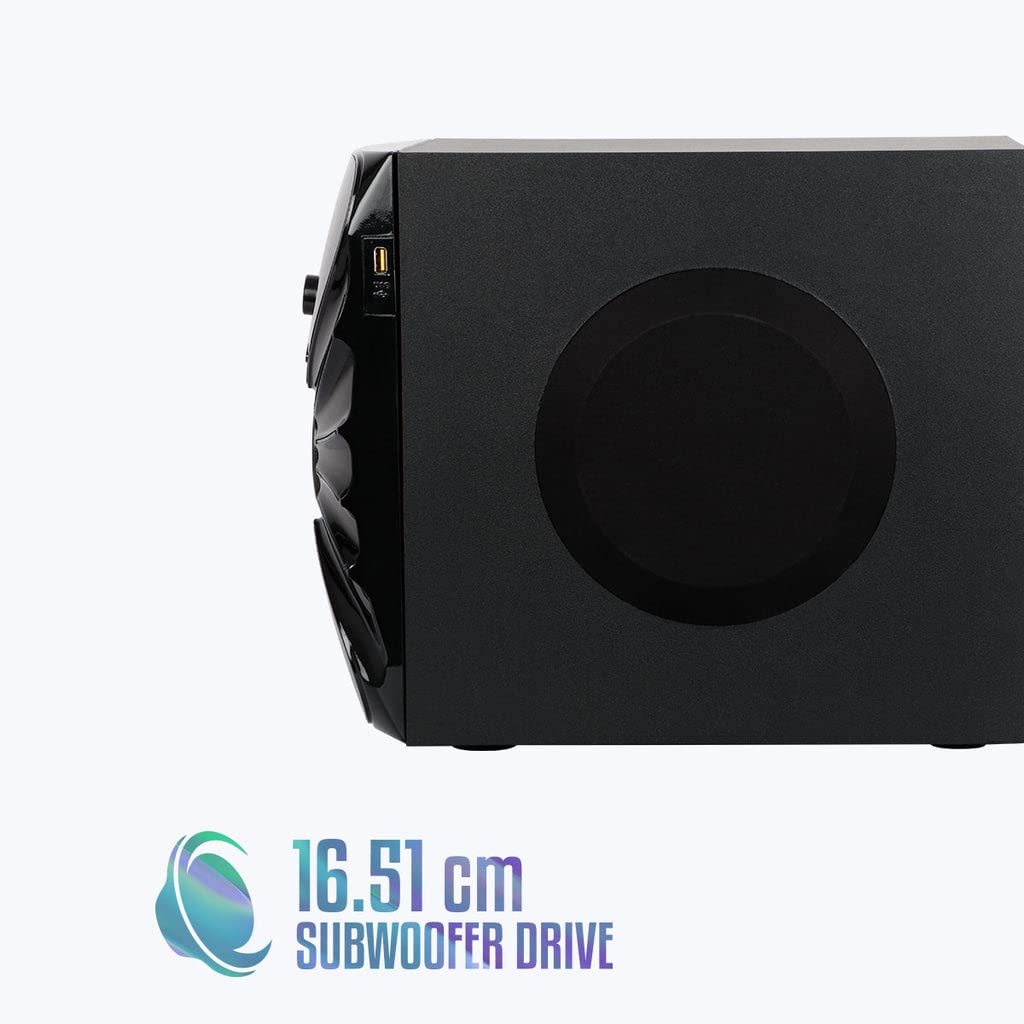
Зображення: Збоку view of the ZEBRONICS Zeb-Rainbow 400 subwoofer, showing the USB port and overall dimensions.
Гарантія та підтримка
This product comes with a minimum six-month seller warranty. For any issues or support, please contact your seller or refer to the official ZEBRONICS support channels. Keep your purchase receipt for warranty claims.


